
Entwodiksyon
This manual provides detailed instructions for the use and maintenance of your Strong SRT 7404 HD remote control. This remote is designed as an original replacement for the Strong SRT 7404 HD FRANSAT receiver, ensuring full compatibility and functionality.
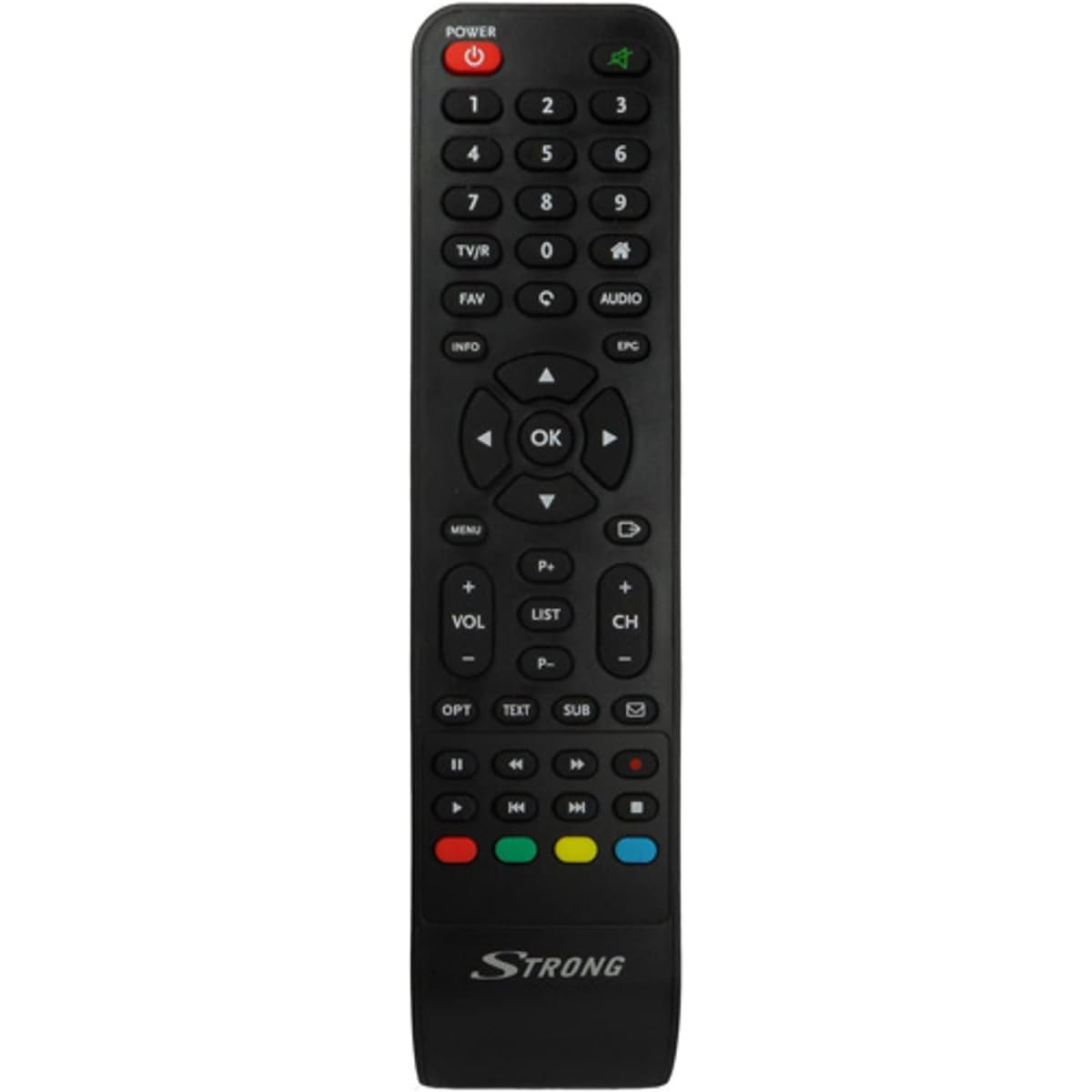
Image: The Strong SRT 7404 HD remote control, black in color, featuring various control buttons for television and receiver functions.
Enstalasyon
1. Enstalasyon batri
- Jwenn lòj batri a sou do a nan kontwòl remote la.
- Glise kouvèti batri a anba oswa nan direksyon flèch la endike a pou ouvri li.
- Mete de pil alkalin AAA (pa enkli), asire w ke tèminal pozitif (+) ak negatif (-) yo byen aliyen ak mak ki anndan konpatiman an.
- Remèt kouvèti batri a lè w glise l tounen nan plas li jiskaske li fè yon klik byen fèm.
Note: Always use new alkaline batteries for optimal performance. Do not mix old and new batteries, or different types of batteries.
2. Premye Itilizasyon
The Strong SRT 7404 HD remote control is an original replacement and is pre-programmed for the Strong SRT 7404 HD FRANSAT receiver. No additional setup or pairing is typically required. Simply install the batteries and point the remote control towards your receiver to begin operation.
Enstriksyon Operasyon
This section outlines the basic functions of the remote control buttons.
- Bouton pouvwa: Limen oswa etenn reseptè a.
- Chèn monte/desann: Navigates through television channels.
- Volim monte/desann: Ajiste volim odyo a.
- Bouton bèbè: Silences or restores the audio.
- Bouton nimewo (0-9): Directly selects channels or enters numerical data.
- Bouton meni: Aksè nan meni prensipal reseptè a.
- Bouton Navigasyon (Anlè, Anba, Agoch, Adwat, OK): Itilize pou navige nan meni yo epi konfime seleksyon yo.
- Bouton Sòti/Retounen: Retounen nan ekran anvan an oswa sòti nan yon meni.
- Info bouton: Montre enfòmasyon sou pwogram nan.
- Bouton koulè (wouj, vèt, jòn, ble): Functions vary depending on the on-screen menu or application.
Refer to your Strong SRT 7404 HD FRANSAT receiver's manual for specific functions related to its menu system and advanced features.
Antretyen
Netwayaj
Pou netwaye kontwòl remote la, siye sifas li dousman avèk yon twal mou epi sèk. Pou pousyè tè ki difisil pou netwaye, siye l yon ti kras.ampen the cloth with water. Avoid using abrasive cleaners, solvents, or alcohol, as these can damage the remote's finish or internal components.
Ranplasman batri
Replace batteries when the remote control becomes unresponsive or its range decreases significantly. Follow the battery installation steps outlined in the "Setup" section. Dispose of used batteries according to local regulations.
Depo
When not in use for extended periods, remove the batteries to prevent leakage, which can damage the remote control. Store the remote in a cool, dry place away from direct sunlight and extreme temperatures.
Depanaj
- Kontwòl Remote pa reponn:
- Check if the batteries are correctly inserted with the correct polarity (+/-).
- Ranplase pil fin vye yo ak pil alkalin nèf.
- Ensure there are no obstructions between the remote control and the receiver's infrared sensor.
- Asire w ou nan zòn fonksyònman efektif la (jiska 10 mèt).
- Dirije telekòmand lan dirèkteman nan direksyon reseptè a.
- Bouton espesifik ki pa fonksyone:
- Netwaye sifas kontwòl remote la, sitou ozalantou bouton ki pa reponn yo, pou retire nenpòt pousyè oswa debri ki ta ka anpeche kontak la bon.
- If cleaning and battery replacement do not resolve the issue, the button or remote may be faulty.
Espesifikasyon
| Karakteristik | Detay |
|---|---|
| Mak | FÒ |
| Non modèl | 7404 |
| Karakteristik espesyal | Lejè |
| Koulè | Nwa |
| Max Sipòte Aparèy | 1 |
| Aparèy konpatib | TV Decoder (Strong SRT 7404 HD FRANSAT Receiver) |
| Koneksyon Teknoloji | Radyo Frekans |
| Kantite bouton | 5 |
| Kalite kontwolè | Kontwòl Remote |
| Maksimòm Range | 10 mèt |
| Kalite batri | Alkaline (AAA, not included) |
| Peyi orijin | Lachin |
Garanti ak sipò
Enfòmasyon sou Garanti
This Strong SRT 7404 HD remote control comes with a 2-year warranty from the date of purchase. This warranty covers manufacturing defects under normal use. Please retain your proof of purchase for warranty claims.
Sipò pou Kliyan
For further assistance, technical support, or warranty inquiries, please contact Strong customer service. Contact details can typically be found on the official Strong websit entènèt la oubyen atravè détayan pwodwi ou a.
You can visit the official Strong brand store for more information: Strong Brand Store