
Entwodiksyon
This manual provides instructions for the proper setup, operation, and maintenance of your Targus W600 Wireless Optical Mouse. Please read this manual thoroughly before using the device to ensure optimal performance and longevity.
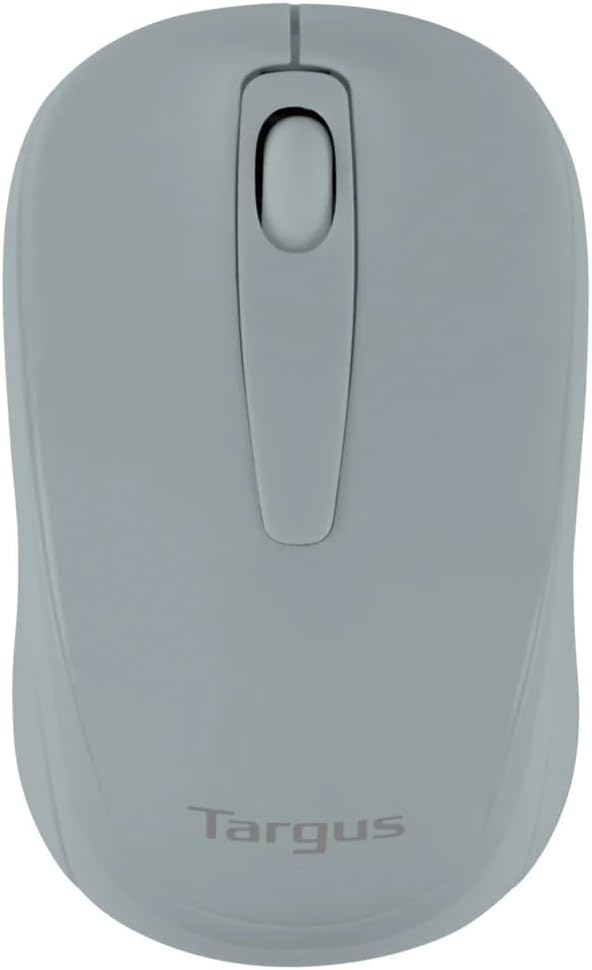
Figure 1: Targus W600 Wireless Optical Mouse (Quarry Gray)
Kontni pake
Asire w tout atik yo prezan nan pakè a:
- Targus W600 Wireless Optical Mouse
- Reseptè USB
- Manyèl Itilizatè (dokiman sa a)
Note: 1 AA battery is required and sold separately.
Karakteristik pwodwi
- 2.4 GHz Wireless Technology for reliable connection
- 1600 DPI Optical Sensor for precise tracking
- Konsepsyon ergonomic pou itilizasyon konfòtab
- Konpatib ak sistèm opere Windows ak Mac
- Integrated USB receiver storage compartment
Enstalasyon
1. Enstale batri a
- Turn the mouse over to locate the battery compartment cover.
- Gently slide the cover off.
- Insert one (1) AA battery, ensuring correct polarity (+/-).
- Ranplase kouvèti lòj batri a.
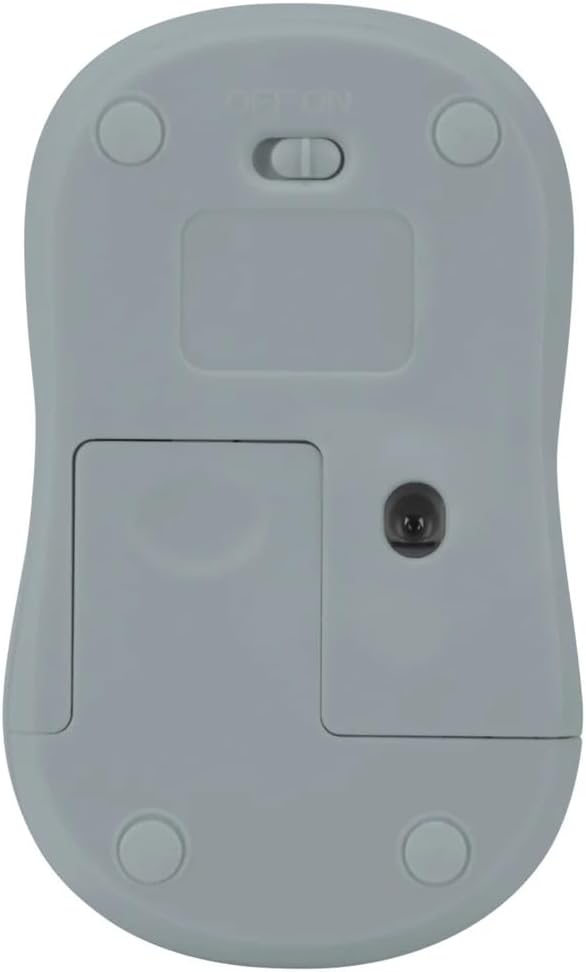
Figi 2: Anba view of the mouse with battery compartment and power switch.
2. Konekte Reseptè USB a
- Locate the USB receiver, typically stored inside the mouse's battery compartment or a dedicated slot.
- Ploge reseptè USB a nan yon pò USB ki disponib sou òdinatè w lan.
- Odinatè w la ta dwe detekte epi enstale chofè ki nesesè yo otomatikman. Sa ka pran kèk segond.
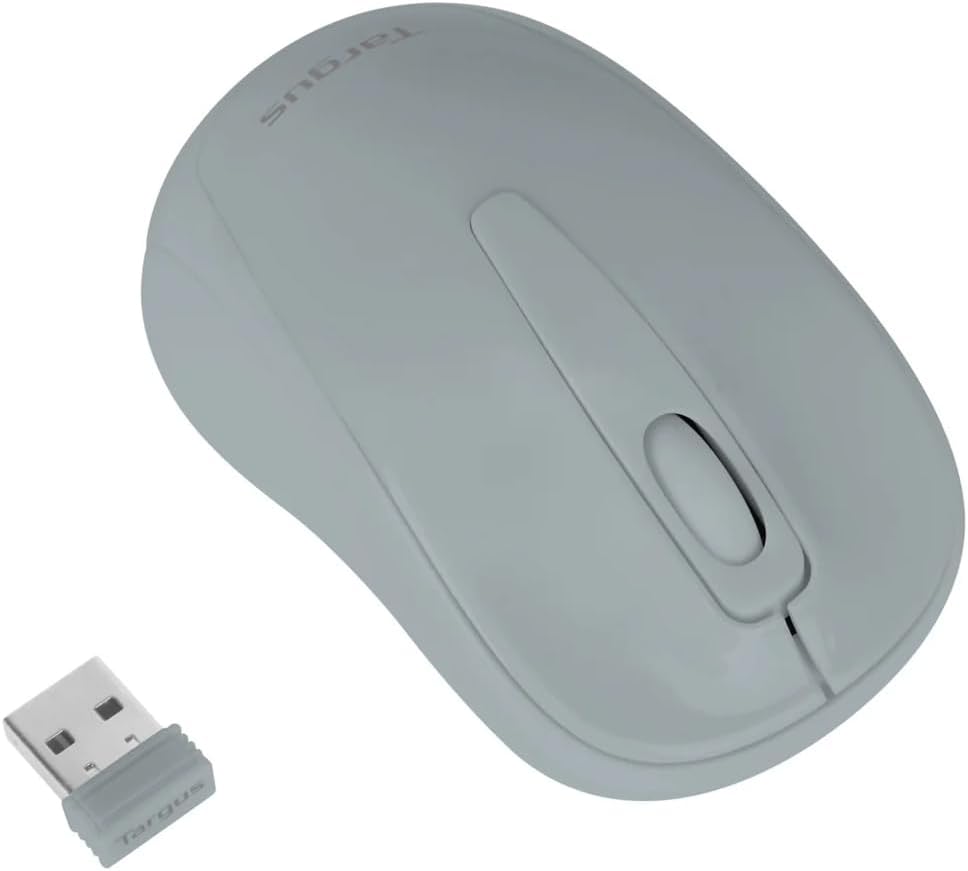
Figure 3: Targus W600 mouse and its USB receiver.

Figure 4: USB receiver plugged into a laptop, with the mouse nearby.
3. Alimente sou sourit la
On the bottom of the mouse, slide the ON/OFF switch to the "ON" position. The mouse is now ready for use.
Itilizasyon Sourit la
The Targus W600 Wireless Optical Mouse functions like a standard 3-button mouse. It features a left button, a right button, and a scroll wheel that also acts as a middle button.
- Klike Goch: Primary action, selection, opening items.
- Klike sou dwa: Ouvri meni kontèkstal yo.
- wou woulo liv: Dokiman defile ak web pages vertically. Pressing the scroll wheel acts as a middle click, often used for opening links in new tabs or specific application functions.
The 1600 DPI optical sensor provides smooth and accurate cursor control on most surfaces. For best performance, use on a mouse pad or a non-reflective, uniform surface.
Antretyen
Netwayaj
To clean your mouse, gently wipe the surface with a soft, damp cloth. Avoid using harsh chemicals or abrasive cleaners, as these can damage the finish or internal components. Ensure no liquid enters the mouse.
Ranplasman batri
When the mouse performance degrades or stops responding, it may be time to replace the battery. Follow the steps outlined in the "Installing the Battery" section to replace the AA battery. Dispose of used batteries responsibly according to local regulations.
Depanaj
| Pwoblèm | Solisyon |
|---|---|
| Sourit pa reponn |
|
| Mouvman iregilye kurseur |
|
| Kout ranje san fil |
|
Espesifikasyon
| Nimewo Modèl | AMW60006AP-55 |
| Koneksyon | 2.4 GHz san fil (Reseptè USB) |
| Sensor Teknoloji | Optik |
| DPI | 1600 DPI |
| Kantite bouton | 3 (Left, Right, Scroll Wheel/Middle Click) |
| Sous pouvwa | 1 x batri AA (pa enkli) |
| Sistèm operasyon konpatib | Windows, Mac |
Remak: Espesifikasyon yo ka chanje san avètisman.
Garanti ak sipò
For warranty information and technical support, please refer to the official Targus websit la oubyen kontakte sèvis kliyan yo. Kenbe resi acha w la kòm prèv acha pou reklamasyon garanti.
Targus Official Websit: www.targus.com