
1. Entwodiksyon
This manual provides essential information for the safe and effective operation of your Holmes Desktop HEPA-Type Air Purifier, Model HAP242B-U. This air purifier is designed to improve indoor air quality by capturing airborne particles and reducing odors in small rooms.
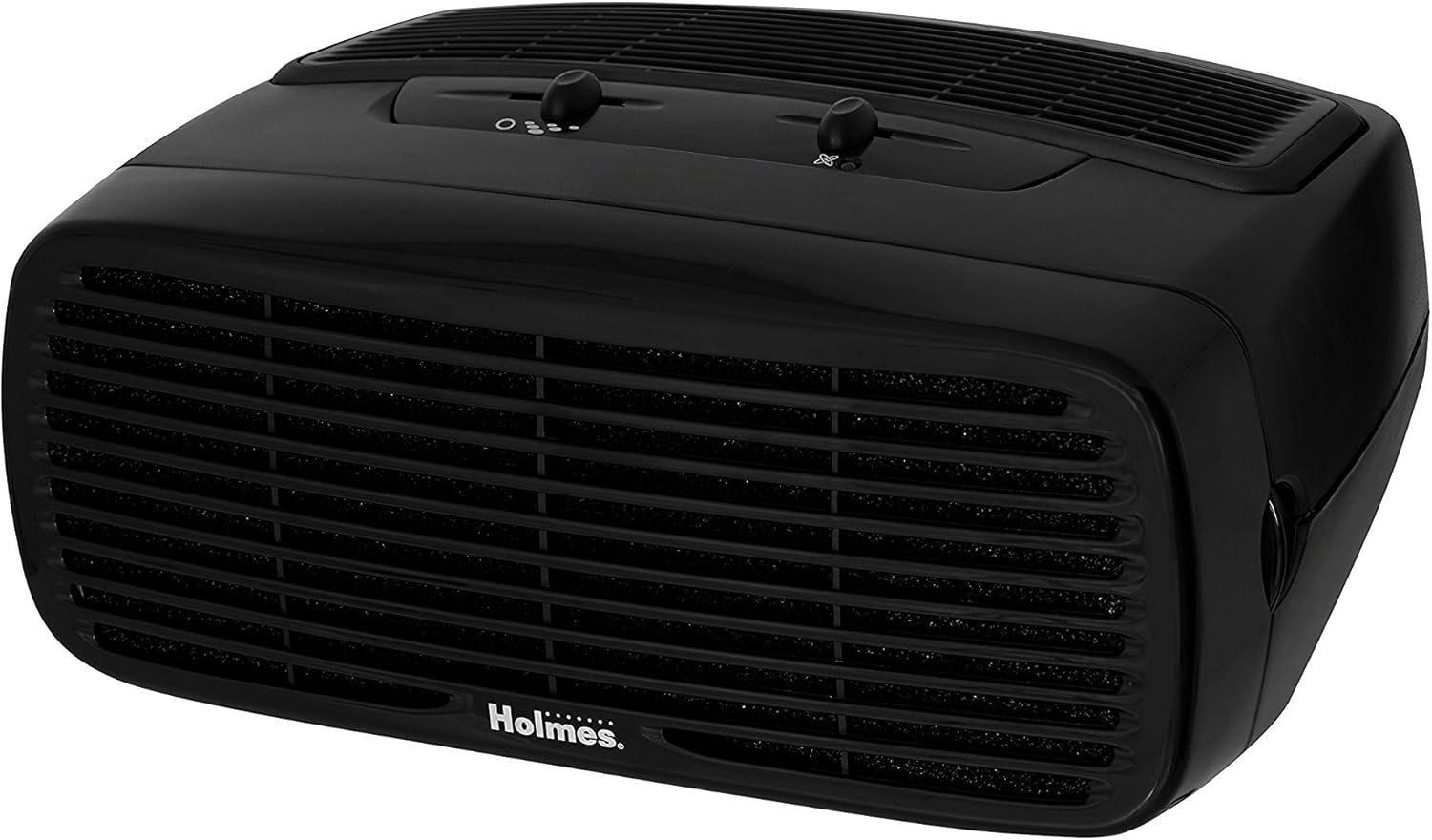
Figure 1: Holmes Desktop HEPA-Type Air Purifier (HAP242B-U)
2. Pwodwi Features
- Filtraj tip HEPA: Captures up to 99% of airborne particles as small as 2 microns, including pollen, dust, mold, pet dander, and smoke.
- Optional Ionizer: Helps bind negative ions to airborne particles, making them easier to capture and assisting in odor reduction.
- Twa Anviwònman Vitès: Allows for customizable airflow and purification intensity.
- Konsepsyon kontra enfòmèl ant: Suitable for rooms up to 109 sq. ft. and can be positioned vertically or horizontally.
- Operasyon trankil: Designed to operate quietly, especially on lower settings.
3. Enstalasyon
- Depakete inite a: Retire pirifikatè lè a nan anbalaj li avèk prekosyon.
- Retire anbalaj pwoteksyon an: Open the front grille by pressing the release tabs (if applicable) or gently pulling the cover. Remove any plastic bags or protective materials from the filter(s).
- Enstale filtè: Insert the HEPA-Type filter into the designated slot. Ensure it is seated correctly.
- Replace Front Grille: Securely close the front grille until it clicks into place.
- Pozisyone Inite a: Place the air purifier on a flat, stable surface. It can be positioned either vertically or horizontally. Ensure there is adequate space around the air intake and outlet for optimal airflow.
- Ploge nan: Konekte kòd kouran an nan yon priz elektrik estanda.

Figure 2: Airflow and Filter System Diagram
4. Operasyon Enstriksyon
- Limen/Etenyen: Turn the fan speed dial to the desired setting (1, 2, or 3) to power on the unit. Turn the dial to 'Off' to power off.
- Ajiste vitès fanatik: Select from three fan speeds:
- Vitès 1 (Ba): For quiet operation and continuous use.
- Speed 2 (Medium): For general air purification.
- Vitès 3 (Anwo): For rapid air purification.
- Activate Ionizer (Optional): Locate the ionizer switch on the control panel. Slide the switch to the 'On' position to activate the ionizer. An indicator light will illuminate when the ionizer is active. Slide to 'Off' to deactivate.

Figi 3: Kontwòl Panel
5. Antretyen
Ranplasman filtè
The HEPA-Type filter should be replaced approximately every 3 to 6 months, depending on usage and air quality. The unit may have a filter indicator light to signal when replacement is needed.
- Kouran koupe epi deploge: Ensure the air purifier is turned off and unplugged from the electrical outlet.
- Retire griyaj devan an: Gently press the release tabs or pull the front grille to detach it from the main unit.
- Retire ansyen filtè a: Carefully pull out the used HEPA-Type filter. Dispose of the old filter responsibly.
- Enstale nouvo filtè a: Insert a new Holmes HEPA-Type filter (Model HAPF30AT-U or compatible) into the unit. Ensure the filter is oriented correctly according to the arrows on the filter frame.
- Replace Front Grille: Reattach the front grille, ensuring it snaps securely into place.
- Reyajiste Endikatè Filtè a (si sa aplikab): If your unit has a filter reset button, press and hold it for a few seconds until the indicator light turns off.

Figure 4: Replacement HEPA-Type Filter
Netwaye Eksteryè a
- Siye sifas eksteryè yo ak yon mou, damp twal. Pa sèvi ak pwodui netwayaj abrazif oswa solvang.
- Asire w ke aparèy la sèk nèt anvan ou branche l tounen.
NAN. Depanaj
| Pwoblèm | Kòz posib | Solisyon |
|---|---|---|
| Inite pa limen. | Pa branche; kouran koupetage; fan speed dial is off. | Ensure unit is securely plugged into a working outlet; check circuit breaker; turn fan speed dial to 1, 2, or 3. |
| Diminisyon nan sikilasyon lè a oswa move pirifikasyon. | Clogged filter; unit placed too close to walls or furniture. | Replace the HEPA-Type filter; ensure adequate clearance around the unit. |
| Bri etranj. | Filtè a pa byen enstale; gen yon objè etranje anndan aparèy la. | Check filter installation; unplug unit and inspect for obstructions. |
| Odè a pèsiste. | Ionizer off; filter needs replacement. | Ensure ionizer is on; replace the HEPA-Type filter. |
7. Espesifikasyon
| Karakteristik | Detay |
|---|---|
| Nimewo Modèl | HAP242B-U |
| Mak | HOLMES |
| Koulè | Nwa |
| Dimansyon pwodwi | 7.2"D x 14.6"W x 11.3"H |
| Pwa atik | 5.79 liv |
| Wattage | 45 wat |
| Nivo bri | 70 Desibèl |
| Filtre Klas | Kalite HEPA |
| CADR | 70 (Clean Air Delivery Rate) |
| Gwosè chanm rekòmande | Jiska 109 pye kare. |
| Kalite kontwolè | Kontwòl bouton |
| Karakteristik espesyal | Pwogramasyon |
8. Garanti ak sipò
This Holmes Desktop HEPA-Type Air Purifier (Model HAP242B-U) comes with a 3-ane garanti limite apati dat acha a. Garanti sa a kouvri domaj nan materyèl ak nan fabrikasyon anba itilizasyon nòmal nan kay la.
For warranty claims, technical support, or replacement parts, please contact Holmes customer service. Refer to the product packaging or the official Holmes websit la pou jwenn enfòmasyon kontak ki pi resan yo.
Tanpri konsève prèv acha ou a pou rezon garanti.