
Entwodiksyon
This manual provides detailed instructions for the setup, operation, maintenance, and troubleshooting of your Pabobo Kid Sleep Alarm Clock, model KS0031. Please read this manual thoroughly before using the product to ensure proper function and safety.
The Pabobo Kid Sleep Alarm Clock is designed to help children learn to tell time and establish healthy sleep routines. It features both digital and analog time displays, a visual sleep/wake indicator, and customizable alarm sounds.
Enfòmasyon sou Sekirite
- Kenbe aparèy la lwen dlo ak imidite.
- Pa ekspoze a tanperati ekstrèm oswa limyè solèy la dirèk.
- Sèvi ak sèlman kalite pil espesifye a. Asire w polarite ki kòrèk la lè w ap mete pil yo.
- Kenbe pil yo deyò pou timoun piti yo.
- Pa eseye demonte oswa repare aparèy la tèt ou. Kontakte sèvis kliyan si gen pwoblèm.
- Pwodwi sa a fèt pou itilize andedan kay la sèlman.
Pwodwi souview
The Pabobo Kid Sleep Alarm Clock combines an analog clock, a digital display, and a visual sleep/wake indicator to assist children in understanding time and sleep cycles.

Figi 1: Devan view of the Pabobo Kid Sleep Alarm Clock.
Karakteristik kle:
- Doub tan ekspozisyon: Features both an analog clock face and a digital time display for easy learning.
- Sleep Trainer: A visual indicator (sleeping child / awake child) helps children understand when it's time to sleep and when it's okay to wake up.
- Pwogresis Alam: Three selectable alarm sounds (chirping birds, cuckoo, train) that increase in volume.
- Fonksyon Snooze: Press the large button on the top for a two-minute snooze and a temporary backlight.
- Limyè lannwit: A mini night light emits a reassuring glow.
Enstalasyon
1. Enstalasyon batri
The clock operates on one battery, which is included. To install or replace the battery:
- Jwenn lòj batri a sou do revèy la.
- Louvri kouvèti lòj batri a.
- Mete pil la nan plas li, asire w ke polarite a kòrèk (+/-).
- Fèmen kouvèti lòj batri a byen.

Figi 2: Dèyè view with battery compartment and controls.
2. Mete Tan an
To set the current time on your alarm clock:
- Use the time setting knob (usually located on the back) to adjust the analog hands to the correct time.
- The digital display will synchronize or can be set separately using dedicated buttons (refer to specific button labels on the back, e.g., "SET" buttons).
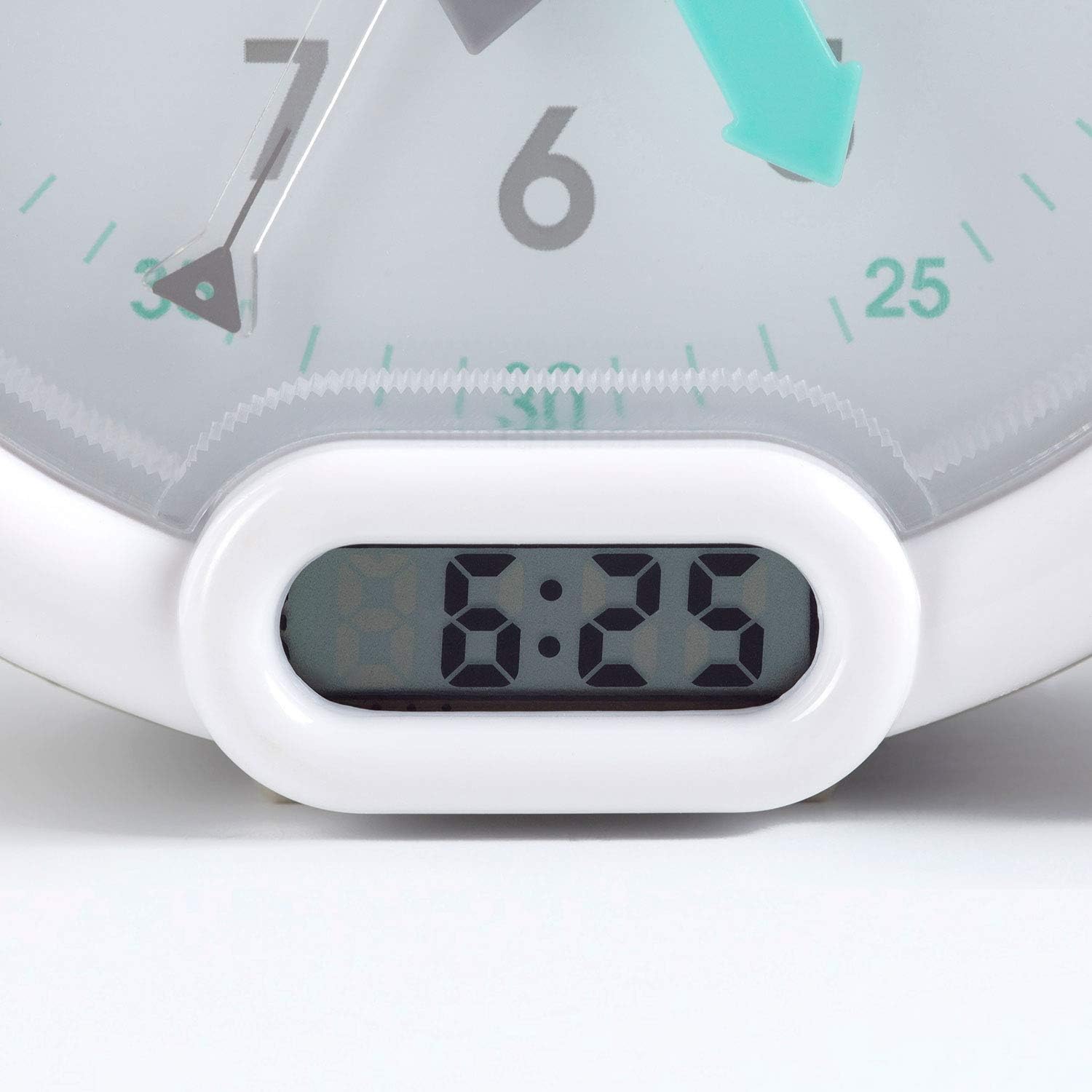
Figi 3: Ekspozisyon tan dijital.
Enstriksyon Operasyon
1. Mete alam la
The alarm can be set to one of three sounds: chirping birds, cuckoo, or train. The alarm volume increases progressively.
- Locate the alarm setting controls on the back of the clock.
- Adjust the alarm time using the designated knob or buttons.
- Select your preferred alarm sound using the sound selection switch.
- Ensure the alarm is activated (ON position).
2. Using the Sleep Trainer
The sleep trainer feature visually indicates when it's time to sleep and when it's time to wake up.
- Sleeping Child Lit: When the image of the sleeping child is lit, it indicates that children should remain in bed and continue sleeping.
- Awake Child Lit: When the image of the awake child is lit, it signals that it is time to wake up.

Figi 4: Sleep indicator (sleeping child).

Figi 5: Awake indicator (awake child).
The sleep/wake times for this indicator are typically set independently from the alarm time, using specific controls on the back of the clock.
3. Fonksyon Snooze ak Backlight
Press the large button on the top of the clock to activate the snooze function for two minutes. This button also provides a short glowing light, allowing the child to see the time during the night.

Figi 6: Clock with backlight activated.
Antretyen
- Netwayaj: Siye revèy la ak yon twal mou epi sèk. Pa sèvi ak pwodui netwayaj abrazif oswa solvan.
- Ranplasman batri: Replace the battery when the display dims or the alarm function becomes unreliable. Dispose of used batteries responsibly.
- Depo: Si w ap sere revèy la pou yon bon bout tan, retire pil la pou anpeche l koule.
Depanaj
| Pwoblèm | Kòz posib | Solisyon |
|---|---|---|
| Clock not turning on / display blank. | Batri mouri oswa mal enstale. | Check battery polarity. Replace battery. |
| Alam pa sonnen. | Alarm not set or turned off. Low battery. | Ensure alarm is set and activated. Replace battery. |
| Sleep/wake indicator not changing. | Incorrect sleep/wake time settings. | Verify and adjust the sleep/wake indicator settings. |
| Clock makes clicking noise. | Mechanical movement noise (common for analog clocks). | This may be normal for the analog mechanism. If excessively loud or new, contact support. |
Espesifikasyon
| Mak: | Pabobo |
| Nimewo Modèl: | KS0031 |
| Koulè: | Gri |
| Kalite ekspozisyon: | Analòg, dijital |
| Dimansyon pwodwi: | 6.3" lajè x 5.12" wotè |
| Sous pouvwa: | Battery Powered (1 battery included) |
| Materyèl: | Plastik |
| Kalite montaj: | Desktop Mount |
| Pwa atik: | 14.1 ons (0.88 Liv) |
| Karakteristik espesyal: | Adjustable, Backlit, Sleep Trainer |
Enfòmasyon sou Garanti
This Pabobo Kid Sleep Alarm Clock comes with a Garanti pou tout lavi. For details regarding warranty claims and coverage, please refer to the official Pabobo websit oswa kontakte sipò kliyan.
Sipò pou Kliyan
If you encounter any issues or have questions not covered in this manual, please contact Pabobo customer support for assistance.
- Sipò sou entènèt: Visit the official Pabobo websit pou FAQ ak opsyon pou kontakte yo.
- Imèl: [Insert Pabobo Support Email Here, if available]
- Telefòn: [Insert Pabobo Support Phone Number Here, if available]
Please have your model number (KS0031) and purchase information ready when contacting support.