
1. Entwodiksyon
This manual provides detailed instructions for the installation, operation, and maintenance of your Thomson 512331 720p WiFi IP Camera. This wireless security camera features 720p HD resolution, advanced night vision, motion detection, and remote viewing capabilities via a smartphone or tablet application. Designed for outdoor use, it boasts an IP66 weather-resistant rating and a durable metal construction.
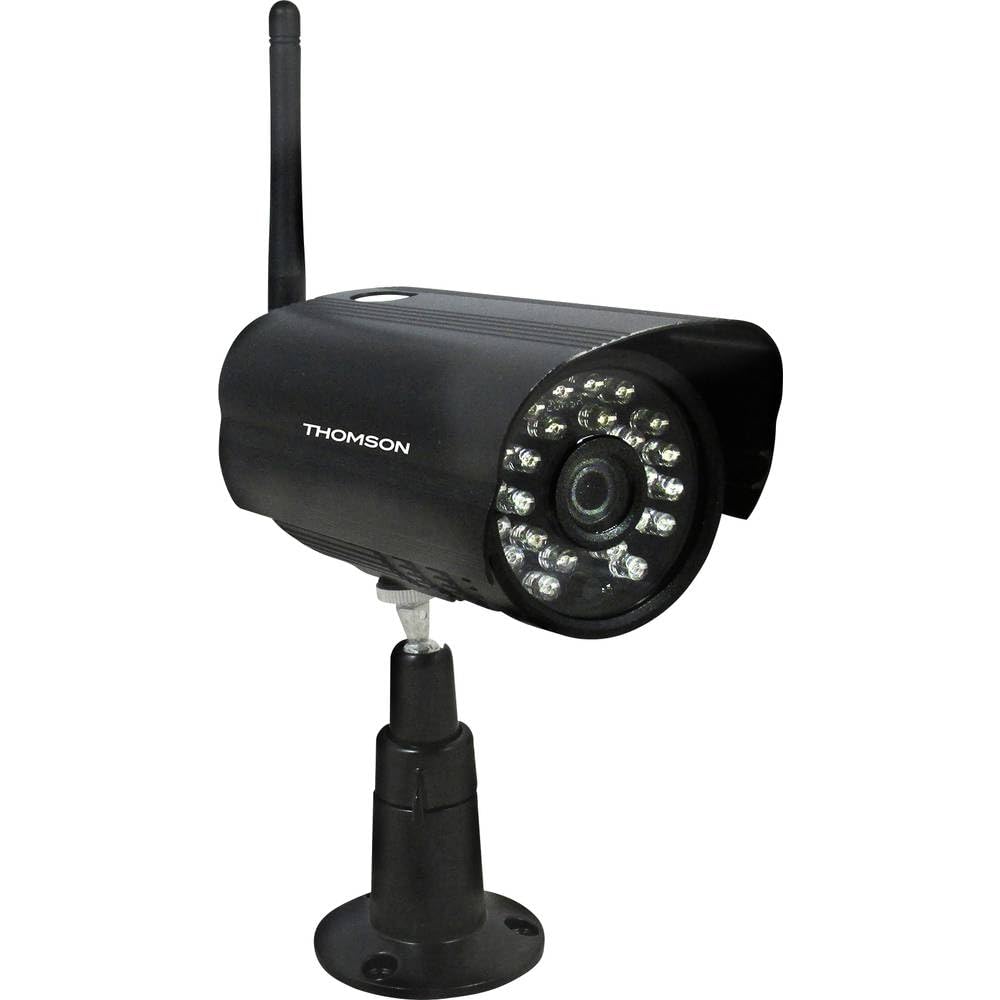
Figi 1: Devan view of the Thomson 512331 720p WiFi IP Camera. This image shows the camera's main body, lens, and antenna connection point, highlighting its compact and robust design suitable for outdoor surveillance.
2. Pake kontni
Tanpri verifye ke tout atik ki nan lis anba a yo enkli nan pakè ou a. Si gen nenpòt atik ki manke oswa ki domaje, kontakte sèvis kliyan.
- Thomson 512331 IP Camera
- Power Adapter (230VAC/12VDC 500mA)
- Antèn WiFi
- Twous montaj (vis ak ploge miray)
- Manyèl Itilizatè (dokiman sa a)
3. Pwodwi souview
The Thomson 512331 camera is designed for reliable surveillance with the following key features:
- Lantiy: 3.6mm fixed lens for a wide field of view.
- Rezolisyon: 1280x720 (720p) HD video capture.
- Vizyon lannwit: Infrared night vision with 24 LEDs, providing a range of up to 20 meters. Features color night vision capability.
- Odyo: Integrated microphone for audio acquisition.
- Koneksyon: Wireless Wi-Fi connectivity for flexible placement.
- Rezistans move tan: IP66 rated for outdoor use, protecting against dust and powerful water jets.
- Materyèl: Durable metal housing.
- Pouvwa: 12VDC 500mA power input, maximum consumption 5W.
- Konpresyon videyo: H.264 for efficient storage and streaming.
- Depo: Supports SD card for local storage (SD card not included).
4. Enstalasyon
4.1 Enstalasyon Fizik
- Chwazi yon kote: Select a suitable outdoor location for the camera, ensuring it has a clear view nan zòn ou vle siveye a epi ki nan zòn rezo Wi-Fi ou a.
- Monte kamera a: Use the provided mounting kit to securely attach the camera to a wall or other stable surface. Drill pilot holes if necessary, insert wall plugs, and fasten the camera bracket with screws.
- Attach WiFi Antenna: Screw the WiFi antenna firmly onto the designated port on the camera.
- Konekte pouvwa: Connect the power adapter to the camera's 12VDC input port and plug the adapter into a suitable power outlet. Ensure the power outlet is protected from weather if installed outdoors.
4.2 Network Configuration and App Setup
- Telechaje App a: Chèche pou the official Thomson IP Camera application on your smartphone's or tablet's app store (iOS or Android). Download and install the application.
- Kreye yon kont: Louvri aplikasyon an epi swiv enstriksyon ki sou ekran an pou kreye yon nouvo kont itilizatè oubyen konekte si ou deja genyen youn.
- Ajoute kamera: In the app, select the option to "Add Device" or "Add Camera." Follow the in-app wizard to connect your camera to your Wi-Fi network. This typically involves scanning a QR code on the camera or entering your Wi-Fi credentials.
- Konfigirasyon Anviwònman: Once connected, you can configure various settings such as motion detection sensitivity, recording schedules, and alert notifications within the app.
5. Operasyon Enstriksyon
5.1 Viv View
Open the Thomson IP Camera app on your smartphone or tablet. Select your camera from the device list to view the live video feed. You can typically switch between standard and HD resolution, and access controls for audio and recording.
5.2 Deteksyon Mouvman ak Alèt
The camera is equipped with motion detection. When motion is detected, the camera can trigger recordings and send push notifications to your connected device. Adjust motion detection sensitivity and alert preferences in the app's settings.
5.3 Vizyon lannwit
The camera automatically switches to infrared night vision in low-light conditions, providing clear black and white video. It also supports color night vision in certain conditions. The 24 built-in IR LEDs illuminate up to 20 meters.
5.4 Anrejistreman ak Lektur
If an SD card is installed (not included), the camera can record video locally. Recordings can be triggered by motion or set on a schedule. Access recorded footage atravè fonksyon lekti aplikasyon an.
6. Antretyen
- Netwayaj: Netwaye lantiy kamera a ak bwat la detanzantan avèk yon twal mou,amp twal pou retire pousyè ak salte. Pa sèvi ak pwodui chimik ki agresif oswa pwodui netwayaj abrazif.
- Mizajou mikrolojisyèl: Check the app regularly for firmware updates. Keeping your camera's firmware up-to-date ensures optimal performance and security.
- Pwovizyon pou pouvwa: Asire w adaptè kouran an ak kab la an bon eta epi yo pa domaje.
- Koneksyon Wi-Fi: Verify your Wi-Fi signal strength periodically to ensure a stable connection for continuous surveillance.
NAN. Depanaj
- Kamera pa konekte ak Wi-Fi:
- Asire w kamera a nan zòn routeur Wi-Fi ou a.
- Verifye ke modpas Wi-Fi ou a byen antre nan aplikasyon an.
- Rekòmanse routeur ou a ak kamera a.
- Ensure your Wi-Fi network is 2.4GHz, as 5GHz networks may not be supported.
- Pa gen fil videyo:
- Tcheke si kamera a limen.
- Confirm a stable internet connection on both the camera and your viewing aparèy.
- Rekòmanse kamera a ak aplikasyon an.
- Deteksyon mouvman pa travay:
- Check motion detection settings in the app; ensure it is enabled and sensitivity is adjusted correctly.
- Asire w pa gen okenn obstak ki bloke kamera a view.
- Move kalite vizyon lannwit:
- Netwaye lantiy kamera a pou retire tout pousyè oswa tach.
- Ensure there are no reflective surfaces close to the camera that might interfere with IR illumination.
8. Espesifikasyon
| Non modèl | 512331 |
| Mak | Thomson |
| Dimansyon (L x W x H) | 50 x 50 x 28 cm |
| Pwa | 500 gram |
| Koneksyon Teknoloji | Wireless, Wi-Fi |
| Karakteristik espesyal | Vizyon lannwit |
| Aparèy konpatib | Tablèt, Smartphone |
| Sous pouvwa | AC Power (12VDC 500mA adapter) |
| Kalite kontwolè | iOS (via application) |
| Kalite aliye | Mi mòn |
| Karakteristik pwodwi | Vizyon lannwit, Deteksyon Mouvman |
| Materyèl | Metal |
| Nivo rezistans dlo | IP66 (enpèmeyab) |
| Kalite Alèt | Mouvman sèlman |
| Kalite sous limyè | dirije |
| Metòd kontwòl | Aplikasyon |
| Konsomasyon pouvwa | 5 Watts |
| Batri obligatwa | Non |
| Kantite Chanèl | 1 |
| Kalite Konsantre | Konsantre oto |
| Teknoloji detèktè optik | BSI CMOS |
| Rezolisyon videyo | 720p (1280x720 Pixels) |
| Vizyon lannwit Range | 20 mèt |
| Kalite Vizyon lannwit | Infrared with Color Night Vision capability |
| Kalite memwa flash | SD (for local storage) |
9. Garanti ak sipò
For warranty information and technical support, please refer to the documentation provided with your purchase or visit the official Thomson websit la. Kenbe prèv acha ou pou reklamasyon garanti.
Resous sou entènèt: www.thomson.eu