
1. Entwodiksyon
This manual provides comprehensive instructions for the installation, operation, and maintenance of your ALC AWF61 SightHD 1080p Full HD Outdoor Wi-Fi Camera. Designed for outdoor security, this camera delivers crystal-clear 1080p video, robust night vision, and reliable Wi-Fi connectivity, allowing you to monitor your property remotely via your smartphone or tablet.
Tanpri li manyèl sa a avèk atansyon anvan ou itilize pwodwi a pou asire yon bon konfigirasyon ak yon pèfòmans optimal.
2. Pwodwi souview
2.1 Karakteristik kle
- 1080p Full HD Videyo: Captures high-definition video at 1280 x 1080 resolution for clear streaming, playback, and recording.
- Wide Field nan View: Ofri yon chan 90 degre view to cover a broad area.
- Vizyon lannwit avanse: Equipped with 6 surface-mounted high-power infrared LEDs, providing sharp black and white contrast up to 65 feet (20 meters) in low-light or total darkness. Infrared (IR-cut) filters ensure accurate colors during daylight.
- Konsepsyon ki enpèmeyab: Features IP66-rated durable metal housing, designed to withstand various inclement weather conditions.
- Koneksyon Wi-Fi: Connects wirelessly to your home network for remote access.
- Deteksyon Mouvman: Smart motion detection triggers alerts and recording.
- Opsyon Depo fleksib: Supports on-camera recording (microSD card not included) and free cloud storage integration with Google Drive and Dropbox.
- Siveyans Adistans: Accessible via smartphone and tablet applications (Android and Apple compatible).
2.2 Kontni pake a
Asire w tout atik yo prezan nan pakè a:
- ALC AWF61 SightHD 1080p Full HD Outdoor Wi-Fi Camera
- Adaptè pouvwa (AC/DC)
- Mounting Materyèl
- Manyèl Enstriksyon (dokiman sa a)
2.3 Konpozan Kamera
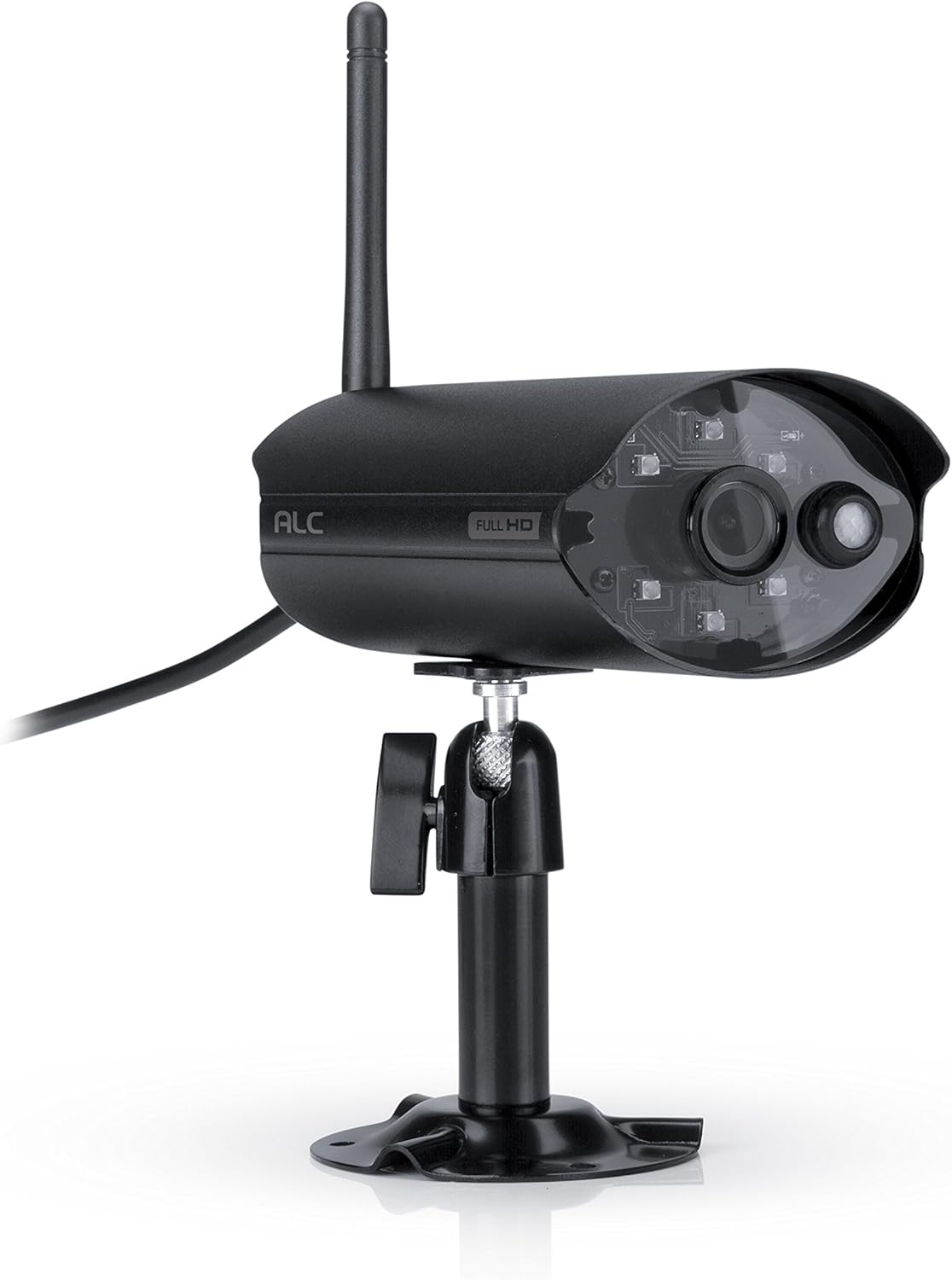
Figi 2.3.1: Devan view of the ALC AWF61 camera, showing the lens, infrared LEDs, and antenna. This image displays the camera's main body, mounted on its stand, with the antenna extending upwards and the power cable visible.
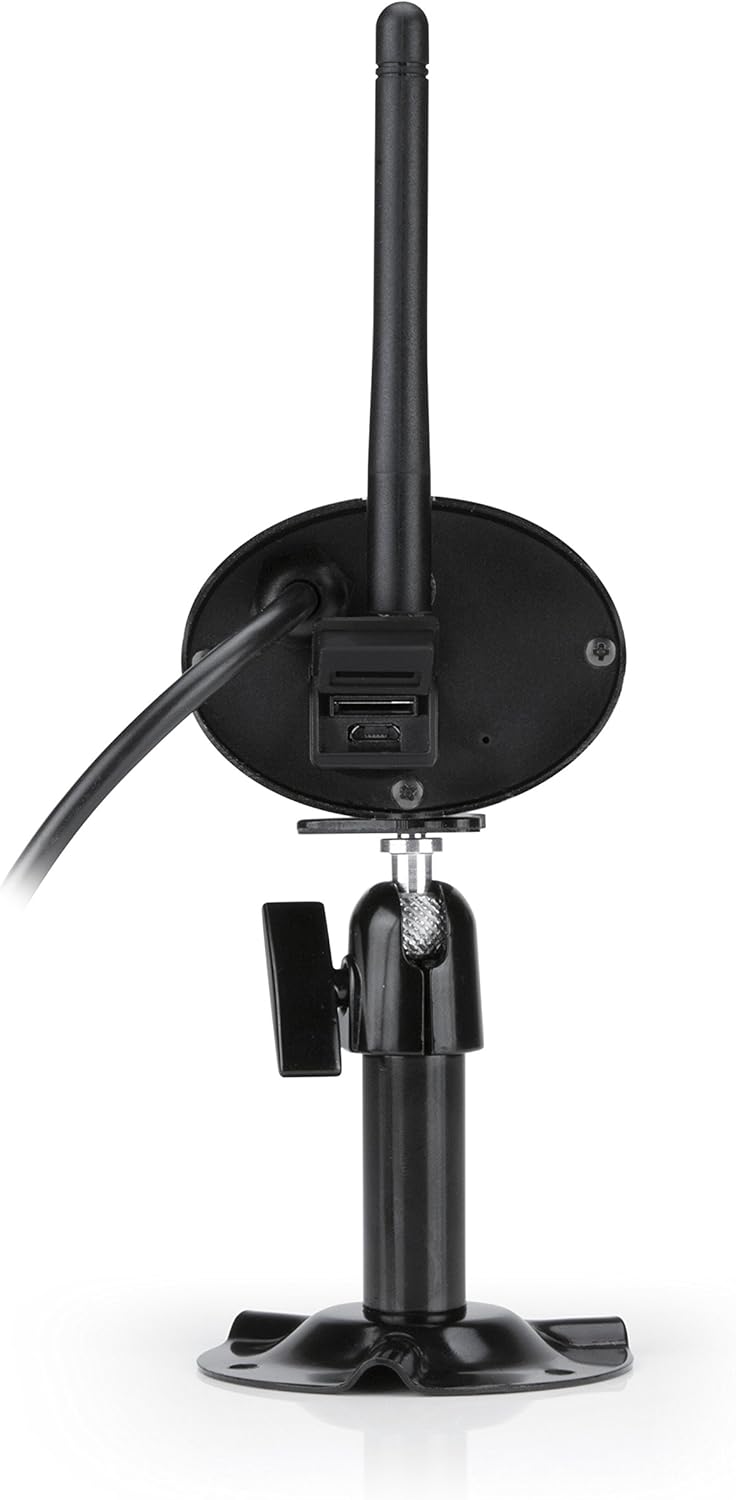
Figi 2.3.2: Dèyè view of the ALC AWF61 camera, showing the power input and possibly a microSD card slot (if applicable). This image highlights the back of the camera unit, including the base and connection points.
3. Enstalasyon ak Enstalasyon
3.1 Anvan w kòmanse
- Ensure you have a stable Wi-Fi network with good signal strength at the camera's intended installation location.
- Kenbe non rezo Wi-Fi ou a (SSID) ak modpas ou a pare.
- A smartphone or tablet (Android or iOS) is required for setup and operation.
3.2 Telechaje Aplikasyon an ak Kreye yon Kont
- Telechaje la ALC SightHD aplikasyon an nan Apple App Store (pou aparèy iOS) oswa Google Play Store (pou aparèy Android).
- Enstale app a sou smartphone ou oswa grenn.
- Louvri aplikasyon an epi swiv enstriksyon ki sou ekran an pou kreye yon nouvo kont itilizatè oubyen konekte si ou deja genyen youn.
3.3 Koneksyon ak Akonpayman Kamera
- Konekte kamera a nan adaptè kouran an epi branche li nan yon priz kouran. Kamera a pral limen epi kòmanse sekans demaraj li.
- Within the ALC SightHD app, select the option to add a new camera or device.
- Follow the app's instructions to connect the camera to your Wi-Fi network. This typically involves scanning a QR code on the camera or entering your Wi-Fi credentials into the app.
- Once connected, the camera will be paired with your account and ready for live viewing.
3.4 Monte Kamera a
The ALC AWF61 camera is designed for surface mounting. Choose a location that provides the desired field of view and has access to a power outlet. Ensure the mounting surface is stable and can support the camera's weight.
- Use the provided mounting hardware to securely attach the camera's base to the chosen surface.
- Adjust the camera's angle and orientation using the adjustable mount to achieve the optimal viewzòn nan.
- Ensure the camera's antenna is positioned for best Wi-Fi signal reception.
4. Operasyon Enstriksyon
4.1 Viv View ak Lektur
- Open the ALC SightHD app on your smartphone or tablet.
- Select the AWF61 camera from your device list to access the live video feed.
- Use the app's interface to initiate manual recordings, take snapshots, or review anrejistre footage from your microSD card or cloud storage.
4.2 Deteksyon Mouvman ak Alèt
- Navigate to the camera settings within the ALC SightHD app.
- Enable and configure motion detection sensitivity and detection zones.
- Ensure push notifications are enabled in the app and on your device's operating system to receive alerts when motion is detected.
4.3 Vizyon lannwit
The camera automatically switches to night vision mode in low-light conditions. The infrared LEDs will illuminate, providing clear black and white video up to 65 feet. No manual intervention is typically required for this feature.
4.4 Cloud Storage Integration
The ALC AWF61 supports free cloud storage integration with Google Drive and Dropbox. To utilize this feature:
- Ensure you have an active Google Drive or Dropbox account.
- Within the ALC SightHD app settings for your camera, link your preferred cloud storage account.
- Recordings can then be automatically transferred from the camera's microSD card (if installed) to your linked cloud account.
5. Antretyen
5.1 Netwayaj Kamera a
- Netwaye lantiy kamera a ak bwat la detanzantan avèk yon twal mou,amp twal.
- Do not use harsh chemicals or abrasive cleaners, as these can damage the camera's finish or lens.
- Asire w kamera a etenn anvan ou netwaye li.
5.2 Mizajou Firmware
From time to time, ALC may release firmware updates to improve camera performance or add new features. Check the ALC SightHD app regularly for notifications regarding available firmware updates and follow the in-app instructions to apply them.
NAN. Depanaj
| Pwoblèm | Kòz posib | Solisyon |
|---|---|---|
| Camera not connecting to Wi-Fi or frequently disconnects. | Weak Wi-Fi signal; incorrect Wi-Fi credentials; network interference. |
|
| ALC SightHD app freezes or crashes. | App software glitch; outdated app version; insufficient device memory. |
|
| Motion alerts are delayed or not received. | Network latency; incorrect app notification settings; device power saving modes. |
|
| Cannot access camera from a PC. | Product design limitation. | The ALC AWF61 camera is primarily designed for control and viewing via smartphone and tablet applications. Direct PC access is not supported. |
7. Espesifikasyon
| Karakteristik | Detay |
|---|---|
| Nimewo Modèl | AWF61 |
| Rezolisyon Capture Videyo | 1080p (1280 x 1080) |
| Jaden nan View | 90 Degre |
| Vizyon lannwit Range | 60 pye |
| Koneksyon Teknoloji | San fil (Wi-Fi) |
| Itilizasyon Andedan kay la / Deyò | Deyò |
| Rating Pwoteksyon Entènasyonal | IP66 (enpèmeyab) |
| Sous pouvwa | AC/DC |
| Aparèy konpatib | Telefòn entelijan, Tablèt (Android, iOS) |
| Materyèl | Metal |
| Dimansyon atik (L x W x H) | 2 x 5 x 2.5 pous |
| Pwa atik | 1.95 liv |
| To Frame | 30 ankadreman pou chak segonn |
| Kalite Alèt | Mouvman sèlman |
| UPC | 857067005222 |
8. Garanti ak sipò
For warranty information, technical support, or service inquiries regarding your ALC AWF61 SightHD camera, please refer to the official ALC website or contact their customer support directly. Details for contacting support are typically found on the manufacturer's websit la oubyen sou anbalaj pwodwi a.
It is recommended to have your product model number (AWF61) and purchase date available when contacting support.