
Interphone INTERPHOTOURTP
Manyèl Itilizatè Entèfòn Motosiklèt Bluetooth Interphone Tour Dual Pack
Model: INTERPHOTOURTP | Brand: Interphone
Entwodiksyon
The Interphone Tour Dual Pack is a high-performance Bluetooth intercom system designed for motorcycle riders. It enables communication between up to four riders over a distance of 1.5 km, offers extended battery life, and supports fast charging. This device is compatible with all helmet types and Bluetooth-enabled smartphones, allowing for calls, music playback, and GPS navigation. This manual provides detailed instructions for installation, operation, maintenance, and troubleshooting to ensure optimal performance and user experience.
Kontni pake

Figure 1: Included components of the Interphone Tour Dual Pack.
The Interphone Tour Dual Pack includes the following items:
- 2 Control Units
- 2 Complete Audio Kits (speakers)
- 2 Microphones for full-face helmets
- 2 Microphones for jet or modular helmets
- 2 Sets of Sponge Covers (for microphones)
- 2 Sets of Spacers (for speakers)
- 2 Charging and Data Cables
- 2 Adhesive Bases (for mounting)
- 2 Clip Bases (for mounting)
- Gid Quick Start ak Enfòmasyon sou Garanti
Enstalasyon ak Enstalasyon
Proper installation ensures optimal audio quality and secure attachment of the intercom unit to your helmet.
Mounting the Intercom Unit

Figure 2: Interphone Tour unit securely mounted on a helmet.
Choose between the adhesive base or the clip base for mounting. The adhesive base provides a permanent attachment, while the clip base allows for easier removal. Ensure the mounting location on the helmet is clean and dry before installation.
- Select Mounting Base: Decide whether to use the adhesive base or the clip base.
- Pozisyon: Identify a flat, suitable area on the left side of your helmet, near the bottom edge, where the unit will not obstruct vision or movement.
- Install Base:
- Baz adezif: Peel off the protective film and firmly press the base onto the helmet surface for at least 30 seconds. Allow 24 hours for the adhesive to cure before attaching the intercom unit.
- Baz Klip: Slide the clip base between the helmet shell and the inner padding. Ensure it is securely fastened and does not move.
- Attach Intercom Unit: Slide the Interphone Tour control unit onto the installed base until it clicks into place.
Installing Speakers and Microphones
The audio kit includes speakers and two types of microphones to suit different helmet designs.
- Plasman Oratè: Locate the ear pockets inside your helmet. Attach the speakers using the provided adhesive pads, ensuring they are centered over your ears for optimal sound. Use spacers if needed to bring the speakers closer to your ears.
- Seleksyon Mikwofòn:
- Full-Face Helmet Microphone: This is a flexible boom microphone. Attach it to the inside of the helmet, positioning the microphone capsule directly in front of your mouth, ensuring it does not touch your lips.
- Jet/Modular Helmet Microphone: This is a wired microphone designed for open-face or modular helmets. Secure it inside the helmet, ensuring it is close to your mouth and protected from wind noise.
- Jesyon kab: Route all cables neatly under the helmet padding to prevent discomfort and ensure they are not snagged. Connect the speaker and microphone cables to the corresponding ports on the intercom unit.
Enstriksyon Operasyon
The Interphone Tour features intuitive controls for various functions.

Figi 3: Devan view of two Interphone Tour units, highlighting the control buttons.
Fonksyon debaz yo
- Limen/Etenyen: Peze epi kenbe la Bouton pouvwa/entèrfon (usually the large central button with a phone icon or power symbol) for approximately 3 seconds.
- Kontwòl Volim: Sèvi ak la Mizik epi FM buttons (or up/down arrows) to adjust the volume.
- Bluetooth mak:
- Ensure the Interphone Tour is off.
- Peze epi kenbe la Bouton pouvwa/entèrfon until the LED indicator flashes rapidly (pairing mode).
- On your smartphone or GPS device, search for Bluetooth devices and select "Interphone Tour".
- Once paired, the LED will change to a steady blue light.
Kominikasyon entèrfon
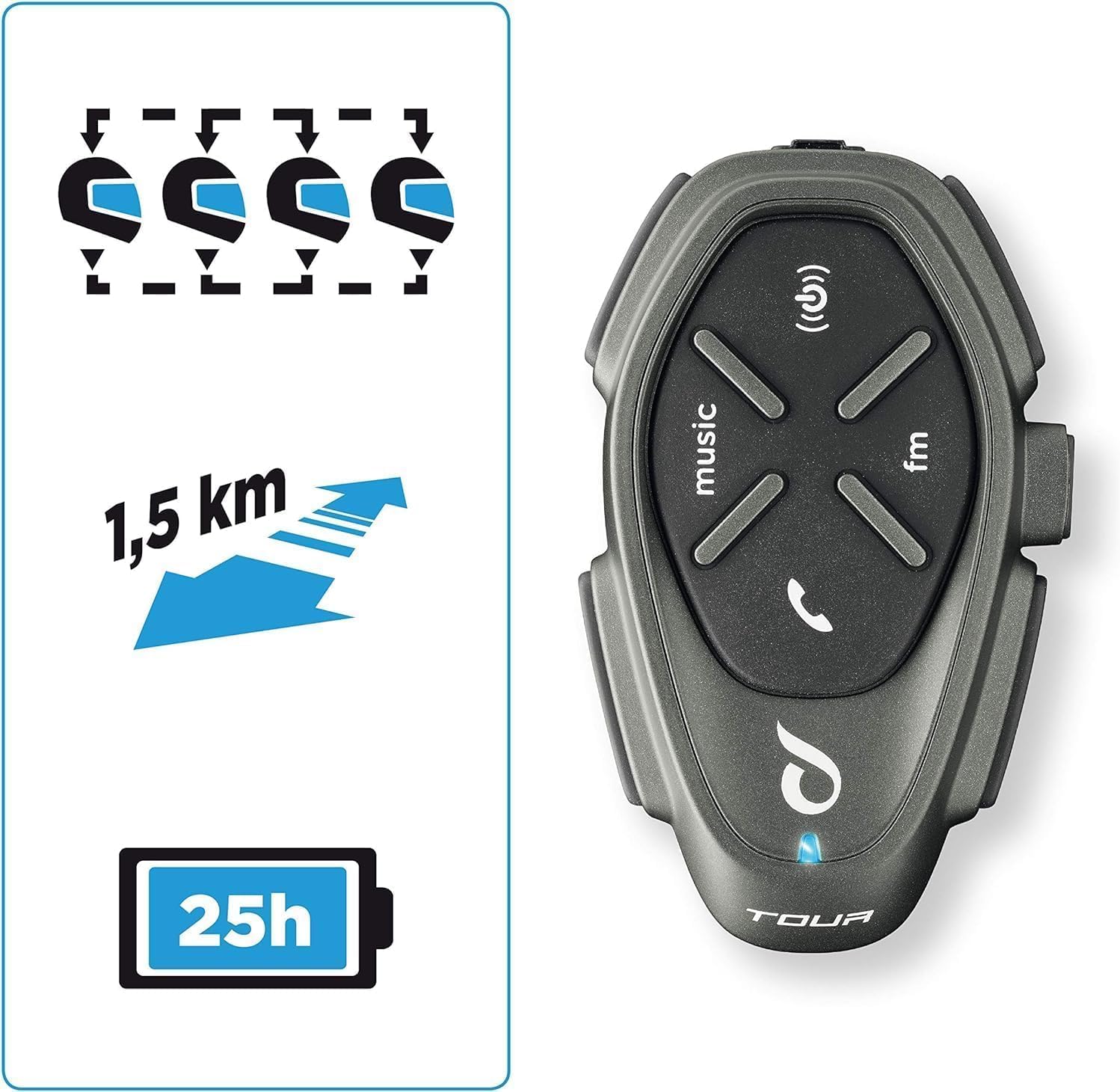
Figure 4: Key features including multi-rider communication and range.
The Interphone Tour supports communication for up to 4 riders over a distance of 1.5 km.
- Kòmanse Entèkom: Yon ti tan peze la Bouton pouvwa/entèrfon to start an intercom conversation with a paired unit.
- Multi-Rider Intercom: Follow the specific pairing instructions in the quick start guide for multi-unit connections (e.g., 3-way or 4-way intercom).
- Anycom Function: The Anycom feature allows communication with other intercom devices, regardless of brand. Refer to the full manual for detailed Anycom pairing procedures.
Media and Navigation

Figure 5: Connectivity options including music, phone calls, and FM radio.
- Lektur Mizik: Once paired with your smartphone, use the Bouton mizik to play/pause music. Use volume buttons to adjust. Music sharing between rider and passenger is supported.
- Radyo FM: Peze a bouton FM to activate the built-in FM radio. Use the music/FM buttons to scan for stations.
- Navigasyon GPS: When paired with a Bluetooth-enabled GPS device, voice instructions will be transmitted directly to your helmet speakers.
- Apèl nan telefòn:
- Reponn apèl: Yon ti tan peze la Bouton telefòn (or central button).
- Fini apèl: Yon ti tan peze la Bouton telefòn.
- Vwa konpoze: If supported by your phone, long-press the Bouton telefòn pou aktive asistan vwa.
Batri ak Chaje
The Interphone Tour boasts a battery life of over 20 hours and features fast charging technology.
- Chaje: Connect the provided USB charging cable to the intercom unit and a compatible USB power source. The LED indicator will show charging status.
- Vit chaj: Utilize the fast charge feature for quick power replenishment.
- Lavi batri: A fully charged unit provides approximately 25 hours of talk time.
Konsepsyon ki enpèmeyab
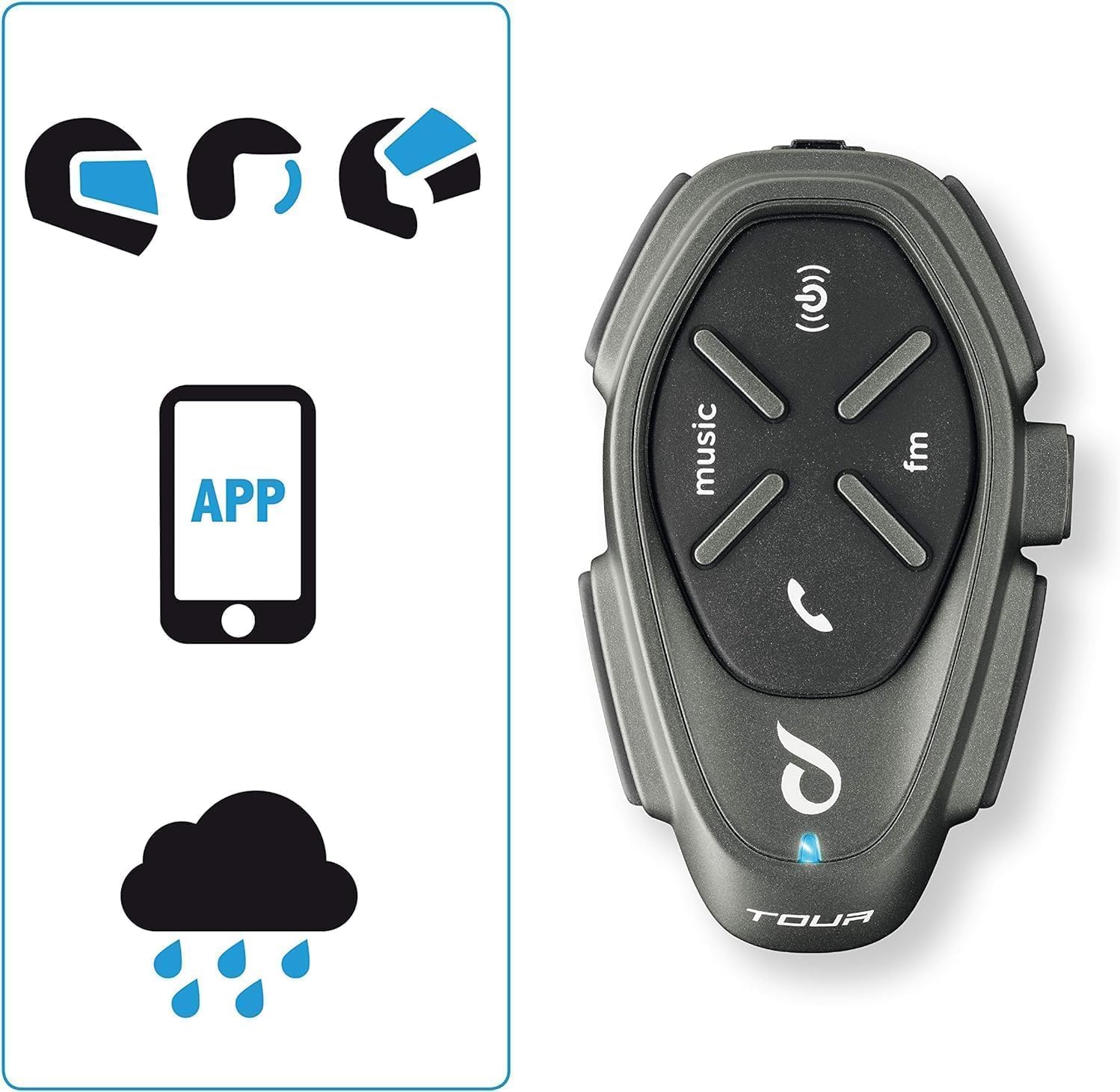
Figure 6: The intercom is compatible with various helmet types and is waterproof.
The Interphone Tour is designed to be fully waterproof, ensuring reliable operation in various weather conditions.
Antretyen
To ensure the longevity and optimal performance of your Interphone Tour, follow these maintenance guidelines:
- Netwayaj: Sèvi ak yon mou, damp cloth to clean the exterior of the intercom unit. Avoid using abrasive cleaners or solvents, as they may damage the finish or internal components.
- Depo: When not in use for extended periods, store the unit in a cool, dry place. Ensure the battery is partially charged (around 50%) before storage to prolong its lifespan.
- Swen kab: Manyen kab yo ak anpil atansyon pou evite domaj. Evite pliye byen file oswa rale twòp.
- Ekspozisyon dlo: While waterproof, it is recommended to wipe the unit dry after exposure to heavy rain to prevent water spots or mineral buildup.
Depanaj
This section addresses common issues you might encounter with your Interphone Tour.
| Pwoblèm | Kòz posib | Solisyon |
|---|---|---|
| Aparèy pa limen. | Batri ki fèb oswa ki vid. | Charge the unit using the provided cable. Ensure the charging indicator lights up. |
| Cannot pair with smartphone/GPS. | Unit not in pairing mode; Bluetooth off on device; interference. | Ensure the Interphone Tour is in pairing mode (rapid flashing LED). Check Bluetooth settings on your device. Move away from other electronic devices. |
| Intercom communication is poor or drops. | Out of range; obstacles; low battery. | Ensure units are within 1.5 km range and have a clear line of sight. Charge units. Re-pair if necessary. |
| Pa gen son ki soti nan moun kap pale. | Speakers not connected; volume too low; faulty speakers. | Check speaker connections to the unit. Increase volume. Test with another audio source if possible. |
| Mikwofòn nan pa kapte vwa a. | Microphone not connected; incorrect microphone type; faulty microphone. | Ensure microphone is securely connected. Verify correct microphone type for your helmet. Check microphone position. |
If the problem persists, consult the full user manual or contact Interphone customer support.
Espesifikasyon
| Karakteristik | Detay |
|---|---|
| Non modèl | INTERPHOTOURTP |
| Mak | Entèfòn |
| Koneksyon Teknoloji | Bluetooth |
| Intercom Range | Up to 1.5 km (for 4 riders) |
| Lavi batri | Approx. 25 hours talk time (over 20 hours) |
| Chaje | Fast Charge technology |
| Nivo rezistans dlo | Ki enpèmeyab |
| Aparèy konpatib | Bluetooth devices (smartphones, GPS) |
| Kalite kontwòl | Noise Control, Touch Control, Volume Control, Voice Control |
| Karakteristik espesyal | Anycom (inter-brand compatibility), Music Sharing, Noise Cancellation |
| Gamme frekans | 20 Hz - 20,000 Hz |
| Materyèl | Plastik |
| Konpozisyon batri | Lithium-ion (1 Lithium-polymer included) |
| Faktè fòm | Earbuds (Auricolari) |
| Enpedans | 25 ohm |
| Izolasyon bri | Sipresyon aktif bri |
Garanti ak sipò
The Interphone Tour comes with a manufacturer's warranty and support resources.
- Garanti manifakti a: The product is covered by a 2-year manufacturer's warranty. Please retain your proof of purchase for warranty claims.
- Disponibilite pyès rezèv: Information regarding spare parts availability is not provided.
- Mizajou lojisyèl: Information regarding guaranteed software updates is not provided.
- Sipò Kliyan: For further assistance, technical support, or warranty claims, please refer to the contact information provided in your Quick Start Guide or visit the official Interphone websit.
Ask a question about this manual
Ask about setup, troubleshooting, compatibility, parts, safety, or missing instructions. Manuals+ will review the question and use this page’s manual context to help answer it.