
1. Entwodiksyon
Intermec PM43 la se yon enprimant etikèt endistriyèl mitan-gamme ki fèt pou pèfòmans serye ak fasilite itilizasyon. Enprimant sa a sipòte tou de metòd enprime tèmik dirèk ak transfè tèmik, sa ki fè li versatile pou divès aplikasyon etikèt. Li prezante yon koòdone fasil pou itilize, disponib swa ak yon ekran tactile koulè oswa ikòn inivèsèl, pou senplifye operasyon an epi redwi bezwen fòmasyon. Manyèl sa a bay enfòmasyon esansyèl pou konfigirasyon, itilizasyon, antretyen ak depanaj enprimant PM43 ou a.

Figi 1: Devan view enprimant Intermec PM43 la, ki montre panèl kontwòl la ak fant sòti medya a.
2. Enstalasyon
2.1 Debalaj ak plasman
Retire enprimant lan nan anbalaj li avèk prekosyon. Asire w ou retire tout materyèl anbalaj yo. Mete enprimant lan sou yon sifas ki estab e plat, avèk ase espas toutotou li pou vantilasyon epi pou aksè nan pò yo ak zòn chajman medya yo.
2.2 Konekte pouvwa
- Asire w ke switch pouvwa enprimant lan nan pozisyon OFF (O).
- Konekte kòd kouran an nan priz kouran AC enprimant lan.
- Ploge lòt pwent fil kouran an nan yon priz elektrik ki chita.
2.3 Konekte ak yon Sistèm Lame
Enprimant PM43 la sipòte koneksyon USB ak Ethernet.
- Koneksyon USB: Konekte yon kab USB soti nan pò USB enprimant lan nan yon pò USB ki disponib sou òdinatè w la.
- Koneksyon Ethernet: Konekte yon kab Ethernet soti nan pò Ethernet enprimant lan nan routeur oswa switch rezo ou a.

Figi 2: Panèl dèyè enprimant PM43 la, ki montre priz kouran an, switch kouran an, pò USB yo, ak pò Ethernet la.
2.4 Chaje Medya yo
Enprimant PM43 la ka itilize plizyè kalite medya, tankou etikèt, tags, ak medya kontinyèl. Pou enprime transfè tèmik, ou bezwen yon riban tou.
- Louvri kouvèti materyèl enprimant lan.
- Mete woulo etikèt yo sou aks ekipman pou medya a, epi asire w etikèt yo ap soti anba woulo a.
- Pase materyèl la nan gid yo epi anba asanble tèt enprime a.
- Si w ap itilize transfè tèmik, mete riban an sou aks ekipman pou riban an epi pase l nan fil dapre dyagram entèn yo.
- Fèmen kouvèti medya a.

Figi 3: Entèn view enprimant PM43 la, ki mete aksan sou mekanis pou chaje medya ak riban an.
3. Operasyon Enstriksyon
3.1 Limen/Etenyen
- Pou limen enprimant lan, vire bouton ki sou panèl dèyè a nan pozisyon ON (I). Enprimant lan pral fè yon tès otomatik.
- Pou etenn aparèy la, vire switch pouvwa a nan pozisyon OFF (O).
3.2 Enpresyon debaz
Yon fwa enprimant lan konekte epi medya a chaje, ou ka voye travay enprime apati sistèm prensipal ou a. Asire w ke ou gen bon chofè enprimant yo enstale sou òdinatè w la.
- Louvri dokiman an oswa aplikasyon ou vle enprime a.
- Chwazi enprimant Intermec PM43 la nan dyalòg enprime a.
- Ajiste paramèt enprime yo (pa egzanp, gwosè etikèt, dansite enprime) jan sa nesesè.
- Lanse travay enprime a.
3.3 Itilizasyon Entèfas Itilizatè a
PM43 la swa gen yon ekran taktil koulè oswa yon koòdone ak ikòn inivèsèl pou kontwòl dirèk ak konfigirasyon. Navige nan meni yo pou ajiste paramèt tankou kalibrasyon medya, konfigirasyon rezo, ak estati enprimant lan.
4. Antretyen
4.1 Netwaye tèt enprime a
Netwayaj tèt enprime a regilyèman enpòtan anpil pou kenbe bon jan kalite enprime a epi pwolonje dire lavi tèt enprime a. Sèvi ak yon twal ki pa gen pousyè oswa yon plim netwayaj tèt enprime ki gen alkòl izopropilik.
- Etenn enprimant lan epi dekonekte kòd kouran an.
- Louvri kouvèti medya a.
- Siye eleman tèt enprime a dousman soti nan sant la pou ale deyò.
- Kite tèt enprime a seche nèt anvan ou fèmen kouvèti a epi limen enprimant lan.
4.2 Ranplase Medya ak Riban
Ranplase woulo medya yo ak riban transfè tèmik yo lè yo fini. Gade seksyon 2.4 pou enstriksyon sou chajman an. Toujou asire w ke w ap itilize bon kalite medya ak riban pou yon pèfòmans optimal.
NAN. Depanaj
Seksyon sa a adrese pwoblèm komen ou ka rankontre ak enprimant PM43 ou a.
5.1 Kalite Enpresyon ki Pòv
- Enpresyon ki pa klè oswa ki pa konplè: Netwaye tèt enprime a (gade seksyon 4.1). Asire w riban an (si li transfè tèmik) byen chaje epi li pa fin itilize. Ajiste paramèt dansite enprime yo.
- Enpresyon ki tache: Verifye si kalite medya a konpatib. Asire w ke presyon tèt enprime a byen fikse.
5.2 Blokaj Medya
- Pouvwa enprimant lan.
- Louvri kouvèti medya a epi retire tout medya ki bloke avèk prekosyon.
- Asire w ke medya yo chaje byen epi gid yo byen ajiste.
- Fèmen kouvèti a epi limen l.
5.3 Pwoblèm koneksyon
- Enprimant lan pa detekte: Tcheke tout koneksyon kab yo (USB/Ethernet). Rekòmanse enprimant lan ak sistèm prensipal la. Verifye enstalasyon chofè a.
- Pwoblèm rezo: Konfime kab rezo a konekte. Tcheke paramèt rezo yo sou enprimant lan ak sistèm prensipal la.
6. Espesifikasyon
Tablo ki anba la a prezante espesifikasyon teknik prensipal yo pou enprimant Intermec PM43 la.
| Karakteristik | Spesifikasyon |
|---|---|
| Non modèl | PM43 |
| Teknoloji Enpresyon | Dirèk tèmik / Transfè tèmik |
| Ekri an lèt detache Koulè | Monokrom (Nwa) |
| Maksimòm vitès enprime | 12 pous pou chak segonn |
| Maksimòm rezolisyon enprime | 203 dpi |
| Kalite Medya Sipòte | Mak Nwa, Etikèt Kontinyèl, Pliye an Parapli, Espas, Etikèt, Etikèt ak Doublure, San Doublure, Dant, Alimantasyon Woulo, Tag |
| Gwosè Maksimòm Medya | 4 x 6 pous |
| Koneksyon | USB-Ethernet |
| memwa | 128 MB |
| Metòd kontwòl | Entèfas ekran taktil oswa ikòn inivèsèl |
| Dimansyon pwodwi | 25 x 18 x 16 pous |
| Pwa atik | 1 liv |
| Sous pouvwa | AC Pwovizyon pou |
| Emulasyon Lang | DSim, Anprent, IPL, XML |
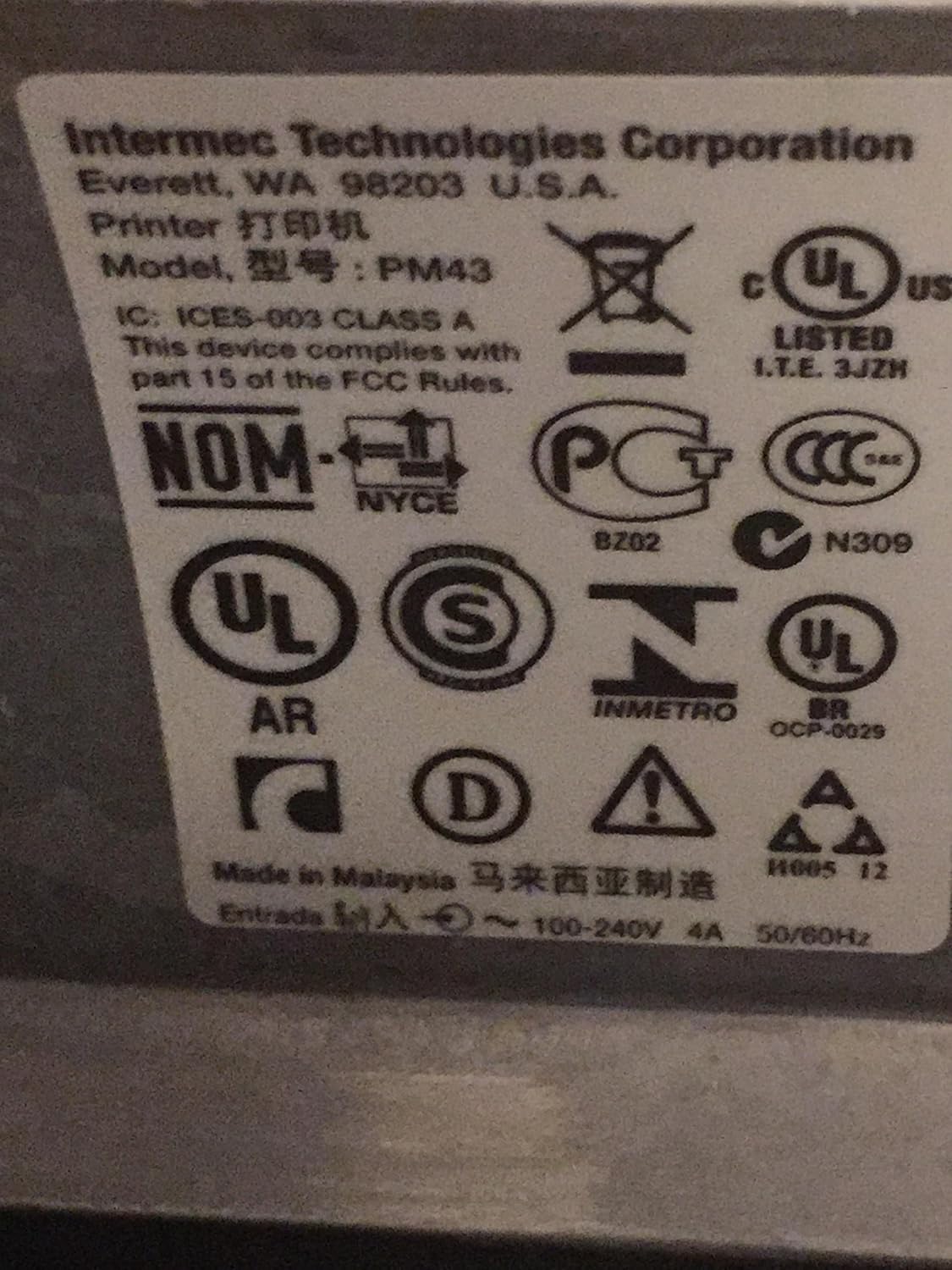
Figi 4: Etikèt règleman ak konfòmite yo jwenn sou enprimant Intermec PM43 la.
7. Enfòmasyon sou Garanti
Enprimant Intermec PM43 la kouvri pa yon garanti limite. Pou tèm ak kondisyon espesifik yo, tanpri al gade dokiman garanti ki vini ak pwodwi ou a oswa vizite sipò ofisyèl Intermec la. websit.
8. Sipò
Pou plis asistans, sipò teknik, oswa pou telechaje dènye chofè ak firmwèr yo, tanpri vizite sit sipò ofisyèl Intermec la. websit la oubyen kontakte konsesyonè Intermec otorize ou a. Asire w ou gen nimewo modèl enprimant ou a (PM43A01000000201) ak nimewo seri a disponib lè w ap chèche sipò.