
YI YYS.2016
YI 2pc Smart Home Camera (Model YYS.2016) User Manual
Your guide to setting up and operating your YI Smart Home Camera system.
1. Entwodiksyon
The YI 2pc Smart Home Camera system provides 1080p Full HD indoor security surveillance. Designed for ease of use, these cameras offer features such as enhanced night vision, two-way audio, and advanced AI detection capabilities for monitoring your home, pets, or children. This manual will guide you through the installation, operation, and maintenance of your cameras.
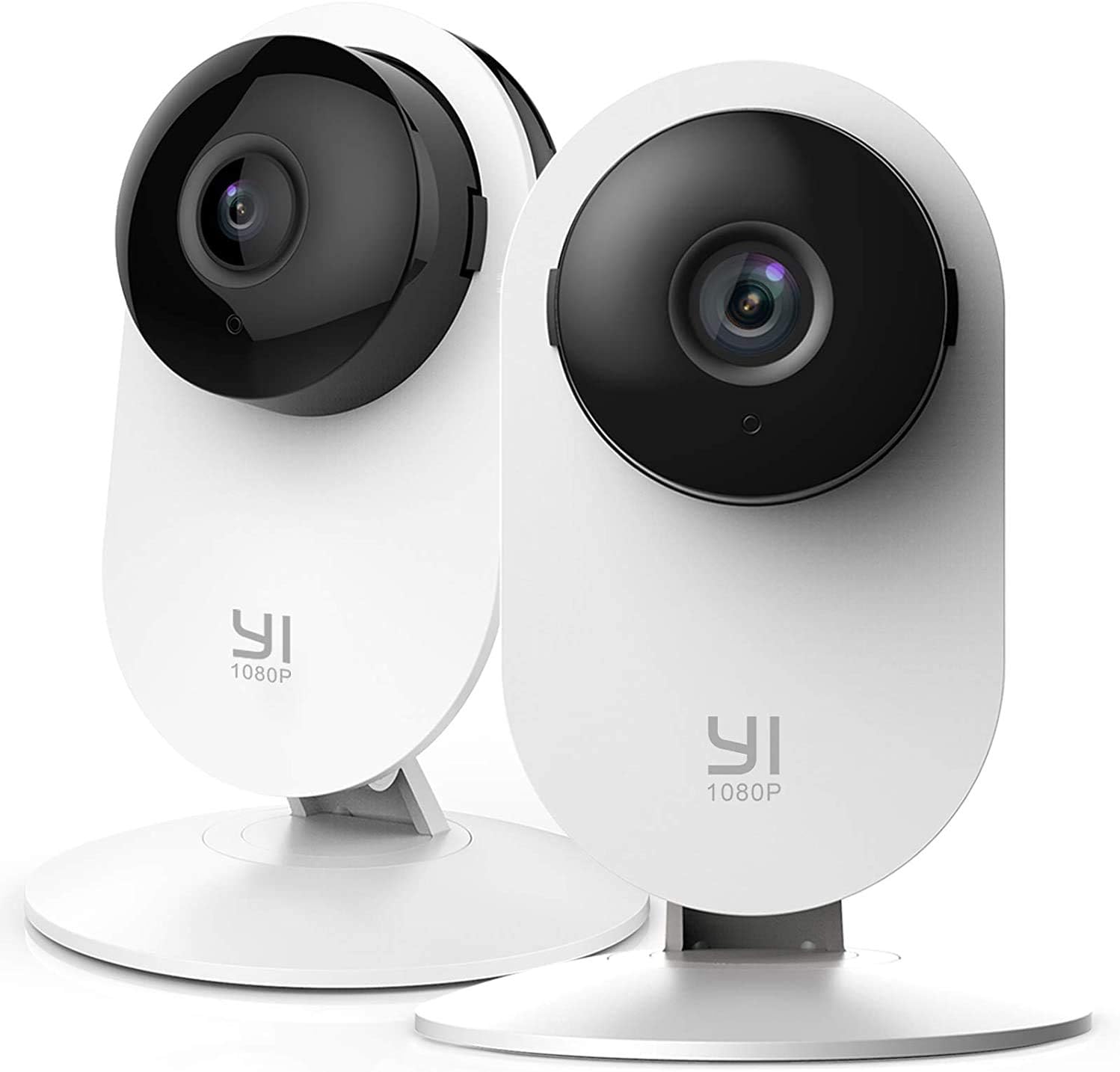
Image 1.1: YI 2pc Smart Home Camera units.
2. Pake kontni
Tanpri verifye ke tout atik yo prezan nan pakè ou a:
- 2 x YI Smart Home Camera (Model YYS.2016)
- 2 x pouvwa adaptè
- 2 x USB kab
- 2 x miray mòn baz
- Montaj Vis
- Manyèl Itilizatè (dokiman sa a)
3. Gid Enstalasyon
3.1. Limen Kamera a
- Konekte kab USB a nan pò kouran kamera a.
- Ploge lòt bout kab USB a nan adaptè pouvwa a.
- Insert the power adapter into a standard electrical outlet. The camera will power on and begin its startup sequence.
3.2. Downloading the YI Home App
The YI Home App is required for camera setup and operation. Download it from your device's app store (iOS or Android).
- Chèche pou "YI Home" in the App Store or Google Play Store.
- Enstale aplikasyon an epi kreye yon kont oubyen konekte si ou deja genyen youn.
3.3. Pairing the Camera with the App
- Open the YI Home App and tap the '+' icon to add a new device.
- Chwazi modèl kamera ou nan lis la.
- Swiv enstriksyon ki sou ekran an pou konekte kamera a ak rezo Wi-Fi 2.4GHz ou a. Nòt: 5GHz Wi-Fi networks are not supported.
- The app will generate a QR code. Hold your camera approximately 4-8 inches (10-20 cm) in front of your phone screen so the camera can scan the QR code.
- Once the camera successfully scans the code, it will confirm the connection.
3.4. Monte Kamera a
The camera can be placed on a flat surface or mounted to a wall or ceiling using the provided base and screws.
- Plasman Tabletop: Senpleman mete kamera a sou yon sifas ki plat e ki estab.
- Montaj mi: Secure the wall mount base to your desired location using the screws. Attach the camera to the base. Ensure the camera is positioned to cover the desired area.
4. Itilizasyon Kamera w la
4.1. Viv View ak Anrejistreman
Access live video streams from your camera anytime, anywhere through the YI Home App. The camera records in 1080p Full HD at 15 frames per second with a 112° wide-angle lens and F/2.0 aperture.
4.2. Odyo Bidireksyonèl
The integrated microphone and speaker allow for two-way communication. Use this feature to speak to family members, pets, or deter intruders directly through the app.
4.3. Enhanced Night Vision
The camera features 8 individual 940nm infrared LEDs for clear night vision up to 9 meters (approximately 30 feet) in low-light conditions. The infrared (IR) function activates automatically when ambient light is insufficient.

Image 4.1: Enhanced Night Vision capability for clear viewnan fènwa.
4.4. Smart AI Detections
The YI Smart Home Camera utilizes advanced AI to distinguish between different types of motion, reducing false alarms.
- Deteksyon imen: Identifies human figures, sending alerts only when a person is detected.
- Deteksyon machin: Recognizes vehicles in the camera's field of view.
- Deteksyon Animal: Distinguishes pets and other animals.
- Deteksyon kriye ti bebe: Specifically alerts you when a baby's cry is detected, ideal for nursery monitoring.
- Barking Detection: Notifies you of dog barking sounds.

Image 4.2: Person, Vehicle, and Animal Detection features.
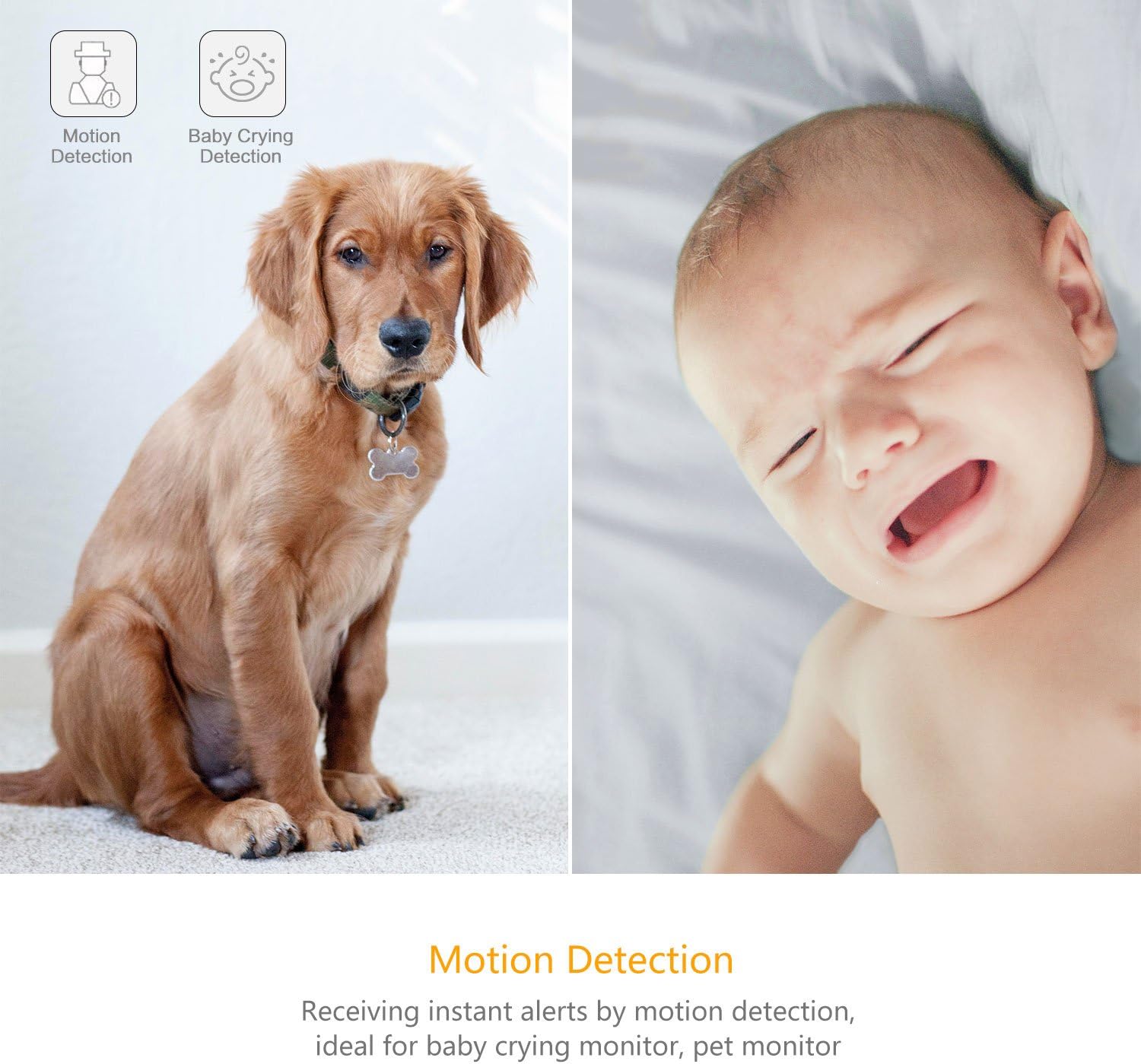
Image 4.3: Motion Detection and Baby Crying Detection.
4.5. Opsyon Depo
- YI Cloud Service: Securely store your recorded footage in the cloud. This prevents data loss from physical damage to an SD card and offers advanced compression and data protection. (Subscription may be required for full features).
- Local Storage (MicroSD Card): The camera supports MicroSD cards from 4GB up to 64GB for local video storage. Insert the card into the designated slot on the camera.

Image 4.4: YI Cloud service for secure storage.
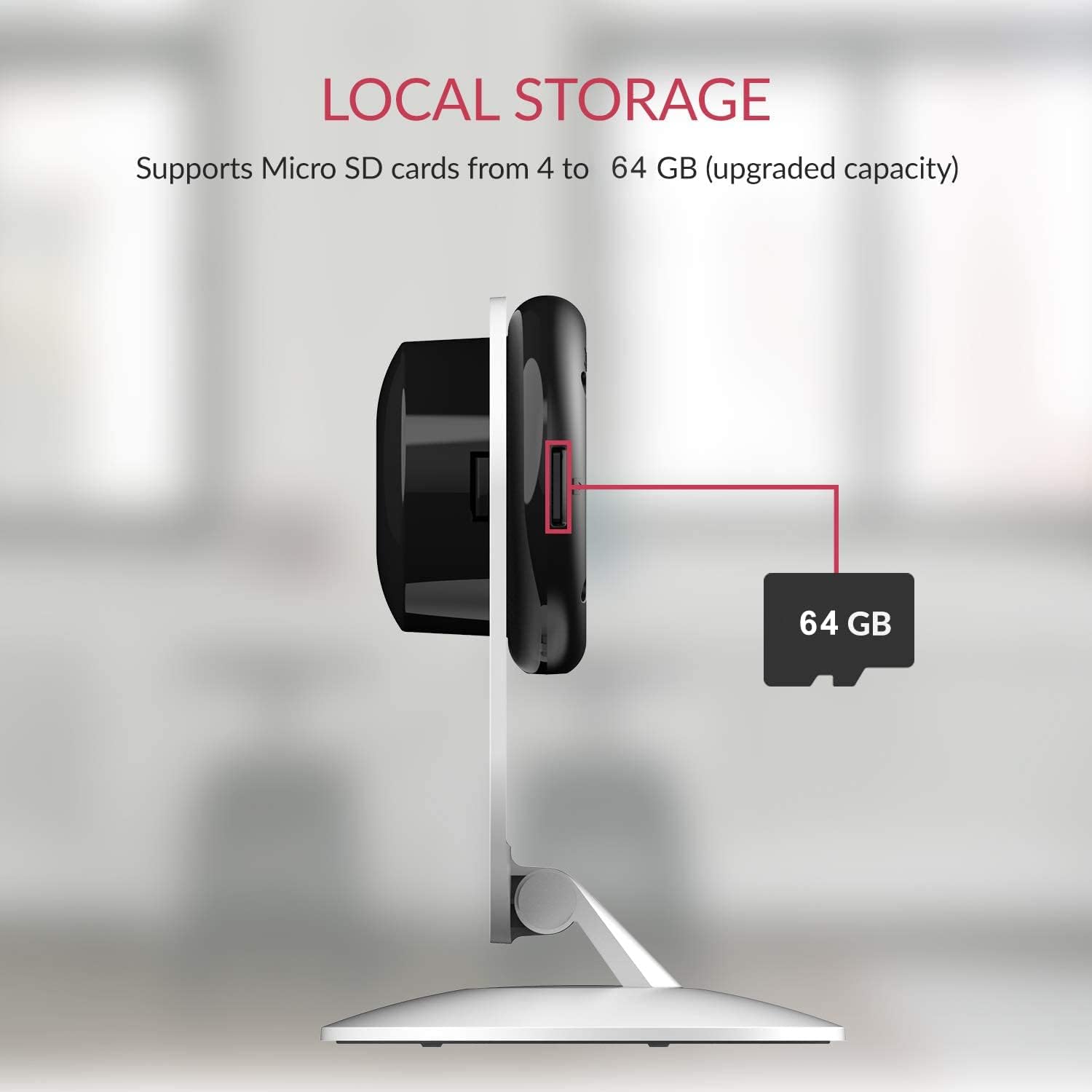
Image 4.5: Local storage via MicroSD card.
4.6. Activity Zones
Pèsonalize zòn espesifik nan kamera a view to monitor for activity. This allows you to focus on critical zones and receive alerts only when motion is detected in those areas.
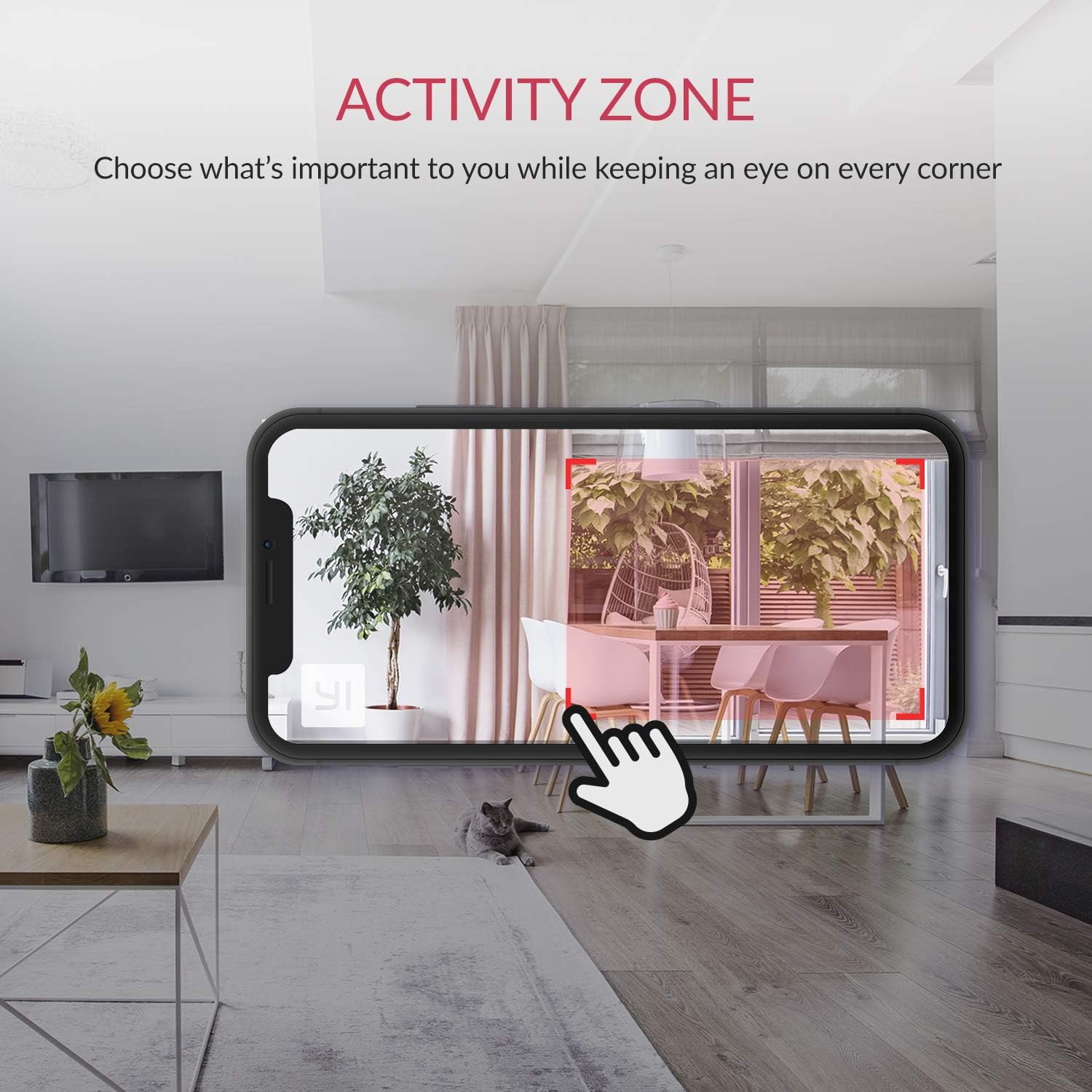
Image 4.6: Setting up Activity Zones in the YI Home App.
4.7. Home/Away Modes
Configure your camera's behavior based on whether you are home or away. This feature allows you to customize alert settings and recording preferences for different scenarios.

Image 4.7: Home and Away Modes in the YI Home App.
4.8. Entegrasyon Kay Entelijan
The YI Smart Home Camera is compatible with Amazon Alexa and Google Assistant. You can use voice commands to view feed an dirèk sou ekran entelijan konpatib.
- ExampKòmandman an (Alexa): "Alexa, montre m chanm tibebe a."

Image 4.8: Integration with Amazon Alexa.
5. Antretyen
5.1. Netwayaj
To maintain optimal performance, periodically clean the camera lens and body. Use a soft, dry cloth. Avoid abrasive cleaners or solvents that could damage the camera's surface or lens.
5.2. Mizajou Firmware
Ensure your camera's firmware is always up to date. The YI Home App will notify you of available updates. Firmware updates often include performance improvements, new features, and security enhancements.
5.3. Kondisyon Anviwònman
The YI Smart Home Camera is designed for indoor use. Avoid exposing it to extreme temperatures, high humidity, or direct water contact. The camera's operating temperature range is typically 0°C to 40°C (32°F to 104°F).
NAN. Depanaj
| Pwoblèm | Solisyon posib |
|---|---|
| Kamera pa konekte ak Wi-Fi |
|
| Move kalite videyo |
|
| Vizyon lannwit pa travay |
|
| Fo alèt mouvman |
|
| Pa gen odyo oswa move kalite odyo |
|
7. Espesifikasyon
| Karakteristik | Detay |
|---|---|
| Nimewo Modèl | YYS.2016 |
| Rezolisyon Capture Videyo | 1080p plen HD |
| To Frame | 15 fps |
| Ouverture Lens | F/2.0 |
| Viewing Ang | 112° Gran ang |
| Vizyon lannwit | 8 x 940nm Infrared LEDs (up to 9m) |
| Koneksyon Teknoloji | Wi-Fi (2.4GHz sèlman) |
| Opsyon Depo | YI Cloud, MicroSD Card (4GB-64GB) |
| Odyo | De-fason odyo |
| AI Deteksyon | Human, Vehicle, Animal, Baby Crying, Barking Detection |
| Smart Kay konpatibilite | Amazon Alexa, Google Asistan |
| Sous pouvwa | Aparèy elektrik ak fil (2.5 wat) |
| Kalite aliye | Mi mòn, Tabletop |
| Dimansyon pwodwi | 4.3 x 5.9 x 4.3 pous |
| Pwa atik | 9.6 ons |
| Itilizasyon Andedan kay la / Deyò | Andedan kay la |
8. Garanti ak sipò
For detailed warranty information, please refer to the warranty card included with your product or visit the official YI Technology website. For technical support, frequently asked questions, or to contact customer service, please visit the YI Technology support page online.
No relevant product videos were found for embedding based on the provided data.
Ask a question about this manual
Ask about setup, troubleshooting, compatibility, parts, safety, or missing instructions. Manuals+ will review the question and use this page’s manual context to help answer it.