
1. Entwodiksyon
This manual provides essential information for the proper setup, operation, and maintenance of your DBPOWER 11.5-inch Portable DVD Player, Model PD928. Please read this manual thoroughly before using the device to ensure optimal performance and longevity.

Figure 1: DBPOWER 11.5-inch Portable DVD Player (Model PD928)
2. Pake kontni
Verifye ke tout atik ki nan lis anba a yo enkli nan pakè ou a:
- DBPOWER 11.5-inch Portable DVD Player (Model PD928)
- Kontwòl Remote
- AC pouvwa adaptè
- Car Charger (1.8 meters)
- AV Kab
- Car Headrest Mount
3. Pwodwi Features
- High Capacity Built-in Battery: Equipped with a 2500 mAh rechargeable lithium battery, providing approximately 5 hours of usage. Supports battery, car charger, and AC power adapter for versatile power options.
- Sipò Miltimedya: Direct playback of CD, DVD, CD-R/RW, DVD -R/+R, DVD+RW/-RW, VCD, SVCD (not Blu-ray DVD). Region-free. Supports Max 32GB USB and SD Card for MP3/WMA/WAV, JPEG, MPEG2/AVI/DIVX formats.
- Swiveling Screen: 9.5-inch 800*480 resolution screen with 270-degree rotation and 180-degree flip functionality. Can be swiveled into a tablet-like form for car headrest attachment.
- Plizyè Opsyon Lekti: AV output allows connection to a television for larger screen viewing. Two players can be connected via AV cable to display the same movie simultaneously (one in DVD mode, the other in AV mode).
- Dènye Fonksyon memwa: Supports break-point memory, allowing the player to resume playback from where it was last stopped.
4. Aparèy la ak kontwòl yo
Familiarize yourself with the physical layout and controls of your portable DVD player.
4.1 Kontwòl Panèl Anlè a
The top panel features buttons for basic playback and volume control.

Figure 2: Top Panel Controls and Screen
4.2 Pò Panèl Lateral yo
The side panel includes various ports for power, external connections, and media input.

Figure 3: Side Panel Ports (USB, SD Card, AV In/Out, Power)
5. Inisyal Enstalasyon
5.1 Chaje Aparèy la
Before first use, fully charge the portable DVD player using the provided AC power adapter or car charger. The charging indicator light will typically change color or turn off when charging is complete.
5.2 Mete yon Disk
- Gently slide the disc cover release latch to open the disc compartment.
- Mete DVD a oswa CD a sou aks la ak bò etikèt la anlè.
- Peze dousman sou sant disk la jiskaske li fè yon klik pou antre nan plas li.
- Close the disc cover firmly until it latches.
5.3 Using the Car Headrest Mount
The included car headrest mount allows for convenient viewing during travel. The swivel screen feature enables optimal viewing angles when mounted.
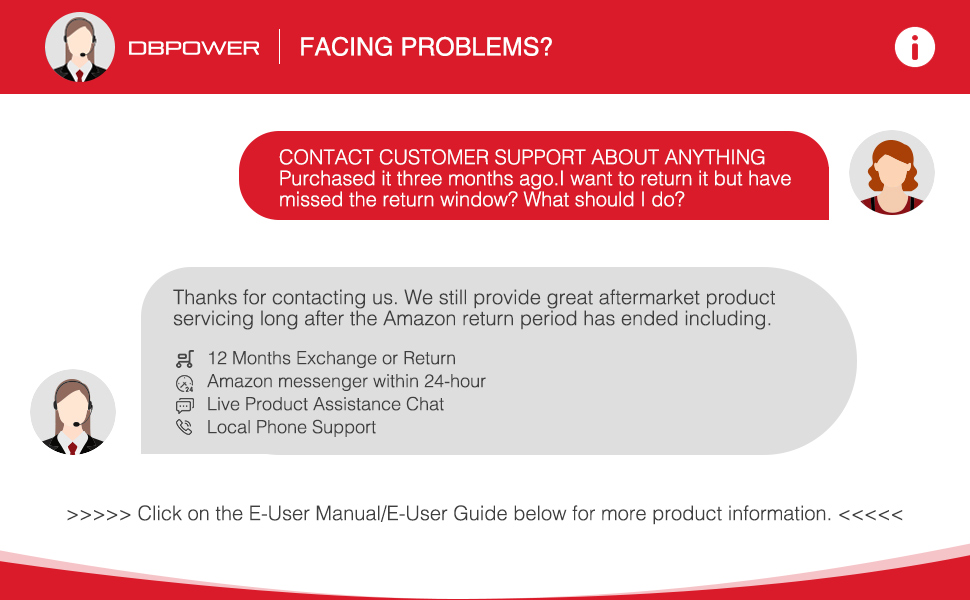
Figure 4: Portable DVD Player with Car Headrest Mount
6. Operasyon Enstriksyon
6.1 Lekti Debaz
- Limen aparèy la lè l sèvi avèk switch pouvwa a.
- Insert your desired DVD or CD.
- The player will typically begin playback automatically. Use the Play/Pause button on the device or remote to control playback.
- Sèvi ak bouton Volim +/- yo pou ajiste nivo odyo a.

Figure 5: Dual Speakers and Volume Control
6.2 Ajisteman ekran
The 9.5-inch screen can swivel 270 degrees and flip 180 degrees for optimal viewang ing.

Figure 6: Swivel Screen Functionality
6.3 Fonksyon Dènye Memwa
The device supports a break-point memory function. If the player is turned off during playback, it will resume from the last stopped point when powered on again.
7. Konpatibilite Medya yo
The DBPOWER Portable DVD Player supports a wide range of media formats:
- Fòma Disk: CD, DVD, CD-R/RW, DVD -R/+R, DVD+RW/-RW, VCD, SVCD. (Note: Blu-ray DVDs are not supported).
- Medya Dijital: Max 32GB USB drives and SD cards.
- File Fòma: MP3/WMA/WAV (audio), JPEG (image), MPEG2/AVI/DIVX (video).

Figure 7: Supported Disc Formats
8. Opsyon pouvwa
Your portable DVD player offers multiple power sources:
- Batri rechargeable entegre: A 2500 mAh lithium battery provides approximately 5 hours of playback on a full charge.
- AC pouvwa adaptè: Use the provided adapter to power the device from a standard wall outlet and recharge the battery.
- Chargeur machin: The 1.8-meter car charger allows you to power the device and charge the battery from your vehicle's 12V power outlet.
9. Konekte ak Aparèy Ekstèn
9.1 Konekte sou yon televizyon
Use the provided AV cable to connect the portable DVD player to a television. This allows you to view kontni sou yon ekran ki pi gwo.

Figure 8: Syncing Screen to TV
9.2 Connecting Two Players
Two DBPOWER portable DVD players can be connected using an AV cable to play the same movie simultaneously. Set one player to DVD mode and the other to AV mode.

Figure 9: Multiple Ways to Play
10. Antretyen ak Swen
- Kenbe aparèy la pwòp pa siye li ak yon twal mou, sèk.
- Evite ekspoze jwè a nan tanperati ekstrèm, limyè solèy dirèk, oswa imidite ki wo.
- Pa demonte aparèy la. Kontakte pèsonèl sèvis kalifye pou reparasyon.
- Handle discs carefully to prevent scratches.
NAN. Depanaj
If you encounter issues with your portable DVD player, refer to the following common problems and solutions:
| Pwoblèm | Kòz posib | Solisyon |
|---|---|---|
| Aparèy pa limen | Batri ki ba oswa pwoblèm koneksyon pouvwa | Ensure the device is charged or connected to a power source. Check power adapter and cable connections. |
| Pa gen disk detekte | Disc inserted incorrectly or damaged | Reinsert the disc correctly. Try a different disc. Clean the disc if scratched or dirty. |
| Pa gen son oswa volim ki ba | Volume too low, headphones connected, or audio settings | Increase volume using controls or remote. Disconnect headphones if not needed. Check audio settings in the setup menu. |
| Remote kontwòl pa travay | Dead batteries or obstructed sensor | Replace remote control batteries. Ensure no obstructions between the remote and the player's IR sensor. |
| Screen is too bright/dark | Display settings need adjustment | Access the setup menu to adjust screen brightness, contrast, or hue settings. |
12. Espesifikasyon
| Karakteristik | Detay |
|---|---|
| Dimansyon pwodwi | 9.45 x 7.09 x 1.57 pous |
| Pwa atik | 2.54 liv |
| Nimewo Modèl Atik | PD928 |
| Batri | 1 batri ityòm metal obligatwa (enkli) |
| Mak | DBPOWER |
| Kalite Medya | DVD, CD, USB, SD Card |
| Koulè | Wouj |
| Gwosè ekran | 9.5 Inches (swivel) |
| Kalite ekspozisyon | LCD |
13. Garanti ak sipò
DBPOWER is committed to providing quality products and customer satisfaction. All portable DVD players purchased from DBPOWER come with a 12-MONTH warranty.
13.1 Kontakte Sèvis Kliyantèl
If you experience any issues or have questions regarding your product, please contact DBPOWER customer support. Support options include:
- 12 Months Exchange or Return
- Amazon Messenger (within 24-hour response)
- Live Product Assistance Chat
- Local Phone Support
For more detailed operation instructions, refer to the full User Manual or contact support.
14. Videyo pwodwi yo
14.1 DBPOWER Portable DVD Player Overview
Videyo sa a bay yon apèsi jeneral souview of the DBPOWER portable DVD player, demonstrating its features and functionality.
14.2 Durability and Usage for Children
This video highlights the durability of the portable DVD player and its suitability for use by children, showcasing konsepsyon solid li yo.