
1. Entwodiksyon
Mèsi pou acha aasing the Excelvan LK-T091 Digital LED Alarm Clock Radio. This manual provides detailed instructions for the proper setup, operation, and maintenance of your device. Please read this manual thoroughly before use and retain it for future reference.
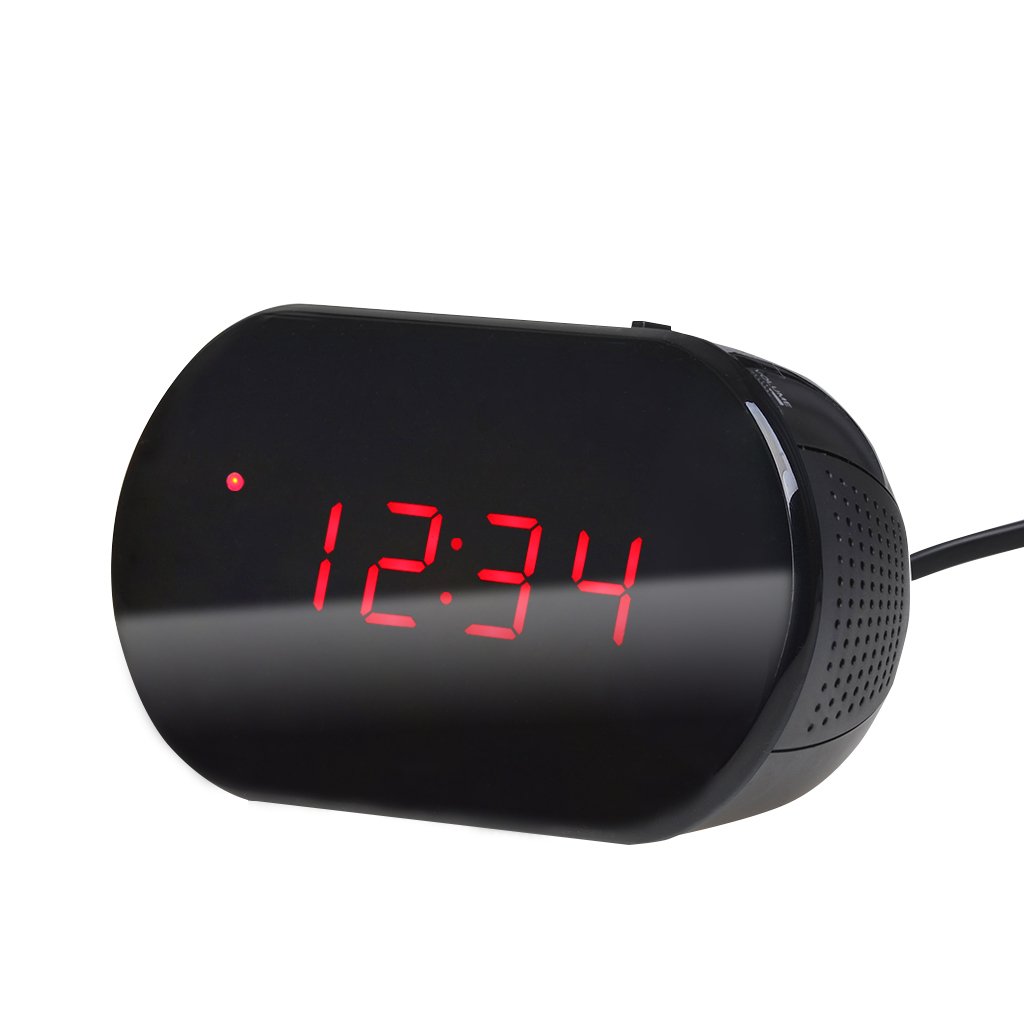
Figi 1: Devan view of the Excelvan LK-T091 Digital LED Alarm Clock Radio.
Kontni pake:
- 1 x Excelvan Digital LED Alarm Clock Radio (Model LK-T091)
- 1 x manyèl itilizatè
2. Enfòmasyon enpòtan sou sekirite
- Pa sèvi ak pil rechargeable for the backup power. Alkaline or lithium batteries are recommended for optimal performance and longevity.
- Ensure the power adapter is compatible with your local power supply (AC230V ~ 50Hz).
- Pa ekspoze aparèy la nan dlo, imidite, oswa tanperati ekstrèm.
- Evite mete aparèy la toupre sous chalè oswa nan limyè solèy la dirèk.
- Pa eseye demonte oswa repare aparèy la tèt ou. Konfye tout antretyen bay pèsonèl kalifye.
- Kenbe soti nan atenn timoun yo.
3. Pwodwi souview
Kontwòl ak ekspozisyon:

Figure 2: Top panel controls of the Excelvan LK-T091.
- Dirije ekspozisyon: Montre lè, estati alam, ak frekans radyo.
- Bouton SNOOZE: Temporarily silences the alarm.
- SET / PRESET Button: Used to set time/alarm and save radio presets.
- ALARM / MEM Button: Activates alarm setting mode and recalls radio presets.
- Bouton RESET: Resets the unit.
- Tuning Buttons (▲ / ▼): Adjust time, alarm, and radio frequency.
- RADIO / SLEEP Button: Turns radio on/off and activates sleep timer.
- ALARM OFF / BUZZER / RADIO Switch: Selects alarm sound source (off, buzzer, or radio).
- Bouton VOLIM: Adjusts radio volume.

Figi 3: Dèyè view showing the battery compartment for backup power.
4. Enstalasyon
4.1 Koneksyon pouvwa
- Connect the AC power cord to the power input jack on the back of the clock radio.
- Plug the other end of the power cord into a standard AC230V ~ 50Hz wall outlet.
- Ekran LED la ap limen, pou montre aparèy la limen.
4.2 Enstalasyon batri backup
The clock radio uses one 9V (6F22 type) battery (not included) for backup power. This battery maintains time settings during a power outage.
- Jwenn konpatiman batri a anba aparèy la.
- Louvri kouvèti lòj batri a.
- Insert one 9V (6F22 type) alkaline or lithium battery, ensuring correct polarity (+ and -).
- Fèmen kouvèti lòj batri a byen.
- Note: The battery backup only maintains time settings; the display will not be visible during a power outage. Do not use rechargeable batteries.
4.3 Mete tan an
- Peze epi kenbe la SET bouton an jiskaske chif èdtan yo kòmanse flache.
- Sèvi ak la ▲ or ▼ (Tuning) buttons to adjust the hour.
- Peze a SET bouton an ankò; chif minit yo ap flache.
- Sèvi ak la ▲ or ▼ (Tuning) buttons to adjust the minutes.
- Peze a SET button once more to confirm and exit time setting mode. The time is displayed in 24-hour format.
5. Operasyon Enstriksyon
5.1 Mete alam la
The alarm can be set to wake you with a buzzer or your favorite FM radio station.
- Peze epi kenbe la ALAM button until the alarm hour digits start flashing.
- Sèvi ak la ▲ or ▼ (Tuning) buttons to adjust the alarm hour.
- Peze a ALAM bouton an ankò; chif minit alam lan ap flache.
- Sèvi ak la ▲ or ▼ (Tuning) buttons to adjust the alarm minutes.
- Peze a ALAM button once more to confirm and exit alarm setting mode.
- Pou aktive alam lan, glise bouton an ALARM OFF / BUZZER / RADIO chanje pou swa BUZZER or RADYO. An alarm indicator will appear on the display.
- To turn off the alarm, slide the switch to ALAM OFF.

Figure 4: Choose to wake up to a buzzer sound or your preferred radio station.
5.2 Repete Fonksyon
Lè alam lan sonnen, peze gwo bouton an SNOOZE button to temporarily silence the alarm for approximately 9 minutes. The alarm will sound again after this period. To cancel snooze and turn off the alarm, slide the ALARM OFF / BUZZER / RADIO chanje a ALAM OFF.

Figure 5: The snooze function allows for a short delay before the alarm sounds again.
5.3 Operasyon Radyo FM
5.3.1 Tuning the Radio
- Peze a RADYO bouton pou limen radyo FM.
- Sèvi ak la ▲ or ▼ (Tuning) buttons to manually tune to your desired FM frequency (87.5 – 108 MHz).
- Pou chèche otomatikman pwochen estasyon ki disponib la, peze epi kenbe bouton an ▲ or ▼ (Tuning) buttons for a few seconds until the frequency starts scanning.
- Ajiste volim nan lè l sèvi avèk la VOLIM bouton.
- Peze a RADYO button again to turn off the radio.
5.3.2 Anrejistreman ak Rapèl Prereglaj
The clock radio can store up to 10 FM radio station presets.
- Tune to your desired station using the tuning method described above.
- Peze epi kenbe la DEFINISYON / PREREGINISYON jiskaske "P01" (oswa pwochen nimewo prereglaj ki disponib la) flache sou ekran an.
- Sèvi ak la ▲ or ▼ (Tuning) buttons to select the desired preset number (P01-P10).
- Peze a DEFINISYON / PREREGINISYON Peze bouton an ankò pou sove estasyon an nan prereglaj ki chwazi a.
- To recall a saved preset, press the ALARM / MEM button repeatedly to cycle through the saved stations.

Figure 6: Digital FM tuning allows for precise station selection and saving presets.
5.4 Fonksyon revèy pou dòmi
Minitè pou dòmi an pèmèt radyo a jwe pou yon dire defini anvan li etenn otomatikman.
- Pandan radyo a ap jwe, peze bouton an DOMÒM button repeatedly to cycle through the available sleep timer durations: 90, 75, 60, 45, 30, 15, 00 minutes.
- The selected duration will be displayed briefly. The radio will automatically turn off after the set time.
- Pou anile revèy la dòmi, peze la DOMÒM button until "00" is displayed, or turn off the radio manually.
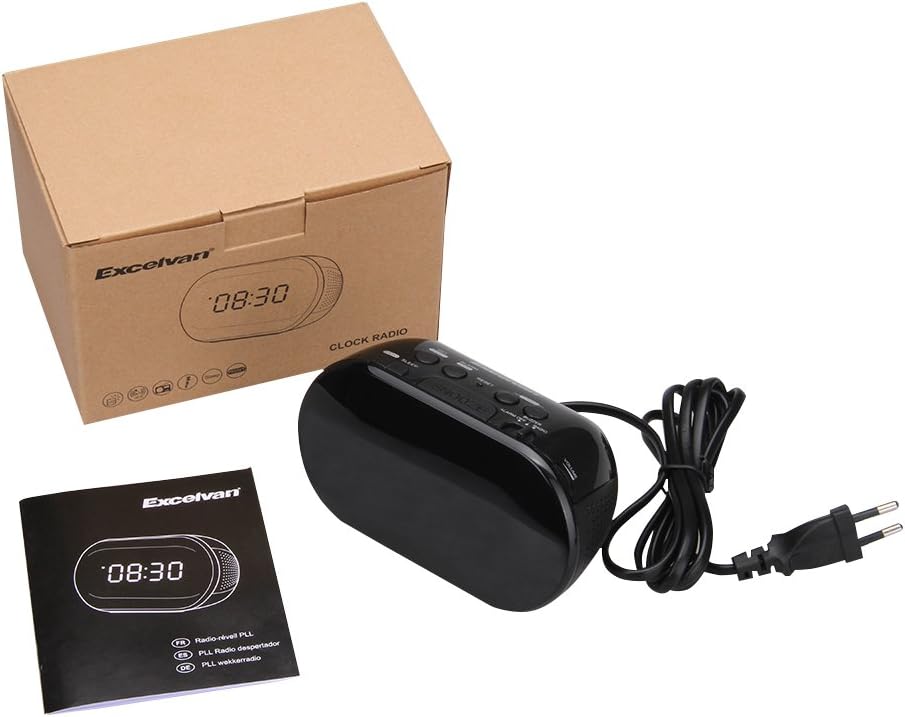
Figure 7: The sleep timer allows you to fall asleep to music, which then automatically turns off.
6. Antretyen
6.1 Netwayaj
- Siye deyò aparèy la avèk yon twal mou epi sèk.
- Pa sèvi ak pwodui netwayaj abrazif, sir, oswa solvan paske yo ka domaje fini an.
- Ensure the unit is unplugged from the power outlet before cleaning.
6.2 Ranplasman batri
If the time settings are lost during a power outage, the 9V backup battery may need to be replaced. Follow the instructions in Section 4.2 for battery installation.
NAN. Depanaj
| Pwoblèm | Kòz posib | Solisyon |
|---|---|---|
| No display / Unit not turning on | Kòd kouran an pa konekte oswa priz kouran an pa aktif. | Ensure the power cord is securely plugged into the unit and a working wall outlet. |
| Paramèt lè/alam pèdi apre kouran an koupe.tage | Batri backup la mouri oswa li pa enstale. | Install a new 9V alkaline or lithium battery in the battery compartment. |
| Move resepsyon radyo FM | Antèn nan pa lonje oswa siyal la pa bon. | Rale antèn fil FM lan nèt. Eseye chanje pozisyon aparèy la pou yon pi bon resepsyon. |
| Alam pa sonnen | Alarm not set or alarm switch is in "OFF" position. | Verify alarm time is set correctly. Ensure the ALARM OFF / BUZZER / RADIO se switch mete nan BUZZER or RADYO. |
| Ekran an twò klere/fèb | No brightness adjustment feature on this model. | The display brightness is fixed. |
8. Espesifikasyon
- Modèl: LK-T091
- Ekspozisyon: LED, 24-hour format
- Kalite alam: Single alarm (Buzzer or FM Radio)
- FM frekans Range: 87.5 - 108 MHz
- Revèy dòmi: 00, 15, 30, 45, 60, 75, 90 minit
- Antre pouvwa: AC 230V ~ 50Hz
- Batri backup: 1 x 9V (6F22 type) battery (not included)
- Dimansyon pwodwi (L x H x D): Apeprè 14.15 cm x 7.14 cm x 0.89 cm
- Pwa: Apeprè 380 g
- Materyèl: AC (Plastic)
- Koulè: Nwa
9. Garanti ak sipò
Excelvan products are designed to provide reliable performance. For specific warranty information, please refer to the warranty card included with your purchase or contact your retailer. If you encounter any issues or require technical assistance, please contact Excelvan customer support through their official websit la oswa enfòmasyon kontak yo bay ak pwodwi ou a.
Please have your model number (LK-T091) and purchase details ready when contacting support.