
1. Entwodiksyon
This manual provides detailed instructions for the safe and efficient operation of your UNIC UC50 Mini Projector. Please read this manual thoroughly before using the device and retain it for future reference.
The UNIC UC50 is a compact DLP projector designed for various multimedia applications, offering portability and ease of use.
2. Pake kontni
Verifye ke tout atik ki nan lis anba a yo enkli nan pakè ou a. Si gen nenpòt atik ki manke oswa ki domaje, tanpri kontakte machann ou an.
- 1x UNIC UC50 Projector
- 1x Manyèl Itilizatè (dokiman sa a)
- 1x pouvwa adaptè
- 1x Cable
- 1x kontwòl Remote

Figi 2.1: UNIC UC50 Mini Projector and included accessories. The image displays the compact projector unit along with its power adapter, remote control, and connecting cables, all neatly arranged.
3. Pwodwi souview
Familiarize yourself with the various components and ports of your UNIC UC50 Mini Projector.
3.1 Devan View

Figi 3.1.1: Devan view of the UNIC UC50 Mini Projector with the lens cover open. This view highlights the projection lens and the sliding lens cover mechanism.

Figi 3.1.2: Devan view of the UNIC UC50 Mini Projector with the lens cover closed. The sliding cover protects the lens when the projector is not in use.
3.2 Bò Views (Input/Output Ports)

Figi 3.2.1: Side view of the UNIC UC50 Mini Projector, displaying the USB port and SD card slot for media input.

Figi 3.2.2: Bò opoze view of the UNIC UC50 Mini Projector, featuring the HDMI input, AV input, and 3.5mm earphone output jack.
3.3 Dèyè View

Figi 3.3.1: Dèyè view of the UNIC UC50 Mini Projector. This side includes the focus adjustment wheel and the DC 5V 2A power input port.
3.4 Top View
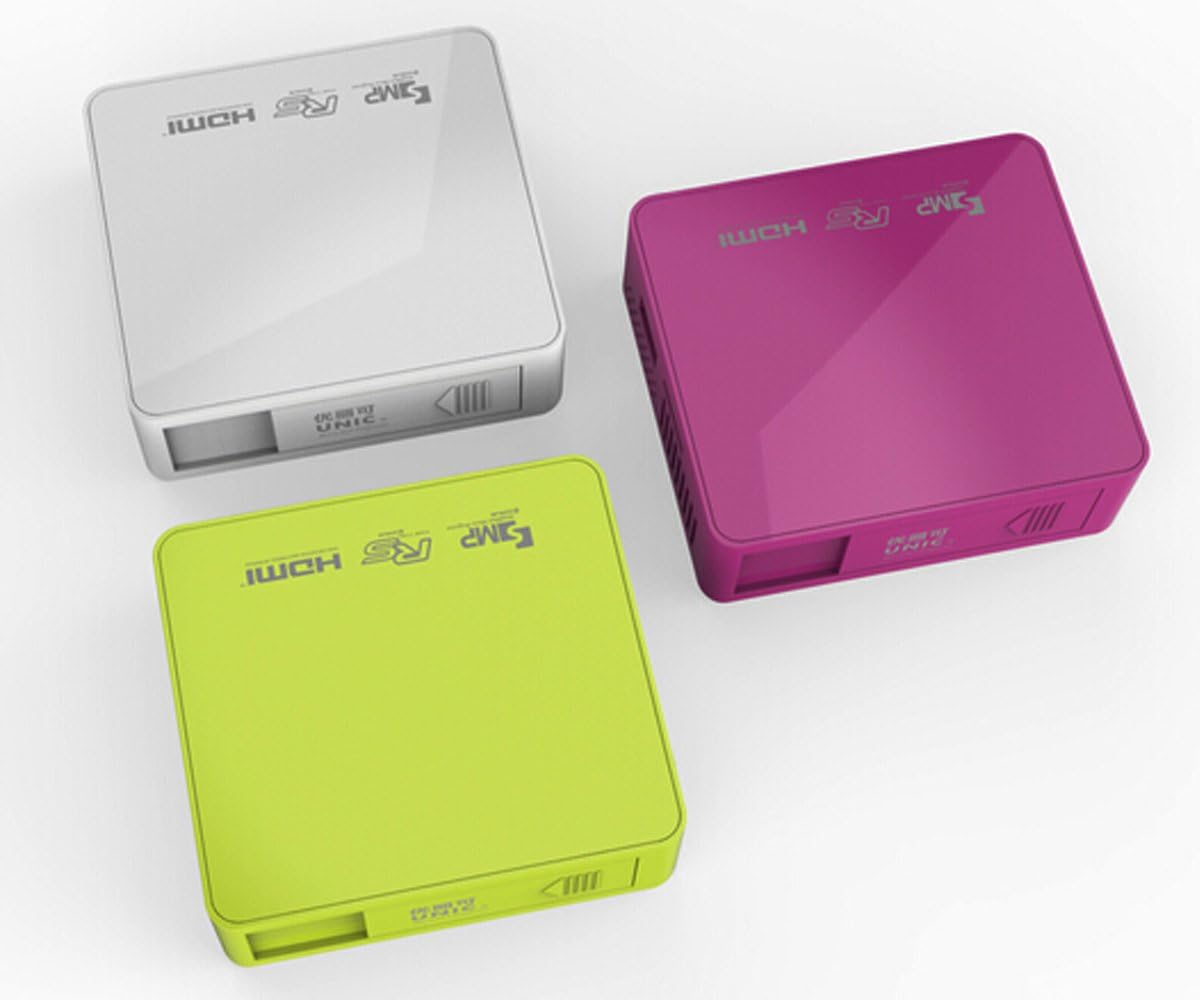
Figi 3.4.1: Top view of the UNIC UC50 Mini Projector, showing the minimalist design and branding.
4. Enstalasyon
4.1 Koneksyon pouvwa
- Connect the provided power adaptor to the DC 5V 2A input port on the rear of the projector.
- Plug the power adaptor into a standard electrical outlet (AC 100-240V, 50/60Hz).
- The projector will power on automatically or can be turned on using the remote control.
4.2 Plasman ak Pwojeksyon
- Mete pwojektè a sou yon sifas ki plat e ki estab.
- Ensure the projection surface (screen or wall) is clean and smooth.
- Adjust the projection distance between 35.5 cm and 430 cm to achieve the desired image size (14-150 inches).
- Pou pi bon viewing, operate the projector in a dimly lit room.
5. Operasyon Enstriksyon
5.1 Ajiste Konsantre
Rotate the focus adjustment wheel located on the rear of the projector until the projected image appears clear and sharp.
5.2 Seleksyon Sous Antre
UNIC UC50 la sipòte plizyè sous opinyon:
- USB: Mete yon kle USB nan pò USB a.
- SD: Insert an SD card into the SD card slot.
- DE: Connect an AV cable to the AV input port.
- HDMI: Connect an HDMI cable to the HDMI input port.
Use the remote control to navigate the on-screen menu and select the desired input source.
5.3 Lekti Miltimedya
When a USB drive or SD card is inserted, the projector's UNIC Multimedia OS will allow you to browse and play supported file fòma:
- Fòma videyo: MP4, AVI, MOV, VOB, DAT, MPEG, MPG, RM, RMVB (Video encoding: MPEG1/MPEG2/MPEG4/DivX/Xvid)
- Fòm odyo: MP3, WMA, WAV, AAC, OGG, ASF
- Fòma imaj: JPG, BMP, PNG
- Document Format: TXT
Navige nan files using the remote control and select the desired content for playback.
5.4 Sòti odyo
The projector has built-in speakers (1.0W *2). For private listening or connecting external audio systems, use the 3.5mm earphone output jack.
6. Antretyen
6.1 Netwaye Lantiy la
Sèvi ak yon twal mou ki pa gen pousyè, espesyalman fèt pou lantiy optik, pou siye lantiy pwojektè a dousman. Evite sèvi ak pwodui netwayaj abrazif oswa fòs twòp, paske sa ka grate lantiy la.
6.2 Netwayaj kò pwojektè a
Wipe the exterior of the projector with a soft, dry cloth. Do not use liquid cleaners or solvents.
6.3 Depo
When not in use, store the projector in a cool, dry place, away from direct sunlight and extreme temperatures. Ensure the lens cover is closed to protect the lens from dust.
NAN. Depanaj
| Pwoblèm | Kòz posib | Solisyon |
|---|---|---|
| Pa gen imaj projeté |
|
|
| Imaj la twoub |
|
|
| Pa gen son |
|
|
| Remote kontwòl pa travay |
|
|
8. Espesifikasyon
| Karakteristik | Detay |
|---|---|
| Sistèm Imaj | DLP |
| Lamp Kalite | dirije |
| Rezolisyon natif natal | 854 x 480 piksèl |
| Rezolisyon sipòte | Up to 1920 x 1080 pixels (1080P) |
| Aspè rapò | 4:3 / 16:9 |
| Sistèm operasyon | UNIC Multimedia OS |
| Klète | 800 Lumen |
| Pwopòsyon kontras | 800:1 |
| Lantiy | F = 125 |
| Konsantre | Manyèl |
| Lamp Orè travay | 20,000 èdtan |
| Gwosè Imaj | 14-150 pous |
| Distans pwojeksyon | 35.5 santimèt - 430 santimèt |
| Mòd pwojeksyon | Pwojeksyon devan |
| Mòd operasyon | Manyèl / Kontwòl Remote |
| Sòti pò | 3.5mm ekouteur |
| Pò Antre | USB, SD, AV, HDMI, IR |
| Antre pouvwa | AC 100-240V, 50/60Hz |
| Sorti pouvwa | DC 5V 2A |
| Konsomasyon pouvwa | 10W |
| Oratè | 1.0W x 2 |
| Pwa | 130g |
| Dimansyon (L x W x H) | 78 x 71 x 24.5 mm |
| OS Language | English, Polski, Russian, Deutsch, Spanish, Czech, etc. (23 Languages) |
| Karakteristik espesyal | 3D-pare |
9. Garanti ak sipò
The UNIC UC50 Mini Projector comes with a standard manufacturer's warranty. Please refer to the warranty card included in your package for specific terms and conditions, including warranty period and coverage details.
For technical support, troubleshooting assistance beyond this manual, or warranty claims, please contact your original point of purchase or visit the official UNIC support websit (si disponib).
Note: Specific warranty details and support contact information may vary by region and retailer.