
1. Enfòmasyon enpòtan sou sekirite
- Vantilasyon: Ensure adequate ventilation around the projector. Do not block ventilation openings. Overheating can cause damage.
- Pwovizyon pou pouvwa: Use only the specified power adapter. Disconnect power during thunderstorms or when unused for long periods.
- Imidite: Do not expose the projector to rain, moisture, or liquids.
- Netwayaj: Clean the projector with a soft, dry cloth. Avoid abrasive cleaners.
- Swen Lantiy: Handle the lens with care. Clean gently with a lens cleaning cloth.
- Plasman: Place the projector on a stable, level surface. Avoid direct sunlight or heat sources.
- Pwoteksyon je: Pa gade dirèkteman nan lantiy pwojektè a lè l ap limen.amp se sou.
2. Pwodwi souview
2.1. Projector Dimensions
The Excelvan EHD02 projector has compact dimensions, making it portable. The approximate dimensions are 152mm (width) x 220mm (depth) x 76mm (height).
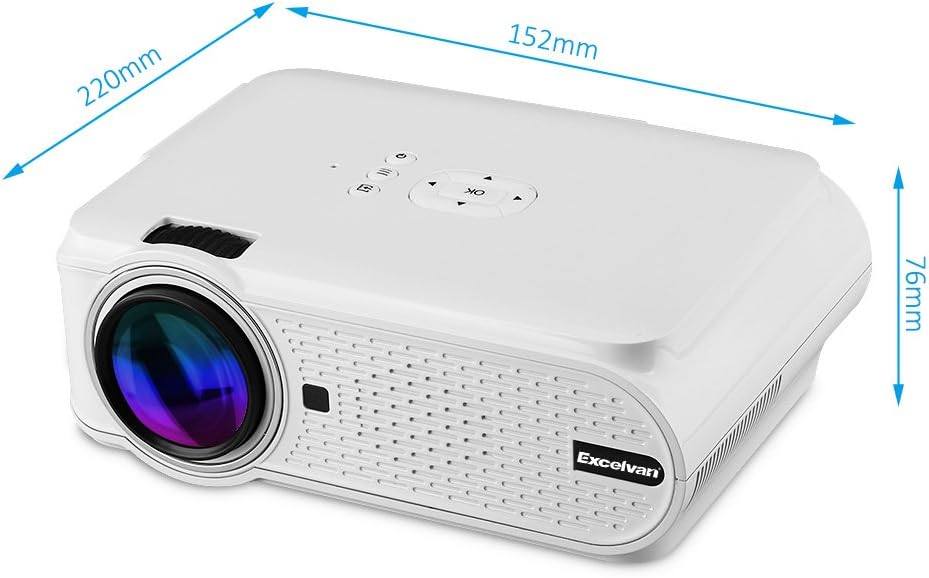
Figure 1: Excelvan EHD02 Mini Projector with labeled dimensions.
2.2. Projector Components and Interfaces
Familiarize yourself with the various ports and controls on your projector for proper setup and operation.

Figure 2: Top controls and rear panel interfaces of the Excelvan EHD02 Projector.
- Kontwòl prensipal yo: OK button, Up/Down/Left/Right navigation, Back, Menu, Power.
- Rear Interfaces: VGA port, USB port, Power plug, AV input, 3.5mm Audio port, IR receiver, HDMI port, Keystone adjustment, SD Card slot, TV antenna input.
3. Enstalasyon
3.1. Plasman
Position the projector on a flat, stable surface. The projection distance determines the image size. For optimal viewing, ensure the projector is centered with the screen or projection surface.
- Distans pwojeksyon: 1.2 to 3.8 meters (approximately 3.9 to 12.5 feet).
- Gwosè imaj: 37 to 130 inches (diagonal).
- Metòd pwojeksyon: Sipòte devan, dèyè, ak pwojeksyon plafon.
3.2. Koneksyon pouvwa
- Konekte kòd kouran an nan pò antre kouran pwojektè a.
- Branche lòt bout kòd kouran an nan yon priz elektrik ki apwopriye.
- Limyè endikatè pouvwa a pral limen.

Figure 3: Power cord and remote control for the projector.
3.3. Konekte Sous Antre yo
Pwojektè a sipòte plizyè sous opinyon:
- HDMI: Connect to devices like laptops, Blu-ray players, or gaming consoles using an HDMI cable.
- USB: Mete yon kle USB pou li medya yo files dirèkteman.
- Kat SD: Mete yon kat SD pou li medya yo files.
- DE: Use the provided AV cable to connect to older devices with composite video output.
- VGA: Connect to computers using a VGA cable.
- Televizyon: Connect a TV antenna for analog TV reception.
- Audio 3.5mm: Konekte oratè ekstèn yo oswa kas ekoutè yo.
3.4. Koreksyon Fokus ak Keystone
- Ajisteman konsantre: Vire bag konsantre a sou lantiy pwojektè a jiskaske imaj la parèt byen file epi klè.
- Koreksyon Keystone: If the projected image appears trapezoidal (wider at the top or bottom), use the keystone adjustment dial (typically on the side or rear) to correct the image shape. The projector supports ±12° vertical manual keystone correction.
4. Operasyon Enstriksyon
4.1. Powering On / Off
- Pouvwa sou: Peze bouton Power (Power) ki sou pwojektè a oswa sou kontwòl remote la.
- Pouvwa Off: Press the Power button again. The projector will go into standby mode.
4.2. Menu Navigation and Input Selection
- Use the navigation buttons (Up, Down, Left, Right) and the OK button on the projector or remote to navigate through the on-screen menu.
- Press the "Input" or "Source" button (if available on remote, or navigate through menu) to select your desired input source (HDMI, USB, SD, AV, VGA, TV).
4.3. Smartphone Koneksyon
Connecting smartphones requires specific cables:
- iPhone/iPad: Requires an original Apple composite AV cable.
- Android Telefòn: Requires an MHL cable, and the phone must support MHL (Mobile High-Definition Link).
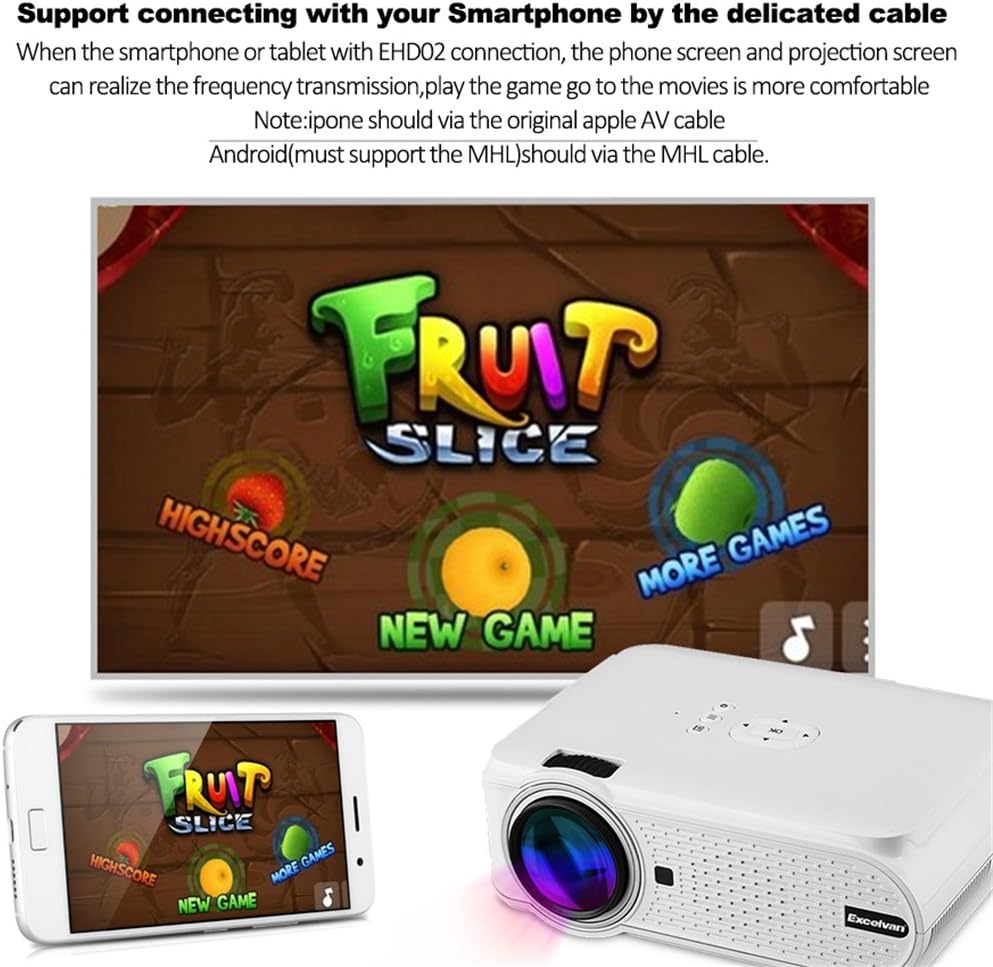
Figi 4: Egzample of smartphone connection for content projection.
4.4. Lekti 3D
The Excelvan EHD02 projector supports red-blue 3D content only. To view Kontni 3D:
- Obtain red-blue 3D source content.
- Use red-blue 3D glasses for viewing.
5. Antretyen
- Netwayaj lantiy: Use a soft, lint-free cloth specifically designed for optical lenses to gently wipe the projector lens. Avoid touching the lens with bare hands.
- Retire pousyè: Periodically clean the projector's exterior with a soft, dry cloth. Ensure ventilation openings are free from dust and obstructions to prevent overheating.
- Depo: Lè w pa itilize pwojektè a pou yon bon bout tan, sere l nan yon kote ki fre epi sèk, pwoteje kont pousyè.
NAN. Depanaj
| Pwoblèm | Kòz posib | Solisyon |
|---|---|---|
| Pa gen imaj projeté |
|
|
| Imaj la twoub |
|
|
| Imaj la se trapezoidal |
|
|
| Pa gen son |
|
|
| Remote kontwòl pa travay |
|
|
| Projector is noisy or hot |
|
|
7. Espesifikasyon
| Karakteristik | Detay |
|---|---|
| Modèl | Excelvan EHD02 |
| Kalite ekspozisyon | TFT- Single LCD Panel + LED Technology |
| Rezolisyon natif natal | 800 x 480 piksèl |
| Rezolisyon sipòte | Up to 1080p (1920 x 1080) |
| Klète | 1000 Lumen |
| Lantiy pwojeksyon | F=126mm, Manual Focus |
| Pwopòsyon kontras | 1000:1 |
| Aspè rapò | 4:3 / 16:9 |
| Oratè entegre | 4Ω 2W |
| Dirije Lamp Lavi | 20,000 èdtan |
| Koulè Displayable | 1.67 Million Colors (Full Color) |
| Menu Menu | English, Spanish, French, German, Portuguese, Italian, Chinese, etc. |
| Metòd pwojeksyon | Devan, dèyè, plafon |
| Entèfas | 1x VGA, 1x USB, 1x SD, 1x HDMI, 1x 3.5mm Audio, 1x AV, 1x TV |
| Gwosè imaj (dyagonal) | 37 - 130 pous |
| Distans pwojeksyon | 1.2 - 3.8 mèt |
| Ajisteman ekran | Horizontal and Vertical Flip; Image Zoom |
| Koreksyon Keystone | ±12° Vertical (Manual) |
| Dimansyon (L x W x H) | 220mm x 152mm x 76mm |
| Pwa | 1.44 kg |
8. Garanti ak sipò
The Excelvan EHD02 Mini Portable LED Projector comes with a 2-ane garanti soti nan dat acha a.
For technical support, warranty claims, or further assistance, please contact your retailer or the Excelvan customer service department. Please have your model number (EHD02) and purchase information ready when contacting support.