1. Entwodiksyon
Thank you for choosing the Jamara Liebherr 564 Wheel Loader. This remote-controlled model is designed to provide a realistic construction site experience with its detailed appearance and functional features. This manual provides essential information for the safe and proper operation, maintenance, and care of your new wheel loader.

Image 1.1: The Jamara Liebherr 564 Wheel Loader in a simulated construction environment.
2. Enfòmasyon sou Sekirite
Please read and understand all safety warnings before operating the product. Failure to do so may result in injury or damage to the product.
- AVÈTISMAN: Not appropriate for children under the age of 6. This product contains small parts that may pose a choking hazard.
- Always operate the model in a safe environment, away from people, pets, and obstacles.
- Do not operate near water or in wet conditions to prevent electrical damage.
- Ensure all batteries are inserted with correct polarity.
- Remove batteries from the model and remote control when not in use for extended periods.
- Li rekòmande pou sipèvize yon granmoun pou itilizatè ki pi jèn yo.
3. Pake kontni
Pake a anjeneral gen ladan:
- Jamara Liebherr 564 Wheel Loader (1:20 scale)
- 2.4 GHz Remote Control
- Manyèl Enstriksyon
Nòt: Batri yo pa enkli epi yo dwe achte separeman.

Image 3.1: The product as it appears in its retail packaging.
4. Enstalasyon
4.1 Enstalasyon batri
The wheel loader and remote control require AA alkaline batteries (not included).
- For the Wheel Loader: Locate the battery compartment on the underside of the vehicle. Open the cover, insert the required AA batteries according to the polarity markings (+/-), and close the cover securely.
- Pou Kontwòl Remot la: Locate the battery compartment on the back of the remote control. Open the cover, insert the required AA batteries according to the polarity markings (+/-), and close the cover securely.
4.2 Pairing Remote Control la
The 2.4 GHz remote control system typically pairs automatically when both the vehicle and the remote control are powered on. Ensure both devices have fresh batteries and are turned on. If pairing issues occur, turn both devices off, then turn the vehicle on first, followed by the remote control.
5. Operasyon Enstriksyon
Familiarize yourself with the remote control layout and functions before operating the wheel loader.

Image 5.1: Remote control layout with key functions labeled.
5.1 Kontwòl debaz yo
- Avant/Atè: Use the left joystick to move the wheel loader forward or backward.
- Agòch/dwat: Use the right joystick to steer the wheel loader left or right.
- Sispann: Release the joysticks to bring the vehicle to a stop.
5.2 Fonksyon espesyal
- Bucket Lift/Lower/Tilt: Use the designated buttons or controls on the remote (labeled 'Schaufel heben' and 'Schaufel senken' on Image 5.1) to manipulate the front bucket. The bucket can be lifted, lowered, and tilted for scooping and dumping.
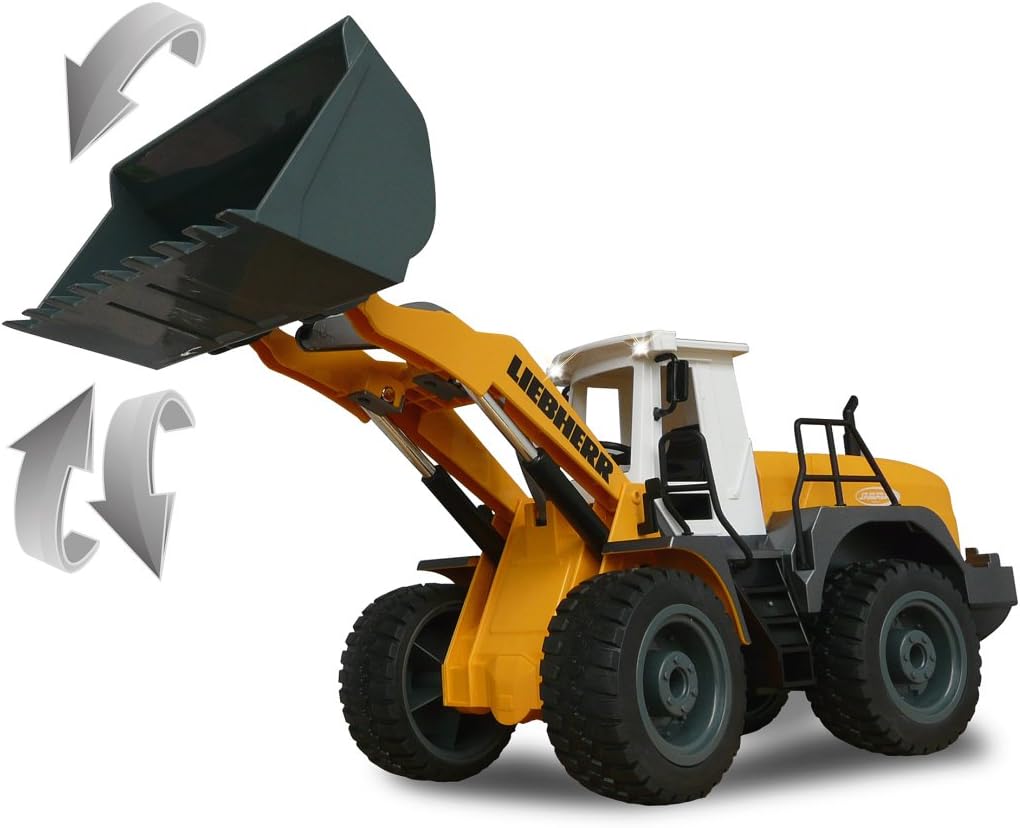
Image 5.2: Illustration of the wheel loader's bucket lifting and lowering capabilities.
- Realistic Engine Sound & Horn: The model features a realistic engine sound that can be switched on or off. A horn function is also available (labeled 'Hupe und Sound' on Image 5.1).
- Programmable Functions with Repeat: This wheel loader can learn and repeat sequences of maneuvers. Perform a desired sequence of movements, save it using the 'Memory/Lernfunktion' button, and then activate it with the repeat function.
- Auto-Standby Mode: To conserve battery life, the model will enter an auto-standby mode after a period of inactivity.
- Reversing Warning Sound: A warning sound is emitted when the wheel loader moves in reverse for added realism and safety.
- Turn Signals (Blinker): The model is equipped with functional turn signals.
- Mòd Demo: Activate the 'Demo Funktion' button to showcase a pre-programmed sequence of movements.

Image 5.3: The wheel loader demonstrating combined bucket and steering actions.
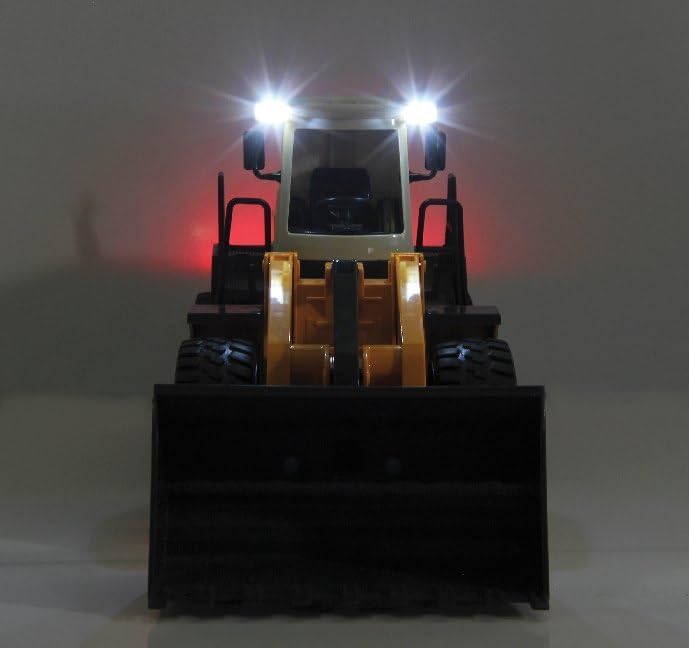
Image 5.4: The wheel loader with its functional lights activated.
6. Antretyen
- Netwayaj: Use a soft, dry cloth to clean the model. Do not use water or chemical cleaners, as this may damage the electronics.
- Swen batri: Always remove batteries from both the vehicle and the remote control if the product will not be used for an extended period. This prevents battery leakage and potential damage.
- Depo: Store the model in a cool, dry place, away from direct sunlight and extreme temperatures.
NAN. Depanaj
If you encounter issues with your wheel loader, refer to the following common problems and solutions:
- Pa gen pouvwa:
- Tcheke si pil yo byen mete ak polarite ki kòrèk la.
- Ranplase pil ki fin vye oswa ki fin itilize yo ak pil nèf.
- Ensure the ON/OFF switches on both the vehicle and remote control are in the 'ON' position.
- No Response from Remote Control:
- Asire w ke machin nan ak kontwòl remote la limen.
- Re-pair the remote control by turning both devices off, then turning the vehicle on first, followed by the remote control.
- Check for interference from other 2.4 GHz devices.
- Weak Performance / Slow Movement:
- Batteries may be low. Replace with fresh batteries.
- Ensure the operating surface is smooth and free of excessive resistance.
8. Espesifikasyon
| Nimewo Modèl | 405007 |
| Mak | Jamara |
| Echèl | 1:20 |
| Dimansyon pwodwi (L x W x H) | 42.5 x 17.7 x 15 cm |
| Pwa atik | 890 gram |
| Manifakti laj rekòmande | 6 - 10 ane |
| Materyèl prensipal | Plastik |
| Koulè | Jòn |
| Kontwòl Remote enkli | Wi |
| Pil ki nesesè | Wi |
| Pil(yo) enkli | Non |
| Kalite batri | AA pil asid |
| Kantite moso | 1 |
| Self-Assembly Product | Non |
| Educational Value(s) | Develops hand-eye coordination, fine motor skills, and imaginative play. |
| Language(s) | German, English, Spanish, French, Italian |
9. Garanti ak sipò
For warranty claims, technical support, or spare parts inquiries, please contact the manufacturer directly.
- Manifakti: Jamara
- Imèl: info@jamara.com
- Disponibilite pyès rezèv: 2 Ane


