
JETBeam MS-R28
JETBeam MS-R28 Military Flashlight User Manual
Model: MS-R28
1. Pwodwi souview
The JETBeam MS-R28 is a robust military-grade flashlight designed for reliability and performance. It features advanced LED technology, durable construction, and user-friendly functionalities suitable for various demanding environments.
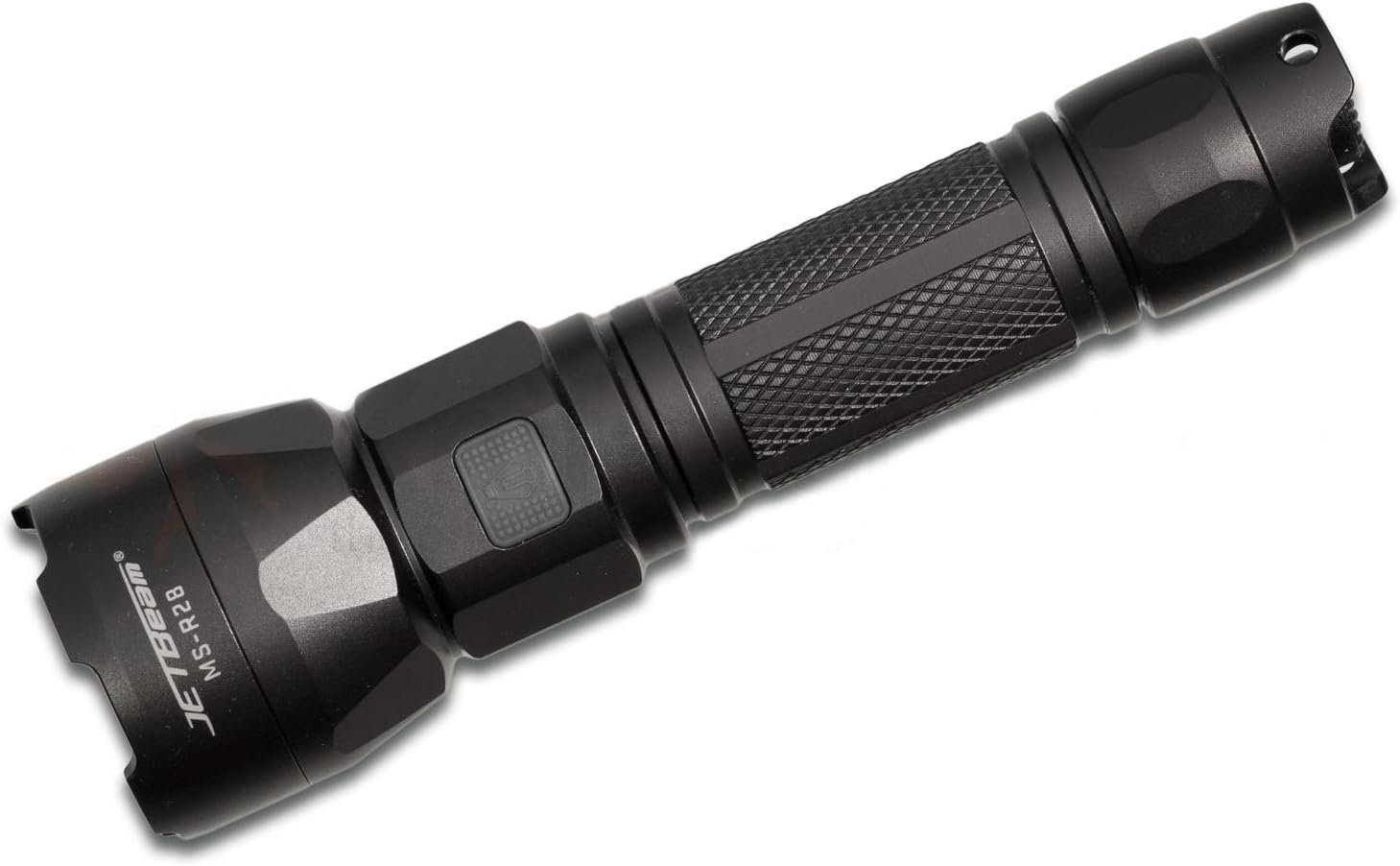
Figure 1: JETBeam MS-R28 Military Flashlight. This image displays the flashlight's full body, highlighting its black finish and textured grip. The JETBeam brand logo and MS-R28 model number are clearly visible on the side of the head.
2. Enfòmasyon sou Sekirite
- Do not look directly into the light beam. The high intensity light can cause temporary vision impairment or permanent eye damage.
- Kenbe soti nan atenn timoun yo.
- Do not disassemble the sealed head of the flashlight. Doing so may cause damage to the flashlight and will void the warranty.
- Use only recommended batteries. Incorrect battery types may cause damage or explosion.
- Ensure proper battery polarity during installation.
- Avoid dropping the flashlight or subjecting it to severe impacts.
- Do not expose the flashlight to extreme temperatures or open flames.
3. Pake kontni
Please check the package contents upon opening to ensure all items are present and in good condition.
- JETBeam MS-R28 Military Flashlight (1 unit)
- Manyèl itilizatè (dokiman sa a)
- Lanyard (if included in specific package variant)
- Spare O-rings (if included)
- USB Charging Cable (if included)
4. Enstalasyon
4.1 Enstalasyon batri
The JETBeam MS-R28 requires a compatible rechargeable battery (not included). Ensure the battery is fully charged before first use.
- Devise bouchon dèyè flach la lè w vire l nan sans kontrè ak zegwi mont lan.
- Insert the battery with the positive (+) terminal facing towards the head of the flashlight.
- Screw the tail cap back on clockwise until it is securely tightened. Ensure the O-ring is properly seated to maintain waterproofing.
4.2 Premye chaj
If your MS-R28 model supports USB charging, it is recommended to fully charge the battery before initial use to ensure optimal performance and battery longevity.
- Locate the USB charging port, typically covered by a rubber seal near the head of the flashlight.
- Open the rubber seal and connect the provided USB charging cable to the port.
- Konekte lòt bout kab USB a nan yon sous kouran USB konpatib (pa egzanp, yon pò USB òdinatè, yon adaptè USB nan miray).
- The indicator light will show charging status (refer to Section 6 for details).
- Once charging is complete, disconnect the cable and securely close the rubber seal to maintain waterproofing.
5. Operasyon Enstriksyon
5.1 Power On/Off
- Pou vire flach la ON: Press the power button located on the side or tail cap (depending on model variant) until the light illuminates.
- Pou vire flach la OFF: Press the power button again.
5.2 Seleksyon mòd
The MS-R28 typically features multiple brightness levels and special modes. The method for cycling through modes may vary slightly by specific production batch, but generally involves the following:
- Avèk flach la ON, press and hold the power button to cycle through brightness levels (e.g., Low, Medium, High, Turbo). Release the button to select the desired brightness.
- For special modes (e.g., Strobe, SOS): Double-press the power button rapidly to activate Strobe mode. Double-press again for SOS mode. Press once to return to the last used brightness level.
5.3 Battery Life Indicator
The power button on the MS-R28 features a built-in flash indicator to denote battery life. The specific color or flash pattern will indicate the remaining power level:
- Solid Green/Blue: Sufficient power remaining.
- Flashing Yellow/Orange: Medium power, consider recharging soon.
- Flache wouj: Low power, immediate recharge required.
Note: Specific indicator colors may vary slightly. Refer to the quick start guide included with your specific product for exact details if different.
6. Chaje
The JETBeam MS-R28 features USB-charger capabilities for convenient recharging of its internal battery.
- Ensure the flashlight is turned OFF before charging.
- Locate the USB charging port, typically protected by a rubber cover to maintain waterproofing.
- Carefully lift the rubber cover to expose the USB port.
- Insert the micro-USB end of the charging cable into the flashlight's port.
- Connect the standard USB-A end of the cable to a 5V USB power adapter or a computer's USB port.
- The power button indicator light will typically illuminate red or orange during charging and turn green or blue when charging is complete.
- Once fully charged, disconnect the USB cable and firmly press the rubber cover back into place to ensure the waterproofing seal is intact.
7. Antretyen
7.1 Netwayaj
- Wipe the flashlight body with a clean, damp twal. Pa sèvi ak pwodui netwayaj abrazif oswa solvang.
- Clean the threads of the tail cap and head regularly. Apply a thin layer of silicone grease to the O-rings to maintain waterproofing and smooth operation.
- Keep the lens clean. Use a lens cleaning cloth or cotton swab with a small amount of rubbing alcohol if necessary.
7.2 Depo
- Sere flach la nan yon kote ki fre, sèk lwen limyè solèy la dirèk ak tanperati ekstrèm.
- If storing for an extended period, remove the battery to prevent leakage and damage to the flashlight.
NAN. Depanaj
| Pwoblèm | Kòz posib | Solisyon |
|---|---|---|
| Flach pa limen. |
|
|
| Limyè a ap tranble oubyen li fèb. |
|
|
| Water ingress after exposure. |
|
|
9. Espesifikasyon
| Nimewo Modèl | MS-R28 |
| Mak | JETBeam |
| Dimansyon pwodwi | 19 x 5 x 5 cm |
| Pwa atik | 1 kg (2.2 liv) |
| Koulè | Nwa |
| Kalite anpoul | dirije |
| Enpèmeyab | IPX-6 (Resistant to high-pressure, heavy sprays of water) |
| Chaje kapasite | USB-charger capabilities |
| Endikatè batri | Flash indicator on power button denotes battery life |
| Jesyon tèmik | Optimized thermal heat fins |
| Konpozan ki enkli | Jetbeam MS-R28 Military Flashlight Black (and potentially USB cable, lanyard, spare O-rings depending on package) |
10. Garanti ak sipò
JETBeam products are manufactured to high quality standards. For specific warranty terms and conditions, please refer to the warranty card included with your purchase or visit the official JETBeam websit.
For technical support, service, or inquiries regarding your JETBeam MS-R28 Military Flashlight, please contact your authorized dealer or the manufacturer's customer service department. Contact information can typically be found on the product packaging or the official brand websit.
- Manifakti: Sportsman Supply Inc.
- Mak Websit: www.jetbeam.com (Note: This is a general placeholder for a brand website, actual URL may vary or not exist.)
Ask a question about this manual
Ask about setup, troubleshooting, compatibility, parts, safety, or missing instructions. Manuals+ will review the question and use this page’s manual context to help answer it.