
DBPOWER RD-805
Manyèl Itilizatè Pwojektè Mini LED Miltimedya Pòtab DBPower RD-805 la
Model: RD-805 (FP8048H1W-IV6)
1. Entwodiksyon
This manual provides comprehensive instructions for the safe and efficient operation of your DBPOWER RD-805 Portable Multimedia Mini LED Projector. Please read this manual thoroughly before using the projector and retain it for future reference. This projector is designed for versatile multimedia applications, offering a compact solution for home entertainment, presentations, and more.
2. Enfòmasyon sou Sekirite
- Pa gade dirèkteman nan lantiy pwojektè a lè l ap limen.amp Limyè entans lan ka lakòz domaj nan je yo.
- Ensure proper ventilation. Do not block ventilation openings. Overheating can damage the projector.
- Use only the power adapter supplied with the projector. Using an incorrect adapter may cause malfunction or fire.
- Keep the projector away from water or other liquids. Do not operate in humid environments.
- Evite mete pwojektè a sou sifas ki pa estab.
- Dekonekte kòd kouran an pandan tanpèt zèklè oswa lè ou pa itilize li pou yon bon bout tan.
- Pa eseye repare pwojektè a tèt ou. Konfye tout antretyen bay pèsonèl kalifye.
3. Pake kontni
Verifye ke tout atik ki nan lis anba a yo enkli nan pakè ou a. Si gen nenpòt atik ki manke oswa ki domaje, tanpri kontakte machann ou an.
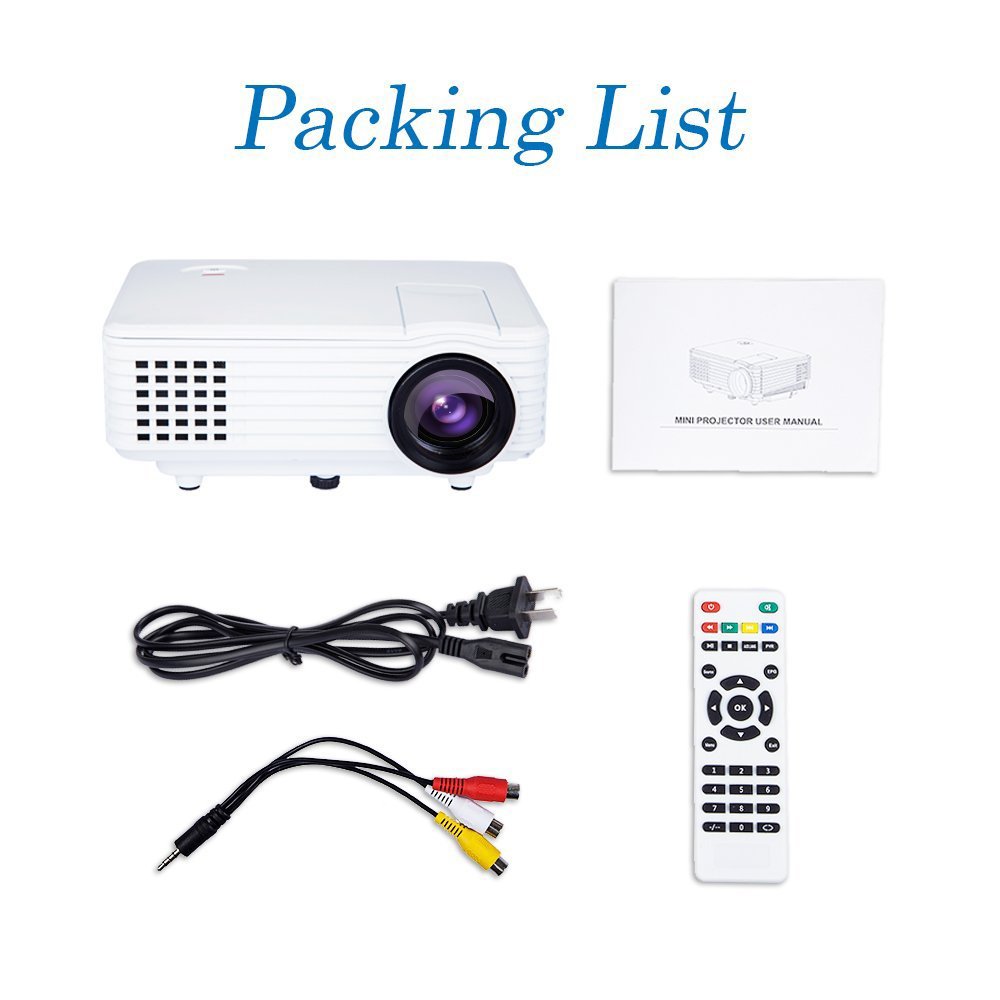
Image: Contents of the DBPOWER RD-805 projector package, showing the projector unit, power cable, AV cable, remote control, and user manual.
- DBPOWER RD-805 Mini LED Projector
- Pouvwa kab
- Kontwòl Remote
- AV Kab
- Manyèl itilizatè
4. Pwodwi souview
Familyarize w ak diferan pati ki nan pwojektè w la.

Image: The DBPOWER RD-805 projector held in a hand, illustrating its portable and compact design.
4.1 Devan ak Anwo View
- Lantiy pwojeksyon: Emèt imaj la.
- Bag konsantre: Ajiste klète imaj la.
- Kadran Koreksyon Keystone: Korije distòsyon imaj trapezoidal la.
- Kontwòl Panel: Buttons for menu navigation and basic functions.
4.2 Panèl dèyè ak koneksyon

Imaj: Detaye view of the rear panel of the DBPOWER RD-805 projector, highlighting the power button, on/off switch, USB port, HDMI port, AV input, VGA input, and audio output jack.
- Bouton pouvwa: Limen/éteint pwojektè a.
- On/Off Button (Main Switch): Master power switch.
- Pò USB: Konekte kle USB yo pou li medya yo.
- HDMI Port: Connect devices via HDMI cable (e.g., laptops, gaming consoles).
- Pò AV IN: Connect devices using the AV cable (e.g., DVD players).
- Pò VGA: Connect computers via VGA cable.
- Audio Output (Earphone) Jack: Konekte oratè ekstèn yo oswa kas ekoutè yo.
- Mikwo USB: (Not explicitly labeled in image, but mentioned in features) For specific connectivity.
5. Enstalasyon
5.1 Plasman
Place the projector on a stable, flat surface. Ensure there is adequate space around the projector for ventilation. The projection distance will determine the image size (20-80 inches recommended).

Image: The DBPOWER RD-805 projector set up on a tripod next to a laptop, demonstrating a typical usage scenario for presentations or media viewing.
5.2 Koneksyon pouvwa
- Konekte kab kouran an nan pò antre kouran pwojektè a.
- Branche lòt bout kab kouran an nan yon priz miray.
- Flip the main On/Off switch on the rear panel to the 'On' position.
5.3 Konekte Aparèy
Pwojektè a sipòte plizyè sous opinyon:

Image: A circular diagram illustrating the wide range of devices compatible with the DBPOWER RD-805 projector, including laptops, desktops, gaming consoles (PS4, Xbox 360, Wii), mobile phones, tablets, DVD players, and MP4/MP5 players.
- HDMI: Connect laptops, gaming consoles (PS4, Xbox 360), Blu-ray players.
- VGA: Connect desktop computers or older laptops.
- DE: Connect DVD players, set-top boxes using the included AV cable.
- USB: Insert USB flash drives for direct playback of photos, videos, and music.
- Mikwo USB: For specific device connections (refer to device manual for compatibility).
- Odyo Deyò: Konekte moun kap pale ekstèn oswa kas ekoutè pou odyo amelyore.
6. Itilizasyon Pwojektè a
6.1 Limen/Etenyen
- Ensure the main On/Off switch on the rear is in the 'On' position.
- Peze bouton Power (Power) ki sou pwojektè a oswa sou kontwòl remote la pou limen aparèy la.
- To power off, press the Power button again. The indicator light will change.
6.2 Ajisteman Imaj
- Konsantre: Vire bag konsantre a toupre lantiy la jiskaske imaj ki pwojte a vin klè e byen file.
- Koreksyon Keystone: Use the keystone correction dial to adjust the image if it appears trapezoidal (wider at the top or bottom). The projector supports up to 15 degrees of keystone correction.
6.3 Seleksyon Sous Antre
Use the 'Source' button on the remote or projector control panel to cycle through available input sources (HDMI, VGA, AV, USB).
6.4 Lekti Miltimedya
When a USB drive is connected, navigate the on-screen menu to select the desired media type (Photo, Music, Movie, Text) and browse files. The projector supports MP3/WMA/OGG/AAC/FLAC/APE/WAV audio and JPEG/BMP/PNG image formats.
6.5 Aplikasyon
The DBPOWER RD-805 is suitable for a variety of uses:

Image: A collage depicting various applications of the DBPOWER RD-805 projector, including outdoor movie nights, classroom teaching, business meetings, and gaming sessions.

Imaj: Kat ansyenamples of home theater environments utilizing the DBPOWER RD-805 projector for immersive viewfè eksperyans.
- Kay Divètisman: Gade fim, emisyon televizyon, ak espò sou yon gwo ekran.
- Gaming: Konekte konsole jwèt ou a pou yon eksperyans jwèt imersif.
- Prezantasyon: Ideal for small business meetings or educational purposes.
- Foto Viewing: Share your photos with friends and family on a big display.
7. Antretyen
7.1 Netwaye Lantiy la
Sèvi ak yon twal mou ki pa gen pousyè, espesyalman fèt pou lantiy optik. Pa sèvi ak pwodui netwayaj abrazif oswa twal ki ka grate lantiy la.
7.2 Netwayaj kò pwojektè a
Siye deyò pwojektè a avèk yon twal mou epi sèk. Pou mak ki difisil pou retire, yon ti twal mouye.amp Ou ka itilize yon twal, epi apre sa, ou ka sèvi ak yon twal sèk.
7.3 Vantilasyon
Regularly check and clean the ventilation grilles to prevent dust buildup, which can impede airflow and cause overheating.
7.4 Lamp Lavi
Dirije lamp in your projector has a long lifespan, rated for approximately 50,000 hours, significantly reducing the need for lamp ranplasman.
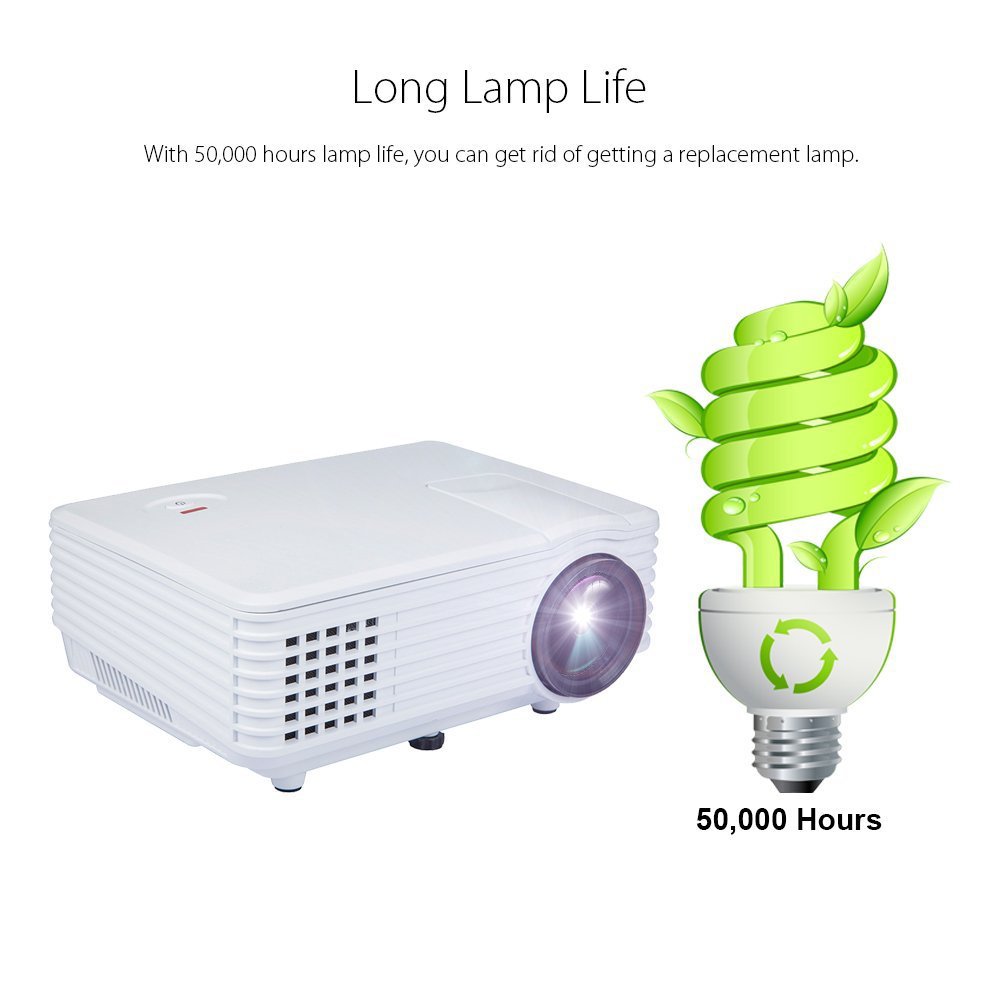
Image: An illustration highlighting the long lamp life of the DBPOWER RD-805 projector, indicating an estimated lifespan of 50,000 hours for its LED light source.
NAN. Depanaj
| Pwoblèm | Kòz posib | Solisyon |
|---|---|---|
| Pa gen imaj projeté | Power not connected; Input source incorrect; Lens cap on. | Check power connection; Select correct input source; Remove lens cap. |
| Imaj la twoub | Fokus la pa ajiste; Pwojektè a twò pre/lwen ekran an. | Adjust focus ring; Adjust projection distance (20-80 inches). |
| Imaj la se trapezoidal | Keystone la pa ajiste. | Adjust keystone correction dial. |
| Pa gen son | Volume too low; External speakers not connected; Audio format not supported. | Increase volume; Connect external speakers to audio out; Check audio format compatibility. |
| Remote kontwòl pa travay | Batteries dead; Obstruction between remote and projector. | Ranplase pil yo; Asire w ke liy vizyon an klè ak reseptè IR la. |
9. Espesifikasyon

Image: The DBPOWER RD-805 projector with its physical dimensions (21cm length, 14.5cm width, 8cm height) and weight (1250g) indicated, alongside a "1 Year Warranty" badge.
| Mak | DBPOWER |
| Non modèl | RD-805 |
| Nimewo Modèl Atik | FP8048H1W-IV6 |
| Teknoloji ekspozisyon | LCD |
| Kalite ekspozisyon | dirije |
| Gwosè pwojeksyon | 20-80 inches (recommended) |
| Max Screen Display Size | 120 pous / 305 cm |
| Koreksyon Keystone | Manyèl, 15 degre |
| Lamp Lavi | Jiska 50,000 èdtan |
| Entèfas Antre | USB, VGA, HDMI, AV, Micro USB |
| Entèfas Sòti | Earphone (3.5mm Audio Jack) |
| Fòma odyo sipòte | MP3 / WMA / OGG / AAC / FLAC / APE / WAV |
| Sipò pou Fòma Imaj | JPEG/BMP/PNG (with zoom, 360 degree rotate) |
| Konsomasyon pouvwa | 20 Watts |
| Sous pouvwa | AC |
| Dimansyon pwodwi (LxWxH) | 21.08 x 14.48 x 7.87 cm |
| Pwa atik | 907.18 g |
10. Garanti ak sipò
Your DBPOWER RD-805 Projector comes with a 1-ane garanti apati dat acha a. Garanti sa a kouvri domaj fabrikasyon ak atizan konn fè nan itilizasyon nòmal.
For technical support, warranty claims, or any inquiries, please contact DBPOWER customer service through the contact information provided on their official website or your purchase platform. Please have your model number (RD-805) and purchase details ready when contacting support.
Ask a question about this manual
Ask about setup, troubleshooting, compatibility, parts, safety, or missing instructions. Manuals+ will review the question and use this page’s manual context to help answer it.