
1. Entwodiksyon
Welcome to the Dash Clear View Toaster instruction manual. This appliance is designed to provide a precise toasting experience with its unique clear-view window and versatile functions. Please read this manual thoroughly before use to ensure safe and efficient operation.
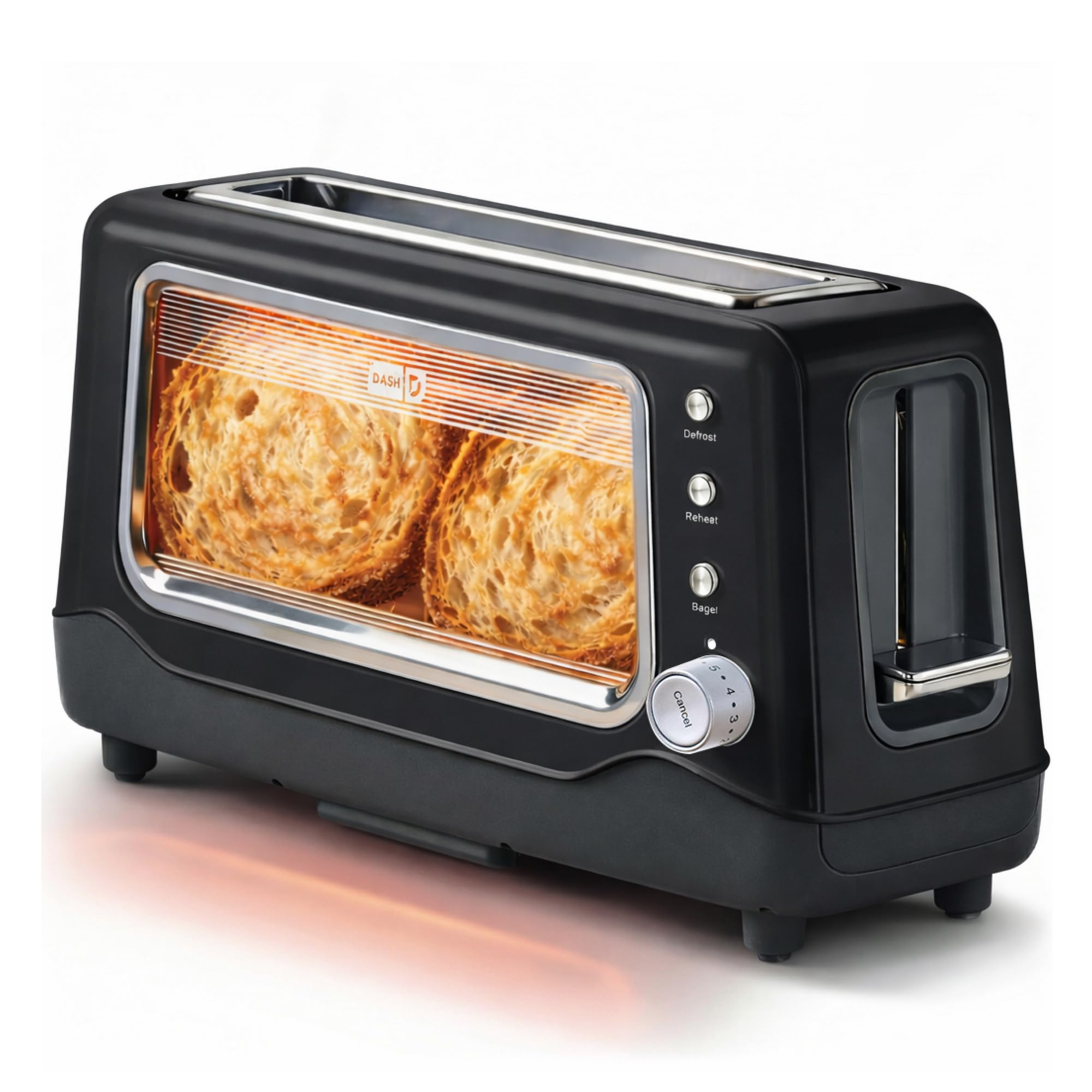
Image 1: The Dash Clear View Toaster in Black, showcasing its sleek design and prominent clear viewfenèt ing.
2. Garanti enpòtan
Lè w ap itilize aparèy elektrik, yo ta dwe toujou swiv prekosyon sekirite debaz yo, tankou:
- Li tout enstriksyon yo anvan ou itilize griy pen an.
- Pa manyen sifas cho. Sèvi ak manch oswa bouton.
- Pou pwoteje tèt ou kont chòk elektrik, pa plonje kòd, ploge, oswa aparèy nan dlo oswa nan lòt likid.
- Sipèvizyon sere se nesesè lè nenpòt aparèy itilize pa oswa toupre timoun yo.
- Debranche soti nan priz lè yo pa itilize ak anvan netwaye. Kite refwadi anvan ou mete oswa retire pati yo.
- Pa opere nenpòt aparèy ki gen yon kòd oswa ploge ki domaje, oswa apre aparèy la fonksyone mal oswa li te domaje nan nenpòt fason.
- Pa sèvi ak deyò.
- Pa kite kòd pandye sou kwen tab oswa kontwa, oswa manyen sifas cho.
- Pa mete sou oswa toupre yon gaz cho oswa recho elektrik, oswa nan yon fou chofe.
- Pa sèvi ak aparèy pou lòt itilizasyon ki gen entansyon an.
- Pa mete manje ki twò gwo, anbalaj metalik, oswa istansil nan griy pen an paske yo ka kreye yon dife oswa risk pou pran chòk elektrik.
- Yon dife ka rive si tostè yo kouvri oswa manyen materyèl ki ka pran dife, tankou rido, rido, mi, ak lòt bagay, lè yo ap fonksyone.
- Pa eseye retire manje lè tostè a konekte.
- Pa opere poukont ou.
3. Pwodwi Features
The Dash Clear View Toaster is equipped with several features designed for convenience and optimal toasting results:
- Klè-View Fenèt: Allows you to monitor the toasting process to achieve your desired browning level.
- Seven-Browning Levels: Adjustable dial for precise control over toast shade, from light to dark.
- Fant Ekstra-Laj: Accommodates various bread types, including bagels, artisan bread, and Texas toast.
- 1-Touch Defrost Function: Ideal for toasting frozen items directly from the freezer.
- 1-Touch Reheat Function: Warms previously toasted items without further browning.
- 1-Touch Bagel Function: Griye bò koupe beyè yo pandan y ap chofe bò ekstèn lan dousman.
- Auto-Shut Off Feature: Automatically turns off the toaster when the cycle is complete, preventing over-toasting.
- Slide-Out Crumbs Tray: Easily removable for quick and convenient cleaning.
- Removable Glass Panel: Klè a viewing window can be removed for thorough cleaning.

Image 2: The Dash Clear View Toaster, highlighting its compact dimensions (15.5" W x 8" H x 6.5" D) and space-saving design on a kitchen countertop.

Image 3: A visual representation of the seven browning levels available on the Dash Clear View Toaster, ranging from very light to very dark toast.
4. Enstalasyon
- Dekonpoze: Carefully remove the toaster and all packaging materials from the box. Retain packaging for future storage or returns.
- Plasman: Place the toaster on a stable, heat-resistant, and dry surface away from flammable materials. Ensure adequate ventilation around the appliance.
- Premye Itilizasyon: Before first use, operate the toaster without bread on the highest setting to burn off any manufacturing residues. A slight odor or smoke may be present; this is normal.
- Koneksyon pouvwa: Plug the power cord into a standard 110V electrical outlet. The toaster lever will only stay down when the unit is plugged in.
5. Operasyon Enstriksyon
Follow these steps for optimal toasting:
- Mete Manje: Place slices of bread, bagels, or other items into the extra-wide toasting slots.
- Chwazi Nivo Browning: Turn the browning control dial to your desired setting (1 for lightest, 7 for darkest).
- Chwazi Fonksyon (Si ou vle):
- Peze a Deglase button for frozen items.
- Peze a Chofe button to warm already toasted items.
- Peze a Bagel button for bagels (toasts cut side, warms outer side).
- Kòmanse griye: Push the toast lever down until it locks into place. The heating elements will activate, and you can observe the browning through the clear-view fenèt.
- Anile Toasting: Pou sispann sik griye a nenpòt ki lè, peze bouton an Anile button. The toast will automatically pop up.
- Rekipere pen griye: Once the toasting cycle is complete, the toast will automatically pop up. Carefully remove the toasted items.

Image 4: The Dash Clear View Toaster with two bagel halves placed in its extra-wide slots, ready for toasting using the dedicated bagel function.
Video 1: A seller-provided video demonstrating the Dash Clear View Toaster's features, including the clear window and various settings. The video shows a person using the toaster with a large slice of sourdough bread, highlighting the extra-wide slot and the ability to monitor browning.
6. Antretyen ak netwayaj
Regular cleaning ensures the longevity and performance of your toaster:
- Dekonekte epi refwadi: Toujou debranche griy pen an nan priz kouran an epi kite l refwadi nèt anvan ou netwaye li.
- Plato miyèt kal vid: Slide out the crumb tray located at the bottom of the toaster. Discard crumbs and wipe the tray clean with a damp twal. Mete plato a tounen byen fèm.
- Clean Glass Panel: The clear-view glass panel can be removed for thorough cleaning. Locate the release mechanism (often a lever or clip) at the bottom or side of the glass panel, slide it out, wash with warm soapy water, rinse, and dry completely before reinserting.
- Netwayaj eksteryè: Siye eksteryè griye a ak anonsamp twal. Pa sèvi ak pwodui netwayaj abrazif oswa plonje tostè a nan dlo.
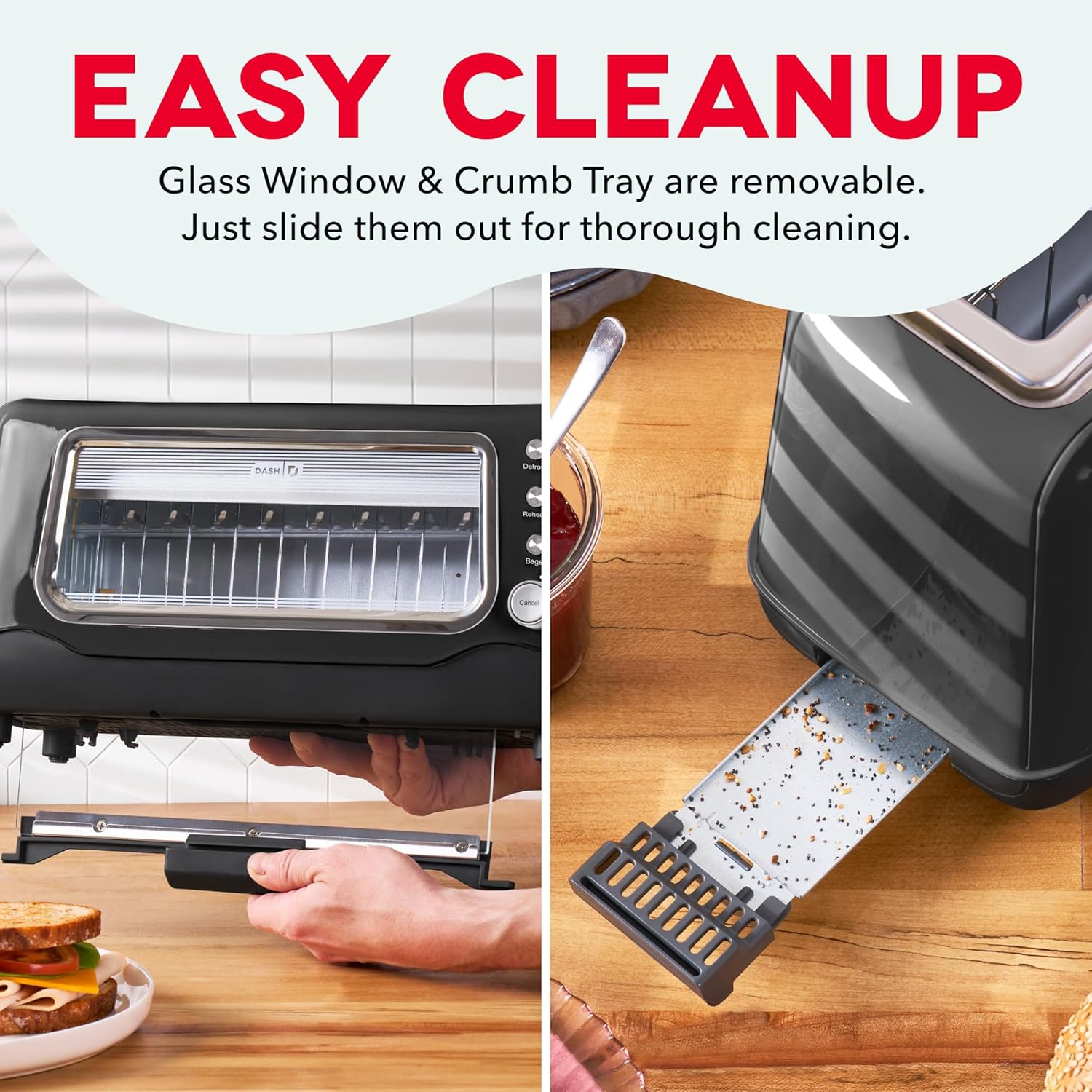
Image 5: The Dash Clear View Toaster demonstrating its easy cleaning features, including the removable slide-out crumb tray and the detachable glass panel for thorough maintenance.
Videyo 2: Yon videyo prezante pa vandè aasing the Dash Clear View Toaster's unboxing and features, including a demonstration of how to remove and clean the crumb tray and glass panel.
NAN. Depanaj
- Toast Lever Does Not Stay Down: Ensure the toaster is properly plugged into a functioning electrical outlet. The lever is designed to only engage when power is supplied.
- Griye inegal: Different types of bread toast differently. Adjust the browning level as needed. For very thick or dense items, a slightly higher setting or a second cycle might be required (monitor closely through the clear window).
- Smoke from Toaster: A small amount of smoke during first use is normal. If smoke persists, unplug the toaster immediately. Check for any lodged food particles or excessive crumbs in the crumb tray or heating elements.
- Food Stuck: Unplug the toaster and allow it to cool. Carefully remove the stuck food using non-metallic utensils. Never use metal objects.
8. Espesifikasyon
| Atribi | Valè |
|---|---|
| Mak | DASH |
| Nimewo Modèl | DVTS501BK |
| Koulè | Nwa |
| Materyèl | Glass, Polypropylene (PP), Stainless Steel |
| Dimansyon pwodwi | 6.6"D x 15.7"W x 7.8"H |
| Wattage | 1100 wat |
| Voltage | 110 Volts |
| Slot Count | 2 (extra-wide) |
| Kantite Anviwònman Browning | 7 |
| Karakteristik espesyal | Automatic Shut-Off, Defrost Mode, Reheat Mode, Removable Crumb Tray, Variable Browning Control |
9. Garanti ak sipò
The Dash Clear View Toaster DVTS501BK comes with a 1-ane garanti limite. For warranty claims, troubleshooting assistance, or product support, please refer to the contact information provided in your product packaging or visit the official DASH websit.
Included Components: Toaster, Recipe Guide, Instruction Manual, Warranty.