
1. Entwodiksyon
This manual provides detailed instructions for the Edifier X5 True Wireless Stereo Earbuds. The Edifier X5 earbuds offer a high-fidelity audio experience with advanced features designed for convenience and durability.
Karakteristik kle yo enkli:
- High-Fidelity AptX Audio: Delivers CD-quality sound with deep bass and balanced tri-frequency.
- Koneksyon Bluetooth V5.0: Ensures faster, more stable signal transmission and lower power consumption.
- CVC 8.0 Noise Canceling Microphone: Reduces background noise for clear calls.
- IP55 Dustproof & Waterproof: Provides protection against dust, rain, and sweat, suitable for outdoor activities.
- Koup yon sèl etap: Automatic connection with the last paired device after initial setup.
- Konsepsyon kontra enfòmèl ant ak lejè: Comfortable for extended wear.

Image 1.1: Edifier X5 True Wireless Stereo Earbuds and Charging Case.
Videyo 1.1: Finiview of Edifier X5 True Wireless Stereo Earbuds features.
2. Enstalasyon
2.1. Pake kontni
Tanpri tcheke pake a pou atik sa yo:
- Edifier X5 True Wireless Stereo Earbuds (Left and Right)
- Ka chaje
- USB Chaje Kab
- Plizyè gwosè nan pwent zòrèy
- Manyèl itilizatè
2.2. Chaje ekoutè yo ak bwat la
Anvan premye itilizasyon an, chaje ekoutè yo ak bwat chaje a nèt.
- Mete ekoutè yo nan bwat chaje a. Asire w yo byen chita.
- Konekte kab chaje USB a nan pò chaje ki sou bwat la epi nan yon adaptè kouran USB (pa enkli).
- Limyè endikatè ki sou bwat chaje a ap montre eta chaj la. Yon fwa li fin chaje nèt, endikatè a ap chanje oswa etenn.
A full charge provides approximately 6 hours of playback time for the earbuds, with an additional 18 hours available from the charging case.
2.3. Pairing ak yon Aparèy
The Edifier X5 earbuds feature one-step pairing for convenience.

Image 2.1: Edifier X5 Earbuds demonstrating seamless connection.
- Koup premye fwa: Open the charging case. The earbuds will automatically power on and enter pairing mode. The indicator light on the earbuds will flash.
- Sou aparèy ou an (telefòn entelijan, tablèt, elatriye), aktive Bluetooth epi chèche aparèy ki disponib yo.
- Select "EDIFIER X5" from the list of devices. Once connected, the earbud indicator lights will turn off or show a steady light.
- Koup ki vin apre: Apre premye koneksyon an, ekoutè yo ap konekte otomatikman ak dènye aparèy ki te konekte a lè yo retire yo nan bwat chaje a.

Image 2.2: Edifier X5 Earbuds powered by Qualcomm Bluetooth 5.0 for stable connection.
3. Itilizasyon ekoutè yo
3.1. Mete ekoutè yo
Select the appropriate ear tips for a comfortable and secure fit. Insert the earbuds into your ears and gently twist them to ensure a snug seal for optimal sound quality and noise isolation.
3.2. Touche Kontwòl
The Edifier X5 earbuds feature intuitive touch controls on each earbud.
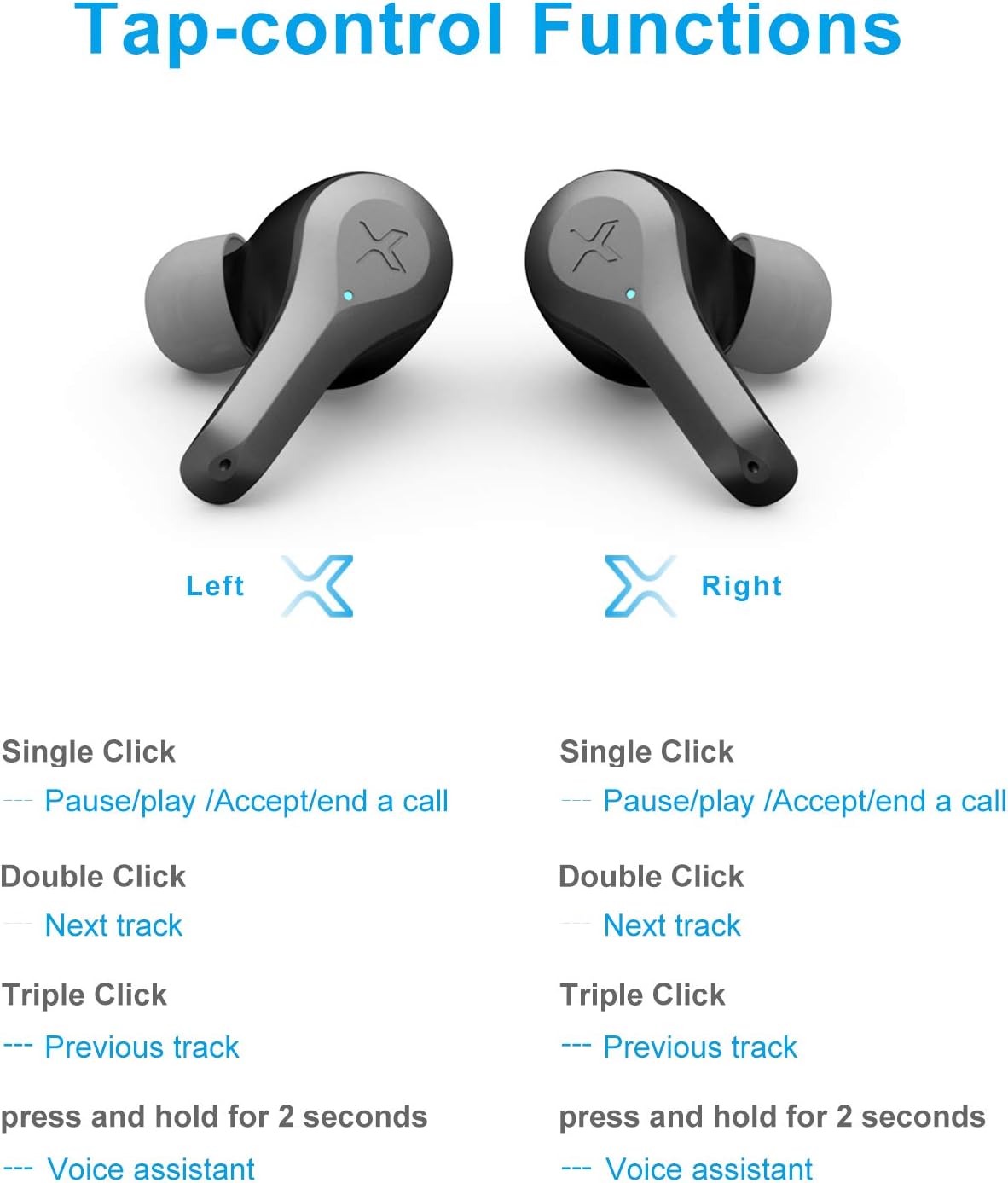
Image 3.1: Detailed diagram of Edifier X5 Earbuds touch control functions.
| Aksyon | Ekoutè Goch | Dwa ekouteur |
|---|---|---|
| Single Klike | Pause/Play, Accept/End a Call | Pause/Play, Accept/End a Call |
| Double Klike | Next Track | Next Track |
| Triple Klike | Previous Track | Previous Track |
| Peze epi kenbe (2 segonn) | Asistan vwa | Asistan vwa |
3.3. Fè ak resevwa apèl
The CVC 8.0 noise canceling microphone ensures clear communication during calls.
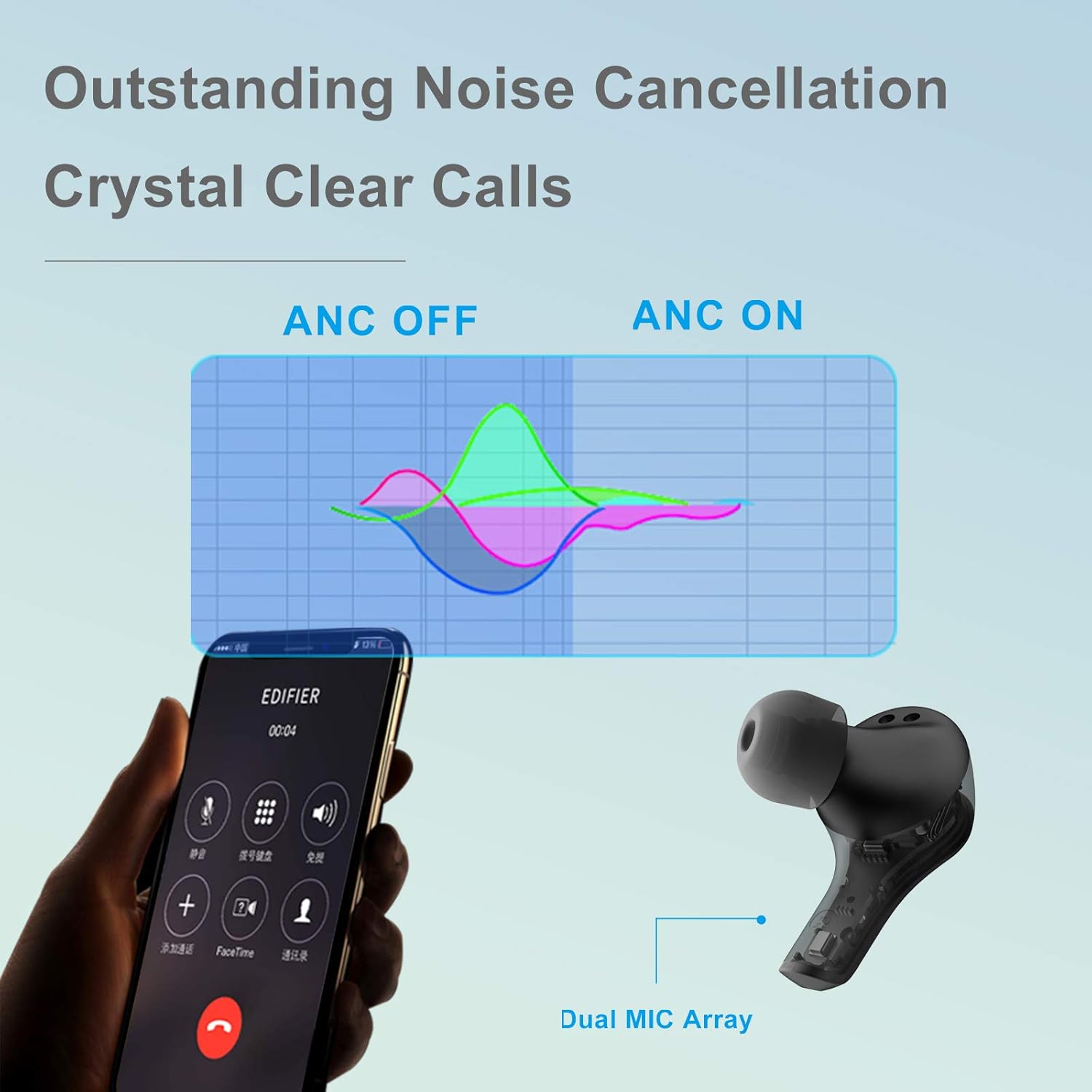
Image 3.2: Edifier X5 Earbuds featuring outstanding noise cancellation for clear calls.
- Reponn/Fen Apèl: Yon sèl klike sou nenpòt ekoutè.
- Rejte apèl: Peze epi kenbe swa ekoutè pou 2 segonn.
3.4. Mizik lèktur
Enjoy high-quality audio with AptX decoding.

Image 3.3: Edifier X5 Earbuds featuring AptX decoding for enhanced audio quality.
- Jwe/Poz: Yon sèl klike sou nenpòt ekoutè.
- Pwochen Track: Double klike sou nenpòt ekoutè.
- Track Previous: Triple click either earbud.
4. Antretyen
4.1. Netwayaj
Netwayaj regilye ede kenbe pèfòmans ak ijyèn optimal.
- Sèvi ak yon twal mou, sèk, ki pa gen pousyè pou siye ekoutè yo ak bwat chaje a.
- Retire bout zòrèy yo epi netwaye yo avèk savon dou ak dlo, apresa seche yo byen anvan ou mete yo ankò.
- Netwaye kontak chaje yo sou ekoutè yo ak sou bwat la dousman avèk yon ti sèvyèt koton sèk.
4.2. Rezistans dlo ak pousyè (IP55)
The Edifier X5 earbuds are rated IP55, meaning they are protected against limited dust ingress and low-pressure water jets from any direction. This makes them suitable for workouts and light rain.

Image 4.1: Edifier X5 Earbuds demonstrating water and dust resistance.
Enpòtan:
- Pa plonje ekoutè yo nan dlo.
- Asire w ke ekoutè yo sèch anvan ou mete yo tounen nan bwat chaje a pou evite yo domaje.
- Ka chaje a pa reziste dlo.
4.3. Depo
Lè w pa ap itilize ekoutè yo, sere yo nan bwat chaje yo pou pwoteje yo epi kenbe yo chaje.

Image 4.2: Edifier X5 Earbuds designed for comfort and durability during outdoor activities.
NAN. Depanaj
If you encounter issues with your Edifier X5 earbuds, refer to the following common problems and solutions:
- Earbuds do not power on:
Ensure the earbuds are charged. Place them in the charging case and check the charging indicator. - Pa ka konekte ak aparèy la:
Make sure Bluetooth is enabled on your device. Ensure the earbuds are in pairing mode (indicator flashing). Try forgetting "EDIFIER X5" from your device's Bluetooth list and re-pairing. - Pa gen son oswa son an pa bon kalite:
Check the volume level on both your device and the earbuds. Ensure the earbuds are properly seated in your ears. Try cleaning the ear tips and speaker mesh. - Yon ekoutè pa mache:
Place both earbuds back into the charging case, close the lid, wait a few seconds, then take them out again. This can reset the connection between the two earbuds. - Call quality is poor:
Ensure the microphone is not obstructed. Move closer to your device to improve signal strength.
6. Espesifikasyon
| Karakteristik | Detay |
|---|---|
| Non modèl | X5 |
| Mak | Edifier |
| Koneksyon Teknoloji | San fil |
| Teknoloji kominikasyon san fil | Bluetooth V5.0 |
| Plasman Zòrèy | Nan Zòrèy |
| Faktè fòm | Nan Zòrèy |
| Kontwòl bri | Sound Isolation, CVC 8.0 Noise Cancellation |
| Metòd kontwòl | Manyen |
| Nivo rezistans dlo | IP55 (Dustproof & Waterproof) |
| Pwa atik | 1.5 ons |
| Dimansyon pake | 4.92 x 2.95 x 1.34 pous |
| Batri | 3 pil ityòm-ion (enkli) |
| Materyèl | Plastik |
| Koulè | Nwa |
7. Garanti & Sipò
7.1. Enfòmasyon sou Garanti
The Edifier X5 True Wireless Stereo Earbuds come with a manufacturer's warranty. Please refer to the warranty card included in your package or visit the official Edifier websit la pou wè kondisyon garanti detaye ki espesifik pou rejyon ou an.
7.2. Sipò pou Kliyan
For further assistance, technical support, or inquiries regarding your Edifier X5 earbuds, please contact Edifier customer service through their official websit la oswa enfòmasyon kontak yo bay nan dokimantasyon pwodwi ou a.