
Entwodiksyon
This manual provides essential information for the safe and efficient use of your Sharp LC-48LE653U 48-Inch 1080p 60Hz Smart LED TV. Please read these instructions thoroughly before operating the television and retain them for future reference. This television offers reliable performance with AquoMotion 120 technology for smooth motion, reduced blur, and access to SmartCentral Apps for various streaming services. It features an ultra-narrow bezel, a sleek modern design, Wallpaper Mode, three HDMI inputs (including MHL support), and built-in 20W audio.
Ki sa ki nan bwat la
Verifye ke tout konpozan yo prezan anvan ou kontinye ak konfigirasyon an.
- Sharp LC-48LE653U 48-Inch Smart LED TV
- Kontwòl Remote
- Kanpe televizyon
- AA Batri (2)
- Kòd pouvwa
- Dokimantasyon (Gid demaraj rapid, Kat garanti)
Enstalasyon
1. Debalaj ak Plasman
Carefully remove the television from its packaging. Place the TV on a stable, level surface or mount it on a wall using a compatible VESA mount (sold separately). Ensure adequate ventilation around the television.
2. Mete Sipò a an plas
If using the included stand, align the stand with the mounting holes on the bottom of the TV. Secure it with the provided screws. Refer to the diagram below for proper orientation.

Figure 1: Television with stand and dimensions (10.55"D x 42.56"W x 26.28"H).
3. Konekte Aparèy
Connect your external devices (e.g., cable box, Blu-ray player, gaming console) to the appropriate ports on the back or side of the TV. The TV features 3 HDMI inputs (one with MHL support), 1 USB port, and component/composite video inputs.

Figure 2: Detail of TV input ports.
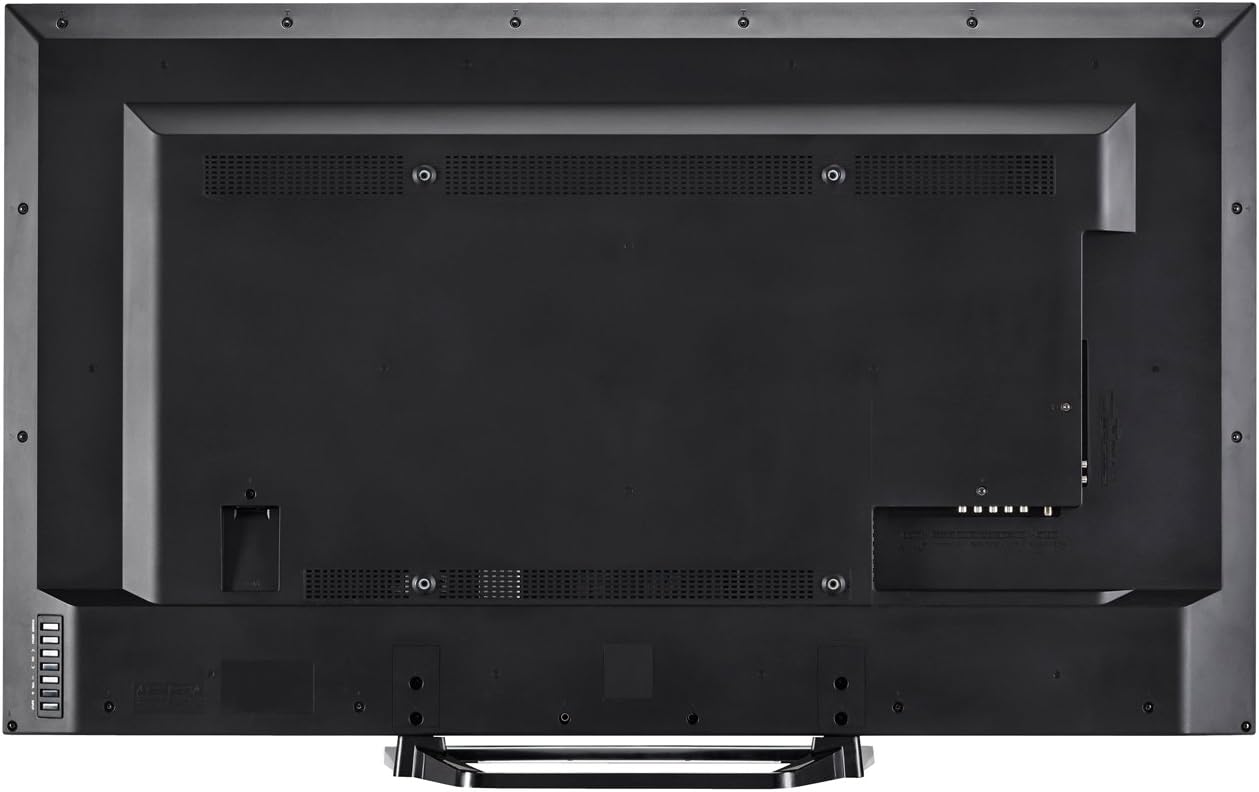
Figi 3: Dèyè view of the television with all connections.
4. Koneksyon pouvwa
Plug the power cord into the TV's power input, then into a standard electrical outlet (110 VAC, 60 Hz).
5. Premye Limen ak Asistan Enstalasyon
Press the Power button on the TV or remote control. Follow the on-screen instructions to complete the initial setup, including language selection, network connection (Wi-Fi or Ethernet), and channel scanning.
Enstriksyon Operasyon
1. Fonksyon kontwòl Remote
The included remote control allows you to navigate menus, change channels, adjust volume, and access smart features. Insert the two AA batteries into the remote control, observing polarity.

Figi 4: Plan kontwòl remote la.
- Pouvwa: Limen oswa etenn televizyon an.
- Antre: Selects the input source (HDMI, Component, etc.).
- Volim (+/-): Ajiste nivo son an.
- Chanèl (CH +/-): Chanjman chanèl yo.
- Entelijan: Accesses SmartCentral Apps.
- Meni: Ouvri meni prensipal paramèt yo.
- Navigation Buttons (Up/Down/Left/Right/Enter): Navige nan meni yo epi konfime seleksyon yo.
- Netflix, YouTube, Pandora, Vudu: Dedicated buttons for quick access to these streaming services.
2. SmartCentral Apps
Your Sharp Smart LED TV comes with built-in Wi-Fi and SmartCentral Apps, providing access to popular streaming services and a web browser. Press the 'Smart' button on your remote or select the SmartCentral Apps icon from the home screen.

Figure 5: SmartCentral Apps Interface.
- Aksè Aplikasyon: Use the navigation buttons on the remote to select and launch applications like Netflix, Hulu Plus, Pandora, Vudu, and YouTube.
- Web Navigatè: Sèvi ak entegre a web navigatè pou navigasyon entènèt an jeneral.
- Rezo Koneksyon: Ensure your TV is connected to a stable internet connection via Wi-Fi or Ethernet for optimal Smart TV functionality.
3. Anviwònman Imaj ak Son
Access the TV's menu to customize picture and sound settings. Adjust brightness, contrast, color, and sharpness for picture quality. For audio, select sound modes or adjust bass/treble settings.
4. Wallpaper Mode
When the TV is turned off, Wallpaper Mode allows it to display virtually any image, transforming your TV into a large-format display for photos or artwork. Configure this feature through the TV's settings menu.
Antretyen
1. Netwaye ekran an
Siye ekran an dousman avèk yon twal mou, sèk, ki pa gen pousyè. Pou mak ki difisil pou retire, siye l dousman.ampRense twal la avèk dlo oswa yon pwodui netwayaj ekran espesyalize. Evite pwodui chimik ki agresif oswa materyèl abrazif.
2. Netwaye Kabinè a
Wipe the TV cabinet with a soft, dry cloth. Do not use liquid cleaners directly on the cabinet.
3. Mizajou lojisyèl
Periodically check for software updates through the TV's settings menu to ensure optimal performance and access to the latest features. A stable internet connection is required for updates.
Depanaj
If you encounter issues with your television, refer to the following common solutions:
- Pa gen pouvwa: Ensure the power cord is securely plugged into both the TV and the electrical outlet. Test the outlet with another device.
- Pa gen imaj/son: Verify the correct input source is selected. Check all cable connections to external devices. If using an antenna, ensure it is properly connected and channels are scanned.
- No Sound (intermittent): If sound occasionally cuts out, try unplugging the TV from the power outlet for a few minutes, then plugging it back in. This can reset internal components.
- Kalite imaj ki pa bon: Ajiste paramèt imaj yo (klète, kontras, netteté). Asire w sous opinyon an ap bay yon siyal kalite siperyè.
- Pwoblèm koneksyon rezo: Check your Wi-Fi router or Ethernet cable connection. Restart your router and the TV. Ensure Wi-Fi settings on the TV are correctly configured.
- Kontwòl Remote pa travay: Ranplase pil yo. Asire w pa gen okenn obstak ant telekòmand lan ak detèktè IR televizyon an.
For persistent issues, contact Sharp customer support.
Espesifikasyon
| Karakteristik | Spesifikasyon |
|---|---|
| Nimewo Modèl | LC-48LE653U |
| Gwosè ekran | 48 pous |
| Teknoloji ekspozisyon | LCD ak ekleraj ki ap dirije |
| Rezolisyon | 1080p (1920 x 1080) |
| Rafrechisman pousantaj | 60 Hz (AquoMotion 120) |
| Koneksyon | Built-in Wi-Fi, Ethernet |
| Pò HDMI | 3 (one with MHL) |
| Pò USB | 1 |
| Sèvis Entènèt Sipòte | Hulu Plus, Netflix, Pandora, Vudu, YouTube |
| Pouvwa Sòti Audio | 20 Watts |
| Dimansyon pwodwi (D x W x H) | 10.55" x 42.56" x 26.28" |
| Pwa atik | 21 liv |
| Voltage | 110 VAC 60 Hz |
Enfòmasyon sou Garanti
This Sharp LC-48LE653U television is covered by a 1-ane garanti limite from the date of purchase. This warranty covers manufacturing defects in materials and workmanship under normal use. It does not cover damage caused by misuse, accidents, unauthorized modifications, or external causes. Please retain your proof of purchase for warranty claims.
Sipò
For technical assistance, troubleshooting beyond this manual, or warranty service, please contact Sharp customer support. Refer to the contact information provided in your product documentation or visit the official Sharp websit.
Sipò sou entènèt: www.sharpusa.com/support
Sipò telefòn: Refer to your warranty card or Sharp's official websit pou nimewo kontak ki pi aktyèl yo.