
Entwodiksyon
This manual provides instructions for the Technaxx TX-28 Extra Bullet Camera, designed to expand your existing Technaxx TX-28 wireless security camera system. It features motion detection, PIR day and night vision, and a waterproof design for outdoor surveillance. This camera is an accessory to the main TX-28 system, which includes a 7-inch TFT LCD monitor and recorder.
Karakteristik kle
- PIR-Activated Sensors: Detects motion up to approximately 8m day and night. When suspicious objects are detected, the camera illuminates the area to deter intruders and records clear color videos, even at night.
- Ekspansyon sistèm: This extra camera is designed to expand your existing Technaxx TX-28 wireless CCTV system, which features an integrated recorder, receiver, and 7-inch TFT LCD monitor. The system supports up to 4 Technaxx cameras.
- HD Monitoring & Audio: Infrared LEDs provide up to 15m night vision. The IP65 waterproof housing allows for indoor and outdoor use. The system also supports remote audio monitoring and recording.
- Sistèm san fil: The camera offers plug & play functionality. It automatically pairs with the main monitor, eliminating the need for cables between them, providing a stable and clear vieweksperyans nan.
- Sipò pou aplikasyon mobil: View viv footage on iPhone and Android devices. Connect to your camera system via your phone to monitor your property. Supports MicroSD cards up to 32GB for recording.
Kontni pake
Ensure all items are present and in good condition before proceeding with installation.
- 1 x Technaxx Extra Bullet Camera for Easy Security Camera Kit TX-28
- 1 x pouvwa adaptè
- 3 x Vis
- 3 x mi ploge
Enstalasyon
1. Kamera plasman
Choose a suitable location for your extra bullet camera. The camera is designed for outdoor use with an IP65 rating, making it resistant to dust and water jets. Consider areas that provide optimal surveillance coverage and are within range of your existing Technaxx TX-28 monitor for wireless connection.

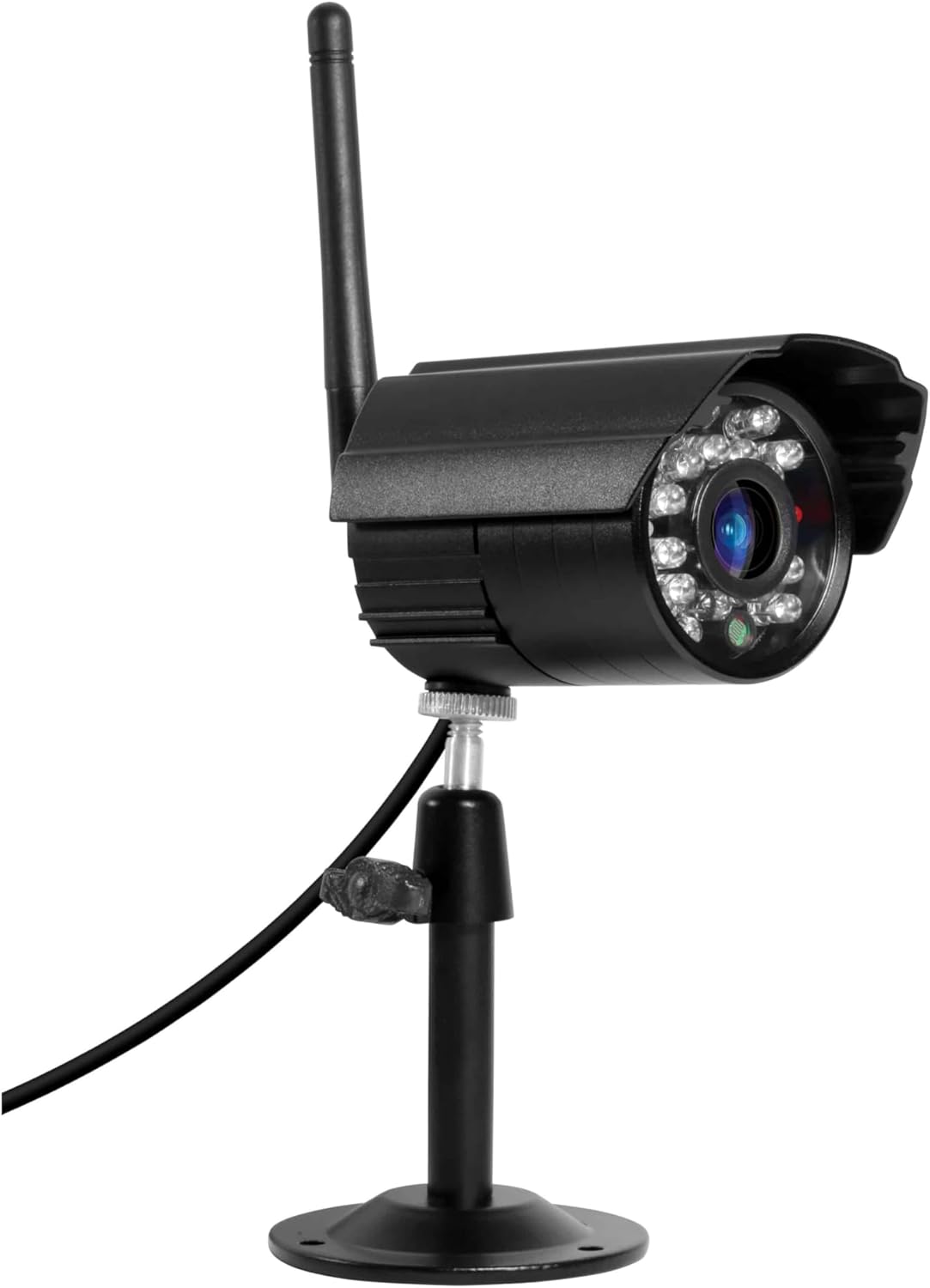
Image: The Technaxx TX-28 Extra Bullet Camera, showing its bullet-style design, antenna, and adjustable mounting stand. This camera is designed for versatile placement.
2. Monte Kamera a
- Mark the desired drilling points on the wall using the camera's mounting base as a template.
- Drill holes at the marked positions. Insert the provided wall plugs into the holes.
- Secure the camera's mounting base to the wall using the provided screws.
- Ajiste ang kamera a pou kouvri zòn siveyans ou vle a.
3. Koneksyon pouvwa
Connect the included power adapter to the camera and then plug it into a suitable power outlet. Ensure the power cable is routed safely and securely to prevent damage or tripping hazards.
4. Pairing with the Main System
The Technaxx TX-28 extra camera is designed for automatic pairing with your existing TX-28 monitor. Once the camera is powered on, it should automatically connect to the main system. If automatic pairing does not occur, refer to your main TX-28 system's manual for manual pairing instructions, which typically involve a pairing button on both the camera and the monitor.
Opere kamera a
1. Viv View
Access the live feed from your camera via the main TX-28 monitor or through the dedicated mobile application on your smartphone (iPhone or Android). The mobile app allows remote viewing ak kontwòl.
2. Deteksyon Mouvman ak Alèt
The camera features PIR-activated motion detection. When motion is detected, the system can trigger alerts on your mobile device and begin recording. The camera also illuminates the area with infrared LEDs for enhanced night vision recording.
Imaj: Yon imaj detaye view of the camera's front, highlighting the lens and the array of infrared LEDs for night vision capabilities.
3. Vizyon lannwit
The integrated infrared LEDs provide clear night vision up to 15 meters, allowing for continuous surveillance even in complete darkness. The camera is capable of recording color video at night when motion is detected and the area is illuminated.
4. Audio Monitoring and Recording
The camera supports audio capture, allowing you to listen to sounds from the monitored area and record audio along with video footage. This feature can be accessed through the main monitor or the mobile app.
5. Anrejistreman ak Depo
Recordings are managed by the main TX-28 system. The system supports MicroSD cards up to 32GB for local storage of video and audio. Consult your main system's manual for detailed recording settings and playback options.
Antretyen
1. Netwayaj
Netwaye lantiy kamera a ak bwat la regilyèman avèk yon twal mou,amp cloth. Avoid using harsh chemicals or abrasive materials that could scratch the lens or damage the casing. Ensure the camera is powered off before cleaning.
2. Connection Check
Periodically check all cable connections (power) to ensure they are secure and free from damage. For wireless connections, ensure the camera is within the effective range of the main monitor.
3. Mizajou Firmware
Check the Technaxx website or your mobile app for any available firmware updates for your TX-28 system, including the camera. Keeping the firmware updated ensures optimal performance and security.
Depanaj
No Image on Monitor/App
- Tcheke pouvwa: Ensure the camera is properly connected to its power adapter and the adapter is plugged into a working outlet.
- Tcheke Koneksyon: Verify that the camera is within range of the main TX-28 monitor and that the wireless connection is stable. Try moving the camera closer to the monitor temporarily.
- Re-pair Camera: If the camera was previously working, try re-pairing it with the main monitor according to the main system's instructions.
Pòv Kalite Imaj
- Netwaye Lantiy: Asire w ke lantiy kamera a pwòp epi li pa gen pousyè, pousyè tè, oswa tach.
- Tcheke ekleraj: Ensure there is adequate lighting in the monitored area, especially at night. The night vision range is up to 15m.
- Entèferans siyal: Other wireless devices or thick walls might interfere with the signal. Try repositioning the camera or the main monitor.
Deteksyon Mouvman Pa Travay
- Tcheke Anviwònman: Verify that motion detection is enabled in the system settings (via monitor or app).
- PIR sansiblite: Adjust the PIR sensor sensitivity. High sensitivity might trigger false alarms, while low sensitivity might miss events.
- Obstak: Ensure there are no physical obstructions blocking the PIR sensor's view.
Espesifikasyon
| Karakteristik | Spesifikasyon |
|---|---|
| Mak | Technaxx |
| Non modèl | TX-28 |
| Koneksyon Teknoloji | San fil |
| Karakteristik espesyal | Mouvman Capteur |
| Andedan kay la / Deyò Itilizasyon | Deyò |
| Aparèy konpatib | Smartphone |
| Sous pouvwa | Adaptè pouvwa |
| Koneksyon Pwotokòl | HomePlug |
| Kalite kontwolè | Android |
| Kalite aliye | Mi mòn |
| Koulè | Nwa |
| Faktè fòm | Bal |
| Materyèl | Metal |
| Nivo rezistans dlo | Ki enpèmeyab (IP65) |
| Kalite Alèt | Mouvman sèlman |
| Sous limyè | Enfrawouj |
| Rezolisyon anrejistreman videyo | 720p |
| Fòma Anrejistreman Videyo | MPEG-4 |
| Vizyon lannwit Range | 200 Meters (IR LEDs provide up to 15m effective range) |
| Vizyon lannwit | Koulè lannwit Vizyon |
| Voltage | 5 Volts |
| Wattage | 5 Watts |
| Batri obligatwa? | Non |
| Kalite Konsantre | Konsantre manyèl |
| Kalite Zoom | Zoom optik |
| Teknoloji Capteur Foto | CMOS |
| Dimansyon atik (L x W x H) | 9.5 x 6.8 x 5.7 cm |
| Pwa atik | 300 gram |
| Peyi orijin | Lachin |
Enfòmasyon sou Garanti
This Technaxx TX-28 Extra Bullet Camera comes with a 2-ane garanti from the date of purchase. Please retain your proof of purchase for any warranty claims. The warranty covers manufacturing defects and malfunctions under normal use. It does not cover damage caused by misuse, accidents, unauthorized modifications, or improper installation.
Sipò
For further assistance, technical support, or to inquire about additional accessories, please contact Technaxx customer service or visit the official Technaxx website. You may also refer to the full instruction manual for your main Technaxx TX-28 security camera system for comprehensive details on system operation and advanced features.

Imaj: Side profile of the Technaxx TX-28 camera, showing its robust build and the wireless antenna for connectivity.