
Entwodiksyon
This manual provides comprehensive instructions for the setup, operation, and troubleshooting of your Amazon Fire TV Stick Replacement Remote, model CV98LM. Please read these instructions carefully to ensure proper use and to maximize your experience with the device.
Pwodwi souview
The Amazon Fire TV Stick Replacement Remote (Model CV98LM) is designed to provide seamless control over your Amazon Fire TV Stick. This remote is not voice-operated and offers standard navigation and playback controls for an intuitive user experience. It connects to your Fire TV Stick via Bluetooth, allowing control from various locations within a room.
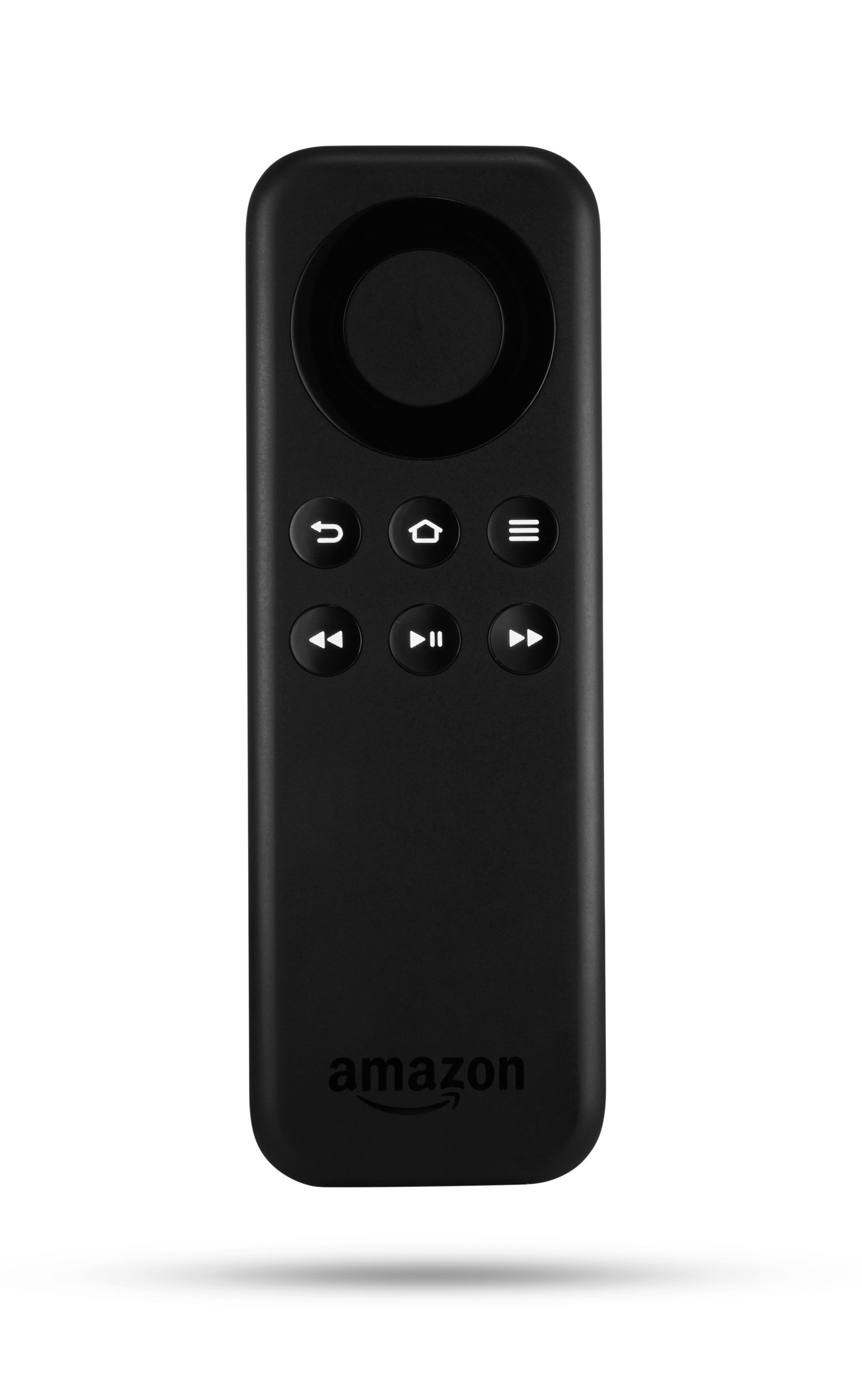
Imaj: Devan view of the Amazon Fire TV Stick Replacement Remote, showing its buttons and ergonomic design.
Karakteristik kle:
- Direct replacement for Amazon Fire TV Stick remotes (non-voice models).
- Standard navigation and playback controls for easy content management.
- Bluetooth connectivity for reliable control.
Enstalasyon ak Pairing
Follow these steps to pair your replacement remote with your Amazon Fire TV Stick:
- Retire pil: Take the batteries out of the replacement remote.
- Unplug Fire TV Stick: Disconnect the power cable from your Fire TV Stick and unplug the Fire TV Stick from the HDMI port on your television. Wait for approximately 40 seconds.
- Reinsert Batteries: Place the batteries back into the replacement remote, ensuring correct polarity.
- Reconnect Fire TV Stick: Plug the Fire TV Stick back into the HDMI port and reconnect its power cable.
- Inisye pè: As soon as the Amazon Fire TV logo appears on your screen, press and hold the Lakay button on your new replacement remote.
- Finalize Pairing (using existing remote or app): If you have an existing remote or the Fire TV Remote app on your smartphone, navigate to Anviwònman > Remote ak aparèy Bluetooth > Amazon Fire TV Remotes > Ajoute Nouvo Remote. Select your new remote (it may appear as "Amazon Fire TV Remote") from the list to complete the pairing process.
- Your new remote should now be ready for use.
Enstriksyon Operasyon
The replacement remote provides intuitive controls for navigating your Fire TV Stick:
- Bag Navigasyon: Use the circular ring to move up, down, left, and right through menus and content.
- Chwazi bouton: The center button within the navigation ring confirms selections.
- Bouton Kay: Retounen ou nan ekran prensipal Fire TV a.
- Bouton tounen: Retounen nan ekran oswa meni anvan an.
- Bouton meni: Aksè a opsyon kontèksyal ki andedan aplikasyon yo oswa meni yo.
- Bouton jwe/poz: Kontwole lèktur medya yo.
- Bouton avanse/remonte rapid: Skips forward or backward in media playback.
Depanaj
If you encounter issues with your replacement remote, try the following solutions:
Remote Not Responding or Pairing:
- Power Cycle Remote and Device:
- Retire pil nan remote la.
- Unplug the Fire TV Stick from its HDMI port and disconnect its micro USB power cable.
- Wait for at least 1 minute.
- Reconnect the micro USB power cable to the Fire TV Stick, then plug the Fire TV Stick back into the HDMI port.
- Once the Fire TV logo appears on the screen, insert fresh batteries into the remote.
- After the home screen loads, press and hold the Lakay button on the remote for 10 seconds to attempt pairing.
- Perform a Software Reset on the Remote:
- An menm tan peze epi kenbe la Menu bouton, la Agòch button (left side of the navigational ring), and the Retounen button (the arrow that curves back toward the left) for 10 seconds.
- The remote will become inactive for up to 2 minutes during this reset.
- If the remote does not automatically pair afterward, press and hold the Lakay button for at least 10 seconds to make it discoverable for pairing.
- Tcheke batri yo: Ensure batteries are correctly inserted and are not depleted. Replace with fresh batteries if necessary.
- Obstak klè: Ensure there are no physical obstructions between the remote and the Fire TV Stick.
Espesifikasyon
| Karakteristik | Detay |
|---|---|
| Nimewo Modèl | CV98LM |
| Dimansyon pwodwi | 4.68 x 1.59 x 0.55 pous |
| Pwa atik | 1.12 ons |
| Koneksyon | Bluetooth |
| Manifakti | AMDSI |
| Premye Dat ki disponib | 27 oktòb 2014 |
Garanti ak sipò
For information regarding warranty coverage and customer support, please refer to the documentation provided with your original Amazon Fire TV Stick or visit the official Amazon support websit. Kenbe resi acha ou pou reklamasyon garanti.


