
1. Entwodiksyon
The Intermatic SW30MWK 30-Minute Spring Wound Timer is a mechanical in-wall timer designed to provide energy-saving control for various electrical loads, including lights, fans, motors, and heaters. This timer operates without electricity, offering a reliable and cost-effective solution for automatically turning off devices after a preset time. This manual provides essential information for the safe installation, operation, and maintenance of your SW30MWK timer.
2. Pwodwi souview
The SW30MWK timer features a simple, intuitive design for ease of use and installation. It is compatible with modern energy-efficient lighting options such as LED and CFL lights.
Karakteristik kle:
- 30-Minute Off Control: Automatically limits the ON time of connected loads.
- No Electricity Required: Operates mechanically, providing energy savings and reducing utility costs.
- Ranplasman fasil: Designed to fit any standard wall switch, single or multi-gang.
- Itilizasyon versatile: Ideal for controlling fans, lights, motors, heaters, and other appliances.
- LED and CFL Compatible: Works with modern energy-efficient lighting.

Figi 1: Devan view of the Intermatic SW30MWK 30-Minute Spring Wound Timer.
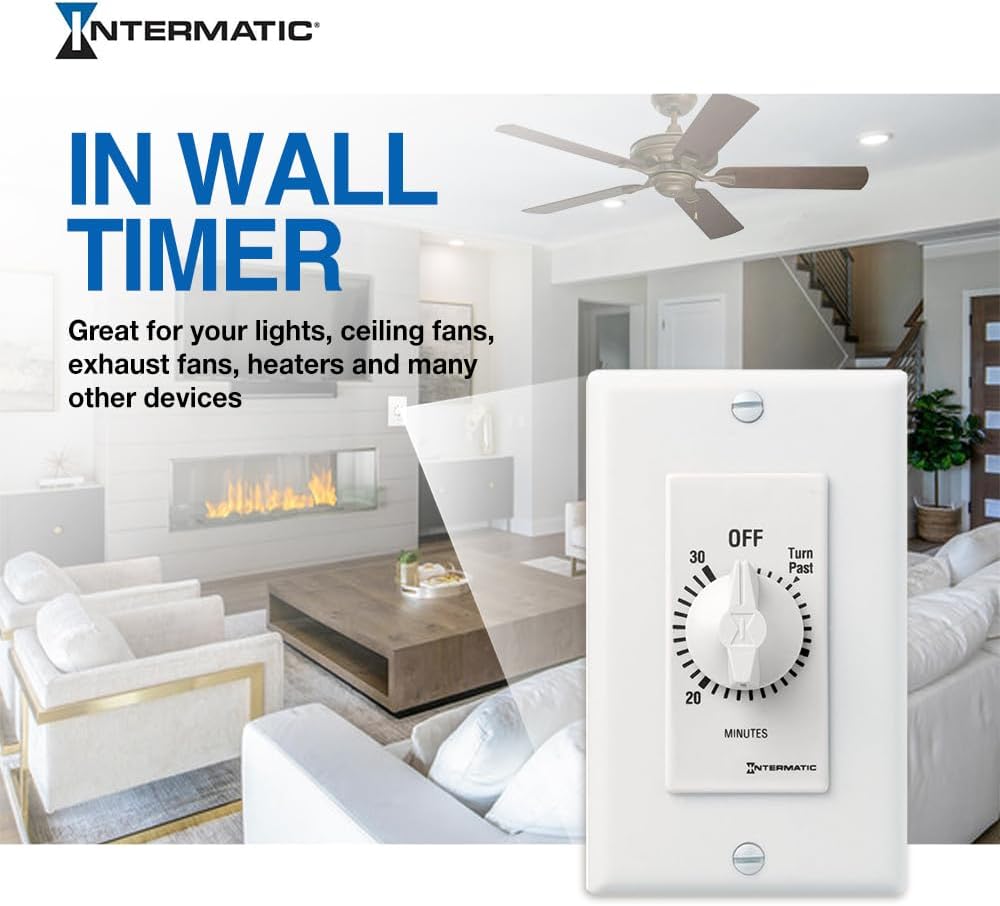
Figure 2: The SW30MWK timer seamlessly integrated into a living room wall.

Figure 3: Close-up highlighting the timer's energy-saving features and compatibility.
3. Enfòmasyon sou Sekirite
WARNING: Risk of Electric Shock. May result in serious injury or death. Turn power OFF at the circuit breaker or fuse and test that power is OFF before wiring!
- Always disconnect power at the circuit breaker before installing or servicing the timer.
- This device must be installed by a qualified electrician in accordance with all national and local electrical codes.
- Do not use this timer with loads exceeding its specified ratings.
- Asire w tout koneksyon fil yo byen fèm epi byen izole.
- Keep children away from electrical wiring.
4. Enstalasyon ak Enstalasyon
The Intermatic SW30MWK timer is designed for easy installation as a replacement for a standard wall switch. Follow these steps carefully:
- Etenn pouvwa: Locate the circuit breaker or fuse that controls the power to the switch you are replacing. Turn it OFF. Verify that the power is off using a voltage tèsteur.
- Retire ansyen switch la: Carefully remove the wall plate and unscrew the existing switch from the wall box. Disconnect the wires from the old switch, noting which wire was connected to which terminal.
- Idantifye fil yo: Typically, you will find two wires connected to a standard single-pole switch: a hot wire (incoming power) and a load wire (going to the light/appliance). The SW30MWK timer has two black wires for connection.
- Connect Timer Wires: Connect one black wire from the SW30MWK timer to the hot wire from the wall box. Connect the other black wire from the timer to the load wire from the wall box. Use appropriate wire connectors (wire nuts) to secure these connections.
- Grounding (if applicable): If your wall box has a ground wire (bare copper or green), connect it to the green ground screw on the timer (if present) or to the ground wire in the box.
- Mount Timer: Carefully push the wired timer into the wall box. Secure it with the provided mounting screws.
- Enstale Plak Mi: Attach the wall plate over the timer.
- Retabli pouvwa: Remete kouran an nan disjonktè a.

Figure 4: Simplified wiring diagram for the SW30MWK timer.
5. Operasyon Enstriksyon
The SW30MWK timer is simple to operate:
- To Turn ON and Set Time: Rotate the knob clockwise past the 'OFF' position to the desired ON time (up to 30 minutes). The timer will begin counting down immediately.
- Otomatik fèmen: Once the set time has elapsed, the timer will automatically return to the 'OFF' position, turning off the connected device.
- Fèmen manyèl: To turn off the device before the set time has elapsed, simply rotate the knob counter-clockwise back to the 'OFF' position.
Video 1: Demonstration of a spring-wound timer operation. This video shows how to turn the knob past the 'OFF' position to set the desired countdown time, and how it automatically returns to 'OFF'.
6. Antretyen
The Intermatic SW30MWK timer requires minimal maintenance. It is a mechanical device with no user-serviceable parts inside.
- Netwayaj: Periodically wipe the surface of the timer and wall plate with a soft, damp twal. Pa sèvi ak pwodui netwayaj abrazif oswa solvang.
- Enspeksyon: Occasionally check the timer and wall plate for any signs of damage, loose connections, or excessive wear. If any issues are found, disconnect power and consult a qualified electrician.
NAN. Depanaj
| Pwoblèm | Kòz posib | Solisyon |
|---|---|---|
| Timer does not turn ON. | Pa gen kouran nan sikwi a. Kòrèk fil elektrik. | Tcheke disjoncteurs oswa fusible. Verifye koneksyon fil elektrik yo (gade Seksyon 4). |
| Timer does not turn OFF. | Timer mechanism is stuck or damaged. | Ensure the knob can rotate freely. If the mechanism is damaged, the unit may need replacement. |
| Connected device does not operate. | Aparèy la defo. Timer is not set correctly. Surcharge. | Test the device with a different power source. Ensure the timer is wound past 'OFF' to the desired time. Verify the load does not exceed the timer's rating. |
8. Espesifikasyon
| Atribi | Valè |
|---|---|
| Nimewo Modèl | SW30MWK |
| Mak | Intermatic |
| Koulè | Blan |
| Chanje style | 30 Minute Spring Wound |
| Kalite aliye | Mi mòn |
| Materyèl | Tengstèn |
| Dimansyon pwodwi | 1.97"D x 2.76"W x 5.51"H |
| Pwa atik | 2.4 ons |
| Kantite Anviwònman | 1 |
| Sètifikasyon | CSA |
| Batri obligatwa | Non |
| UPC | 078275143487 |
9. Enfòmasyon sou Garanti
Intermatic products are designed for durability and reliability. This product comes with a standard manufacturer's warranty. For specific details regarding the warranty period and terms, please refer to the warranty documentation included with your purchase or visit the official Intermatic websit la. Kenbe prèv acha ou pou reklamasyon garanti.
10. Sipò
If you have any questions, require technical assistance, or need to report an issue with your Intermatic SW30MWK timer, please contact Intermatic customer support:
- Websit: Visit the official Intermatic websit pou kesyon yo poze souvan (FAQ), dokimantasyon pwodwi, ak enfòmasyon pou kontakte yo.
- Telefòn: Refer to the contact details provided on the product packaging or the Intermatic websit pou nimewo telefòn sèvis kliyan.
Please have your model number (SW30MWK) and date of purchase ready when contacting support.