
1. Entwodiksyon
The Aduro Bluetooth Audio Receiver allows you to wirelessly stream audio from your Bluetooth-enabled devices to any audio system with a 3.5mm auxiliary input. This device converts traditional audio systems into Bluetooth-compatible systems, enabling seamless music playback from smartphones, tablets, and other Bluetooth audio sources.
Karakteristik kle yo enkli:
- Makes any media device with a 3.5mm jack Bluetooth-capable.
- Receives music from Bluetooth sources such as smartphones and tablets.
- Compatible with playback devices like headphones, speakers, and car stereos.
- Bluetooth 2.1 with Advanced Audio Distribution Profile (A2DP) for enhanced audio quality.
- Up to 30 feet (9 meters) wireless range.
- One-touch pairing control for easy connection.
- Plugs directly into any standard 3.5mm audio jack.
- Provides up to 12 hours of audio playback on a full charge.
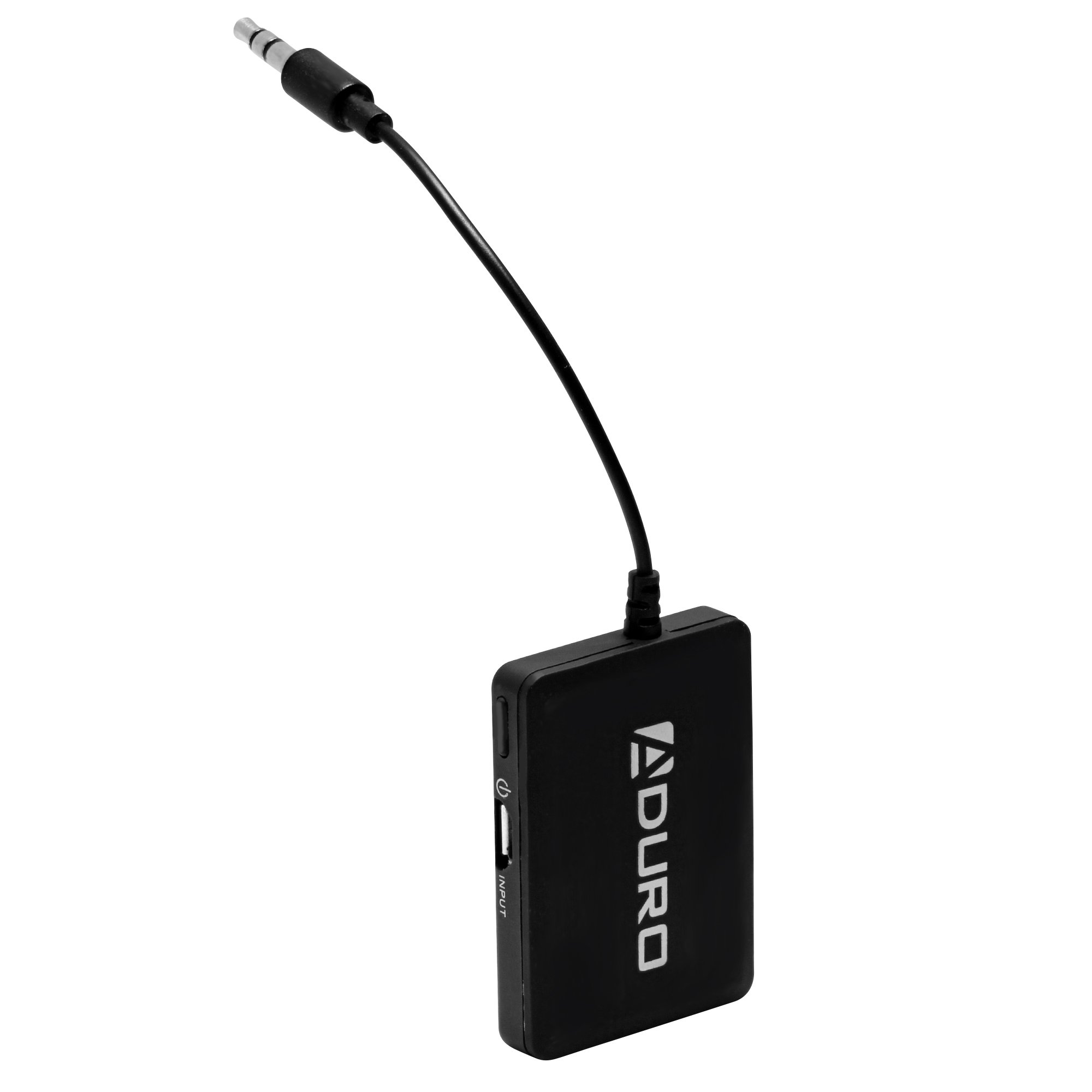
Image 1.1: Aduro Bluetooth Audio Receiver connected via 3.5mm jack.
2. Pake kontni
Tanpri tcheke pake a pou atik sa yo:
- Aduro Bluetooth Audio Receiver
- USB Chaje Kab

Image 2.1: Contents of the Aduro Bluetooth Audio Receiver package.
3. Enstalasyon
3.1 Charging the Receiver
Before initial use, fully charge the Aduro Bluetooth Audio Receiver. A full charge provides up to 12 hours of audio playback.
- Connect the small end of the provided USB charging cable to the micro-USB port on the receiver.
- Connect the standard USB end of the cable to a USB power source (e.g., computer USB port, USB wall adapter).
- The indicator light on the receiver will illuminate during charging and turn off when fully charged.
3.2 Konekte ak yon Sistèm Odyo
The receiver connects to your audio system via a standard 3.5mm auxiliary input.
- Locate the 3.5mm auxiliary input jack on your desired audio system (e.g., car stereo, home speaker, headphones).
- Plug the integrated 3.5mm audio jack of the Aduro Bluetooth Audio Receiver directly into the auxiliary input.
- Ensure the audio system is set to the auxiliary input source.
4. Operasyon Enstriksyon
4.1 Limen/Etenyen
- Pou limen: Press and hold the power button (often marked with a power symbol) on the receiver until the indicator light flashes.
- Pou etenn: Peze epi kenbe bouton pouvwa a ankò jiskaske limyè endikatè a etenn.
4.2 Konekte ak yon aparèy Bluetooth
The Aduro Bluetooth Audio Receiver uses one-touch pairing for easy connection to your smartphone, tablet, or other Bluetooth audio source.
- Ensure the receiver is powered on and within 30 feet (9 meters) of your Bluetooth audio source.
- The indicator light will typically flash rapidly, indicating it is in pairing mode.
- On your Bluetooth audio source (e.g., smartphone), go to the Bluetooth settings menu.
- Scan for available devices. The receiver should appear as "Aduro Bluetooth Receiver" or similar.
- Select the receiver from the list to initiate pairing.
- Once successfully paired, the indicator light on the receiver will typically change to a slow flash or solid blue, depending on the model.
- Si yo mande w yon kòd sekrè, antre "0000" (kat zewo).
Note: The receiver will attempt to reconnect to the last paired device automatically when powered on.

Imaj 4.1: Egzanpample of the Aduro Bluetooth Audio Receiver in use with a car stereo and smartphone.
4.3 Jwe odyo
After successful pairing, you can begin streaming audio:
- Ensure your audio system is set to the correct auxiliary input.
- Start playing audio from your paired Bluetooth device.
- Adjust the volume on both your Bluetooth device and the connected audio system for optimal sound.
5. Antretyen
- Netwayaj: Use a soft, dry cloth to clean the surface of the receiver. Do not use liquid cleaners or aerosols.
- Depo: Sere aparèy la nan yon kote ki fre, sèk lè li pa itilize.
- Swen batri: To prolong battery life, avoid fully discharging the battery frequently. Recharge the device when the low battery indicator appears.
NAN. Depanaj
| Pwoblèm | Kòz posib | Solisyon |
|---|---|---|
| Aparèy pa limen. | Batri a dechaje. | Charge the receiver using the provided USB cable. |
| Pa ka asosye ak aparèy Bluetooth. | Receiver is not in pairing mode. Bluetooth sou aparèy sous la etenn. Receiver is too far from source device. Entèferans ki soti nan lòt aparèy san fil. | Ensure receiver is powered on and indicator light is flashing rapidly. Pèmèt Bluetooth sou aparèy sous ou a. Move receiver closer to the source device (within 30 feet). Ale lwen lòt aparèy san fil. |
| No audio or poor audio quality (stuttering). | Incorrect audio input selected on stereo. Volim twò ba. Weak Bluetooth signal. Entèferans. Source device issues (e.g., WiFi interference on older devices). | Verify your audio system is set to the correct auxiliary input. Increase volume on both the receiver and the source device. Ensure receiver is within range and unobstructed. Minimize interference from other electronics. Try disabling WiFi on the source device if experiencing stuttering. |
| Only sound from one speaker. | Koneksyon 3.5mm ki lach. Issue with the audio system's input. | Ensure the 3.5mm jack is fully inserted into the audio system. Test with a different audio system or cable if possible. |
7. Espesifikasyon
| Mak | Aduro |
| Non modèl | Bluetooth Audio Reseptè |
| Koneksyon Teknoloji | Bluetooth |
| Bluetooth vèsyon | 2.1 |
| Sipò pou Profiles | A2DP (Avanse Distribisyon Audio Profile) |
| Wireless Range | Jiska 30 pye (9 mèt) |
| Sous pouvwa | Batri Powered (Rechargeable) |
| Lavi batri | Jiska 12 èdtan (lèktur odyo) |
| Antre odyo | 3.5mm AUX |
| Audio Sòti Mode | Stereo |
| Aparèy konpatib | Smartphones, MP3 players, headphones, speakers, television, car stereo system |
| Koulè | Nwa |
| Metòd kontwòl | Touch (One-touch pairing) |
| UPC | 849813002500 |
| ASIN | B00KME1I32 |
8. Enfòmasyon sou Sekirite
Please read and follow these safety guidelines to ensure proper operation and prevent damage:
- Do not expose the device to excessive heat or moisture.
- Keep the device away from other wireless devices to avoid interference.
- Charge the device only with the provided charger or a compatible USB power source.
- Do not attempt to replace the battery yourself. Contact qualified service personnel if battery replacement is needed.
- Evite jete oswa sibi aparèy la nan gwo enpak.