
Entwodiksyon
Mèsi pou acha aasing the HOLMES HTF3222A-STM 32-inch Tower Fan. This manual provides important instructions for the assembly, operation, maintenance, and troubleshooting of your new fan. Please read this manual thoroughly before use and retain it for future reference.
This streamlined tower fan is designed to provide cooling relief in living rooms and bedrooms with quiet operation, featuring three speed settings, oscillation for wide area coverage, and an auto shut-off timer.
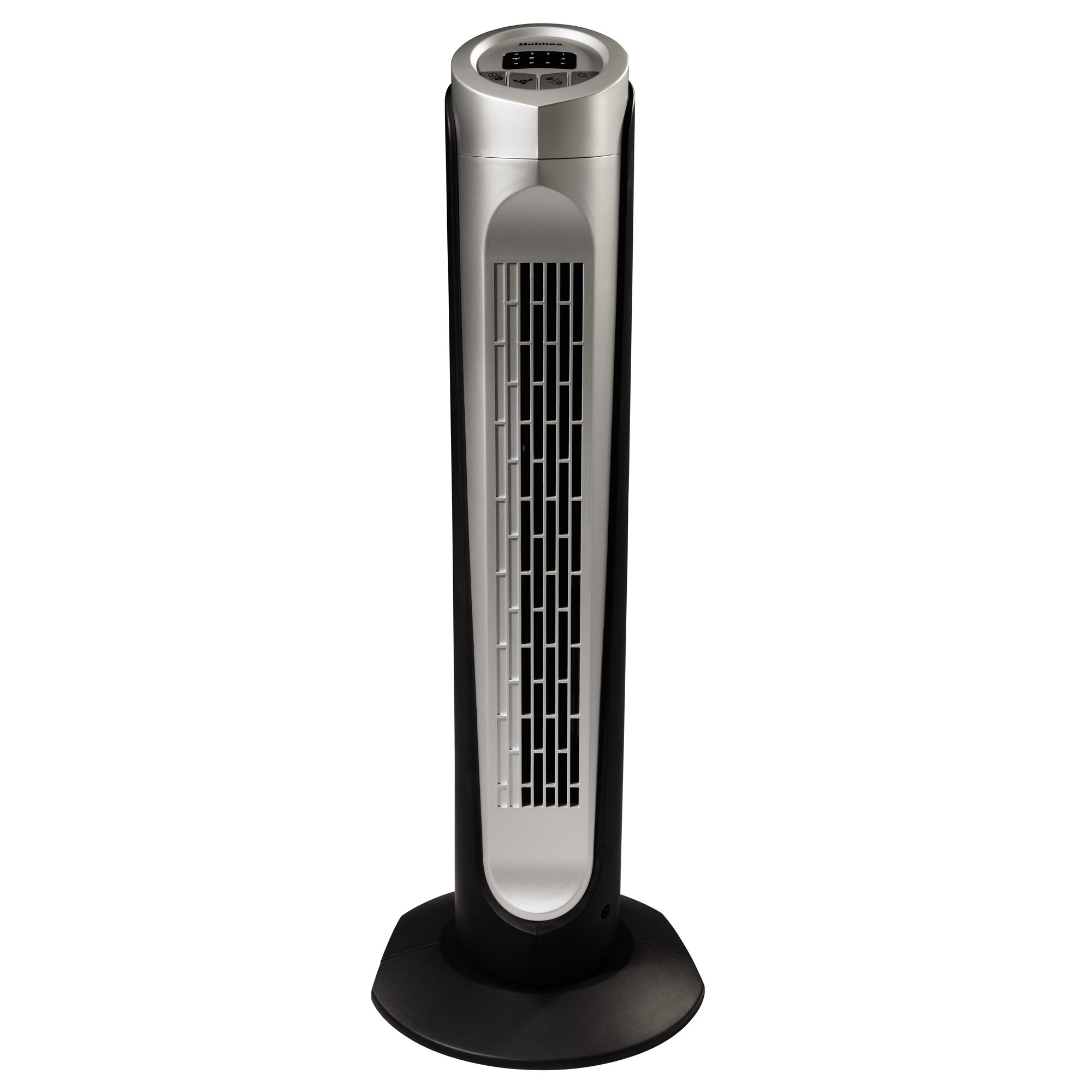
Image: The Holmes HTF3222A-STM 32-inch Tower Fan in black, showcasing li mens profile and top-mounted control panel.
Enstriksyon Sekirite Enpòtan
Lè w ap itilize aparèy elektrik, yo ta dwe toujou swiv prekosyon sekirite debaz yo pou diminye risk pou dife, chòk elektrik ak blesi moun, tankou sa ki annapre yo:
- Li tout enstriksyon anvan ou itilize fanatik sa a.
- Sèvi ak vantilatè sa a sèlman jan sa dekri nan manyèl sa a. Lòt itilizasyon ki pa rekòmande ka lakòz dife, chòk elektrik, oswa blesi moun.
- Pou pwoteje tèt ou kont chòk elektrik, pa mete vantilatè a nan fenèt, pa plonje aparèy la, ploge a oswa kòd la nan dlo, epi pa flite likid.
- Sipèvizyon sere se nesesè lè nenpòt aparèy itilize pa oswa toupre timoun yo.
- Deploge nan priz lè w pa itilize, lè w ap deplase fanatik soti nan yon kote nan yon lòt, epi anvan w netwaye.
- Pa opere nenpòt aparèy ki gen yon kòd oswa ploge ki domaje, oswa apre aparèy la fonksyone byen oswa apre yo te tonbe oswa domaje nan nenpòt fason.
- Pa kite kòd pandye sou kwen tab oswa kontwa, oswa manyen sifas cho.
- Pa opere an prezans eksplozif ak/oswa lafimen ki ka pran dife.
- Pa mete fanatik oswa nenpòt pati tou pre yon flanm dife louvri, pou kwit manje oswa lòt aparèy chofaj.
- Do not operate fan with a damaged guard or any rotating part.
- Evite kontak ak pati k ap deplase.
- Pou dekonekte, priz ploge epi rale soti nan priz miray la. Pa janm tire sou kòd.
- Toujou itilize sou yon sifas ki sèk ak nivo.
- Do not use this fan outdoors.
Enstalasyon ak Asanble
The HOLMES HTF3222A-STM Tower Fan typically requires minimal assembly. Follow these steps to prepare your fan for use:
- Depake fanatik la: Carefully remove the fan and all packaging materials from the box. Ensure all components are present, including the fan body, base parts, and remote control.
- Rasanble baz la: If the base is not pre-assembled, connect the two halves of the base together. Align the slots and press firmly until they click into place.
- Attach Base to Fan Body: Place the fan body onto the assembled base. Align the screw holes on the bottom of the fan body with the holes on the base. Secure the base to the fan body using the provided screws. Use a screwdriver to tighten them securely.
- Pozisyon fanatik la: Mete vantilatè a sou yon sifas solid e plat. Asire w ke gen ase espas otou vantilatè a pou yon bon sikilasyon lè ak osilasyon.
- Ploge nan: Mete kòd kouran an nan yon priz elektrik estanda.
Nòt: The fan comes with an integrated carry handle for easy portability once assembled.
Enstriksyon Operasyon
The HOLMES HTF3222A-STM Tower Fan features a top-mounted control panel with LED lights and can also be operated via the included remote control.
Fonksyon panèl kontwòl:
- Bouton pouvwa (⏻): Peze pou limen oswa etenn vantilatè a.
- Bouton Vitès (▲): Press repeatedly to cycle through the three digital speed settings: Low, Medium, High. The corresponding LED indicator will illuminate.
- Bouton Osilasyon (↻): Press to activate or deactivate the oscillation function, which allows the fan to rotate from side to side for wide area coverage.
- Bouton revèy (⏱): Press to set the automatic shut-off timer. Each press will increase the timer setting (e.g., 1 hour, 2 hours, up to a maximum). The fan will automatically turn off after the set time.
- Bouton Mòd (M): Press to cycle through different modes, such as Normal, Sleep, and Breeze settings.
- Mòd nòmal: Sif lè konstan nan vitès ki chwazi a.
- Mòd dòmi: Diminye vitès vantilatè a piti piti sou tan pou yon operasyon silansye pandan dòmi.
- Mòd briz: Simile yon briz natirèl lè li varye vitès vantilatè a.
Kontwòl Remote:
The remote control duplicates all functions of the control panel for convenient operation from a distance. Ensure batteries are correctly inserted (not included, typically 2x AAA).
Swen ak Antretyen
Regular cleaning and proper maintenance will ensure the longevity and efficient operation of your HOLMES HTF3222A-STM Tower Fan.
- Anvan Netwayaj: Toujou debranche vantilatè a nan priz elektrik la anvan ou netwaye li.
- Netwayaj eksteryè: Sèvi ak yon mou, damp twal pou siye sifas ekstèn vantilatè a. Pa sèvi ak pwodui netwayaj abrazif oswa solvan paske yo ka domaje fini an.
- Retire pousyè: Use a vacuum cleaner with a brush attachment or compressed air to remove dust from the air intake and exhaust grilles. Do not attempt to open the fan housing to clean internal components.
- Depo: When not in use for extended periods, store the fan in its original packaging or cover it to protect it from dust. Store in a cool, dry place.
- Pa bezwen lubrifikasyon: The fan motor is permanently lubricated and requires no additional oiling.
WARNING: Do not immerse the fan in water or allow water to drip into the motor housing.
Depanaj
If your HOLMES HTF3222A-STM Tower Fan experiences issues, consult the following common problems and solutions:
| Pwoblèm | Kòz posib | Solisyon |
|---|---|---|
| Vantilatè a pa limen. |
|
|
| Fan makes unusual noise or rattling. |
|
|
| Osilasyon an pa fonksyone. |
|
|
| Remote kontwòl pa travay. |
|
|
Si pwoblèm nan pèsiste apre ou fin eseye solisyon sa yo, tanpri kontakte sèvis kliyan.
Espesifikasyon pwodwi
| Karakteristik | Detay |
|---|---|
| Nimewo Modèl | HTF3222A-STM |
| Mak | Holmes |
| Kalite | Tower Fan (Floor Fan) |
| Koulè | Nwa |
| Sous pouvwa | Fil elektrik |
| Kantite vitès | 3 (Ba, Mwayen, Segondè) |
| Metòd kontwòl | Touch (Control Panel), Remote |
| Karakteristik | Oscillation, Auto Shut-off Timer, Sleep Mode, Breeze Mode, LED Lights, Integrated Carry Handle |
| Materyèl | Plastik |
| Pwa atik | 3.48 kg |
| Kalite Chanm Rekòmande | Bedroom, Living Room |
| UPC | 048894044694 |
Garanti ak sipò pou kliyan
For warranty information or customer support inquiries regarding your HOLMES HTF3222A-STM Tower Fan, please refer to the warranty card included with your purchase or visit the official Holmes websit la. Kenbe prèv acha ou pou reklamasyon garanti.
Manifakti: HOLMES
For assistance, please contact Holmes customer service through their official channels. Contact details are typically found on the product packaging or the manufacturer's websit.