
1. Enstriksyon Sekirite Enpòtan
Please read these instructions carefully before using the appliance and keep them for future reference. Incorrect use may lead to injury or damage.
- Pwoteksyon Surchof: The heater is equipped with an overheat protection system that automatically shuts off the unit if it becomes too hot. If this occurs, unplug the heater, allow it to cool down for 30 minutes, and then plug it back in. Ensure there are no obstructions blocking the air inlets or outlets.
- Pwoteksyon pou ti gout: For your safety, this heater includes a tip-over switch that will automatically turn off the unit if it is accidentally knocked over. Place the heater on a firm, level surface to prevent accidental tipping.
- Always ensure the heater is placed on a stable, flat surface.
- Pa kouvri aparèy chofaj la. Si ou kouvri aparèy chofaj la, sa ka lakòz li chofe twòp epi pran dife.
- Keep flammable materials (curtains, furniture, bedding) at least 1 meter (3 feet) away from the heater.
- Pa sèvi ak aparèy chofaj la nan twalèt, zòn lesiv, oswa lòt kote andedan menm jan an kote li ka antre an kontak ak dlo.
- Deploge aparèy chofaj la lè ou pa itilize li.
- Do not insert any objects into the heater's openings.
- Aparèy sa a se pou itilize andedan kay la sèlman.

Imaj: Devan view of the Tristar KA-5038 heater, showing the "DO NOT COVER" warning light above the grille. This indicates a critical safety instruction to prevent overheating.
2. Pwodwi souview
The Tristar KA-5038 is a compact and efficient ceramic electric heater designed for indoor use, particularly suitable for offices or small rooms. It features forced air heating, two speed settings, and safety features like tip-over and overheat protection.
2.1 Karakteristik kle
- Eleman chofaj seramik: Provides efficient and consistent heat.
- De Anviwònman Chalè: Allows for adjustable heating power.
- Termostat reglabl: Pou yon kontwòl tanperati presi.
- Fonksyon osilasyon: Distributes heat evenly across a wider area.
- Manch entegre: Pou portabilite fasil.
- Karakteristik sekirite: Includes tip-over protection and overheat protection.
2.2 Eleman
- Heat Outlet Grille
- Control Dials (Thermostat and Power/Mode)
- Bouton osilasyon
- Entegre Pote Manch
- Kòd pouvwa
- Antre lè (dèyè)

Imaj: Devan view of the Tristar KA-5038 heater, showcasing konsepsyon kontra enfòmèl ant li yo ak griyaj devan an.

Imaj: Bò kote view of the Tristar KA-5038 heater, highlighting its slim profile and integrated handle.

Image: Diagram showing the dimensions of the Tristar KA-5038 heater: 29cm height, 20.6cm width, and 16.1cm depth.
2.3 Videyo pwodwi yo
360 Degre View
Videyo: Yon 360 degre view of the Tristar KA-5038 heater, demonstrating its design from all angles.
Videyo Demonstrasyon Pwodwi
Video: A demonstration of the Tristar KA-5038 heater in use, showcasing karakteristik ak operasyon li yo.
3. Enstalasyon
- Depake aparèy chofaj la: Carefully remove the heater from its packaging. Retain the packaging for storage or future transport.
- Chwazi yon kote: Place the heater on a firm, level, and stable surface. Ensure there is at least 1 meter (3 feet) of clear space around the heater from any walls, furniture, curtains, or other flammable materials. Do not place it directly under a power outlet.
- Koneksyon pouvwa: Ensure the heater is switched off (both dials set to '0' or 'OFF') before plugging it into a suitable 230V electrical outlet. The power cord should be fully uncoiled and not run under carpets or in high-traffic areas where it could be a tripping hazard.
4. Operasyon Enstriksyon
Familiarize yourself with the control dials on the top of the heater.
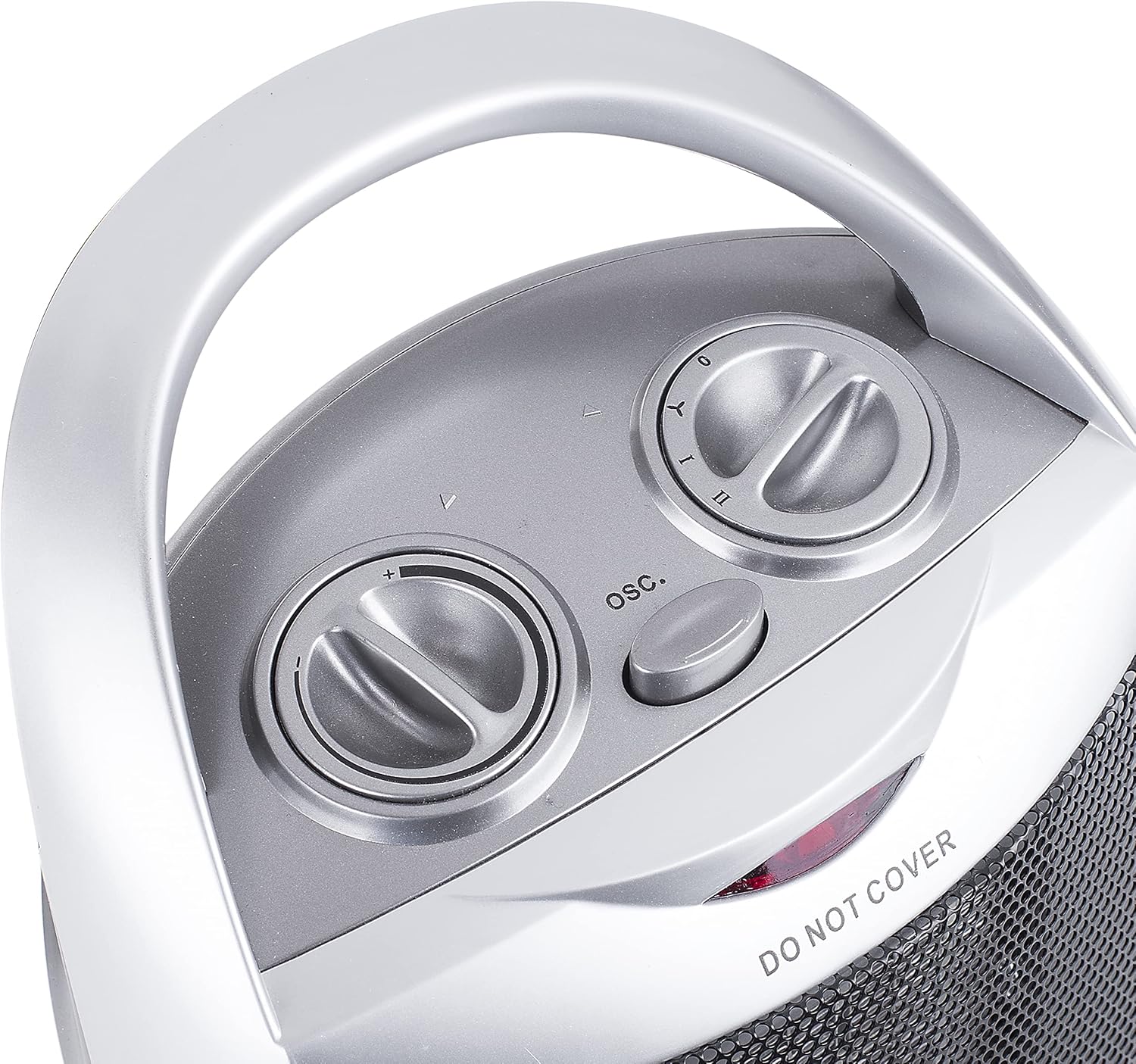
Imaj: Anlè view of the Tristar KA-5038 heater, showing the two control dials and the oscillation button.
4.1 Power and Mode Control
The right dial controls the power and operating mode:

Image: Close-up of the right control dial, indicating settings for Off (0), Fan Only (Y), Low Heat (I), and High Heat (II).
- 0 (Etenn): Li etenn aparèy chofaj la.
- Y (Fan Only): Operates the fan without heat, useful for air circulation.
- Mwen (Chalè Dous): Provides heat at a lower power setting (e.g., 750W).
- II (Gwo Chalè): Provides heat at the maximum power setting (e.g., 1500W).
4.2 Kontwòl Thermostat
The left dial controls the thermostat, allowing you to set the desired room temperature.
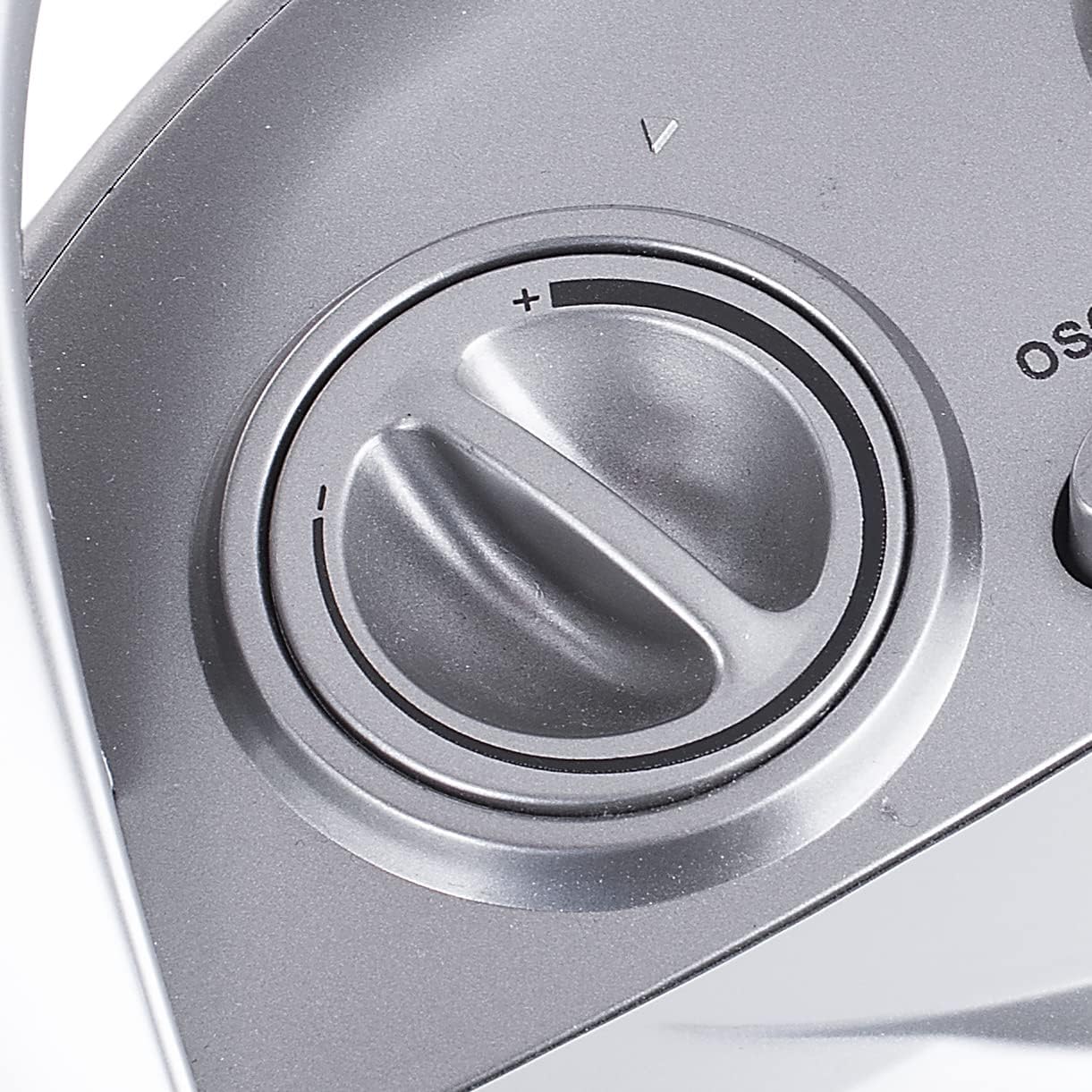
Image: Close-up of the left control dial, used to adjust the thermostat setting from minimum (-) to maximum (+).
- Turn the thermostat dial clockwise to increase the desired temperature, and counter-clockwise to decrease it.
- Aparèy chofaj la ap monte ak etenn pou kenbe tanperati a mete.
4.3 Fonksyon Osilasyon
Press the "OSC." button located between the two dials to activate or deactivate the oscillation function. When active, the heater will rotate from side to side to distribute heat more broadly.
5. Antretyen
Netwayaj regilye ak bon depo ap asire lonjevite ak fonksyònman efikas aparèy chofaj ou a.
- Netwayaj:
- Toujou debranche aparèy chofaj la epi kite l refwadi nèt anvan ou netwaye li.
- Siye sifas eksteryè yo ak yon mou, damp twal. Pa sèvi ak pwodui netwayaj abrazif oswa solvang.
- Sèvi ak yon aspiratè ak yon bwòs pou retire pousyè ki nan antre ak sòti lè yo.
- Pa janm plonje aparèy chofaj la nan dlo oswa nan okenn lòt likid.
- Depo:
- If storing the heater for an extended period, clean it thoroughly.
- Store the heater in its original packaging in a cool, dry place.
NAN. Depanaj
| Pwoblèm | Kòz posib | Solisyon |
|---|---|---|
| Chofaj pa limen. |
|
|
| Aparèy chofaj la pa pwodui chalè nan mòd chofaj. |
|
|
| Heater suddenly stops working. |
|
|
7. Espesifikasyon teknik
| Karakteristik | Spesifikasyon |
|---|---|
| Nimewo Modèl | KA-5038 |
| Mak | Tristar |
| Metòd chofaj | Forced Air, Ceramic Element |
| Pwodiksyon Chalè | 1500 Watts (Max) |
| Kantite vitès | 2 (Low Heat, High Heat) + Fan Only |
| Voltage | 230V |
| Karakteristik espesyal | Tip-over Protection, Overheat Protection, Oscillation |
| Koulè | Ajan |
| Dimansyon pwodwi (D x W x H) | 16.1D x 20.6W x 29H santimèt |
| Pwa atik | 1.56 Kilogram |
| Itilizasyon Rekòmande | Indoor, Office |
8. Garanti ak sipò
For information regarding warranty terms and conditions, please refer to the documentation provided with your purchase or contact Tristar customer support directly. Keep your proof of purchase for any warranty claims.
For technical support or service inquiries, please visit the official Tristar website or contact their customer service department. Contact details can typically be found in the product packaging or on the manufacturer's websit.