
Entwodiksyon
Mèsi pou acha aasing the Orion 24" SLED2468W LED LCD HDTV. This manual provides essential information for the safe and efficient operation of your television. Please read it thoroughly before using the product and retain it for future reference.
Enfòmasyon sou Sekirite
Pou asire yon operasyon an sekirite epi pou anpeche domaj, swiv prekosyon sa yo:
- Pa ekspoze televizyon an ak lapli oswa imidite.
- Pa bloke ouvèti vantilasyon.
- Mete televizyon an sou yon sifas ki estab e ki plat.
- Sèvi ak sèlman fil elektrik ki bay aparèy la.
- Dekonekte televizyon an pandan tanpèt zèklè oswa lè ou pa itilize li pou yon bon bout tan.
- Refere tout sèvis yo bay pèsonèl sèvis kalifye.
Ki sa ki nan bwat la
Debale bwat la ak anpil atansyon epi asire w tout bagay yo la:
- Orion 24" SLED2468W LED LCD HDTV
- Kanpe televizyon
- Kontwòl remote (pil pa enkli, li bezwen 2 pil AAA)
- Kòd pouvwa
- Manyèl Itilizatè (dokiman sa a)
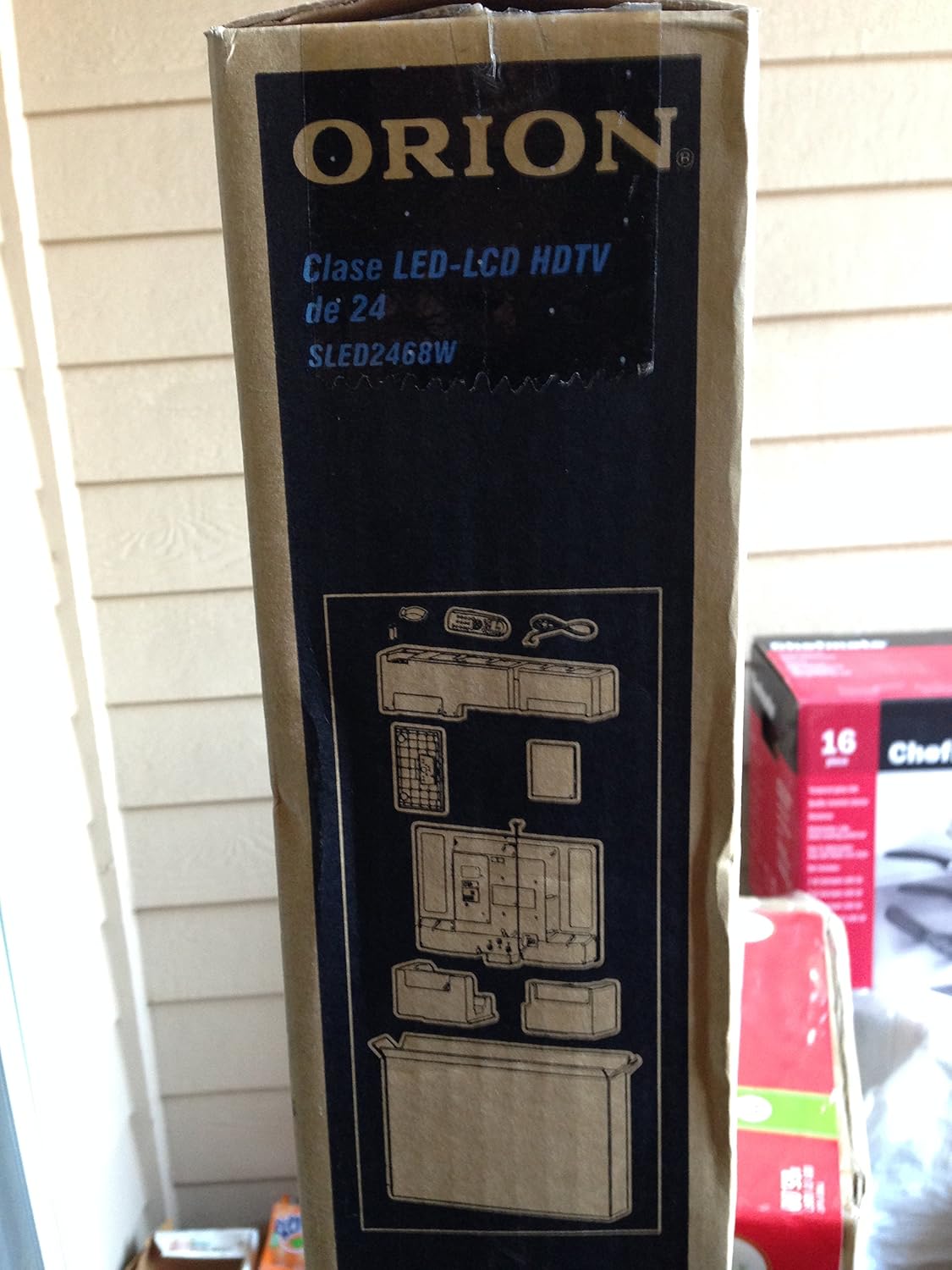
Image: The side of the Orion TV box illustrating the TV and stand components packed inside.
Enstalasyon
1. Debake
Remove the TV and all accessories from the packaging. Retain the packaging for future transport or storage.

Image: The front of the Orion 24" LED-LCD HDTV box, displaying the model number SLED2468W and key features such as Integrated Digital Tuner, USB Time Shift, HDMI, and Headphone/Digital Audio Output.
2. Mete Sipò a an plas
Place the TV screen-down on a soft, clean surface. Align the TV stand with the mounting holes on the bottom of the TV. Secure the stand using the provided screws.
3. Konekte pouvwa
Connect the power cord to the TV's power input and then to a standard 110 VAC, 60 Hz electrical outlet.
4. Konekte Aparèy Ekstèn
Your TV supports various connections for external devices:
- HDMI: For high-definition audio and video from devices like Blu-ray players, game consoles, or cable/satellite boxes.
- USB: For media playback or USB Time Shift functionality.
- Antèn/Kab: For receiving broadcast television signals via the integrated ATSC tuner.
- Antre PC: For connecting a computer monitor.
- Headphone/Digital Audio Output (Coaxial): Pou konekte sistèm odyo ekstèn yo.

Image: A diagram illustrating various connection ports on the TV, including headphone, audio, PC monitor, and coaxial outputs. Also shown are the unit dimensions and weight.
5. Inisyal Enstalasyon Sòsye
Upon first power-on, the TV will guide you through an initial setup process, including language selection, channel scanning, and time zone settings.
Opere
Basic Remote Control Functions
The remote control allows you to access all TV functions. Ensure batteries are correctly inserted.
- Pouvwa: Limen oswa etenn televizyon an.
- Chèn monte/desann: Chanje chanèl televizyon yo.
- Volim monte/desann: Ajiste nivo son an.
- Antre/Sous: Chwazi sous antre a (HDMI, televizyon, USB, elatriye).
- Meni: Aksè nan meni prensipal la pou ajisteman paramèt yo.
- Bouton Navigasyon (Anwo/Anba/Agoch/Dwat/OK): Itilize pou navige nan meni yo epi konfime seleksyon yo.
USB Time Shift
The TV features a USB Time Shift function. Connect a USB storage device to pause, rewind, or fast-forward live TV broadcasts. Refer to the on-screen menu for detailed instructions on activating and using this feature.
Entènèt Navigatè
This TV includes a basic internet browser. Connect the TV to your network (if applicable) to access web content. Performance may vary depending on network speed and website complexity.
Antretyen
Netwaye ekran an
Siye ekran an dousman avèk yon twal mou ki pa gen pousyè. Pou mak ki difisil pou retire, siye l dousman.ampRense twal la avèk dlo oswa yon pwodui netwayaj ekran espesyalize. Pa janm flite likid dirèkteman sou ekran an.
Swen Jeneral
Keep the TV free from dust by regularly wiping the cabinet with a dry, soft cloth. Ensure adequate ventilation around the TV to prevent overheating.
Depanaj
If you encounter issues with your TV, consult the following table before contacting support:
| Pwoblèm | Solisyon posib |
|---|---|
| Pa gen pouvwa | Check if the power cord is securely connected to both the TV and the outlet. Ensure the outlet is functional. |
| Pa gen imaj, men gen son | Verifye ke sous opinyon ki kòrèk la chwazi. Tcheke koneksyon aparèy ekstèn yo. |
| Pa gen son, men imaj la la | Check volume level and mute settings. Ensure external audio connections are secure. |
| Remote kontwòl pa travay | Ranplase pil yo. Asire w pa gen okenn obstak ant telekòmand lan ak detèktè IR televizyon an. |
| Pòv bon jan kalite foto | Check antenna connection. Adjust picture settings in the TV menu. |
Espesifikasyon
Technical specifications for the Orion 24" SLED2468W LED LCD HDTV:
| Karakteristik | Spesifikasyon |
|---|---|
| Nimewo Modèl | SLED2468W |
| Gwosè ekran | 24 pous |
| Teknoloji ekspozisyon | LED-LCD |
| Rezolisyon | 720p |
| Rafrechisman pousantaj | 60 Hz |
| Aspè rapò | 16:9 |
| Koneksyon Teknoloji | HDMI, USB |
| Kalite sentonizè | ATSC |
| Sèvis Entènèt Sipòte | Navigatè |
| Liy Voltage | 110 VAC 60 Hz |
| On Mode Power Consumption | 37W (as per box image) |
| Dimansyon inite (WxDxH) | 21.65" x 5.39" x 14.21" (550 x 136.9 x 361 mm) (as per box image) |
| Pwa inite | 3.6 kg (8.0 lbs) (as per box image) |
| Manifakti | Sansui |
| UPC | 755805020776 |
Garanti ak sipò
For warranty information and technical support, please refer to the documentation included with your purchase or visit the official Orion product support websit la. Kenbe prèv acha ou pou reklamasyon garanti.


