
Entwodiksyon
Mèsi pou acha aasing the Holmes HWM6008-NUM Warm Mist Humidifier. This manual provides important instructions for the safe operation, maintenance, and troubleshooting of your humidifier. Please read this manual thoroughly before using the appliance and retain it for future reference.
Garanti enpòtan yo
Lè w ap itilize aparèy elektrik, yo ta dwe toujou swiv prekosyon sekirite debaz yo pou diminye risk pou dife, chòk elektrik ak blesi moun, tankou sa ki annapre yo:
- Li tout enstriksyon yo anvan ou itilize imidifikatè a.
- Place the humidifier on a firm, level, water-resistant surface at least 12 inches (30 cm) from walls and 3 feet (90 cm) from heat sources such as stoves, radiators, or heaters.
- Do not operate the humidifier if the cord or plug is damaged, or if the appliance malfunctions or has been dropped or damaged in any manner.
- Always unplug the humidifier when not in use, before cleaning, or before moving it.
- Do not block air openings or place the humidifier on a soft surface where openings may be blocked.
- Do not use outdoors. This humidifier is intended for indoor use only.
- Do not allow children to operate the humidifier without adult supervision.
- Use only clean, cool tap water in the water tank. Do not add essential oils or medication directly into the water tank or base.
- Do not reach into the water tank or base while the unit is operating.
Enstalasyon
Debake
Carefully remove the humidifier from its packaging. Remove all plastic bags and protective materials. Ensure all components are present: humidifier base, water tank, and tank cap.
Plasman
Place the humidifier on a flat, stable, water-resistant surface. Ensure it is not placed directly on carpet or near furniture that could be damaged by moisture. Position the unit away from walls and heat sources.
Konble tank dlo a
- Retire tank dlo a nan baz imidite a.
- Turn the tank upside down and unscrew the tank cap.
- Fill the tank with cool, clean tap water. Do not use hot water.
- Vise bouchon tank la byen sere.
- Mete tank dlo a ki plen an tounen sou baz imidifikatè a, epi asire w li byen chita.

Image: The Holmes HWM6008-NUM Warm Mist Humidifier, showing the clear water tank on the right and the main unit on the left. This illustrates the overall product design and the removable water tank for filling.
Enstriksyon Operasyon
Powering On/Off and Mist Settings
- After filling the water tank and placing it on the base, plug the power cord into a standard electrical outlet.
- Turn the control knob to the desired mist setting: BAS or HIGH. The power indicator light will illuminate.
- To turn off the humidifier, turn the control knob to the OFF pozisyon.
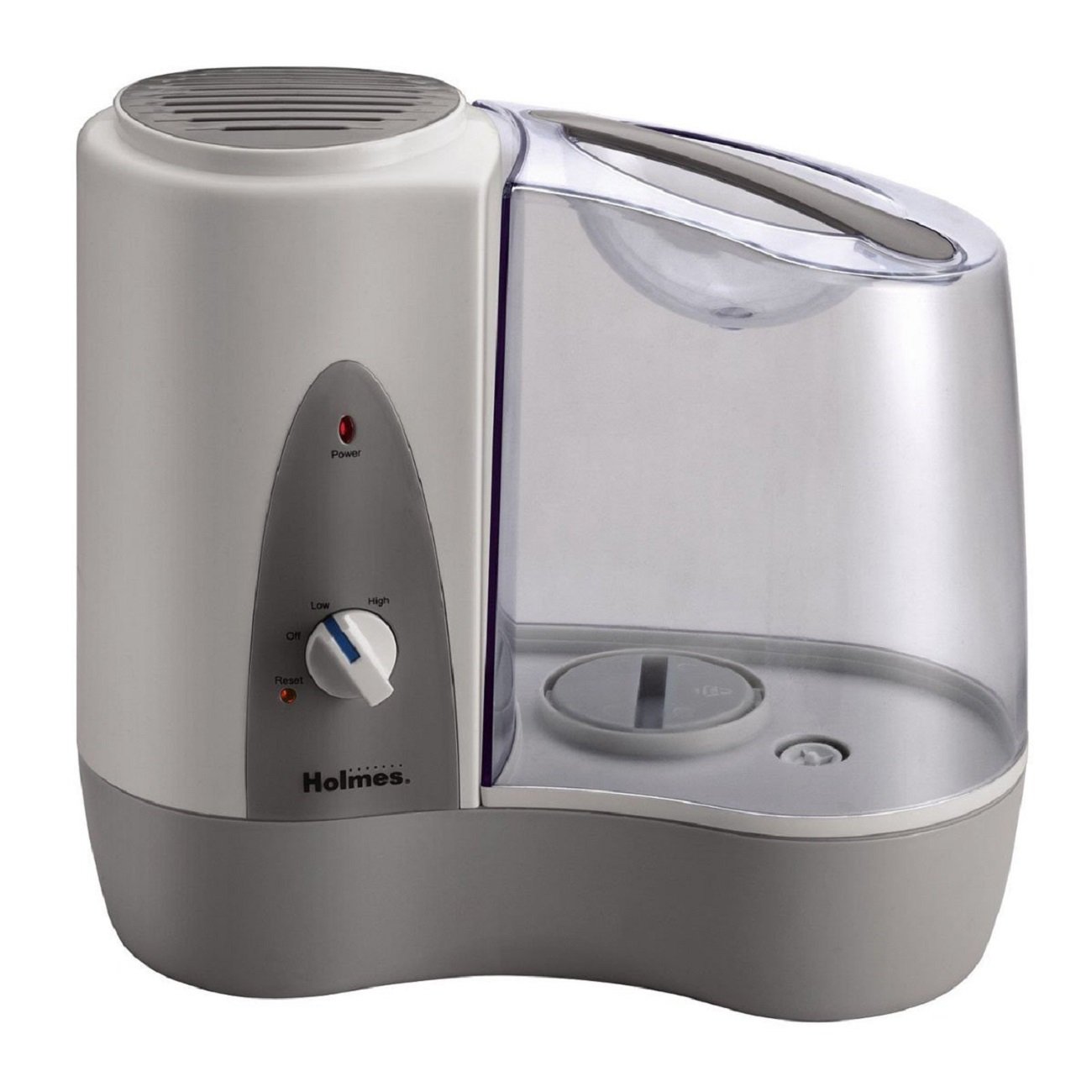
Image: Close-up of the control panel on the Holmes HWM6008-NUM Humidifier, featuring the power indicator light, a rotary knob with 'Off', 'Low', and 'High' settings, and a 'Reset' button. This shows how to operate the unit.
Otomatik fèmen
The humidifier is equipped with an automatic shut-off feature that turns the unit off when the water tank is empty. The power indicator light will turn off. Refill the tank to resume operation.
Antretyen
Regular cleaning is essential for optimal performance and to prevent mineral buildup and bacterial growth.
Antretyen chak jou
- Deploge imidite a.
- Retire tank dlo a epi vide tout dlo ki rete yo.
- Rense tank la avèk dlo fre.
- Wipe the base and heating element with a clean, damp twal.
- Refill the tank with fresh water before next use.
Netwayaj chak semèn (Detartraj)
To remove mineral deposits, perform the following steps weekly:
- Deploge imidite a.
- Remove the water tank and empty all water from the tank and base.
- Pour 1 cup (250ml) of undiluted white vinegar into the water reservoir in the base. Let it soak for 20 minutes.
- Dampen a soft cloth with vinegar and wipe out the reservoir to remove mineral deposits.
- Rinse the reservoir thoroughly with clean water to remove vinegar odor and mineral particles.
- Fill the water tank with 1 cup (250ml) of undiluted white vinegar and let it soak for 20 minutes.
- Shake the tank vigorously, then empty and rinse thoroughly with clean water.
Depo
When storing the humidifier, ensure it is clean and dry. Store it in a cool, dry place, preferably in its original box.
Depanaj
- Humidifier does not turn on:
Ensure the unit is plugged in. Check if the water tank is properly seated. Verify the control knob is set to LOW or HIGH. - No mist or low mist output:
Check if the water tank is empty and refill if necessary. Clean the heating element and base to remove mineral buildup as per weekly cleaning instructions. - Unusual odor:
A new unit may have a slight odor for the first few uses; this is normal. If the odor persists, clean the unit thoroughly as per maintenance instructions. Ensure only clean, cool tap water is used. - White dust around the humidifier:
This is typically caused by high mineral content in hard water. While this model is a warm mist humidifier and less prone to white dust than cool mist ultrasonic models, using distilled water can further reduce mineral residue.
Espesifikasyon
- Mak: Holmes
- Non modèl: HWM6008-NUM
- Kapasite: 1.17 galon
- Mòd operasyon: Manyèl
- Karakteristik espesyal: Pòtab
- Kalite filtre: Demineralization Cartridge (Note: Product description indicates "Filter Free" for some aspects, but specifications list this. Refer to product packaging for exact filter requirements.)
- Kalite chanm: Bedroom, Living Room
- Kalite sous pouvwa: Fil elektrik
- Pwa atik: 3.5 liv
Garanti ak sipò
For warranty information or customer support, please refer to the warranty card included with your product or visit the official Holmes website. Do not attempt to repair the humidifier yourself; contact customer service for assistance.