
1. Entwodiksyon
Mèsi pou acha aasing the Sharp XL-HF201P Micro Hi-Fi System. This system is designed to provide high-quality audio playback from various sources, including CDs, USB devices, and iPods. This manual provides essential information for the safe and efficient operation of your new audio system. Please read it thoroughly before use and retain it for future reference.
2. Enfòmasyon enpòtan sou sekirite
- Sous pouvwa: Konekte aparèy la sèlman nan yon priz kouran altènatif ki gen vòltaj la.tage specified on the unit's rear panel.
- Vantilasyon: Asire w ke gen ase vantilasyon. Pa bloke ouvèti vantilasyon yo. Evite mete aparèy la sou sifas mou ki ka bloke ouvèti vantilasyon yo.
- Dlo ak imidite: Pa ekspoze aparèy la anba lapli, imidite, oswa likid k ap degoute/pwojeksyon. Pa mete objè ki plen likid, tankou vaz, sou aparèy la.
- Chalè: Kenbe aparèy la lwen sous chalè tankou radyatè, recho, recho, oswa lòt aparèy (ki gen ladan amplifiers) ki pwodui chalè.
- Netwayaj: Debranche aparèy la nan priz miray la anvan ou netwaye li. Sèvi ak yon twal sèk sèlman.
- Sèvis: Pa eseye fè sèvis pwodui sa a tèt ou. Refere tout sèvis yo bay pèsonèl sèvis kalifye.
3. Pake kontni
Tanpri verifye ke tout atik ki nan lis anba a yo enkli nan pakè ou a:
- Inite Prensipal (Lektè CD/Reseptè)
- Left Speaker (x1)
- Right Speaker (x1)
- Kontwòl remote (avèk 2 pil AA)
- FM antèn
- AM antèn bouk
- Kòd pouvwa
- Manyèl Enstriksyon (dokiman sa a)
4. Enstalasyon
4.1 Debalaj ak plasman
Carefully remove all components from the packaging. Place the main unit and speakers on a stable, flat surface. Ensure there is sufficient space around the unit for proper ventilation.
4.2 Konekte Oratè yo
Connect the speaker wires to the corresponding terminals on the main unit and speakers. Match the positive (+) and negative (-) terminals. For optimal sound, ensure the wires are securely connected. If the speaker wires do not insert directly into the screw-knobs, wrap the bare wire ends around the terminal posts and then tighten the screw-knobs to secure them.
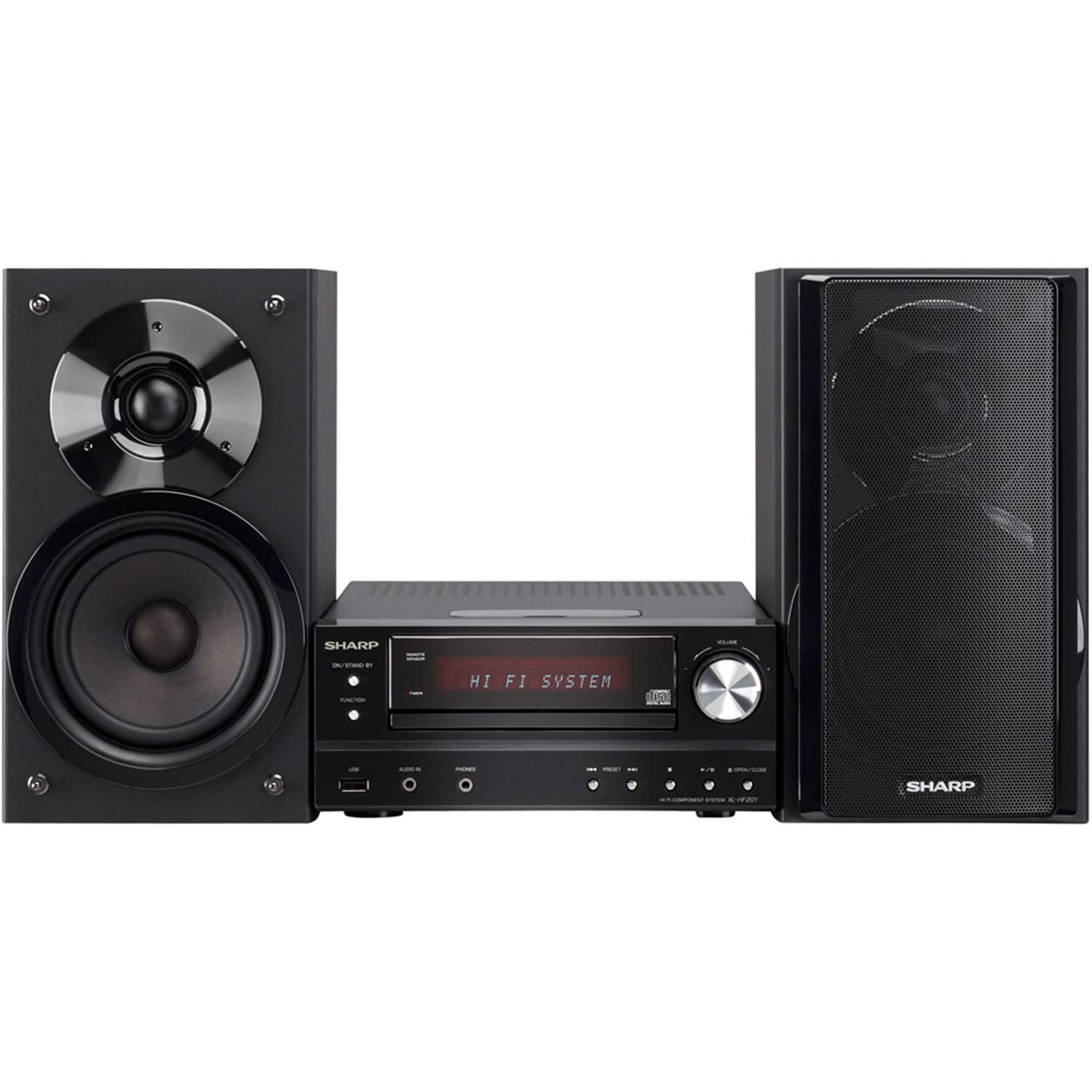
Image 4.2.1: The Sharp XL-HF201P Micro Hi-Fi System, showing the main unit and two speakers. This image illustrates the overall appearance of the system, which includes a central receiver with a CD tray and an iPod dock on top, flanked by two dark-colored speakers.
4.3 Connecting the Antennas
- Antèn FM: Connect the supplied FM wire antenna to the FM antenna terminal on the rear of the main unit. Extend the wire for better reception.
- AM antèn: Assemble the AM loop antenna and connect it to the AM antenna terminals. Position the antenna for optimal AM reception.
4.4 Koneksyon pouvwa
After all other connections are made, plug the power cord into the AC inlet on the rear of the main unit, then plug the other end into a wall outlet.
5. Operasyon Enstriksyon
5.1 Power On/Off
Peze a POUVWA button on the front panel or the remote control to turn the unit on or off (standby mode).
5.2 Seleksyon Sous
Peze a FONKSYON button on the front panel or the remote control repeatedly to cycle through available sources: CD, USB, iPod, FM, AM, AUX.
5.3 Lekti CD
- Chwazi la CD fonksyon.
- Peze a Louvri/FÈMEN bouton pou louvri plato CD a.
- Place a CD (CD-DA, MP3, WMA) with the label side up on the tray.
- Peze Louvri/FÈMEN again to close the tray. Playback will start automatically.
- Sèvi ak JWE/POZ, SISPANN, SOTE (forward/backward) buttons for control.
5.4 Lekti USB
- Insert a USB device (containing MP3 or WMA files) nan pò USB ki sou panèl devan an.
- Chwazi la USB fonksyon.
- Playback will begin automatically or you may need to select a track.
- Sèvi ak JWE/POZ, SISPANN, SOTE bouton pou kontwòl.
5.5 Dock iPod/iPhone
- Carefully place your compatible iPod or iPhone onto the dock connector on top of the main unit.
- Chwazi la iPod fonksyon.
- Your device will begin charging and you can control playback using the system's remote or your device's controls.
5.6 Sintonizasyon Radyo
- Chwazi la FM or AM fonksyon.
- Sèvi ak la REGLAGE buttons (or knob on the unit) to manually tune to a station.
- Peze epi kenbe la REGLAGE bouton pou eskanè estasyon otomatik.
- To preset stations, tune to the desired station, then press MEMWA followed by a preset number button.
5.7 Kontwòl Volim
Ajiste volim nan lè l sèvi avèk la VOLIM +/- buttons on the remote control or the volume knob on the main unit.
6. Antretyen
6.1 Netwaye inite a
Wipe the exterior of the unit with a soft, dry cloth. Do not use abrasive cleaners, waxes, or solvents as they may damage the finish. For stubborn stains, lightly dampRense twal la avèk dlo ak savon dou, apresa siye l sèk.
6.2 Antretyen Lantiy CD
Avoid touching the CD lens. If the lens becomes dirty, use a commercially available CD lens cleaner. Do not use compressed air or liquid cleaners directly on the lens.
NAN. Depanaj
| Pwoblèm | Kòz posib | Solisyon |
|---|---|---|
| Pa gen pouvwa | Kòd kouran an pa byen konekte. | Tcheke koneksyon kòd kouran an nan aparèy la ak nan priz miray la. |
| Pa gen son | Volume is too low or muted. Speaker wires are not connected correctly. | Increase volume. Check speaker wire connections, ensuring correct polarity (+/-). |
| CD a pa ap jwe | CD is dirty, scratched, or inserted incorrectly. Incorrect function selected. | Clean or replace CD. Insert CD with label side up. Select CD function. |
| Aparèy USB a pa rekonèt | Aparèy USB a pa fòma byen oswa li gen enfòmasyon ki pa sipòte. files. | Ensure USB device is FAT16/FAT32 formatted and contains MP3/WMA files. Try another USB device. |
| Resepsyon radyo pòv | Antenna not properly positioned or connected. Interference. | Ajiste pozisyon antèn lan. Deplase aparèy la lwen lòt aparèy elektwonik yo. |
| Remote kontwòl pa travay | Pil yo fin itilize oswa yo pa byen mete. Gen yon obstak ant kontwòl remote la ak aparèy la. | Replace batteries (2 AA). Ensure clear line of sight to the unit's remote sensor. |
8. Espesifikasyon
- Mak: Sharp
- Modèl: XL-HF201P
- Sòti pouvwa: 100 Watt RMS
- Medya ki sipòte: CD-DA, MP3, WMA (CD, USB)
- Koneksyon: USB, iPod Dock, AUX Input, FM/AM Tuner
- Kalite oratè: Subwoofers (integrated into speaker design)
- Sous pouvwa: Fil elektrik
- Dimansyon pwodwi (inite prensipal): Apeprè 13 x 15.09 x 20.15 pous
- Pwa atik: Apeprè 20.3 liv
- Pil (Telekòmand): 2 pil AA (enkli)
9. Garanti ak sipò
For warranty information and customer support, please refer to the warranty card included with your product or visit the official Sharp website. You may also contact Sharp customer service directly for assistance with product registration, technical support, or service inquiries.
Sipò sou entènèt: www.sharpusa.com