
Sharp RRMCGA535WJSA
Sharp Aquos LCD TV Remote Control Instruction Manual
Modèl: RRMCGA535WJSA
Mak: Sharp
Entwodiksyon
This manual provides comprehensive instructions for the operation and maintenance of your new Sharp Aquos LCD TV Remote Control, model RRMCGA535WJSA. This genuine Sharp remote transmitter is designed to provide seamless control over your compatible Sharp Aquos LCD TV models. Please read this manual thoroughly before use to ensure proper functionality and to maximize your vieweksperyans nan.
Enfòmasyon sou Sekirite
Tanpri obsève prekosyon sekirite sa yo:
- Do not expose the remote control to direct sunlight, high humidity, or extreme temperatures.
- Evite lage kontwòl remote la oswa sibi gwo chòk.
- Do not attempt to disassemble or modify the remote control. This may void the warranty and cause damage.
- Kenbe pil yo pa rive jwenn timoun yo. Si vale, chèche swen medikal imedya.
- Jete pil ize yo dapre règleman lokal yo. Pa boule yo.
Kontni pake
Verifye ke tout atik yo prezan nan pakè a:
- Sharp Aquos LCD TV Remote Control (Model: RRMCGA535WJSA)
- Manyèl Enstriksyon (dokiman sa a)
Remak: Pil yo pa enkli anjeneral epi yo dwe achte separeman.
Pwodwi souview
Familiarize yourself with the buttons and features of your remote control.

Figi 1: Devan View nan kontwòl remote
This image displays the front of the Sharp Aquos remote control, showing all primary buttons including power, input selection, channel, volume, numeric keypad, and navigation controls. The Sharp and Aquos logos are visible at the bottom.
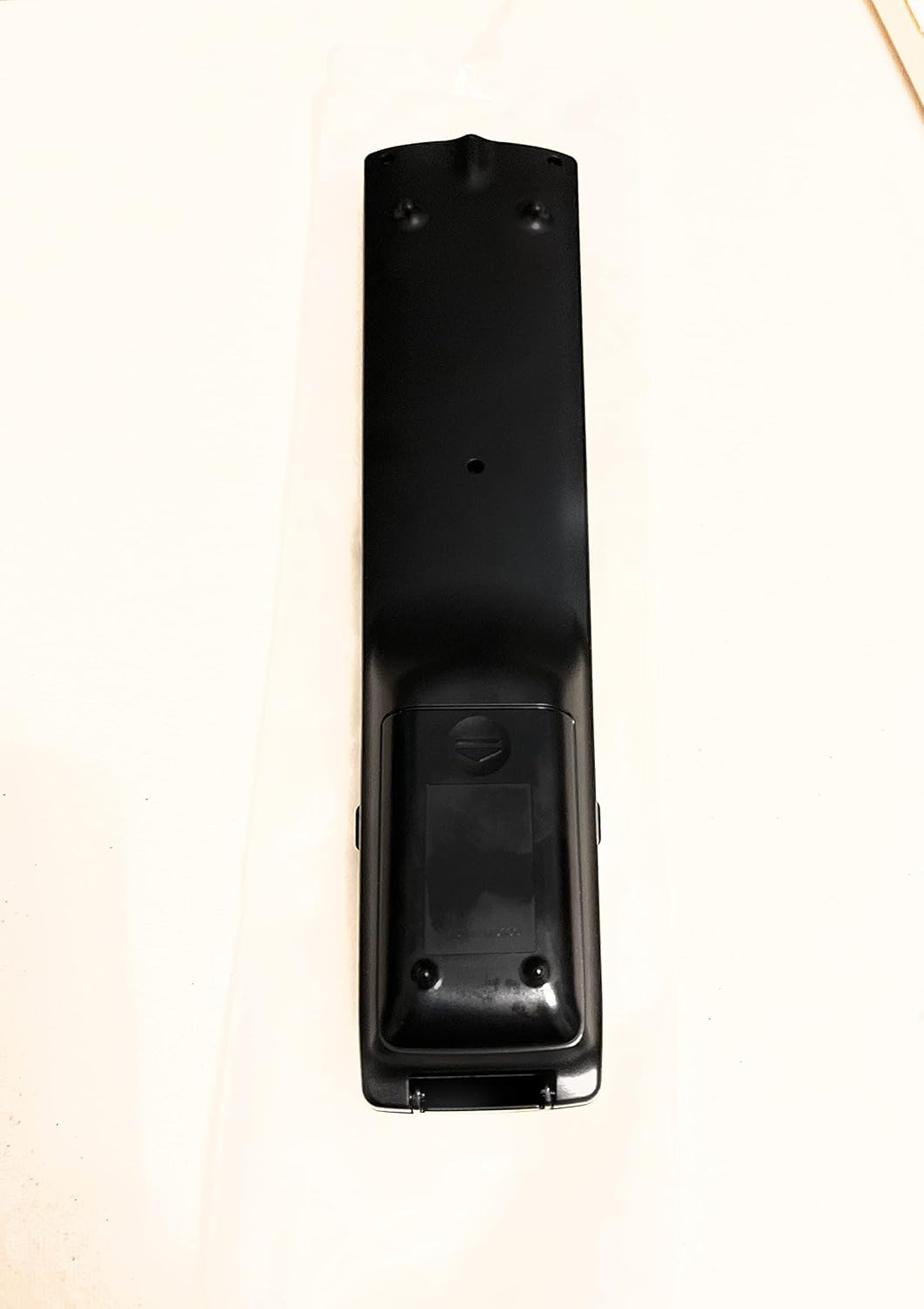
Figi 2: Retounen View nan kontwòl remote
This image shows the rear side of the Sharp Aquos remote control, highlighting the smooth, ergonomic design and the battery compartment cover.

Figure 3: Remote Control with Battery Compartment Open
This image illustrates the Sharp Aquos remote control with its battery compartment cover slid open, revealing the space for battery insertion.

Figure 4: Close-up of Hidden Panel
This close-up image shows the lower section of the Sharp Aquos remote control with its hinged panel opened, revealing additional function buttons such as SLEEP, AUDIO, AV MODE, and CC (Closed Caption).
Fonksyon bouton:
| Bouton | Fonksyon |
|---|---|
| POUVWA | Limen oswa etenn televizyon an. |
| ANTRE / SOUS | Selects the input source (e.g., HDMI, AV, Component). |
| CH +/- | Chanje chanèl televizyon an monte oswa desann. |
| VOL +/- | Ajiste nivo volim. |
| BÈN | Aktive oubyen dezaktive son televizyon an. |
| MENI | Opens the TV's on-screen menu. |
| ANTRE | Konfime seleksyon ki fèt nan meni an. |
| Flèch Navigasyon (Anwo/Anba/Agoch/Dwat) | Navige nan opsyon meni yo. |
| EXIT / RETURN | Kite meni aktyèl la oswa retounen nan ekran anvan an. |
| Klavye Nimerik (0-9) | Antre nimewo chanèl yo dirèkteman. |
| DOMÒM (under hidden panel) | Sets the TV to turn off automatically after a set period. |
| ODYO (under hidden panel) | Selects audio modes or tracks. |
| MÒD AV (under hidden panel) | Adjusts picture and sound settings for different content types. |
| CC (Sous-titre) (under hidden panel) | Turns closed captions on or off. |
Enstalasyon
Enstalasyon batri:
- Jwenn konpatiman pil la sou dèyè kontwòl remote la (gade Figi 2).
- Slide the battery compartment cover downwards to open it (refer to Figure 3).
- Insert two (2) AAA batteries (not included), ensuring the positive (+) and negative (-) terminals align correctly with the indicators inside the compartment.
- Glise kouvèti konpatiman batri a tounen nan plas li jiskaske li fè yon klik byen fèm.
Note: Always use new batteries of the same type. Do not mix old and new batteries, or different types of batteries.
Enstriksyon Operasyon
Operasyon debaz:
- Limen/Etenyen: Peze a POUVWA button to turn your Sharp Aquos TV on or off.
- Kontwòl Volim: Peze a VOL+ bouton pou ogmante volim nan ak VOLIM - diminye volim.
- Seleksyon chanèl: Sèvi ak la CH + or CH - buttons to change channels sequentially. Alternatively, use the numeric keypad to directly enter a channel number.
- Seleksyon sous Antre: Peze a Antre or SOUS button to cycle through available input sources (e.g., HDMI 1, HDMI 2, AV, Component).
- Bèbè: Peze a BÈN button to temporarily silence the TV audio. Press again to restore sound.
Navigasyon nan meni:
- Peze a MENI button to display the TV's on-screen menu.
- Sèvi ak la Flèch Navigasyon (Up, Down, Left, Right) to move through menu options.
- Peze a ANTRE button to select a highlighted option or confirm a setting.
- Peze a Sòti or TOUNEN button to close the menu or go back to the previous menu level.
Advanced Functions (Hidden Panel):
Some advanced functions are located under a hinged panel at the bottom of the remote control (refer to Figure 4). Gently open this panel to access buttons such as:
- DÒM: Li fikse yon revèy pou televizyon an etenn otomatikman.
- ODYO: Adjusts audio settings or selects audio tracks.
- AV MODE: Cycles through preset picture and sound modes (e.g., Standard, Movie, Game).
- CC (Sous-titre): Aktive oubyen dezaktive sous-titres yo.
Antretyen
Netwayaj:
To clean the remote control, wipe it gently with a soft, dry cloth. Do not use liquid cleaners, abrasive cleaners, or chemical solvents, as these may damage the surface or internal components.
Ranplasman batri:
Replace batteries when the remote control's response becomes sluggish or stops working. Follow the battery installation steps outlined in the "Setup" section. Always replace both batteries at the same time.
Depanaj
| Pwoblèm | Kòz posib | Solisyon |
|---|---|---|
| Remote kontwòl pa travay. | Pil ki mouri oswa ki mal mete. | Ranplase pil yo ak nouvo, asire polarite ki kòrèk la (+/-). |
| Pòte kontwòl remote la fèb. | Weak batteries; obstruction between remote and TV; infrared sensor on TV is blocked. | Replace batteries. Ensure no objects are blocking the line of sight between the remote and the TV's IR sensor. |
| Gen bouton espesifik ki pa reponn. | Dirt or debris under the button; internal malfunction. | Clean the remote control. If the issue persists, the remote may require replacement. |
| Televizyon an pa reponn a okenn kòmandman telekòmand lan. | TV is unplugged or turned off; TV's IR sensor is faulty. | Ensure the TV is powered on and plugged in. Test with another remote if available. Consult TV's manual for IR sensor location. |
Espesifikasyon
| Karakteristik | Detay |
|---|---|
| Nimewo Modèl | RRMCGA535WJSA |
| Mak | Sharp |
| Aparèy konpatib | Sharp Aquos LCD Televisions (various models, see product title for list) |
| Koneksyon Teknoloji | Enfrawouj (IR) |
| Sous pouvwa | 2 x AAA pil (pa enkli) |
| Dimansyon (Apeprè) | 8.8 x 2.4 x 0.9 pous (Dimansyon Pake) |
| Pwa (Apeprè) | 4 ons |
| Karakteristik espesyal | Ergonomic design, Hidden function panel |
Garanti ak sipò
Limit responsabilite nou legal:
This item is provided in new condition. Please note that this item is offered "as is" as it is past its original manufacturer's warranty period. Any implied warranties are disclaimed to the fullest extent permitted by law.
Sipò Kliyan:
For further assistance or inquiries regarding your Sharp Aquos LCD TV, please refer to your television's original instruction manual or visit the official Sharp support website. For issues specifically with this replacement remote control, please contact the seller from whom it was purchased.
Ask a question about this manual
Ask about setup, troubleshooting, compatibility, parts, safety, or missing instructions. Manuals+ will review the question and use this page’s manual context to help answer it.