
1. Entwodiksyon
Thank you for choosing the Coby LEDTV3216 32-Inch 720p 60Hz Slim-Bezel LED HDTV. This manual provides essential information for the safe and efficient operation of your television. Please read these instructions thoroughly before use and retain them for future reference.
The Coby LEDTV3216 offers a 32-inch widescreen display, a built-in digital TV tuner (ATSC/NTSC/QAM), and multiple connectivity options including HDMI and VGA. It features energy-efficient technology, digital noise reduction, and V-chip parental control.
2. Enfòmasyon sou Sekirite
Pou asire yon operasyon an sekirite epi pou anpeche domaj, swiv prekosyon sa yo:
- Sous pouvwa: Konekte televizyon an sèlman ak yon ekipman pou kouran AC 100-240V, 50/60Hz.
- Vantilasyon: Pa bloke ouvèti vantilasyon yo. Asire w ke gen ase espas otou televizyon an pou bon sikilasyon lè a.
- Dlo ak imidite: Do not expose the TV to rain, moisture, or place objects filled with liquids on or near it.
- Sous Chalè: Keep the TV away from radiators, heat registers, stoves, or other heat-producing appliances.
- Netwayaj: Unplug the TV from the wall outlet before cleaning. Use a soft, dry cloth. Do not use liquid or aerosol cleaners.
- Sèvis: Pa eseye fè sèvis pwodui sa a tèt ou. Refere tout sèvis yo bay pèsonèl sèvis kalifye.
- Montaj mi: If wall-mounting, ensure the mount is VESA 200mm x 200mm compatible and installed by qualified personnel.
3. Pake kontni
Verifye ke tout atik yo prezan nan pakè a:
- Coby LEDTV3216 32-Inch LED HDTV
- Kanpe televizyon
- Kontwòl remote (li bezwen 2 pil AAA, enkli)
- Kòd pouvwa
- Manyèl Itilizatè (dokiman sa a)
4. Enstalasyon
4.1 Tache kanpe la
Pou tache sipò ki enkli a:
- Mete televizyon an fas anba sou yon sifas mou epi pwòp pou evite domaje ekran an.
- Aliyen baz sipò a ak twou montaj yo anba televizyon an.
- Fikse sipò a avèk vis yo bay yo. Asire w tout vis yo byen sere.
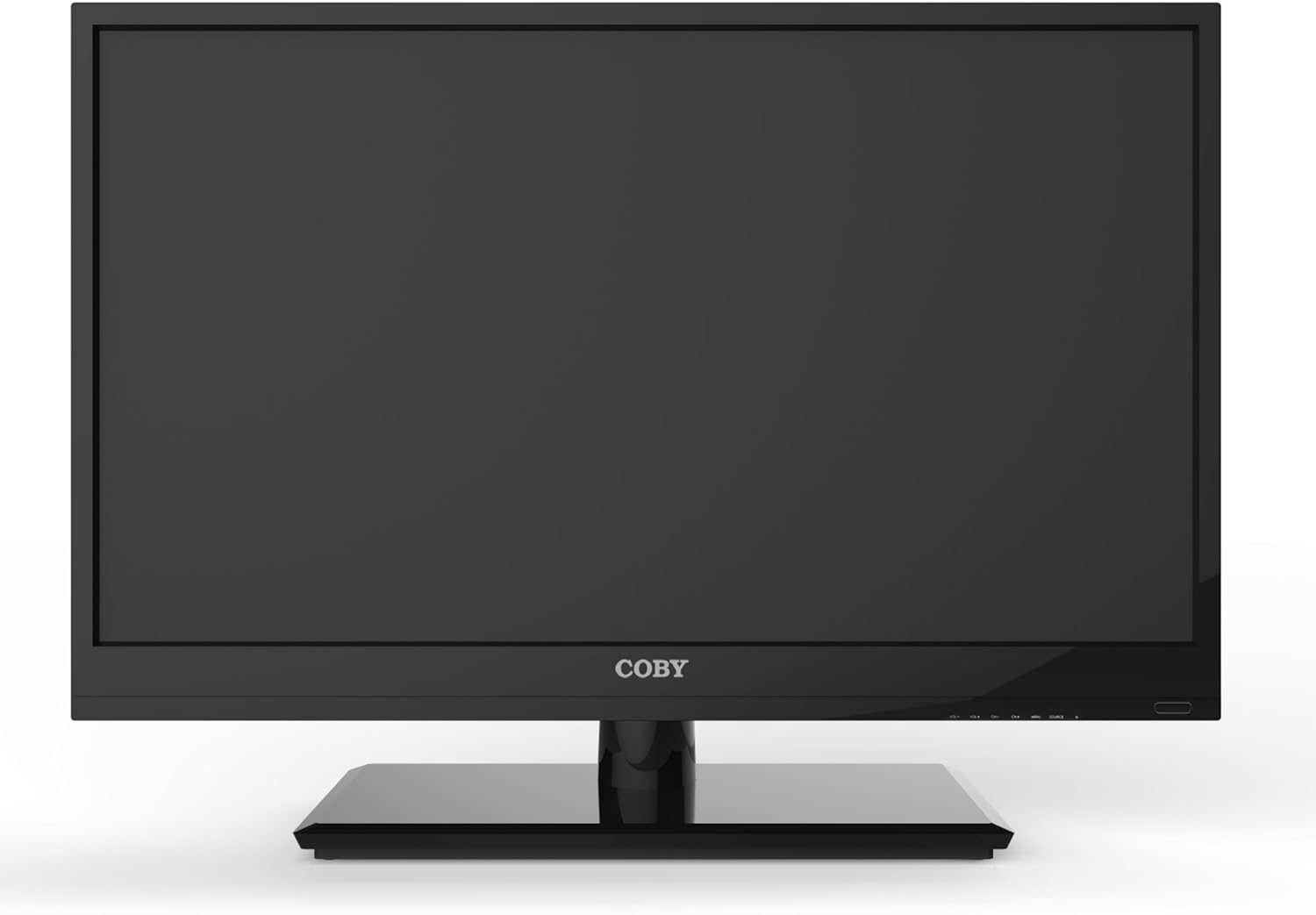
Figi 4.1: Devan view of the Coby LEDTV3216 with stand.
4.2 Montaj sou miray (opsyonèl)
The TV supports VESA 200mm x 200mm wall mounts. Wall mount hardware is not included. For safe installation, it is recommended to have the TV wall-mounted by a professional.
4.3 Konekte Aparèy
The Coby LEDTV3216 offers various input ports on the rear panel for connecting external devices.
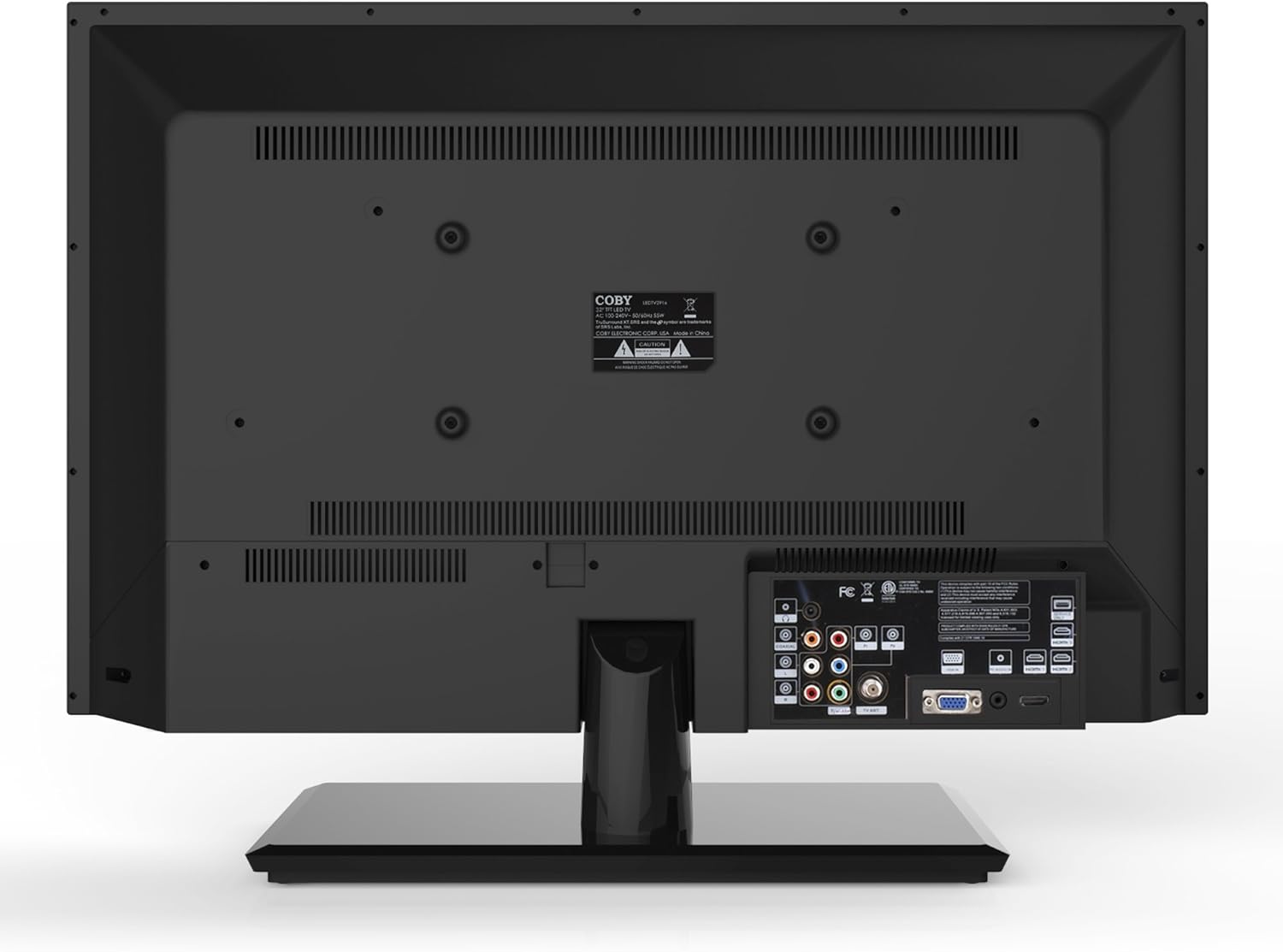
Figi 4.2: Dèyè view ak pò antre.
- HDMI: Connect high-definition devices such as Blu-ray players, game consoles, or cable/satellite boxes using an HDMI cable. The TV has 1 HDMI port.
- VGA (PC Input): Connect a computer to use the TV as a monitor. Use a VGA cable for video and a 3.5mm audio cable for audio input.
- Antèn/Kab: Connect an antenna or cable TV feed to the RF input for receiving broadcast channels.
- Component Video (YPbPr): Connect devices using component video cables (red, green, blue) and corresponding audio cables (red, white).
- Composite Video (AV): Connect older devices using composite video (yellow) and stereo audio (red, white) cables.
4.4 Premye pouvwa sou
After connecting all desired devices and the power cord, press the Power button on the TV or remote control. Follow the on-screen prompts for initial setup, including language selection and channel scanning.
5. Itilizasyon televizyon an
5.1 Fonksyon kontwòl Remote
The remote control allows you to access all TV functions. Insert the two included AAA batteries into the remote control, observing polarity.
- Pouvwa: Limen oswa etenn televizyon an.
- Antre/Sous: Selects the input source (HDMI, VGA, TV, AV, Component).
- Volim (+/-): Ajiste nivo volim.
- Chanèl (CH +/-): Chanje chanèl televizyon yo.
- Meni: Ouvri meni ekspozisyon sou ekran an (OSD).
- Bouton Navigasyon (Anwo/Anba/Agoch/Dwat): Navige nan opsyon meni yo.
- OK/Antre: Konfime seleksyon yo.
- Sòti: Fèmen meni an.
- Bèbè: Aktive oubyen koupe son an.
- Info: Displays channel or program information.
5.2 Navigasyon meni
Peze a Menu button on the remote to access the main menu. Use the navigation buttons to select categories such as Picture, Sound, Channel, Time, and Setup. Press OK to enter a sub-menu and adjust settings. Press Sòti yo kite meni an.
5.3 Anviwònman Foto
Adjust settings like Brightness, Contrast, Color, Tint, and Sharpness to optimize your viewing experience. Picture modes (e.g., Standard, Dynamic, Movie, User) are available for quick adjustments.

Figure 5.1: Coby LEDTV3216 displaying an image.
5.4 Anviwònman son
Adjust Bass, Treble, and Balance. Sound modes (e.g., Standard, Music, Movie, User) are available. The TV features premium sound powered by SRS Labs.
5.5 Anviwònman chanèl
Perform auto-scan or manual scan to find available channels. The built-in digital TV tuner supports ATSC, NTSC, and QAM standards.
5.6 Parental Control (V-Chip)
The V-chip parental control feature allows you to block programs based on their rating. Access this setting through the menu and follow the on-screen instructions to set up a password and content restrictions.
6. Karakteristik
Key features of the Coby LEDTV3216 include:
- Energy efficient technology (standby power less than 0.5W).
- Extended backlight life expectancy (30,000 hours).
- Built-in digital TV tuner (ATSC/NTSC/QAM).
- HDMI digital connection for perfect signal transmission.
- PC VGA connection for use as a computer monitor.
- Premium sound powered by SRS Labs.
- Rediksyon bri dijital.
- V-chip parental control, Closed-Caption, and Electronic Program Guide support.
- Energy Star 5.3 compliant.
- Multi-language on-screen display.
- Wall-Mountable design (200mm x 200mm VESA Mount).
7. Espesifikasyon
| Karakteristik | Spesifikasyon |
|---|---|
| Non modèl | LEDTV3216 |
| Gwosè ekran | 32 pous |
| Teknoloji ekspozisyon | dirije |
| Rezolisyon | 720p |
| Rafrechisman pousantaj | 60 Hz |
| Pwopòsyon kontras | 3,000:1 |
| Tan repons | 6 Milisegond |
| Koneksyon Teknoloji | Dmi, VGA |
| Total Number of HDMI Ports | 1 |
| Kalite sentonizè | ATSC, NTSC, QAM |
| Kontwòl Paran | V-Chip |
| Estanda Mòn VESA | 200 x 200 mm |
| Pwa atik | 18.08 liv |
| Koulè | Nwa |

Figure 7.1: Estimated Yearly Energy Cost for LEDTV3216.
8. Antretyen
8.1 Netwaye ekran an
Siye ekran an dousman avèk yon twal mou ki pa gen pousyè. Pou mak ki difisil pou retire, siye l dousman.ampRense twal la avèk dlo oswa yon pwodui netwayaj ekran espesyalize. Pa janm flite pwodui netwayaj la dirèkteman sou ekran an.
8.2 Netwaye kabinè a
Siye kabinè televizyon an ak yon twal mou epi sèk. Evite itilize pwodui netwayaj abrazif oswa solvan ki ka domaje fini an.
NAN. Depanaj
Si w rankontre pwoblèm ak televizyon w lan, gade pwoblèm ak solisyon komen sa yo:
| Pwoblèm | Kòz posib / Solisyon |
|---|---|
| Pa gen pouvwa | Ensure the power cord is securely plugged into the TV and a working electrical outlet. Check the power indicator light. |
| Pa gen imaj, men gen son | Verifye ke sous opinyon ki kòrèk la chwazi. Tcheke koneksyon kab yo ak aparèy ekstèn yo. |
| Pa gen son, men imaj la la | Tcheke nivo volim nan epi asire w ke televizyon an pa sou silans. Verifye koneksyon kab odyo pou aparèy ekstèn yo. |
| Pòv bon jan kalite foto | Adjust picture settings (brightness, contrast, sharpness). Ensure the antenna or cable connection is secure. For digital channels, perform a channel scan. |
| Remote kontwòl pa travay | Check and replace batteries if necessary. Ensure there are no obstructions between the remote and the TV's IR sensor. |
10. Garanti ak sipò
The Coby LEDTV3216 comes with a limited warranty. Please refer to the warranty card included with your product for specific terms and conditions. For technical support or service inquiries, please contact Coby customer service through their official websit la oswa enfòmasyon kontak ki nan dokiman garanti ou a.