
1. Entwodiksyon
This manual provides detailed instructions for the safe and effective use of your Fujifilm Finepix S4300 digital camera. Please read this manual thoroughly before using the camera and keep it in a safe place for future reference.
The Fujifilm Finepix S4300 is a 14-megapixel digital camera featuring a 26x optical zoom lens (24-624mm equivalent), dual image stabilization, and HD 720p video recording capabilities. It is designed for users seeking a versatile camera with a powerful zoom and user-friendly features.
2. Kamera souview
2.1 Devan ak Anwo View

Figi 1: Devan ak anwo view of the Fujifilm Finepix S4300 camera, showing the lens, flash, and control dial.
2.2 Dèyè View
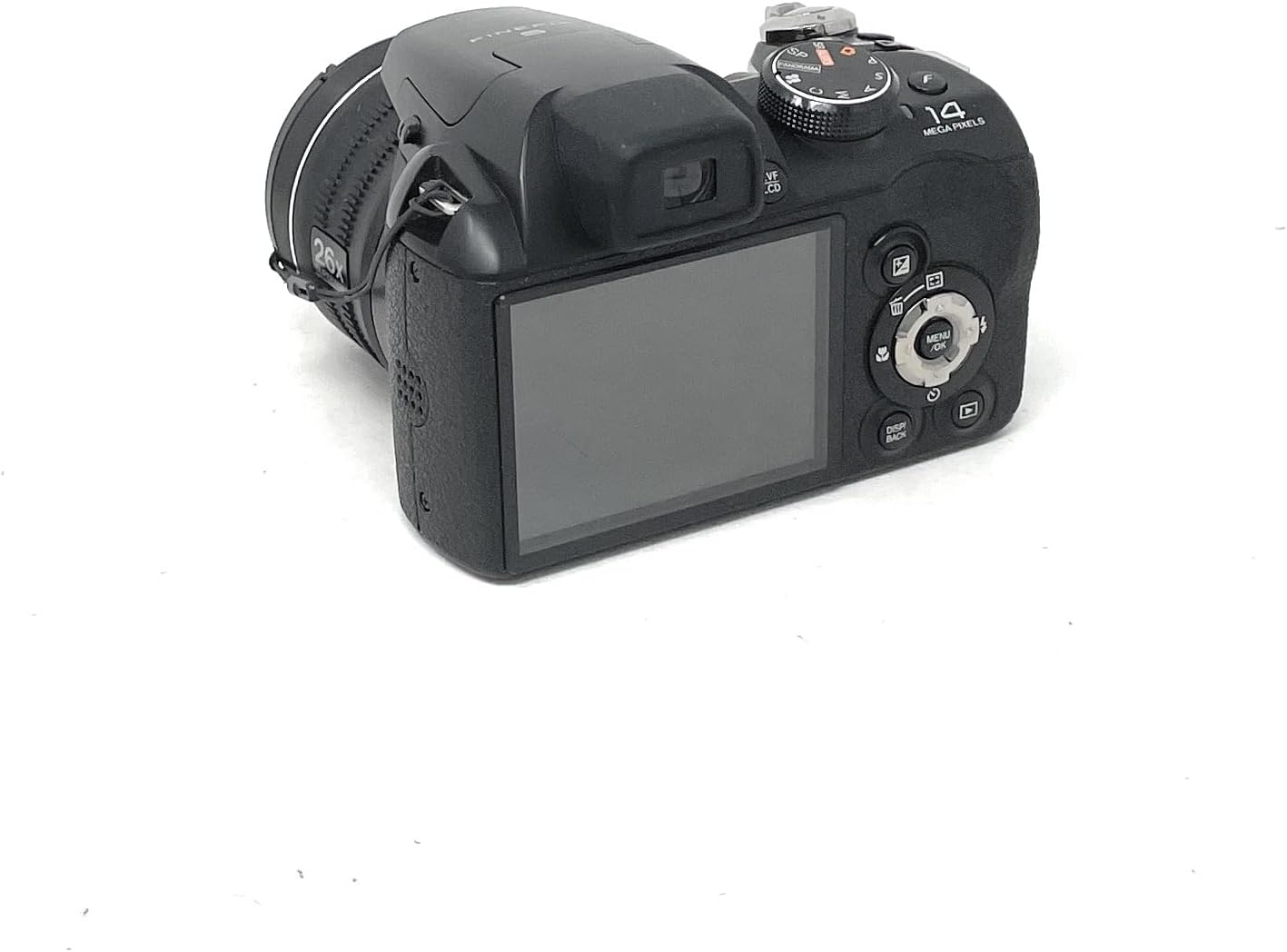
Figi 2: Dèyè view of the Fujifilm Finepix S4300 camera, displaying the 3-inch LCD screen and various control buttons.
2.3 Anba View
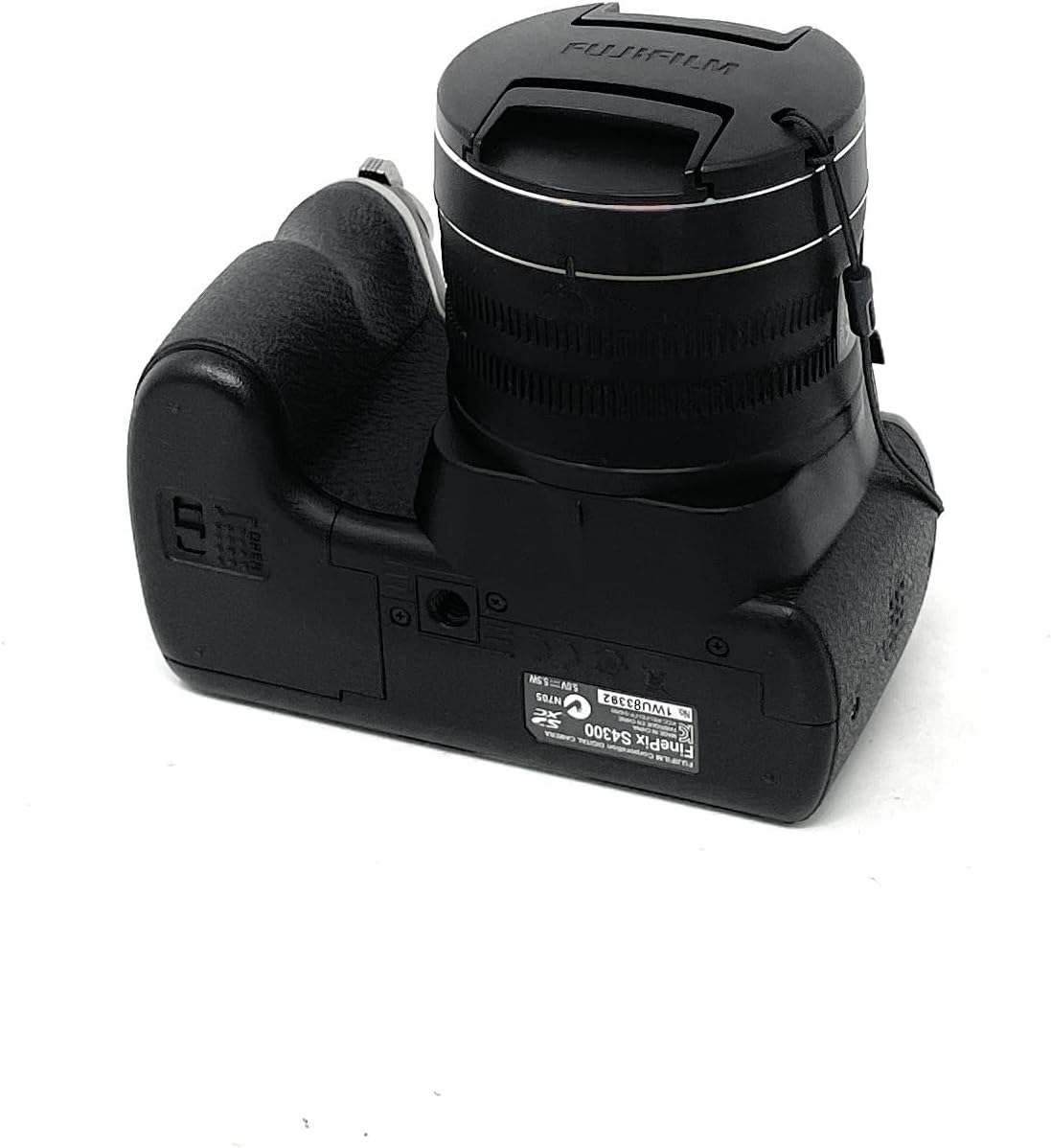
Figi 3: Anba view of the Fujifilm Finepix S4300 camera, showing the battery and memory card compartment.
3. Enstalasyon
3.1 Enstale Batri
The Finepix S4300 operates on four AA batteries. Ensure you use new, high-quality alkaline or Ni-MH rechargeable batteries for optimal performance.
- Louvri kouvèti konpatiman batri a ki sitiye anba kamera a (gade Figi 3).
- Mete kat pil AA, asire w polarite ki kòrèk la (+/-) jan yo endike anndan konpatiman an.
- Fèmen kouvèti konpatiman batri a byen fèm jiskaske li fè yon klik an plas.
3.2 Mete yon kat memwa
The camera supports SD memory cards. A memory card is required to store photos and videos.
- Louvri kouvèti konpatiman batri/kat memwa a (gade Figi 3).
- Mete kat SD a nan fant kat la avèk etikèt la anfas devan kamera a jiskaske li fè yon klik.
- Fèmen kouvèti lòj la byen.
- To remove the card, push it gently inward until it clicks, then release it to eject.
3.3 Premye Limen ak Anrejistreman Dat/Lè
After installing batteries and a memory card, power on the camera for the first time.
- Peze a ON/OFF bouton.
- The camera will prompt you to set the date and time. Use the directional pad to navigate and the MENI / OK bouton pou konfime.
- Mete zòn tan, dat ak lè ki kòrèk la.
4. Itilizasyon Kamera a
4.1 Taking Photos in Auto Mode
For simple point-and-shoot photography, use the camera's automatic mode.
- Vire kadran mòd la sou OTO.
- Ankadre foto ou a lè l sèvi avèk monitè LCD a oswa elektwonik la viewChèche (EVF).
- Peze bouton deklanchè a mwatye pou fè fokus. Kad fokus la ap vin vèt lè ou fin fè fokus la.
- Peze bouton deklanchè a nèt pou pran foto a.
4.2 Itilizasyon Zoom Optik la
The camera features a 26x optical zoom lens.
- To zoom in, push the zoom lever towards T (Telephoto).
- To zoom out, push the zoom lever towards W (Wide-angle).
4.3 Anrejistreman Videyo
The Finepix S4300 can record HD 720p videos at 30 frames per second.
- Vire kadran mòd la sou Fim icon.
- Press the movie recording button (usually a red dot icon) to start recording.
- Peze bouton an ankò yo sispann anrejistreman.
4.4 mòd flash
The built-in flash can be used in various modes:
- Flash oto: Kamera a detèmine otomatikman si flach la nesesè.
- Flash fòse: Flash la tire ak chak foto.
- Senkronizasyon Ralanti: For night portraits, combining flash with slow shutter speeds.
- Etenn flach: Flash la enfim.
Access flash settings via the MENI button in shooting mode.
4.5 Advanced Shooting Modes
Beyond AUTO, the mode dial offers:
- Pwogram (P): Kamera a fikse ouvèti ak vitès obturatè a, men ou ka ajiste lòt paramèt yo.
- Shutter-Priority (S): Ou fikse vitès obturateur a, kamera a fikse ouvèti a.
- Aperture-Priority (A): Ou fikse ouvèti a, kamera a fikse vitès obturatè a.
- Manyèl (M): Ou kontwole tou de ouvèti a ak vitès obturatè a.
- Rekonesans Sèn Otomatik (SR AUTO): Camera intelligently detects the scene type and optimizes settings.
- Pozisyon Sèn (SP): Select from various scene modes like Portrait, Landscape, Sport, Night, etc.
4.6 Image Playback and Connectivity
Pou view foto ak videyo ou yo:
- Peze a JWE bouton.
- Sèvi ak pavé direksyon an pou navige nan imaj yo.
- To connect to an HD TV, use an HDMI cable (not included) and the camera's HDMI port.
- Images can be easily uploaded to platforms like Facebook and YouTube using the included software (refer to the software manual for details).
5. Antretyen
5.1 Netwayaj Kamera a
- Kò kamera: Wipe gently with a soft, dry cloth. Do not use alcohol, solvents, or harsh chemicals.
- Lantiy: Use a lens brush to remove dust, then gently wipe with a lens cleaning cloth. For stubborn smudges, use a small amount of lens cleaning fluid on the cloth, not directly on the lens.
- LCD ki monitè kè bebe: Siye dousman avèk yon twal mou epi sèk. Evite peze twòp sou ekran an.
5.2 Swen Batri
- Retire pil yo lè ou pa pral itilize kamera a pou yon peryòd tan pwolonje.
- Sere pil yo nan yon kote ki fre, sèk.
- Pa melanje ansyen ak nouvo pil, oswa diferan kalite pil.
5.3 Depo
When storing the camera for long periods, remove the batteries and memory card. Store the camera in a cool, dry, well-ventilated area, away from direct sunlight and extreme temperatures.
NAN. Depanaj
| Pwoblèm | Solisyon |
|---|---|
| Kamera a pa limen. |
|
| Pa ka pran foto. |
|
| Imaj yo flou. |
|
| Flash la pa tire. |
|
7. Espesifikasyon
| Karakteristik | Detay |
|---|---|
| Non modèl | FinePix S4300 |
| Piksèl efikas | 14 megapiksèl |
| Capteur Imaj | CCD 1/2.3 pous |
| Zoom optik | 26x |
| Longè Fokal | 24-624mm (ekivalan a 35mm) |
| Zoom dijital | 7x |
| Estabilizasyon Imaj | Doub Estabilizasyon Imaj |
| Ekran LCD | 3.0-inch LCD, 460,000 dots |
| Elektwonik ViewChèche (EVF) | Yes, 200,000 dots |
| Anrejistreman videyo | HD 720p at 30 fps (MP4 format) |
| Medya Depo | SD/SDHC/SDXC kat memwa |
| Sous pouvwa | 4 x AA Alkaline or Ni-MH batteries |
| Koneksyon | HDMI, USB 2.0, Wi-Fi |
| Dimansyon (W x H x P) | 11.8 x 9.99 x 8.09 cm |
| Pwa | 448 Grams (excluding batteries and memory card) |
| Karakteristik espesyal | Auto Focus, Face Detection, SR Auto, Panorama Mode |
8. Garanti ak sipò
For information regarding warranty coverage, service, or technical support for your Fujifilm Finepix S4300 camera, please refer to the warranty card included with your product or visit the official Fujifilm website for your region. Specific warranty terms and conditions may vary by country or region of purchase.
Tanpri konsève prèv acha ou a pou nenpòt reklamasyon garanti.