
1. Entwodiksyon
This manual provides instructions for the installation, operation, and maintenance of the Emerson F145RF-1600 Wireless Remote Temperature Sensor. This sensor is designed to work with the Emerson BLUE Wireless Easy Install Universal Wireless Thermostat System to enhance temperature control and reduce hot and cold spots within your home.
Karakteristik kle:
- Reduces temperature inconsistencies in various areas.
- Supports up to four wireless remote sensors with the Emerson BLUE Wireless Easy Install Thermostat System.
- Designed for easy installation and pairing.
2. Enfòmasyon sou Sekirite
Please read and understand all instructions before installing or operating this device. Failure to follow these instructions could result in property damage or personal injury.
- Always turn off power to the thermostat system before performing any installation or maintenance.
- Do not expose the sensor to extreme temperatures, direct sunlight, or moisture.
- Use only the specified battery type (2 AA batteries).
- Jete ansyen pil yo yon fason responsab selon règleman lokal yo.
- Kenbe soti nan atenn timoun yo.
Avètisman Pwopozisyon 65: Pwodui sa a ka genyen pwodui chimik ke Eta Kalifòni konnen ki lakòz kansè ak domaj nesans oswa lòt pwoblèm repwodiksyon.
3. Pwodwi souview
The Emerson F145RF-1600 is a compact, battery-powered wireless sensor designed to monitor ambient temperature. It communicates wirelessly with a compatible Emerson BLUE thermostat system.
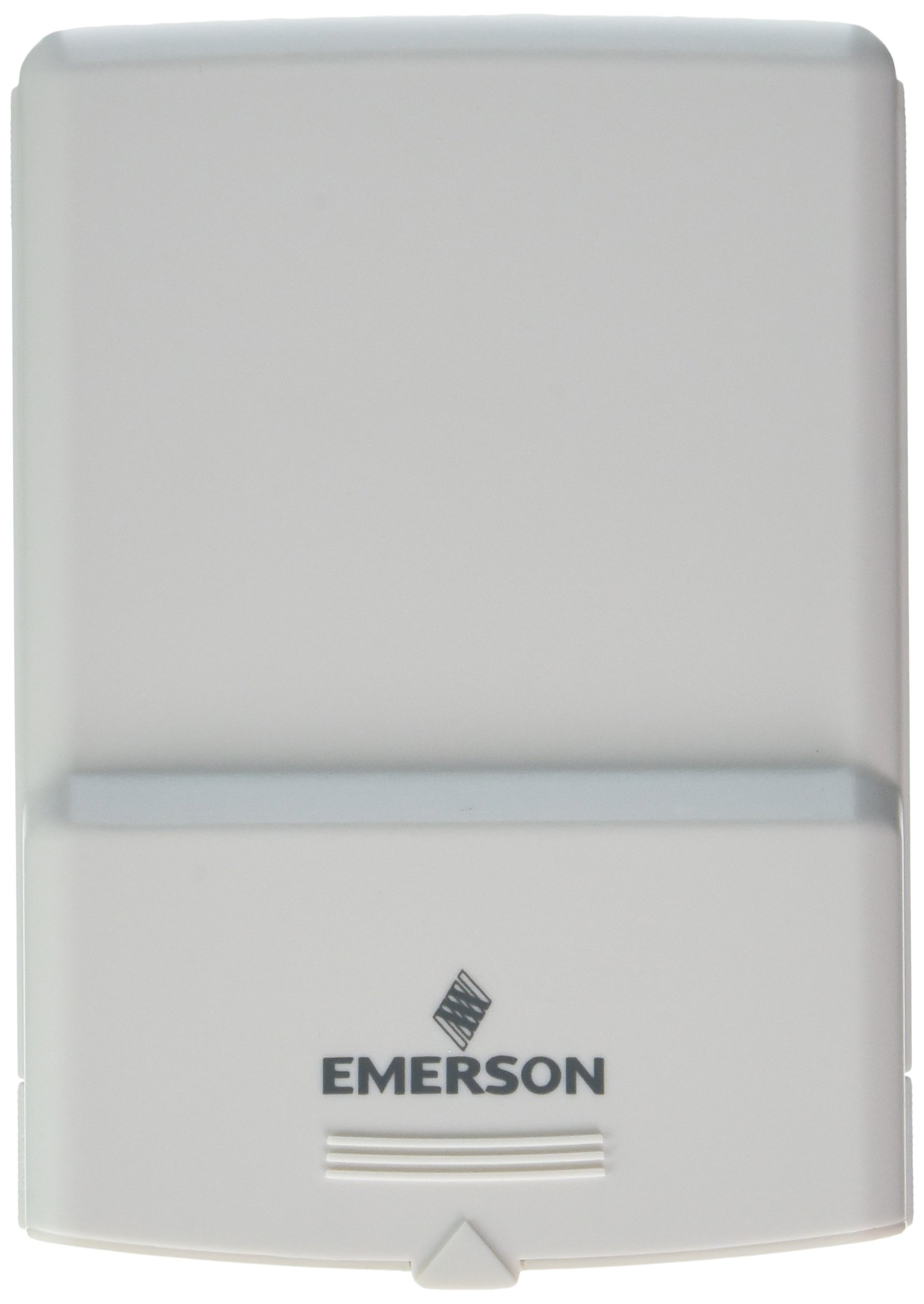
Figi 1: Emerson F145RF-1600 Wireless Remote Temperature Sensor. The image displays the sensor in a hand, indicating its approximate height of 4.8 inches (12 cm). The sensor is light-colored, likely white or light grey, with the 'EMERSON' logo visible at the bottom front.
4. Enstalasyon
4.1. Enstalasyon batri
- Locate the battery compartment on the back of the sensor.
- Louvri kouvèti lòj batri a.
- Insert two (2) AA alkaline batteries, ensuring correct polarity (+/-).
- Fèmen kouvèti lòj batri a byen.
4.2. Pairing with Thermostat System
Refer to your Emerson BLUE Wireless Easy Install Universal Wireless Thermostat System manual for detailed pairing instructions. Generally, the process involves:
- Placing the thermostat system into pairing mode.
- Activating the sensor's pairing function (often a button press or battery insertion).
- Confirming successful pairing on the thermostat display.
Up to four F145RF-1600 sensors can be paired with a single Emerson BLUE Wireless Easy Install system.
4.3. Capteur plasman
Proper placement is crucial for accurate temperature readings and effective system operation.
- Plasman andedan kay la:
- Place the sensor in a central location within the area you wish to monitor.
- Avoid placing near heat sources (lamps, appliances, direct sunlight) or cold drafts (windows, vents).
- Ensure it is not obstructed by furniture or curtains.
- Outdoor Placement (if applicable):
- Mount the sensor in a shaded area, away from direct sunlight, which can cause inaccurate readings.
- Protect it from direct rain and snow.
- Ensure it is easily accessible for battery replacement.
5. Operasyon Enstriksyon
Once successfully paired and placed, the F145RF-1600 sensor will automatically transmit temperature data to your Emerson BLUE Wireless Easy Install Thermostat System. The thermostat system will then use this data to optimize heating and cooling, helping to maintain a more consistent temperature throughout your home.
- The sensor operates continuously, sending updates to the main thermostat.
- The thermostat system will display the temperature readings from the remote sensors and use them for its control logic.
- No direct user interaction is typically required with the sensor after setup, other than battery replacement.
6. Antretyen
6.1. Ranplasman batri
The sensor requires two (2) AA batteries. When batteries are low, your Emerson BLUE thermostat system may indicate a low battery warning for the sensor. Replace batteries promptly to ensure continuous operation.
- Louvri lòj batri a.
- Retire vye pil yo.
- Insert new AA batteries, observing polarity.
- Fèmen lòj la.
6.2. Netwayaj
Wipe the sensor's exterior with a soft, dry cloth as needed. Do not use liquid cleaners or abrasive materials, as these can damage the device.
NAN. Depanaj
| Pwoblèm | Kòz posib | Solisyon |
|---|---|---|
| Sensor not reporting temperature / No signal |
|
|
| Lekti tanperati ki pa kòrèk |
|
|
8. Espesifikasyon
| Nimewo Modèl | F145RF-1600 |
| Manifakti | White-Rodgers (Emerson) |
| Sous pouvwa | Ki mache ak pil |
| Batri obligatwa | 2 pil AA |
| Pwa atik | 3.2 ons |
| Dimansyon pwodwi | 3.5 x 2.5 x 5.25 pous |
| Materyèl | Plastik |
| Koulè | Ble (Note: Product image shows light grey/white) |
| Kantite pake atik | 1 |
9. Enfòmasyon sou Garanti
Specific warranty details for the Emerson F145RF-1600 Wireless Remote Temperature Sensor are typically provided with the product packaging or can be found on the official Emerson/White-Rodgers websit la. Tanpri konsève prèv acha ou a pou reklamasyon garanti.
For detailed warranty terms and conditions, please visit the Emerson official websit oswa kontakte sipò kliyan.
10. Sipò
If you encounter issues not covered in this manual or require further assistance, please contact Emerson customer support.
- Sipò sou entènèt: Vizite la Emerson Support Page pou kesyon yo poze souvan (FAQ), dokimantasyon, ak opsyon pou kontakte nou.
- Sipò telefòn: Refer to your product packaging or the Emerson websit pou nimewo telefòn sèvis kliyan ki pi aktyèl yo.