
1. Entwodiksyon
The D-Link Wireless N300 Dual Band PCI Express Desktop Adapter (DWA-566) provides high-speed wireless connectivity for your desktop computer. Utilizing Wireless N technology, it maximizes the speed and range of your wireless signal, offering superior performance compared to Wireless G devices. The dual-band capability supports both 2.4GHz and 5GHz wireless signals, allowing for flexible network usage, such as browsing on 2.4GHz and HD streaming or gaming on the clearer 5GHz band.
This adapter is designed to fit into any standard PCI Express slot, offering a higher performance interface than legacy PCI. It supports secure wireless networks with WPA or WPA2 encryption.

Figure 1.1: D-Link DWA-566 Wireless N300 Dual Band PCI Express Desktop Adapter with antennas.
2. Karakteristik
The DWA-566 adapter includes the following key features:
- IEEE 802.11n, 802.11g, and 802.11a Compliant
- Dual Band Technology for Superior Wireless Performance (2.4GHz or 5GHz)
- Access secure wireless networks using advanced WPA or WPA2 encryption
- Fits into any standard PCI Express slot
- PCI Express Interface provides higher performance than a legacy PCI interface
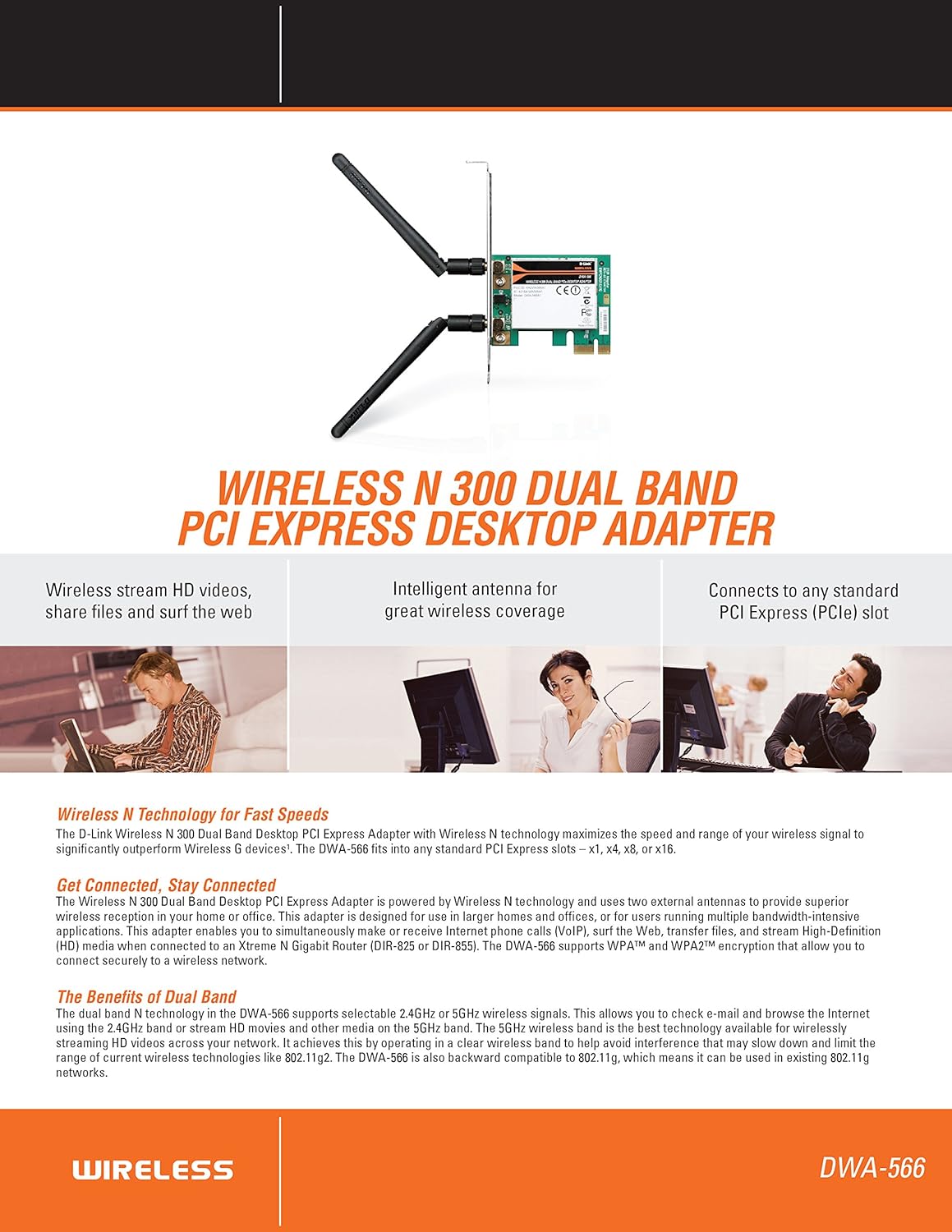
Figi 2.1: Plis paseview of DWA-566 features and benefits.
3. Pake kontni
Verifye ke pake ou a gen atik sa yo:
- Wireless N 300 Dual Band PCI Express Adapter (DWA-566)
- De antèn detachab
- Low-profile sipò aliye
- Gid Enstalasyon Rapid
- CD-ROM with:
- D-Link Wireless Connection Manager
- Chofè yo
- Dokimantasyon pwodwi
4. Kondisyon sistèm
Before installing the DWA-566, ensure your system meets the following minimum requirements:
- Computer with an available PCI Express slot
- Windows operating system (Windows XP, Vista, 7, 8, 10)
- CD-ROM drive (for driver installation from included CD)
- Internet Explorer 7 or Firefox 3.0 and above (for viewing documentation)
- Abònman ak yon Founisè Sèvis Entènèt (ISP)
For optimal performance, a D-Link Wireless N router (DIR-655 or DIR-825) is recommended.

Figure 4.1: Detailed technical specifications, minimum requirements, and network diagram.
5. Enstalasyon ak Enstalasyon
5.1 Enstalasyon Materyèl
- Power Off Computer: Etenn òdinatè w lan epi deploge kòd kouran an.
- Louvri bwat òdinatè a: Remove the computer case cover.
- Jwenn plas PCI Express la: Find an available PCI Express slot on your motherboard.
- Mete adaptè: Carefully insert the DWA-566 adapter into the PCI Express slot, ensuring it is seated firmly.
- Adaptè an sekirite: Secure the adapter with a screw to the computer chassis.
- Tache antèn: Screw the two included antennas onto the connectors on the adapter.
- Fèmen bwat la epi limen l: Replace the computer case cover, plug in the power cord, and power on your computer.

Figure 5.1: DWA-566 adapter with antennas attached, ready for installation.
5.2 Enstalasyon lojisyèl
After hardware installation, proceed with driver and utility installation:
- Insert Installation CD: Insert the DWA-566 installation CD into your computer's CD-ROM drive. The setup wizard should launch automatically. If not, navigate to the CD drive and run the 'Setup.exe' file.
- Swiv Enstriksyon ki sou Ekran yo: Follow the prompts of the D-Link setup wizard to install the drivers and the D-Link Wireless Connection Manager utility.
- Rekòmanse òdinatè: After the installation is complete, restart your computer when prompted.
Nòt: For Windows 7/8 64-bit systems, ensure you are using the latest drivers available from the official D-Link support website to avoid potential compatibility issues.
6. Operasyon Enstriksyon
Once the drivers are installed, you can connect to a wireless network:
- Launch Connection Manager: Open the D-Link Wireless Connection Manager utility or use the built-in Windows wireless network utility.
- Eskane pou rezo yo: The utility will scan for available wireless networks in your area.
- Chwazi Rezo: Choose your desired wireless network (SSID) from the list.
- Antre Kle Sekirite a: If the network is secured, enter the correct WPA/WPA2 security key or passphrase.
- Konekte: Click 'Connect' to establish a wireless connection.
A successful connection will be indicated by a strong signal strength and internet access.
7. Antretyen
To ensure optimal performance and longevity of your DWA-566 adapter:
- Kenbe chofè yo ajou: Tcheke sipò D-Link la regilyèman. website for the latest drivers and firmware updates.
- Asire bon vantilasyon: Make sure your computer case has adequate airflow to prevent overheating of internal components, including the wireless adapter.
- Pozisyon antèn: Adjust the antennas for the best possible signal reception.
- Faktè anviwònman: Avoid placing your computer near large metal objects or other devices that may cause wireless interference.
NAN. Depanaj
Si ou rankontre pwoblèm ak adaptè DWA-566 ou a, konsidere bagay sa yo:
8.1 No Wireless Connection
- Verify Hardware Installation: Ensure the adapter is correctly seated in the PCI Express slot and antennas are securely attached.
- Tcheke Chofè yo: Confirm that the drivers are installed correctly. Check Device Manager for any error symbols next to the network adapter. Reinstall drivers if necessary.
- Estati routeur la: Ensure your wireless router is powered on and broadcasting a signal.
- Kle sekirite: Double-check that the correct wireless security key (WPA/WPA2 passphrase) is entered.
- Anviwònman pare-feu: Temporarily disable your computer's firewall to see if it is blocking the connection. If it resolves the issue, configure your firewall to allow the D-Link utility.
8.2 Slow Connection Speed or Frequent Disconnections
- Ajisteman Antèn: Try repositioning the antennas for better signal reception.
- Entèferans: Move the computer away from potential sources of interference (e.g., cordless phones, microwaves, Bluetooth devices).
- Pwòksimite routeur: Ensure the computer is within the effective range of your wireless router.
- Dual Band Usage: If your router supports it, try connecting to the 5GHz band for less interference and potentially higher speeds, especially for streaming or gaming.
- Mizajou chofè: Update the adapter drivers to the latest version from the D-Link websit.
9. Espesifikasyon
| Karakteristik | Spesifikasyon |
|---|---|
| Mak | D-Link |
| Nimewo Modèl | DWA-566 |
| Entèfas Materyèl | PCI Express |
| Pwotokòl Done Link | IEEE 802.11n, 802.11g, 802.11a |
| Pousantaj Transfè Done | Jiska 300 Megabit pa segonn |
| Bann Frekans | 2.4 GHz / 5 GHz (Dual Band) |
| Sekirite | WPA, WPA2 |
| Aparèy konpatib | Odinatè Desktop |
| Pwa atik | 0.4 Liv (apeprè 181 gram) |
| Sètifikasyon Tès Ekstèn | FCC B, IC B, CE, C-Tick |
10. Garanti ak sipò
The D-Link Wireless N300 Dual Band PCI Express Desktop Adapter (DWA-566) comes with a 1-ane garanti limite. For specific terms and conditions, please refer to the warranty documentation included with your product or visit the official D-Link websit.
D-Link provides 24/7 Basic Installation Support to assist with initial setup and configuration. For technical assistance, driver downloads, and further product information, please visit the D-Link support websit oswa kontakte sèvis kliyan yo.
Sipò D-Link Websit: https://support.dlink.com/