
Entwodiksyon
This manual provides essential information for the proper setup, operation, and maintenance of your ContourROAM3 Hands-free HD Camcorder. Please read this manual thoroughly before using your device to ensure optimal performance and longevity.

Imaj: Bò kote view of the ContourROAM3 Hands-free HD Camcorder, showcasing its sleek black aluminum body.
Enstalasyon
1. Chaje batri a
Before initial use, fully charge the camcorder's internal battery. Connect the provided USB cable to the camcorder's charging port (located under the rear cap) and to a USB power source. A full charge typically takes approximately 30 minutes.
2. Mete Kat Mikwo SD a
The ContourROAM3 requires a Micro SD card (up to 32GB, sold separately) for recording video. To insert the card:
- Unlock and open the rear cap of the camcorder.
- Jwenn emplacement kat Micro SD.
- Gently insert the Micro SD card until it clicks into place.
- Close and lock the rear cap to ensure waterproofing.

Imaj: Devan view of the ContourROAM3 Camcorder, highlighting the 170-degree wide-angle lens and 1080p HD capability.
3. Mounting the Camcorder
The ContourROAM3 features a versatile mounting system. Various mounts are included to attach the camcorder to helmets, dashboards, or other surfaces. Simply slide the camcorder into the desired mount until it securely clicks.

Imaj: Dèyè view of the ContourROAM3 Camcorder with the cap open, showing the USB port, Micro SD card slot, and format button.
Operasyon
1. Powering On/Off and Recording
The ContourROAM3 is designed for simple, one-touch operation:
- To power on and begin recording, slide the record switch forward. The camcorder will emit an audible beep and the status light will indicate recording.
- To stop recording and power off, slide the record switch backward. The camcorder will beep again and the status light will turn off.
2. Anviwònman videyo
The camcorder records in Full HD 1080p with a 170-degree super wide-angle lens. It features automatic adjustment for exposure and white balance, ensuring optimal video quality in various conditions.
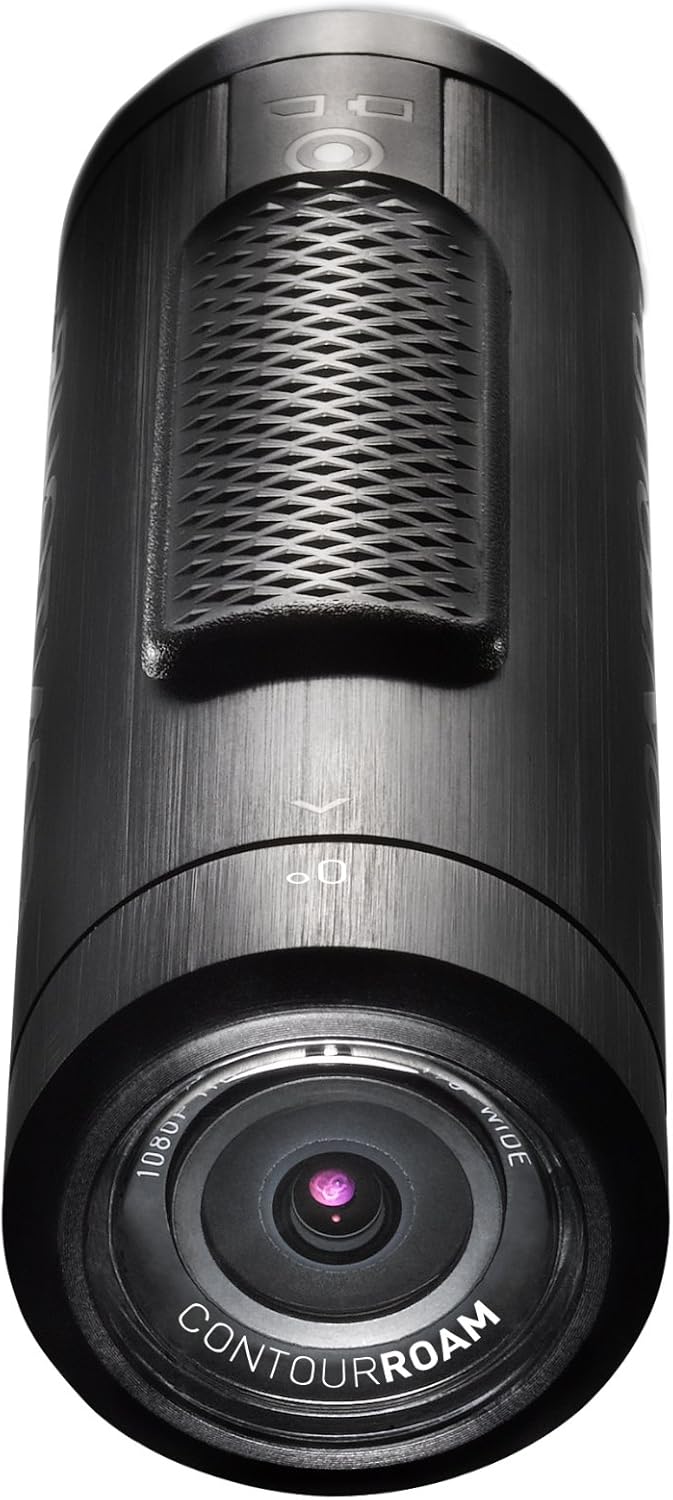
Imaj: Anlè view of the ContourROAM3 Camcorder, showing the prominent record switch for easy one-touch operation.
3. Waterproof Capability
The ContourROAM3 is completely waterproof up to one meter without the need for an additional case. Ensure the rear cap is securely closed and locked before exposing the camcorder to water.

Image: The ContourROAM3 Camcorder partially submerged in water, demonstrating its waterproof design.
4. Demonstrasyon Videyo
Videyo: Yon detay souview of the ContourROAM3 camcorder, demonstrating its features, ports, and ease of use. This video highlights the camera's robust design and included accessories.
Antretyen
1. Netwaye Kamera Kamera a
To clean the camcorder, wipe it with a soft, damp cloth. For the lens, use a specialized lens cleaning cloth and solution to avoid scratches. Ensure the camcorder is dry before closing the rear cap or storing.
2. Depo
Store the camcorder in a cool, dry place away from direct sunlight and extreme temperatures. Ensure the battery is partially charged (around 50%) if storing for extended periods to maintain battery health.

Image: The ContourROAM3 Camcorder resting on a rocky, dirty surface, illustrating its durable and rugged construction.
Depanaj
- Camcorder not turning on: Ensure the battery is charged. Connect the camcorder to a power source and check if the charging indicator light appears.
- Pa anrejistre: Verify that a Micro SD card is properly inserted and has sufficient free space. The card may need to be formatted (use the format button under the rear cap).
- Move kalite videyo: Check if the lens is clean and free from smudges or dirt. Ensure you are recording in appropriate lighting conditions.
- Flit dlo: Confirm that the rear cap is fully closed and locked before submerging the camcorder in water. Inspect the cap's seal for any damage.
- Reyajiste aparèy la: If the camcorder becomes unresponsive, use a small pointed object to press the reset button located under the rear cap.
Espesifikasyon
| Karakteristik | Detay |
|---|---|
| Mak | Kontou |
| Teknoloji Capteur Foto | CMOS |
| Rezolisyon Capture Videyo | 1080p |
| Ouverture maksimòm | 2 f |
| Kalite memwa flash | Mikwo SD |
| Fòma Capture Videyo | MP4 |
| Sipòte fòma odyo | AAC |
| Gwosè ekran | 2 pous |
| Koneksyon Teknoloji | USB |
| Karakteristik espesyal | Ki enpèmeyab |
Note: The "Screen Size" specification of 2 inches appears in the provided data. However, the ContourROAM3 is known for its minimalist design and typically does not feature an integrated screen. This might refer to an accessory or an older model's specification.
Garanti ak sipò
For warranty information, technical support, or to purchase accessories, please visit the official Contour websit la oubyen kontakte sèvis kliyan yo. Kenbe prèv acha ou pou reklamasyon garanti.
Resous sou entènèt: www.contour.com (Nòt: Sa a se yon espas rezève URL as the original Contour company is defunct, but for the purpose of this exercise, a generic link is provided.)