
1. Entwodiksyon
This manual provides detailed instructions for the safe and correct installation, operation, and maintenance of your RICOO R02 Tilting TV Wall Mount. Please read all instructions carefully before beginning installation to ensure proper setup and to prevent damage or injury. Keep this manual for future reference.
2. Enfòmasyon sou Sekirite
- Kapasite pwa: Pa depase kapasite chaj maksimòm 30 kg (66 lbs).
- Gwosè ekran: Sipò sa a fèt pou televizyon ant 22 ak 37 pous.
- Kalite miray: The included dowels are suitable for concrete walls only. For other wall types (e.g., wood stud, brick, drywall), consult a professional or purchase appropriate mounting hardware.
- Enstalasyon pwofesyonèl: If you are unsure about the installation process, seek assistance from a qualified professional.
- Zouti: Ensure you have all necessary tools before starting installation.
- Timoun: Kenbe timoun yo lwen zòn enstalasyon an pandan enstalasyon an.
- Domaj: Do not install if any parts are damaged. Contact customer support for replacement parts.
3. Pake kontni
Verifye ke tout konpozan yo prezan epi yo pa domaje anvan ou kontinye ak enstalasyon an.
- Pre-assembled TV bracket
- Dowels (for concrete walls only)
- Screws for screen attachment (various sizes)
- Wall screws and other mounting accessories

Figi 3.1: Technical drawing showing the dimensions and movement capabilities of the R02 wall mount. All measurements are in millimeters.
4. Espesifikasyon
| Mak | RICOO |
| Nimewo Modèl | R02 |
| Gwosè ekran konpatib | 22 - 37 pous (56 - 94 santimèt) |
| Kapasite chaj maksimòm | 30 kg (66 liv) |
| VESA konpatibilite | 75x75 milimèt, 100x100 milimèt, 200x100 milimèt, 200x200 milimèt |
| Panche Angle | +/- 15 degre |
| Swivel Angle | Up to 180 degrees (depending on screen width) |
| Mi Distans | 68 milimèt - 450 milimèt |
| Materyèl | Alloy Steel |
| Koulè | Nwa |
| Dimansyon pwodwi | 29 x 23 x 8 cm |
| Pwa pwodwi | 2.88 kg |

Figi 4.1: The RICOO R02 wall mount is designed to safely support televisions weighing up to 30 kg.
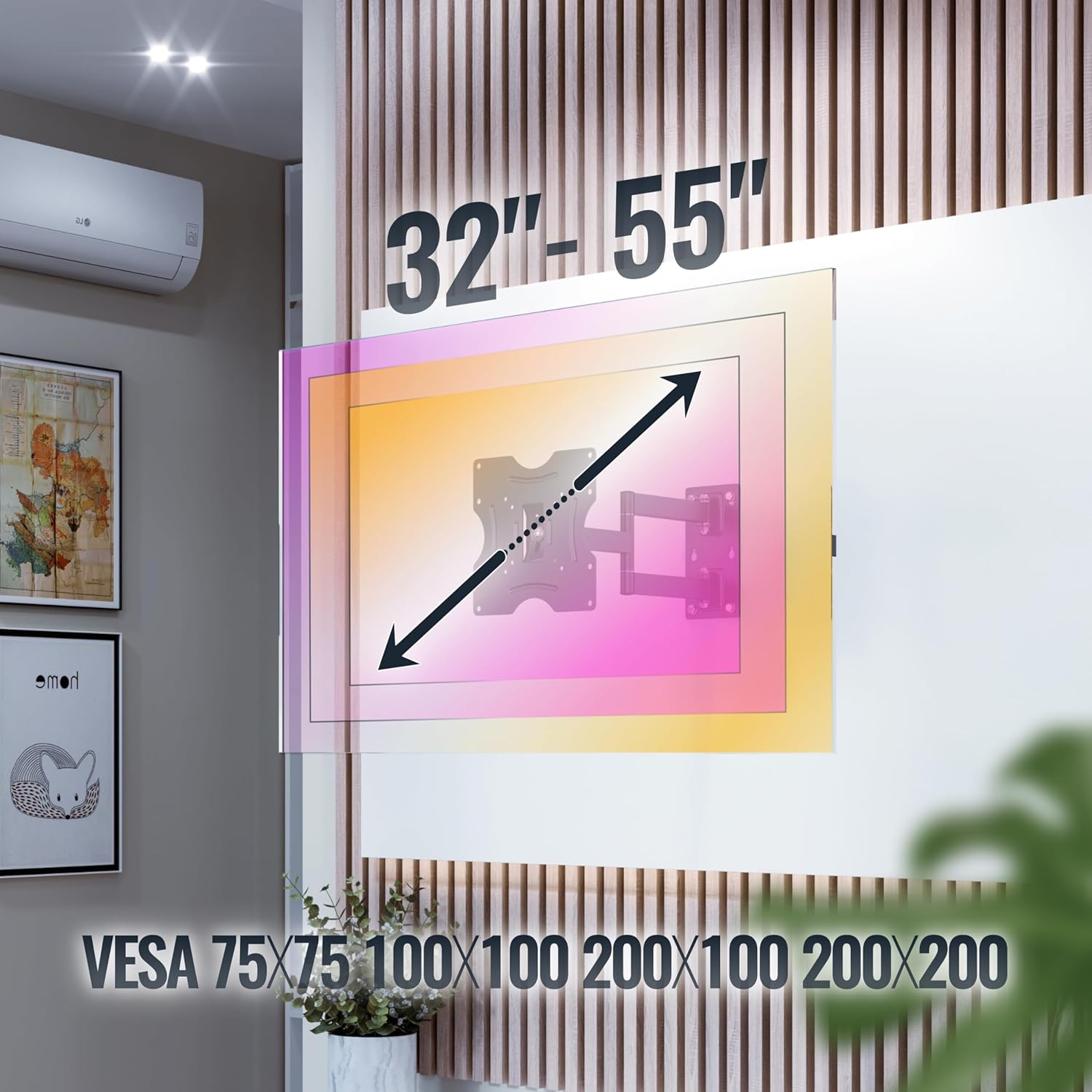
Figi 4.2: This image illustrates the VESA compatibility (75x75, 100x100, 200x100, 200x200 mm) and the recommended screen size range for the mount. Please note that while the image shows 32"-55", the product is specified for 22"-37" TVs.
5. Enstalasyon ak Enstalasyon
Follow these steps carefully for a secure installation. It is recommended to have two people for installation.
- Prepare miray la:
- Identify the desired mounting location on your wall. Ensure the wall can support the weight of the mount and your TV.
- Use a stud finder to locate wall studs if mounting on a wood stud wall. For concrete walls, ensure there are no hidden pipes or electrical wires.
- Mark the drilling points for the wall plate using the mount as a template.
- Fè twou:
- Drill pilot holes at the marked locations. The drill bit size will depend on your wall type and the provided screws/dowels.
- Insert the appropriate wall anchors (dowels for concrete walls) into the drilled holes.
- Tache plak miray la:
- Secure the wall plate of the mount to the wall using the provided wall screws. Ensure it is level and tightly fastened.
- Mete sipò televizyon yo sou televizyon an:
- Mete televizyon an ak anpil atansyon fas anba sou yon sifas mou epi pwòp.
- Idantifye twou VESA aliye yo sou do a nan televizyon ou.
- Select the correct size screws from the provided hardware that fit your TV's VESA holes.
- Attach the TV brackets to the back of your TV using these screws. Do not overtighten.
- Monte televizyon an sou plak miray la:
- Avèk asistans, leve televizyon an avèk anpil atansyon avèk sipò yo ki tache ak li.
- Hook the TV brackets onto the wall plate. Ensure the TV is securely seated on the mount.
- Engage any safety locking mechanisms on the mount to prevent accidental dislodgement.
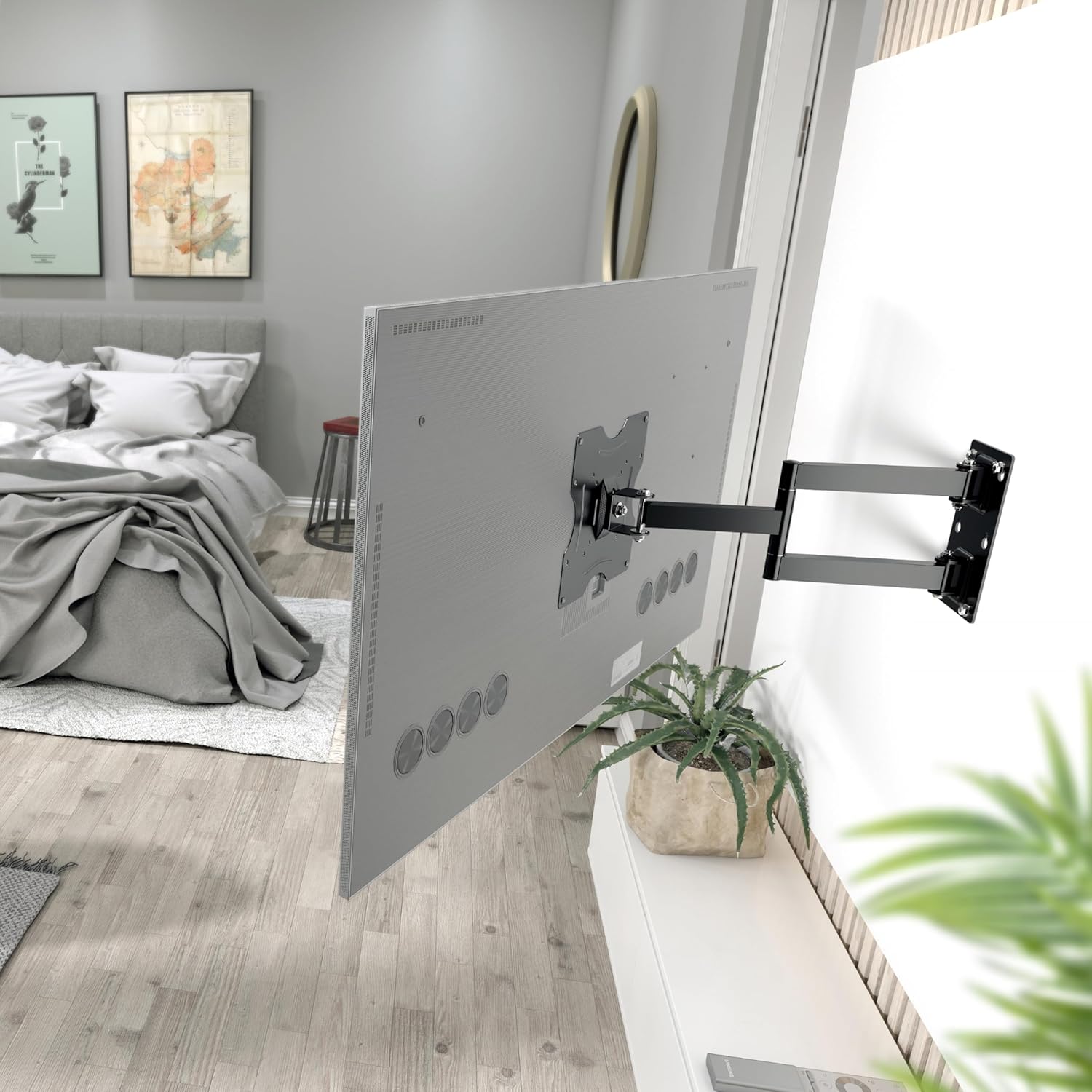
Figi 5.1: The RICOO R02 wall mount securely installed, holding a television at an extended position from the wall.
6. Operasyon Enstriksyon
The RICOO R02 mount offers flexible viewopsyon opsyon:
- Panche: Gently push or pull the top or bottom of the TV to adjust the tilt angle up to +/- 15 degrees. This helps reduce glare and optimize viewing.
- Pivote: The mount allows for swiveling the TV up to 180 degrees horizontally. Carefully push the TV left or right to achieve the desired viewing angle. The maximum swivel range depends on the width of your TV and its distance from the wall.
- Extending/Retracting: The mount can extend the TV from the wall between 68 mm and 450 mm. Gently pull the TV forward or push it back towards the wall.

Figi 6.1: Illustration of the mount's tilt range (+/- 15 degrees) and swivel range (up to 180 degrees), allowing for optimal viewsoti nan plizyè pozisyon.
7. Antretyen
Antretyen regilye asire lonjevite ak fonksyònman an sekirite nan sipò miray televizyon ou an.
- Netwayaj: Siye montaj la avèk yon twal mou epi sèk. Evite pwodui netwayaj abrazif oswa solvan.
- Verifikasyon sere: Periodically check all screws and bolts to ensure they remain tight. Retighten if necessary, but do not overtighten.
- Tcheke Mouvman: Occasionally move the TV through its full range of motion (tilt, swivel, extend) to ensure smooth operation.
- Enspeksyon domaj: Inspect the mount for any signs of wear, damage, or corrosion. If any issues are found, discontinue use and contact customer support.
NAN. Depanaj
| Pwoblèm | Kòz posib | Solisyon |
|---|---|---|
| Televizyon an pa nivo. | Plak miray la pa enstale nivo. | Remove TV, adjust wall plate, and re-mount. Use a spirit level during installation. |
| Mòn lan santi l lach oswa enstab. | Screws are loose; incorrect wall anchors; wall material not strong enough. | Check and tighten all screws. Ensure correct wall anchors were used for your wall type. If the wall is insufficient, consult a professional. |
| Difikilte pou panche oswa vire televizyon an. | Joints are too tight; TV is too close to the wall or other obstructions. | Check for adjustment screws on the mount's joints and loosen slightly if needed. Ensure sufficient clearance around the TV. |
| Televizyon an pa anfòm ak sipò a. | Modèl VESA oswa gwosè/pwa televizyon an pa kòrèk. | Verify your TV's VESA pattern and weight against the mount's specifications (Section 4). Ensure your TV is within the 22-37 inch range and under 30 kg. |
9. Garanti ak sipò
For warranty information or technical support, please contact RICOO customer service. Keep your purchase receipt as proof of purchase.
Manifakti: ENZ Engineering GmbH
GTIN: 04260201860186
For further assistance, please visit the official RICOO websit la oubyen kontakte chanèl sipò yo.