
1. Entwodiksyon ak Enfòmasyon sou Sekirite
This manual provides essential instructions for the safe and efficient operation of your Candy CMG 25 DCS Microwave with Grill. Please read it thoroughly before using the appliance and retain it for future reference.
1.1 Prekosyon Sekirite Jeneral
- Toujou asire w ke aparèy la byen konekte atè.
- Do not operate the microwave if the door seal is damaged or if the door does not close properly.
- Never heat sealed containers, as they may explode.
- Pa sèvi ak istansil metal oswa papye aliminyòm nan mòd mikwo ond, paske sa ka lakòz ark elektrik.
- Supervise children when the appliance is in use, especially when the grill function is active.
- Do not attempt to service or repair the microwave yourself. Contact qualified service personnel.
The Candy CMG 25 DCS is a 25-liter microwave oven with an integrated grill function, designed for residential use. It features a digital display, multiple power levels, and automatic programs for convenient cooking.

2. Pwodwi souview
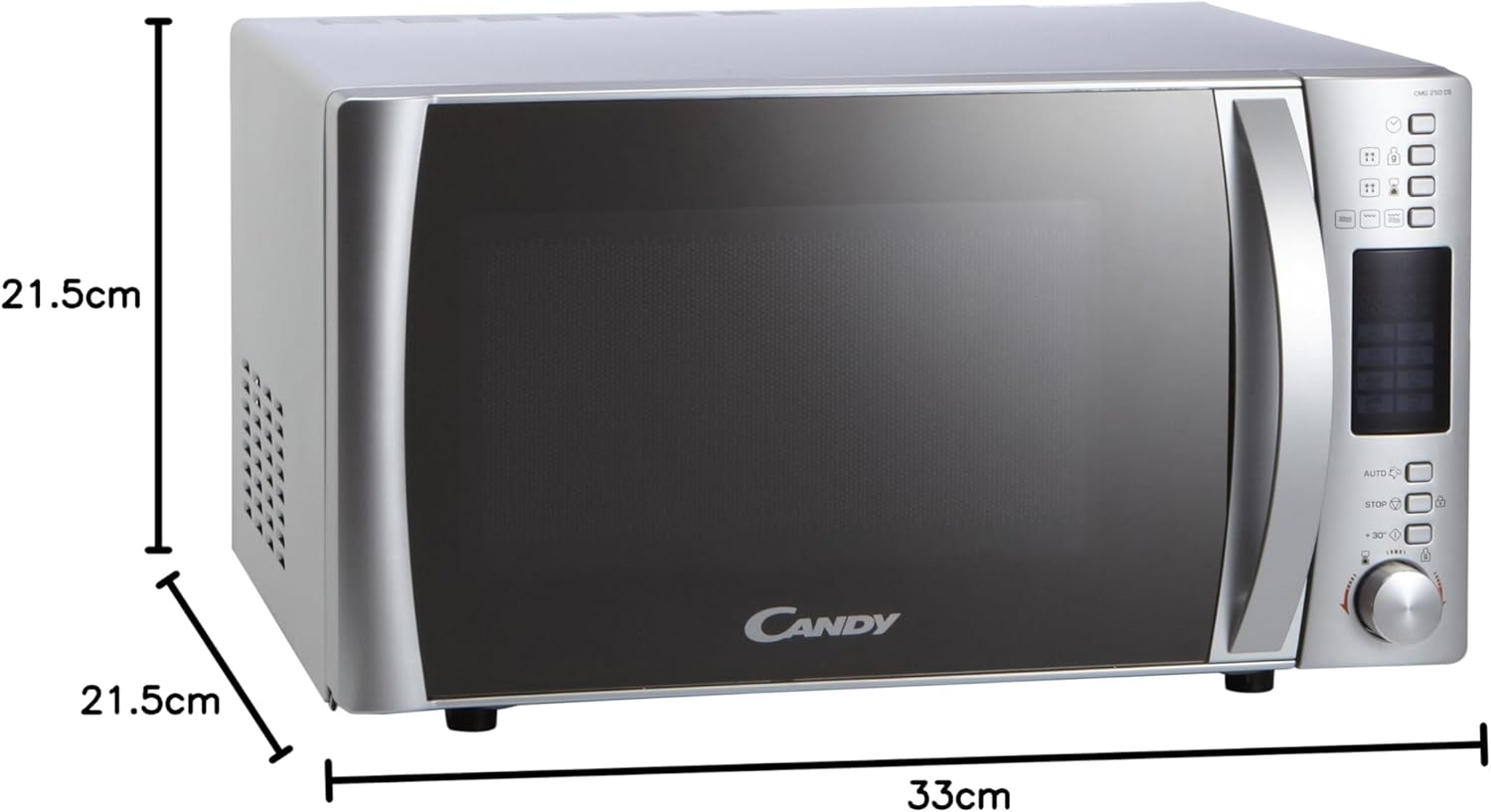
Familiarize yourself with the components and control panel of your Candy CMG 25 DCS microwave.
2.1 Eleman
- Platin: Asire yon kuit inifòm lè yo vire manje a.
- Sipò pou platin: Kenbe platin an nan plas li.
- Etajè gri: Used for grilling food, elevating it closer to the heating element.
- Crunchy Plate: Special accessory for achieving crispy results.
- Door with Safety Lock System: Prevents microwave operation when the door is open.
2.2 Kontwòl Panel


The control panel features a digital display for time and program information, a Joggle Hi-Fi knob for setting time and selecting options, and dedicated buttons for functions such as power level, grill, automatic programs, defrost, and express start.
3. Enstalasyon ak Enstalasyon
Proper installation is crucial for the safe and optimal performance of your microwave oven.
3.1 Debake
- Retire tout materyèl anbalaj ak Pwodwi pou Telefòn.
- Inspect the microwave for any damage, such as dents or a misaligned door. Do not operate if damaged.
3.2 Plasman
- Place the microwave on a stable, level surface strong enough to support its weight.
- Ensure adequate ventilation. Leave a minimum of 10 cm (4 inches) clearance at the rear, 20 cm (8 inches) on the top, and 5 cm (2 inches) on the sides. The front of the microwave should be at least 30 cm (12 inches) from the edge of the counter to prevent tipping.
- Do not place the microwave near heat sources or in areas of high humidity.
3.3 Koneksyon elektrik
- Plug the microwave into a dedicated, properly grounded 230V AC outlet.
- Pa sèvi ak kòd ekstansyon oswa adaptè.
3.4 Inisyal Enstalasyon
- After plugging in, the display will show '0:00' or similar.
- To set the clock, refer to the 'Setting the Clock' section in Operating Instructions.
4. Operasyon Enstriksyon
This section details how to use the various functions of your microwave oven.
4.1 Mete revèy la
- Peze bouton 'Revèy' la (si li disponib, sinon konsilte bouton espesifik la pou mete lè a).
- Rotate the Joggle Hi-Fi knob to set the hour. Press the 'Start' button to confirm.
- Rotate the Joggle Hi-Fi knob to set the minutes. Press the 'Start' button to confirm.
4.2 Kwit mikwo ond
- Mete manje a nan yon veso ki ka ale nan mikwo ond sou plato a.
- Fèmen pòt la.
- Press the 'Microwave' button repeatedly to select the desired power level (5 levels available).
- Rotate the Joggle Hi-Fi knob to set the cooking time.
- Peze bouton 'Kòmanse' a pou kòmanse kwit manje a.
4.3 Fonksyon gri
- Mete manje a sou griyaj la nan yon plat ki reziste chalè.
- Fèmen pòt la.
- Peze bouton 'Griye' a.
- Rotate the Joggle Hi-Fi knob to set the grilling time.
- Press the 'Start' button to begin grilling.
4.4 Combined Cooking (Microwave + Grill)
- Place food in a microwave and grill-safe container.
- Fèmen pòt la.
- Press the 'Combi' button (or the relevant button for combined mode).
- Rotate the Joggle Hi-Fi knob to set the cooking time.
- Press the 'Start' button to begin combined cooking.
4.5 Pwogram otomatik yo
The microwave features 8 automatic programs for various food types. Refer to the icons on the control panel for specific program selection.
- Press the 'Auto' button.
- Rotate the Joggle Hi-Fi knob to select the desired program number.
- Press the 'Start' button. The microwave will automatically set the cooking time and power level.
4.6 Fonksyon dekonjle
The automatic defrost function allows defrosting by weight or time.
- Peze bouton 'Deglase' a.
- Rotate the Joggle Hi-Fi knob to select defrost by weight or time, and adjust the value.
- Peze bouton 'Kòmanse' a.
4.7 Express Start (+30 Seconds)
For quick heating at maximum power, press the '+30s' button. Each press adds 30 seconds to the cooking time.
4.8 Safety Lock (Child Lock)
To activate the child lock, press and hold the 'Stop' button for approximately 3 seconds until a lock indicator appears on the display. To deactivate, repeat the process.
5. Antretyen ak netwayaj
Regular cleaning ensures hygiene and prolongs the life of your appliance.
5.1 Netwayaj enteryè
- Apre chak itilizasyon, siye enteryè a ak yon anpoul.amp twal pou retire tach manje.
- For stubborn stains, place a bowl of water with lemon juice inside and microwave for 2-3 minutes. The steam will loosen the grime.
- Clean the turntable and turntable support with warm, soapy water. They are usually dishwasher safe.
5.2 Netwayaj Eksteryè
- Siye sifas eksteryè yo ak yon mou, damp twal.
- Avoid abrasive cleaners or scouring pads, as they can damage the finish.
- Netwaye pòt la ak sele pòt la regilyèman pou asire li fèmen byen.
5.3 Netwayaj Eleman Gri an
- Ensure the microwave is cool before cleaning the grill element.
- Siye eleman gri a ak piblisiteamp twal. Pa sèvi ak twòp dlo.
NAN. Depanaj
If you encounter issues with your microwave, refer to the following common problems and solutions.
| Pwoblèm | Kòz posib | Solisyon |
|---|---|---|
| Mikwo ond lan pa limen. | Door not closed properly; Power cord unplugged; Fuse blown; Child lock activated. | Ensure door is firmly closed; Check power connection; Check household fuse/circuit breaker; Deactivate child lock. |
| Manje pa ap chofe. | Nivo puisans oswa tan pou kwit manje ki pa kòrèk; Pòt la pa byen fèmen. | Adjust power level and time; Ensure door is firmly closed. |
| Bri dwòl pandan operasyon an. | Plato tounè a pa byen plase; Gen yon objè etranje nan kavite a. | Asire w ke plato a ak sipò a byen plase; Retire tout obstak. |
| Display pa travay. | Pouvwa outage; Aparèy la debranche. | Check power supply; Plug in the appliance. |
If the problem persists after attempting these solutions, please contact Candy customer service or a qualified technician.
7. Espesifikasyon
Technical details for the Candy CMG 25 DCS Microwave with Grill.
| Karakteristik | Spesifikasyon |
|---|---|
| Mak | Sirèt |
| Nimewo Modèl | CMG 25 DCS (8016361823310) |
| Kapasite | 25 lit |
| Pouvwa mikwo ond | 900 Watts |
| Voltage | 230 Volts |
| Materyèl | Nerjaveèi asye |
| Koulè | Ajan |
| Dimansyon pwodwi (L x W x H) | 42.5 x 51.3 x 30.5 cm |
| Internal Cavity Dimensions (W x D x H) | 33 x 34.6 x 21.5 cm |
| Dyamèt platin | 31.5 cm |
| Karakteristik espesyal | Automatic Defrost, 95 min Timer, Express Start, Safety Lock |
| Konpozan ki enkli | Grill Rack, Microwave, Crunchy Plate |
| Kalite kontwolè | Button, Joggle Hi-Fi Knob |
8. Garanti ak sipò
Your Candy CMG 25 DCS Microwave with Grill comes with a manufacturer's warranty. Please refer to the warranty card provided with your purchase for specific terms and conditions.
For technical assistance, spare parts, or service inquiries, please contact Candy customer support. Keep your purchase receipt and model number (CMG 25 DCS) readily available when contacting support.