
Entwodiksyon
This manual provides essential information for the safe and efficient use of your Doro PhoneEasy 105wr cordless phone. Please read these instructions carefully before using the phone and retain them for future reference.
Kontni pake
Anvan ou kòmanse, asire w ke tout bagay yo prezan nan pake a:
- Aparèy Doro PhoneEasy 105wr
- Inite Baz
- Adaptè kouran pou inite baz la
- Liy telefòn kòd
- Rechargeable Batteries (NiMH)
- Manyèl Itilizatè (dokiman sa a)
Enstalasyon
1. Konekte Inite Baz la
- Konekte adaptè pouvwa a: Plug the small end of the power adapter into the DC IN socket on the back of the base unit. Plug the other end into a wall power outlet.
- Connect the Telephone Line Cord: Plug one end of the telephone line cord into the LINE socket on the back of the base unit. Plug the other end into your telephone wall socket.
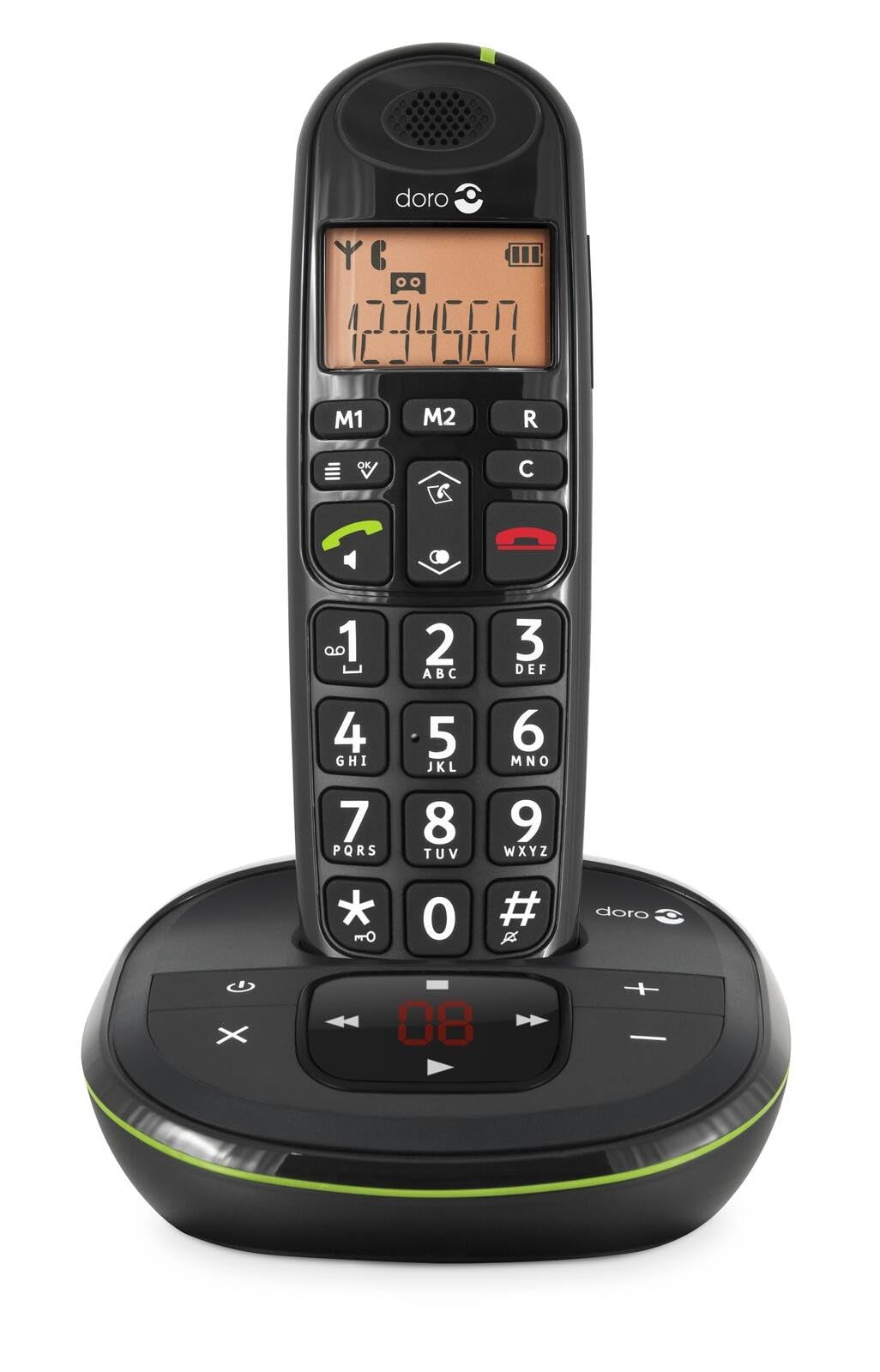 Image: The Doro PhoneEasy 105wr handset docked in its base unit, showing the keypad and display.
2. Installing Batteries in the Handset
- Louvri lòj batri a: Slide the battery compartment cover on the back of the handset downwards and remove it.
- Mete pil: Insert the supplied rechargeable NiMH batteries, observing the correct polarity (+ and -) as indicated inside the compartment.
- Fèmen lòj la: Remèt kouvèti konpatiman batri a lè w glise l anlè jiskaske li fè yon klik pou l antre nan plas li.
3. Chaje appareil la
Place the handset on the base unit. The battery icon on the handset display will animate to indicate charging. For optimal battery performance, charge the handset for at least 10-12 hours before its first use, even if the display indicates a full charge sooner.
 Image: A slightly angled view of the Doro PhoneEasy 105wr handset in its charging cradle, highlighting its ergonomic design.
Enstriksyon Operasyon
Fè yon apèl
- Rele: Ranmase appareil la oswa peze la Bouton apèl vèt la. Enter the phone number using the keypad.
- Fini yon apèl: Peze a Bouton wouj pou fini apèl la oubyen mete aparèy la tounen sou inite baz la.
Resevwa yon apèl
Lè telefòn nan sonnen, peze bouton an Bouton apèl vèt la to answer. To end the call, press the Bouton wouj pou fini apèl la or return the handset to the base unit.
Ajiste Volim
Pandan yon apèl, sèvi ak la Up epi Desann navigation buttons on the handset to adjust the earpiece volume.
Anyè telefòn
Your Doro PhoneEasy 105wr can store up to 20 entries in its phonebook.
- Ajoute yon Antre:
- Peze a Menu bouton.
- Navigate to "Phonebook" and select "Add New".
- Enter the name and number, then save.
- Apèl apati anyè telefòn nan:
- Peze a Anyè telefòn button (often a book icon).
- Scroll through the entries using the navigation buttons.
- Peze a Bouton apèl vèt la to dial the selected entry.
Answering Machine (if applicable)
The Doro PhoneEasy 105wr features a digital answering machine with a recording capacity of 20 minutes.
- Ap jwe mesaj: Peze a Jwe/sispann bouton sou inite baz la.
- Efase Mesaj: Pandan w ap li mesaj la, peze bouton an Efase bouton sou inite baz la.
- Anrejistreman mesaj sortan: Refer to the handset menu for options to record or select a pre-recorded outgoing message.
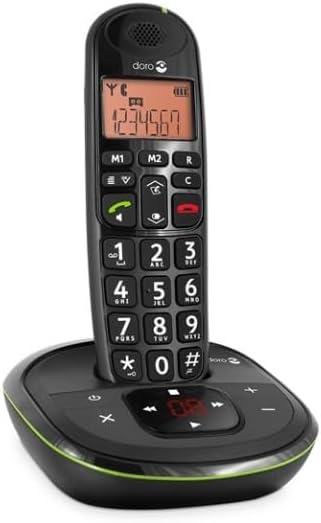 Imaj: Yon fasad dirèk view of the Doro PhoneEasy 105wr cordless phone, showing the large buttons and clear display on the handset, and the answering machine controls on the base.
Antretyen
- Netwayaj: Siye telefòn nan ak inite baz la ak yon twal mou.amp twal. Pa sèvi ak pwodui netwayaj abrazif oswa solvang.
- Swen batri: Use only the specified rechargeable batteries. If the phone will not be used for an extended period, remove the batteries to prevent leakage.
- Kondisyon anviwònman: Evite ekspoze telefòn nan nan tanperati ekstrèm, limyè solèy dirèk, oswa imidite.
Depanaj
| Pwoblèm | Kòz posib | Solisyon |
|---|---|---|
| Pa gen ton | Fil telefòn nan pa konekte oswa li gen pwoblèm. | Check the telephone line cord connection to the base unit and wall socket. Test with another phone if possible. |
| Telefòn nan pa chaje | Handset not correctly placed on the base unit; dirty charging contacts; faulty batteries. | Ensure the handset is seated correctly. Clean charging contacts on both handset and base with a dry cloth. Replace batteries if old. |
| Move son kalite | Handset too far from base unit; interference; low battery. | Move closer to the base unit. Avoid placing the base near other electronic devices. Charge the handset battery. |
| M pa ka fè/resevwa apèl | No power to base unit; handset not registered. | Check power adapter connection. Refer to the full manual for handset registration instructions if needed. |
Espesifikasyon
| Karakteristik | Detay |
|---|---|
| Mak | Doro |
| Nimewo Modèl | 380102 |
| Koulè | Nwa |
| Kalite Telefòn | San fil |
| Materyèl | Metal (konpozan entèn yo) |
| Sous pouvwa | Mache ak pil (1 pil A enkli) |
| Kalite diler | Single klavye |
| Dimansyon atik (L x W x H) | 19.4 x 15.4 x 10.3 santimèt |
| Pwa atik | 706 gram |
| Kalite sistèm repons | Digital |
| Tan pale | 600 Minutes (10 hours) |
| Tan sibstiti | 100 èdtan |
| Anrejistreman Kapasite | 20 minit |
| ID moun kap rele | Wi |
| Independent Test Certification | Enèji Star |
Garanti ak sipò
Information regarding specific warranty terms and customer support contact details is not available in this document. Please refer to the warranty card included with your product or visit the official Doro websit pou enfòmasyon ki pi ajou.
For further assistance, you may contact Doro customer service through their official channels.