
Enfòmasyon enpòtan sou sekirite
Please read this instruction manual thoroughly before installation and use. Improper installation or use may cause damage to the product, TV, or personal injury. Keep this manual for future reference.
- Asire w ke sifas montaj la ka sipòte pwa konbine montaj la ak televizyon an san danje.
- Pa depase kapasite pwa maksimòm 70kg (154lbs).
- Use appropriate tools and follow all steps carefully. If unsure, consult a qualified installer.
- Kenbe timoun ak bèt kay lwen pandan enstalasyon an.
Kontni pake
Verify all components are present before beginning installation. If any parts are missing or damaged, do not proceed with installation and contact customer support.
- Mi Mount Asanble Sipò
- TV Mounting Arms (2x)
- Mounting Hardware Kit (screws, washers, spacers for various TV types and wall fixings)
- Manyèl Enstriksyon
Note: Specific screw sizes and quantities may vary. Refer to the hardware kit for exact contents.
Zouti obligatwa (pa enkli)
- Fè egzèsis
- Drill Bits (appropriate for wall type and screw size)
- Stud Finder (for stud wall installation)
- Nivo
- Kreyon
- Mezire tep
- Phillips tèt tournevis
- Socket Wrench or Spanner
Enstriksyon Enstalasyon
This mount is designed for flat screens up to 65 inches (165cm) and 70kg (154lbs). It supports VESA and non-VESA mounting patterns. The installation process involves mounting the wall plate and then attaching the TV with its arms.
Etap 1: Prepare televizyon an
- Carefully place the TV face down on a soft, clean surface.
- Attach the TV mounting arms to the back of your TV using the appropriate screws, washers, and spacers from the hardware kit. Ensure the arms are securely fastened and evenly spaced.
- Verify the VESA pattern compatibility. This mount fits various VESA patterns.
Step 2: Mark and Drill Wall Holes
- Detèmine wotè ou vle pou televizyon ou an.
- Position the wall mount bracket against the wall at the desired location. Use a level to ensure it is perfectly horizontal.
- Mark the drilling points through the holes on the wall mount bracket with a pencil.
- For concrete/brick walls: Drill pilot holes using an appropriate drill bit. Insert wall anchors (if provided and necessary for your wall type).
- For stud walls (up to 32 inches apart): Locate the center of the studs using a stud finder. Drill pilot holes into the center of the studs.
Step 3: Mount the Wall Bracket
- Align the wall mount bracket with the drilled holes.
- Secure the bracket to the wall using the provided wall screws and washers. Tighten all screws firmly, but do not overtighten.
- Double-check that the wall bracket is securely fastened and level.
Etap 4: Kwoke televizyon an
- With assistance, carefully lift the TV with the attached mounting arms.
- Hook the TV mounting arms onto the wall mount bracket. This is a simple 'hook-on' installation.
- Ensure both TV arms are securely seated on the wall bracket.
- Engage any safety locking mechanisms on the TV arms to prevent accidental dislodgement.
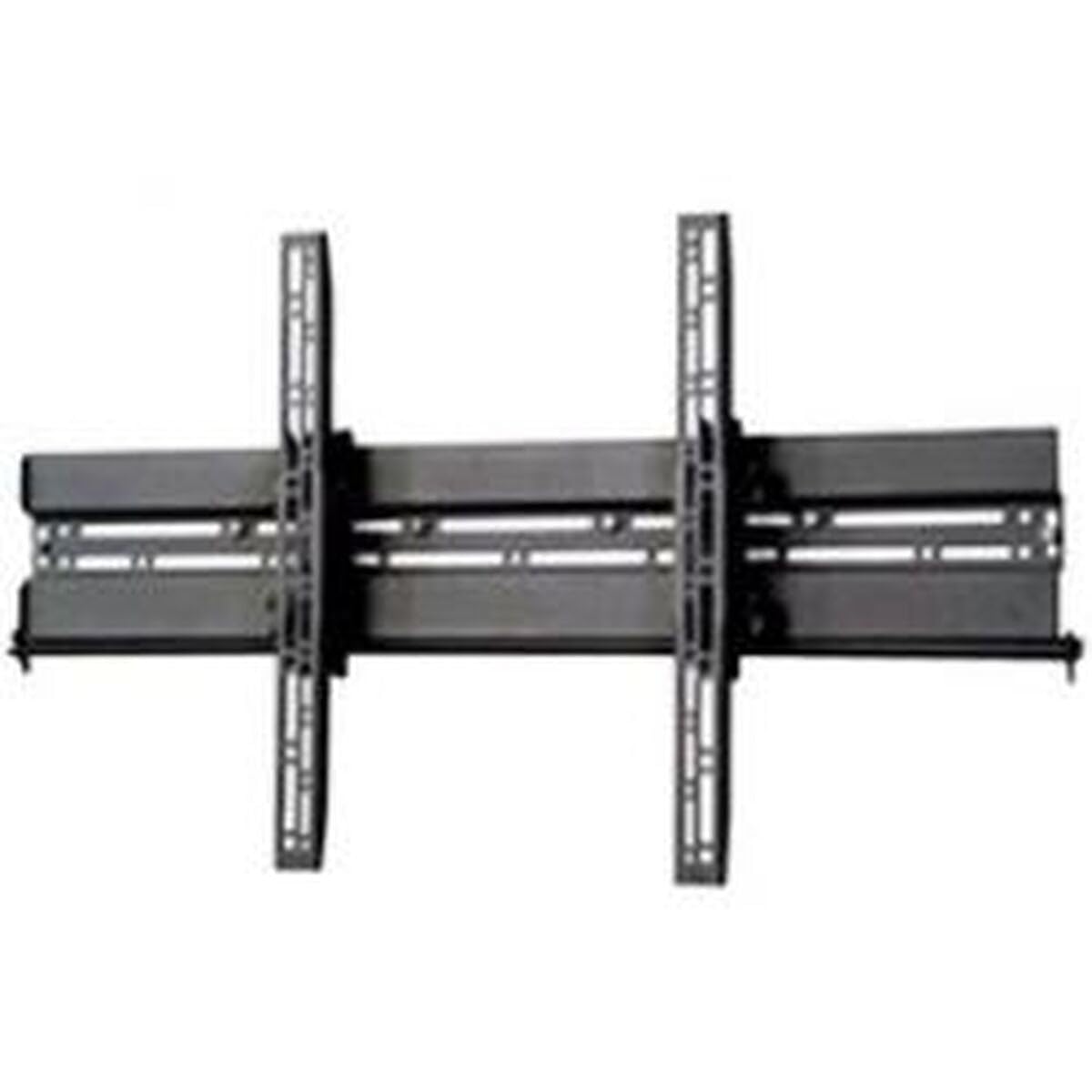
Imaj: Egzample of a TV mounted using a similar flat screen wall mount. The BT8432 mounts the screen approximately 80mm (3.1 inches) from the wall.
Enstriksyon Operasyon
Ajisteman enklinezon
The BT8432 mount features a simple tilt adjustment of +/-15 degrees. This allows you to optimize your viewing angle and reduce glare.
- Locate the tilt adjustment knobs or bolts on the side of the TV mounting arms.
- Loosen the knobs/bolts slightly.
- Panche televizyon an ak anpil atansyon nan ang ou vle a.
- Tighten the knobs/bolts firmly to secure the TV in the new position. Do not overtighten.
Antretyen
- Netwayaj: Use a soft, dry cloth to clean the mount. Avoid abrasive cleaners or solvents.
- Tèks Peryodik: Tcheke tout vis ak boulon yo detanzantan pou asire yo rete sere epi byen fèm. Sere yo ankò si sa nesesè.
- Kapasite pwa: Do not hang additional items or exceed the maximum weight capacity of the mount.
Depanaj
Televizyon an pa nivo apre enstalasyon an:
- Ensure the wall mount bracket was installed perfectly level. If not, you may need to adjust its position.
- Check if the TV mounting arms are attached evenly to the back of the TV.
Mount feels loose on the wall:
- Retire televizyon an nan sipò a imedyatman.
- Check all wall screws for tightness.
- Verify that the wall anchors (if used) are properly seated and suitable for your wall type.
- Ensure the wall material is strong enough to support the mount and TV.
Difficulty tilting the TV:
- Ensure the tilt adjustment knobs/bolts are sufficiently loosened before attempting to adjust the angle.
- Do not force the tilt mechanism.
Espesifikasyon
| Nimewo Modèl | BT8432 |
| Gwosè ekran maksimòm | 65 pous (165cm) |
| Kapasite maksimòm pwa | 70kg (154lbs) |
| Kalite aliye | Mi mòn |
| Kalite Mouvman | Panche |
| Ajisteman enklinezon | +/-15 degre |
| Distans soti nan miray la | 80mm (3.1 pous) |
| Kalite miray konpatib | Concrete / Brick, Stud Walls (up to 32 inches) |
| Materyèl | Akrilonitrile butadien stirèn (ABS) |
| Dimansyon pwodwi | 5.83 x 27.56 x 16.54 pous |
| Pwa atik | 11.22 liv |
| Manifakti | B-Tech |
| ASIN | B002C1OZYC |
| GTIN | 05019318084294 |
Garanti ak sipò
Specific warranty information for the B-Tech BT8432 wall mount may vary by region and retailer. Please refer to your purchase documentation or contact the retailer where you purchased the product for details regarding warranty coverage.
For technical support or inquiries, please visit the official B-Tech website or contact their customer service department. Keep your proof of purchase handy when seeking support.


