
1. Entwodiksyon
This manual provides essential information for the safe and efficient operation of your Sharp AQUOS LC-52E77U LCD HDTV. Please read these instructions thoroughly before using the television and retain them for future reference.
The Sharp AQUOS LC-52E77U features a 52-inch Full HD 1080p display with 120Hz Fine Motion Enhanced technology for smooth motion. It incorporates a 10-Bit AVS Superlucent LCD Panel and Spectral Contrast Engine XD to deliver deep black levels and vibrant, accurate colors. This model includes built-in ATSC/QAM/NTSC tuners and a variety of connectivity options to integrate with your home entertainment system.
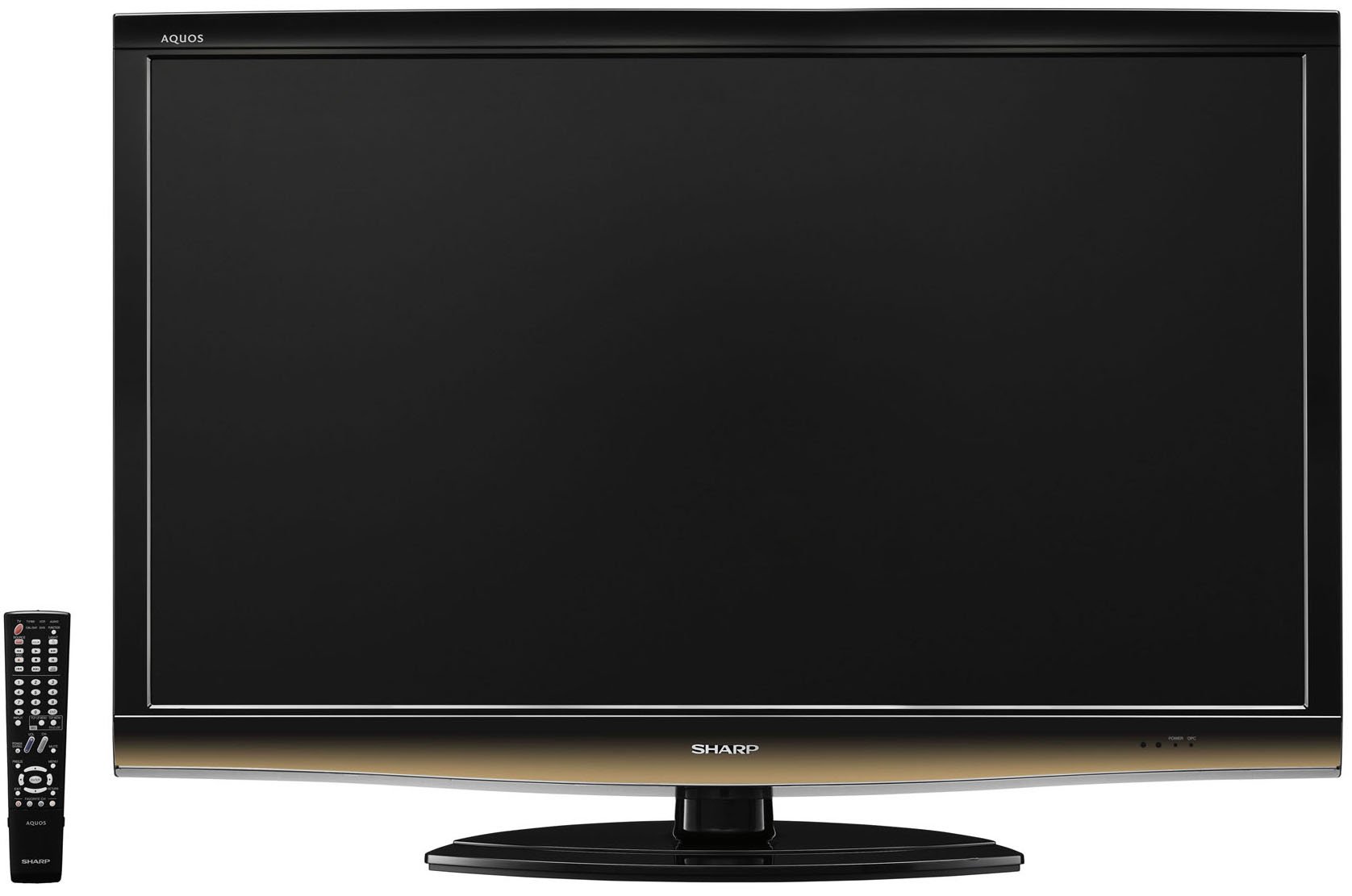
Devan view of the Sharp LC-52E77U AQUOS LCD HDTV, showcasing its slim bezel and screen.
2. Enfòmasyon sou Sekirite
Always follow basic safety precautions when using this television to reduce the risk of fire, electric shock, and injury to persons.
- Do not block ventilation openings. Ensure adequate space around the television for proper airflow.
- Do not place the television on an unstable cart, stand, tripod, bracket, or table.
- Pwoteje kòd elektrik la pou yo pa mache oswa kwense, sitou nan priz, resipyan konvenyans, ak pwen kote yo sòti nan aparèy la.
- Deploge aparèy sa a pandan tanpèt zèklè oswa lè li pa itilize pou yon peryòd tan ki long.
- Refere tout sèvis yo bay pèsonèl sèvis kalifye. Reparasyon nesesè lè aparèy la domaje nenpòt fason, tankou kòd kouran oswa ploge domaje, likid koule oswa objè tonbe nan aparèy la, aparèy la te ekspoze a lapli oswa imidite, li pa fonksyone nòmalman. , oswa li te tonbe.
3. Pake kontni
Verifye ke tout atik yo prezan nan pakè a:
- Sharp AQUOS LC-52E77U LCD HDTV
- Kontwòl Remote ak pil
- Detachable Table Stand
- Kòd pouvwa
- Manyèl Itilizatè (dokiman sa a)
- Kat Garanti (si sa aplikab)
4. Enstalasyon
4.1 Enstalasyon Fizik
Your television can be installed on its included table stand or mounted on a wall using a compatible VESA wall mount (sold separately).
Enstalasyon Sipò Tab:
- Carefully place the television screen-down on a soft, flat surface to prevent damage.
- Attach the stand base to the television using the provided screws. Ensure all screws are tightened securely.
- The table stand features swivel capability for adjusting the viewang ang.
Montaj mi:
If wall-mounting, remove the table stand. Consult the instructions provided with your wall mount bracket for proper installation. Ensure the wall mount is rated for the weight and size of this television (approximately 59.5 pounds).
4.2 Konekte Aparèy
The LC-52E77U offers various input terminals for connecting external devices.
- Antre HDMI (x5): Connect Blu-ray players, game consoles, cable/satellite boxes, and other HDMI-compatible devices. These inputs are compatible with 1080p signals.
- Antre Videyo Konpozan (x2): Connect devices using component video cables (YPbPr) for high-definition signals up to 1080p.
- Antre PC: Connect a computer to use the television as a monitor.
- Antre RS-232C: For advanced control systems.
- Antre Antèn/Kab: Connect an antenna or cable TV feed for accessing built-in tuners.
Ensure all cables are securely connected to the correct ports on both the television and your external devices.
4.3 Premye pouvwa sou
- Plug the power cord into the television and then into a wall outlet.
- Press the Power button on the television or the remote control.
- Follow the on-screen prompts for initial setup, including language selection, channel scanning (for antenna/cable), and time zone settings.
5. Operasyon Enstriksyon
5.1 Kontwòl debaz yo
- Pouvwa: Limen oswa etenn televizyon an.
- Volim (+/-): Ajiste nivo son an.
- Chanèl (Monte/Desann): Changes the television channel when using the built-in tuners.
- Antre/Sous: Cycles through available input sources (HDMI 1, Component 1, PC, etc.).
- Meni: Aksè meni ekspozisyon sou ekran (OSD) la pou ajisteman paramèt yo.
5.2 Anviwònman Foto
Access the Picture menu to customize your vieweksperyans ing. Karakteristik kle yo enkli:
- Mòd Foto: Select from preset modes (e.g., Standard, Movie, Game) or customize your own.
- Kontras: Adjusts the difference between light and dark areas of the picture. The Spectral Contrast Engine XD enhances deep black levels.
- Klate: Kontwole liminans jeneral ekran an.
- Color/Saturation: Ajiste entansite koulè yo.
- Tent: Adjusts the green-to-red balance (primarily for NTSC signals).
- Netite: Enhances or softens the edges of objects in the picture.
- 120Hz Fine Motion Enhanced: This feature processes fast-moving images to reduce motion blur, providing a smoother viewing experience. It can be adjusted or disabled in the picture settings.
- OPC (Optical Picture Control): This feature senses ambient room light and automatically adjusts the screen brightness. While designed for power saving and backlight longevity, some users may prefer to disable it for consistent brightness.
For optimal picture quality, consider calibrating your television using a calibration disc or professional service.
5.3 Anviwònman son
The LC-52E77U features built-in speakers. Access the Audio menu to adjust settings such as:
- Son Mode: Select from preset audio modes (e.g., Standard, Music, Movie).
- Bass/Treble: Adjust low and high-frequency audio levels.
- Balans: Adjust the volume balance between left and right speakers.
- Antoure Son: Enable or disable virtual surround sound effects.
For enhanced audio, connect the television to an external audio system (e.g., soundbar, AV receiver) via the available audio output ports.
5.4 Seleksyon Antre
To switch between connected devices, press the 'Input' or 'Source' button on your remote control. A list of available inputs will appear on the screen. Navigate using the arrow keys and press 'Enter' or 'OK' to select the desired input.
5.5 Operasyon Tuner
The television includes built-in ATSC (digital terrestrial), QAM (digital cable), and NTSC (analog terrestrial) tuners. After connecting an antenna or cable feed and performing a channel scan during initial setup, you can use the Channel Up/Down buttons to browse available channels.
6. Antretyen
6.1 Netwaye ekran an
Pou netwaye ekran an, siye l dousman avèk yon twal mou ki pa gen pousyè. Pou mak ki difisil pou retire, siye l dousman.ampRense twal la avèk dlo oswa yon pwodui netwayaj ekran espesyalize. Pa janm flite pwodui netwayaj la dirèkteman sou ekran an.
6.2 Netwaye kabinè a
Wipe the television cabinet with a soft, dry cloth. Do not use abrasive cleaners, waxes, or solvents as they may damage the finish.
6.3 Swen Jeneral
- Avoid exposing the television to direct sunlight or extreme temperatures.
- Do not place heavy objects on top of the television.
- Keep the television away from sources of strong magnetic fields.
NAN. Depanaj
If you experience issues with your television, refer to the following common troubleshooting steps before contacting customer support.
| Pwoblèm | Kòz posib / Solisyon |
|---|---|
| Pa gen pouvwa | Asire w kòd kouran an byen branche nan televizyon an ak nan yon priz elektrik ki fonksyone. Tcheke si priz la gen kouran. |
| Pa gen imaj, men gen son | Verifye ke sous opinyon ki kòrèk la chwazi. Tcheke koneksyon kab yo ak aparèy ekstèn yo. |
| Pa gen son, men imaj la la | Check the volume level and ensure the TV is not muted. If using external speakers, check their connections and power. |
| Remote kontwòl pa travay | Ranplase pil yo nan kontwòl remote la. Asire w pa gen okenn obstak ant kontwòl remote la ak detèktè IR televizyon an. |
| Imaj la defòme oswa li pa klè | Check cable connections for looseness or damage. Adjust picture settings (e.g., sharpness, picture mode). If using an antenna, check its position and signal strength. |
8. Espesifikasyon
- Modèl: LC-52E77U
- Gwosè ekran: 52 pous (dyagonal)
- Teknoloji ekspozisyon: LCD (10-Bit AVS Superlucent LCD Panel)
- Rezolisyon: 1920 x 1080 (Full HD 1080p)
- Pousantaj rafrechisman: 120 Hz (with Fine Motion Enhanced)
- Tan repons: 4 ms
- Viewang yo: 176 ° H x 176 ° V
- Kontras: Spectral Contrast Engine XD
- Tuner: Built-in ATSC / QAM / NTSC
- Koneksyon:
- HDMI Inputs: 5 (compatible with 1080p signals)
- Component Video Inputs: 2 (HD 1080p compatible)
- PC Input: 1
- Antre RS-232C: 1
- Kalite oratè: Built-In, bottom-mounted
- Pwa atik: Approximately 59.5 Pounds (without stand)
- Dimansyon pwodwi (W x H x P): Approximately 49.38 x 33.94 x 12.78 inches (with stand)
- Efikasite enèji: Energy Star konfòme
9. Garanti ak sipò
This product typically comes with a 15-month warranty from the date of purchase. For specific warranty terms and conditions, please refer to the warranty card included with your product or visit the official Sharp websit.
As part of the AQUOS Advantage Program, Sharp provides customer support for its AQUOS televisions. If you require technical assistance, service, or have questions regarding your LC-52E77U, please contact Sharp customer support through their official channels.
Pou plis enfòmasyon ak sipò, ou ka vizite Magazen Sharp sou Amazon or the official Sharp websit.