
1. Entwodiksyon
This manual provides essential information for the safe and efficient operation of your Sharp Aquos LC42D64U 42-Inch 1080p LCD HDTV. Please read these instructions thoroughly before using your television and retain them for future reference. The Sharp Aquos D64 series offers a slim design, Full HD 1080p resolution, and advanced features for an enhanced vieweksperyans nan.
2. Enfòmasyon enpòtan sou sekirite
Toujou swiv prekosyon sekirite debaz yo lè w ap itilize televizyon sa a pou diminye risk dife, chòk elektrik, ak blesi.
- Sous pouvwa: Connect the TV only to the power supply indicated on the label.
- Vantilasyon: Asire bon vantilasyon. Pa bloke ouvèti vantilasyon yo.
- Dlo ak imidite: Pa ekspoze televizyon an anba lapli oswa imidite. Pa mete objè ki plen likid sou televizyon an.
- Netwayaj: Unplug the TV from the wall outlet before cleaning. Use a soft, dry cloth.
- Sèvis: Pa eseye fè sèvis pwodui sa a tèt ou. Refere tout sèvis yo bay pèsonèl sèvis kalifye.
- Montaj: If wall-mounting, ensure the mount is compatible and installed by qualified personnel.
- Timoun: Sipèvize timoun yo pou anpeche yo monte sou televizyon an oswa jwe ak li.
3. Ki sa ki nan bwat la
Verifye ke tout konpozan yo prezan anvan ou kontinye ak konfigirasyon an.
- Sharp Aquos LC42D64U 42-Inch LCD HDTV
- Kontwòl Remote
- Tab kanpe
- Kòd pouvwa
- Manyèl Itilizatè (dokiman sa a)
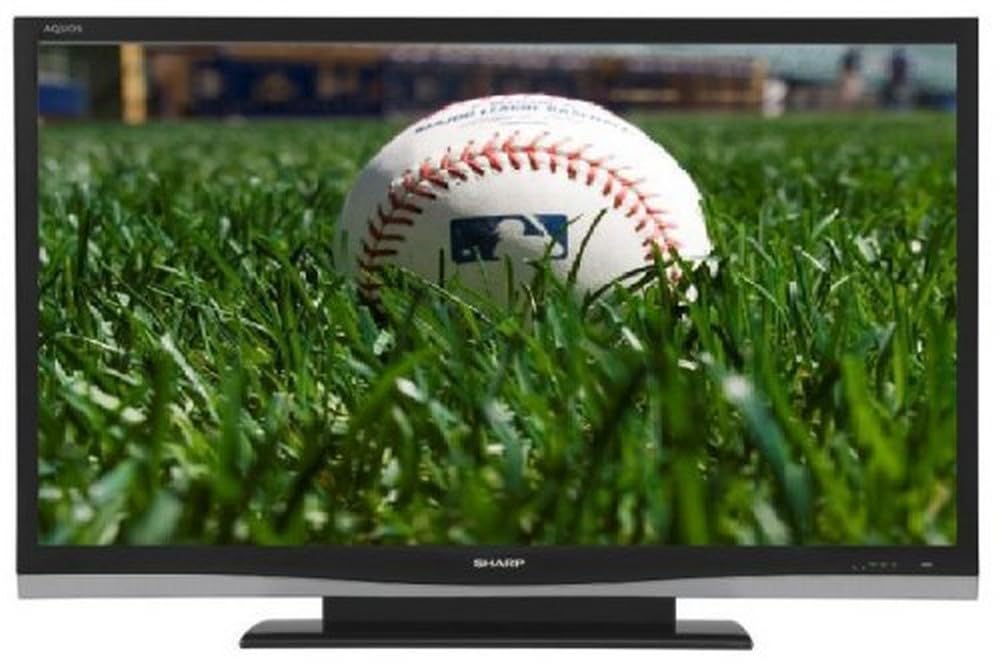
Imaj: Devan view of the Sharp Aquos LC42D64U 42-Inch LCD HDTV with its included table stand.
4. Enstalasyon
4.1 Mete Sipò Tab la anlè
If you are not wall-mounting the television, attach the included table stand. Refer to the separate assembly guide for detailed instructions on securing the stand to the TV. Ensure all screws are tightened securely.
4.2 Konekte Aparèy Ekstèn yo
Connect your external devices (e.g., cable box, Blu-ray player, game console) to the appropriate input terminals on the rear or side of the TV.
- HDMI: For high-definition digital video and audio. The TV features three HDMI 1.3 inputs (two rear, one side).
- Videyo Konpozan (Y, Pb, Pr): For high-definition analog video. Two inputs are available.
- Composite Video (A/V): For standard-definition analog video and audio. One side and one rear input.
- S-Videyo: For standard-definition video. One side and one rear input.
- PC Input (D-Sub 15-pin): Konekte yon òdinatè pou itilize kòm yon monitè.
- RF Antenna Inputs: Two inputs for connecting an antenna or cable TV.
- Ethernet Port: For network connectivity (DLNA).
4.3 Koneksyon pouvwa
After connecting all desired devices, plug the power cord into the TV's power inlet and then into a wall outlet. The TV will enter standby mode.
5. Operasyon Enstriksyon
5.1 Premye Limen ak Konfigirasyon Chanèl
- Peze a POUVWA button on the remote control or the TV to turn it on.
- The first time you power on, the TV will guide you through the initial setup process, including language selection and channel scanning.
- Chwazi lang ou prefere a (Angle, Panyòl, oswa Franse).
- Perform an "Easy Setup" or "Channel Setup" scan to detect available digital (ATSC, QAM) and analog (NTSC) channels.
5.2 Fonksyon debaz kontwòl remote la
- POUVWA: Turns the TV on or off (standby).
- ENTRÈ: Cycles through available input sources (HDMI, Component, PC, etc.).
- CH +/-: Chanjman chanèl yo.
- VOL +/-: Ajiste volim.
- MENI: Accesses the on-screen menu for settings adjustments.
- BOUTON FLÈCH: Navige nan opsyon meni yo.
- ANTRE: Konfime seleksyon yo.
- EXIT/RETURN: Exits menus or returns to the previous screen.
5.3 Navigasyon meni ak paramèt
Peze a MENI button to access various settings categories:
- Foto: Adjust brightness, contrast, color, tint, sharpness, and backlight. The OPC function automatically adjusts brightness based on room conditions.
- Odyo: Control volume, bass, treble, balance, and select audio modes.
- Chèn: Rescan channels, add/delete channels, and set up favorite channels.
- Enstalasyon: General settings like language, time, sleep timer, and parental controls (V-Chip).
- Karakteristik avanse: Access settings for DLNA, Picture-in-Picture, and AQUOS LINK.
6. Karakteristik avanse
6.1 AQUOS LINK (HDMI-CEC)
AQUOS LINK allows convenient control of compatible Sharp devices connected via HDMI using just your AQUOS TV remote. Ensure connected devices also support HDMI-CEC (Consumer Electronics Control) and are enabled in their respective settings.
6.2 DLNA Compatibility
The TV is DLNA-compatible, enabling interoperability with other DLNA-certified electronics, computers, and mobile devices. Connect the TV to your home network via the Ethernet port to access and share digital content (photos, videos, music) from compatible devices on your network.
6.3 Picture-in-Picture (PIP)
The Picture-in-Picture function allows simultaneous viewing of a TV program and a video or PC source. Consult the on-screen menu for PIP activation and source selection.
6.4 V-Chip System
The V-Chip system allows you to block TV and movie programs based on their rating, providing parental control over objectionable content. Access V-Chip settings through the TV's setup menu.
7. Antretyen
7.1 Netwaye ekran an
Siye ekran an dousman avèk yon twal mou ki pa gen pousyè. Pou mak ki difisil pou retire, siye l dousman.ampRense twal la avèk dlo oswa yon pwodui netwayaj ekran espesyalize. pa fè sa use harsh chemicals, abrasive cleaners, or spray liquids directly onto the screen.
7.2 Netwaye kabinè a
Wipe the TV cabinet with a soft, dry cloth. Avoid using solvents or abrasive materials.
7.3 Swen Jeneral
- Dekonekte televizyon an pandan tanpèt zèklè oswa lè ou pa itilize li pou yon bon bout tan.
- Kenbe televizyon an lwen limyè solèy dirèk, sous chalè, ak twòp pousyè.
- Ensure adequate space around the TV for proper ventilation.
NAN. Depanaj
Anvan ou kontakte sèvis kliyan, eseye solisyon sa yo pou pwoblèm komen yo:
| Pwoblèm | Solisyon posib |
|---|---|
| Pa gen pouvwa | Check if the power cord is securely plugged into the TV and the wall outlet. Ensure the outlet has power. |
| Pa gen imaj, men gen son | Verifye ke sous opinyon ki kòrèk la chwazi. Tcheke koneksyon kab yo ak aparèy ekstèn yo. |
| Pa gen son, men imaj la la | Tcheke nivo volim nan ak paramèt silans lan. Asire w ke kab odyo yo byen konekte. |
| Remote kontwòl pa travay | Ranplase pil yo. Asire w pa gen okenn obstak ant telekòmand lan ak detèktè IR televizyon an. |
| "Hotel Mode" issue (as per customer review) | If the TV is stuck in a limited functionality mode, contact Sharp customer support for assistance in disabling "Hotel Mode." This typically requires a specific service menu sequence. |
9. Espesifikasyon
| Karakteristik | Detay |
|---|---|
| Nimewo Modèl | LC42D64U |
| Gwosè ekran | 42 pous |
| Teknoloji ekspozisyon | LCD |
| Rezolisyon | 1080p (Full HD) |
| Pwopòsyon kontras | 10,000:1 Dynamic |
| Tan repons | 4 Milisegond |
| Pò HDMI | 3 (2 dèyè, 1 bò) |
| Antre Videyo Konpozan | 2 |
| Antre videyo konpoze | 3 (1 bò, 2 dèyè) |
| S-Video Inputs | 2 (1 bò, 1 dèyè) |
| Antre PC | 1 (D-Sub 15-pin) |
| Ethernet Port | Wi |
| Kalite sentonizè | ATSC, QAM, NTSC |
| Kontwòl Paran | V-Chip |
| Pwa | 70.2 liv (apeprè) |
| Ane ki gen konpòtman egzanplè | 2008 |
10. Garanti ak sipò
10.1 Garanti limite
This Sharp Aquos LC42D64U television comes with a 1 Year Parts and 1 Year Labor Warranty from the date of original purchase. This warranty covers manufacturing defects in materials and workmanship under normal use. It does not cover damage caused by misuse, accident, modification, or unauthorized repair.
Tanpri kenbe prèv ou achte pou reklamasyon garanti.
10.2 Sipò pou Kliyan
For technical assistance, troubleshooting beyond this manual, or warranty service, please contact Sharp Customer Support. Refer to the contact information provided with your product documentation or visit the official Sharp websit la pou jwenn detay sipò ki pi resan yo.
When contacting support, please have your model number (LC42D64U) and serial number ready.