
1. Entwodiksyon
Need for Speed: Carbon is a street racing video game developed by Electronic Arts for the PlayStation 3 platform. This manual provides essential information for game setup, operation, and understanding its core features. The game immerses players in a world of dangerous street racing, where the objective is to conquer rival territories and ultimately race in Carbon Canyon.
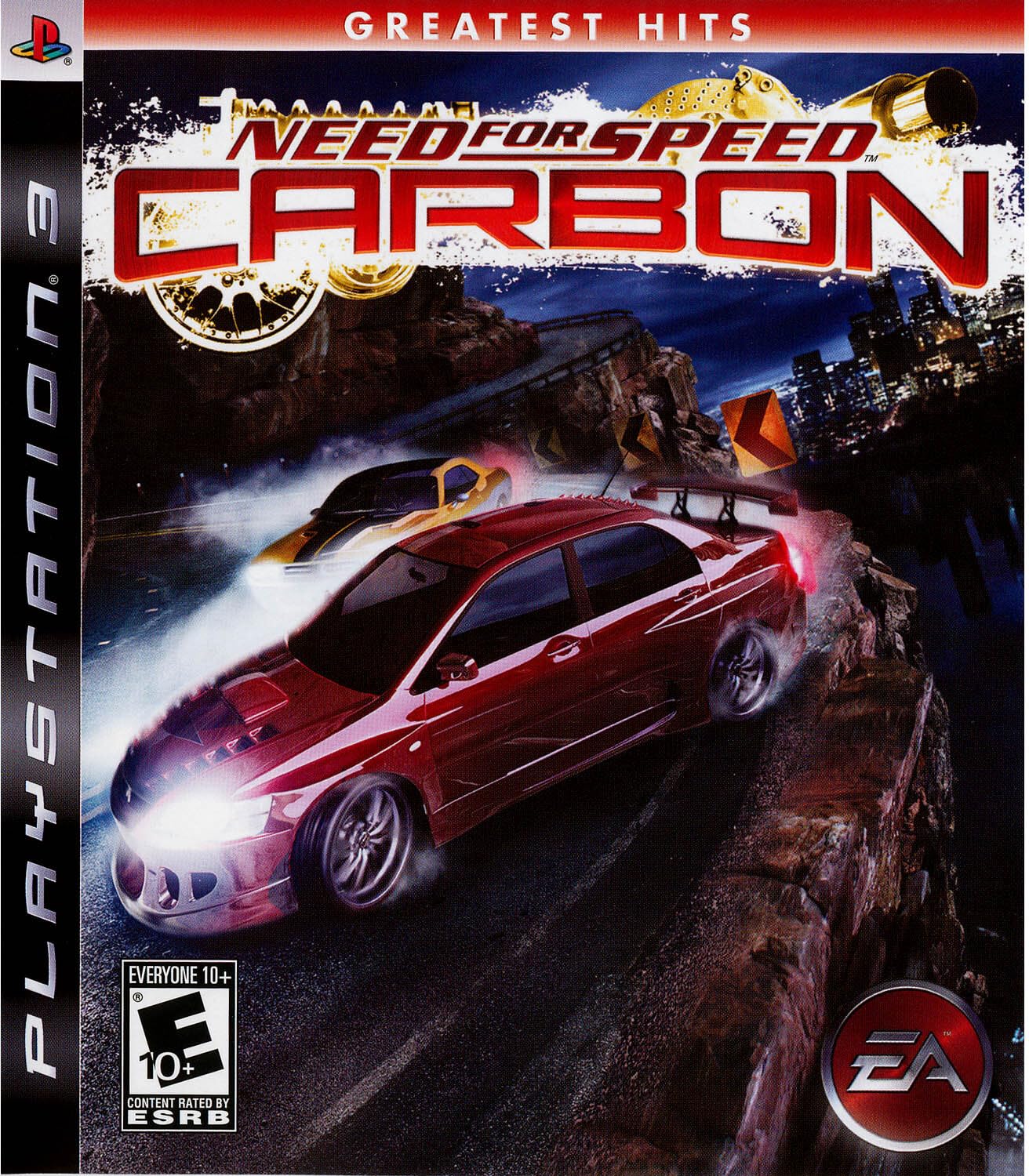
Figure 1.1: Need for Speed: Carbon Game Cover
2. Enstalasyon ak Enstalasyon
2.1 Kondisyon Sistèm
- Konsole: Sony PlayStation 3 (including Slim and Super Slim models)
- Depo: At least 471 KB of free hard disk space required for game data.
- Sòti videyo: Supports 720p HD video output.
2.2 Game Installation
- Insert the Need for Speed: Carbon game disc into your PlayStation 3 console's disc drive.
- Follow the on-screen prompts to install the game data to your console's hard drive. Ensure sufficient storage space is available.
- Once installation is complete, the game icon will appear in the XMB (XrossMediaBar) menu.
2.3 Online Play Requirements
Online multiplayer features require a broadband internet connection and a PlayStation Network account. Refer to the PlayStation Network terms of service and privacy policy for details.

Figure 2.1: Game Case Back, detailing system and online requirements
3. Jeu a finiview
Need for Speed: Carbon features intense street racing across various environments, including city streets and perilous canyon roads. The game's core mechanics involve territorial control, car customization, and strategic crew management.
3.1 Race Modes
- Canyon Duel: High-stakes races on canyon roads where precision and nerve are critical.
- Derive: Skill-based events focused on maintaining controlled slides for points.
- Territory Control: Race against rival crews to take over city blocks and expand your influence.
3.2 Car Customization
The revolutionary Autosculpt car customization tool allows players to design and fine-tune their vehicles. This feature provides extensive options for visual and performance modifications, enabling unique car builds.
3.3 Car Classes
Players can affiliate with one of three distinct car classes, each offering a unique driving experience due to different physics models:
- Tuner: Known for agility and precise handling.
- American Muscle: Characterized by raw power and straight-line speed.
- Exotic: High-performance vehicles with a balance of speed and handling.

Figure 3.1: Car Class Selection Screen
3.4 Crew Management
Strategically select and utilize crew members, each possessing unique skills that can be deployed on the road during races or in the garage for car customization assistance.

Figure 3.2: In-game racing scene with a Nissan Skyline

Figure 3.3: In-game racing scene with a Ferrari Enzo

Figure 3.4: In-game racing scene with a Renault Clio V6
4. Operasyon debaz
4.1 Starting the Game
From the PlayStation 3 XMB menu, navigate to the 'Game' section and select the Need for Speed: Carbon icon to launch the application.
4.2 Kontwolè Layout
The game utilizes the standard PlayStation 3 controller. Specific button assignments for steering, acceleration, braking, and other actions are detailed within the in-game options menu. It is recommended to review these settings for optimal gameplay.
5. Swen ak Antretyen
Proper care of your game disc and console ensures optimal performance and longevity.
- Disk manyen: Always hold the game disc by its edges. Store it in its original case when not in use to prevent scratches and dust accumulation. Clean the disc with a soft, lint-free cloth if necessary, wiping from the center outwards.
- Console Environment: Ensure your PlayStation 3 console is placed in a well-ventilated area to prevent overheating. Avoid placing it on soft surfaces that can block air vents.
- Mizajou lojisyèl: Periodically check for and install any available game patches or system software updates for your PlayStation 3. These updates can improve game stability and performance.
NAN. Depanaj
If you encounter issues while playing Need for Speed: Carbon, consider the following troubleshooting steps:
- Jwèt la pa chaje: Ensure the game disc is clean and free of scratches. Verify that the disc is inserted correctly into the console. Restart your PlayStation 3 console.
- Pwoblèm pèfòmans: If the game experiences slowdowns or freezes, ensure your console has adequate ventilation. Close any other applications running in the background. Ensure sufficient free space on your console's hard drive.
- Pwoblèm koneksyon sou entènèt: Check your internet connection and verify that your PlayStation Network account is active. Ensure your console's network settings are correctly configured.
- Avètisman Sante: If you have a history of epilepsy or seizures, consult a doctor before playing video games. Discontinue use immediately if you experience any discomfort or adverse reactions.
7. Espesifikasyon
| Platfòm | PlayStation 3 |
| Dat Piblikasyon | 23 jiyè 2010 |
| Evalyasyon ESRB | Tout moun 10+ |
| Kantite jwè yo | 1-2 (Offline), 2-8 (Online) |
| Required Hard Disk Space | At least 471 KB |
| Supported HD Video Output | 720p |
| Manifakti | Elektwonik Atizay |
| Nimewo Modèl Atik | 014633152753 |
| Lang | angle |
| Dimansyon pwodwi | 0.59 x 6.69 x 5.31 pous |
| Pwa atik | 0.01 ons |
8. Enfòmasyon Sipò
8.1 Garanti
Warranty information for Need for Speed: Carbon is typically provided with the product packaging or can be found on the official Electronic Arts website. Please refer to these resources for details regarding product warranty and returns.
8.2 Sipò pou Kliyan
For further assistance, technical support, or frequently asked questions, please visit the official Electronic Arts support website. You can also find additional information and resources by visiting the Electronic Arts Store on Amazon.