
Pwodwi souview
The C2G 02798 DB25 Male to Centronics 36 Male Parallel Printer Cable provides a reliable connection between your personal computer and uni-directional, dot-matrix, or older laser printers. This cable is designed for durability and data integrity, suitable for various environments.
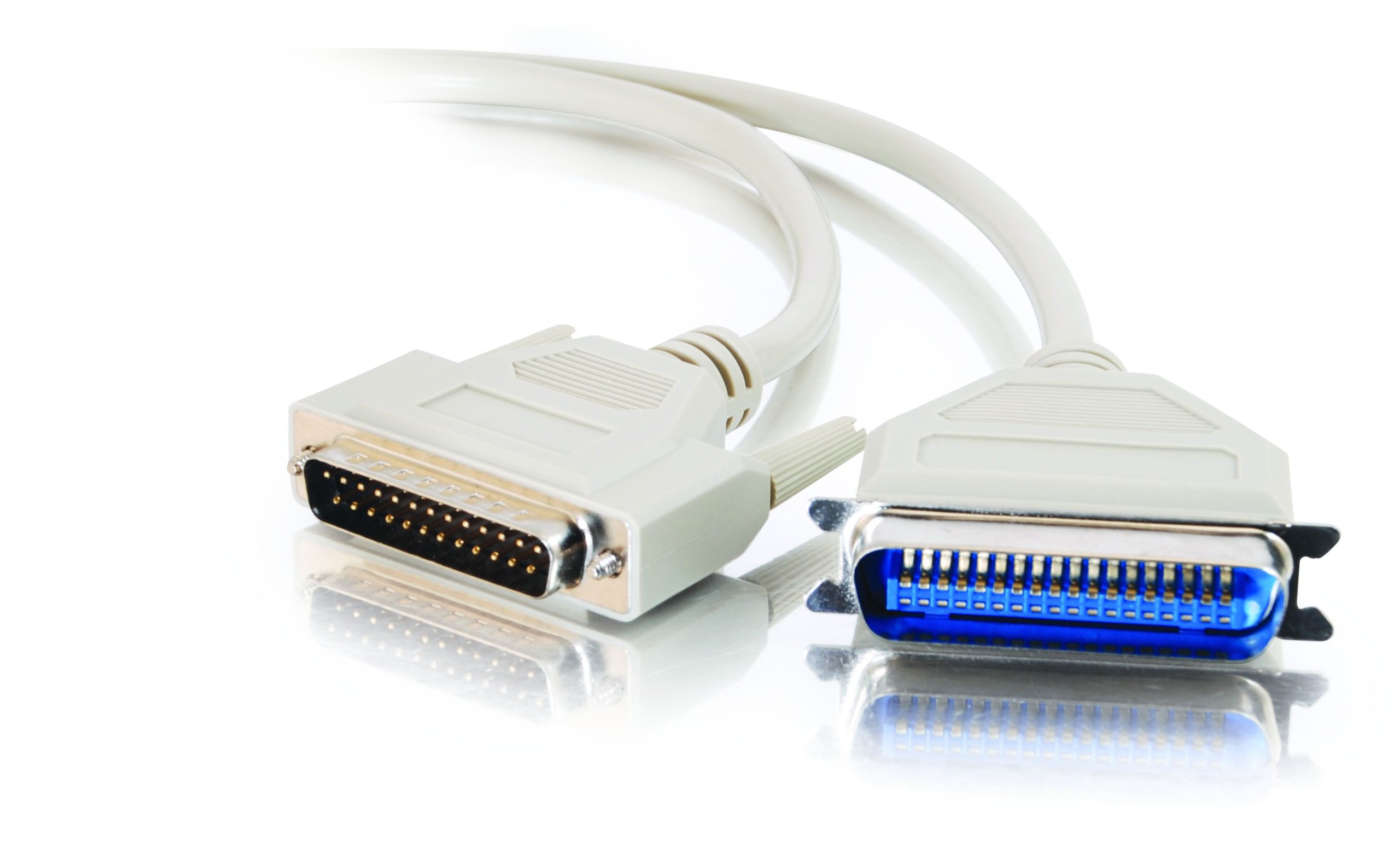
Image: The C2G 02798 DB25 to Centronics 36 Parallel Printer Cable, beige in color, coiled to show both connectors.
Karakteristik kle
- Konektè: DB25 Male to Centronics 36 Male.
- Konpatibilite: Designed for connecting PCs to parallel dot-matrix printers, older laser printers, or other uni-directional Centronics peripherals.
- Dirab: Fully molded design for excellent strain relief, ensuring longevity.
- Pwoteksyon Done: Features foil shielding to protect valuable data from EMI/RFI interference.
- Fasilite pou itilize: Connectors include slotted, textured thumbscrews for easy attachment and removal.
- Fil elektrik: All 25 conductors are wired for broad compatibility.
Videyo: Yon finiview of the C2G Professional Printer Cable, highlighting its features and compatibility with various printers and PCs.
Enstriksyon Enstalasyon
- Idantifye pò yo: Locate the DB25 parallel port on your computer (often a D-shaped port with 25 pins) and the Centronics 36 parallel port on your printer (a larger port with 36 pins).
- Connect DB25 End: Carefully align the DB25 male connector of the cable with the DB25 port on your computer. Gently push it in until it is seated firmly.
- Secure DB25 End: Tighten the slotted thumbscrews on the DB25 connector to secure the cable to the computer port. Do not overtighten.
- Connect Centronics 36 End: Align the Centronics 36 male connector of the cable with the Centronics 36 port on your printer. Push it in until it is fully seated.
- Secure Centronics 36 End: If your Centronics port has clips or screws, ensure the connector is secured.
- Pouvwa sou: Once the cable is securely connected at both ends, power on your printer and computer.
- Enstale chofè yo: Ensure the correct printer drivers are installed on your computer for the connected printer model. Refer to your printer's manual for driver installation instructions.

Imaj: Yon gwo plan view of the DB25 Male connector, showing the 25 pins.
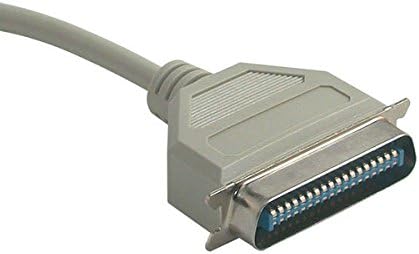
Imaj: Yon gwo plan view of the Centronics 36 Male connector, showing the 36 pins.
Enstriksyon Operasyon
After successful physical connection and driver installation, your computer should recognize the printer. You can now send print jobs from your applications. Ensure the printer is powered on and has paper and ink/toner.
- Select your connected printer from the print dialog box in your application.
- Adjust print settings as needed (e.g., paper size, orientation, print quality).
- Lanse travay enprime a.
Antretyen
To ensure the longevity and optimal performance of your C2G parallel printer cable, follow these simple maintenance guidelines:
- Kenbe pwòp: Periodically wipe the cable and connectors with a dry, soft cloth to remove dust and debris. Avoid using liquid cleaners directly on connectors.
- Evite koube: Do not sharply bend or crimp the cable, especially near the connectors, as this can damage internal wires and shielding.
- Depo apwopriye: Lè w pa ap itilize l, vlope kab la lach epi sere l nan yon kote ki sèk epi fre, lwen limyè solèy dirèk ak tanperati ekstrèm.
- Manyen ak Swen: Toujou kenbe bwat konektè a lè w ap branche oswa debranche kab la, olye pou w rale kab la li menm.
- Enspekte regilyèman: Check the cable and connectors for any signs of wear, fraying, or damage. Replace the cable if any damage is observed to prevent potential issues.
Depanaj
If you encounter issues while using your parallel printer cable, consider the following troubleshooting steps:
- Pa gen rezilta enprime:
- Ensure both the computer and printer are powered on.
- Verify the cable is securely connected to both the computer's parallel port and the printer's Centronics port. Tighten thumbscrews.
- Check if the printer has paper and ink/toner.
- Confirm that the correct printer is selected in your computer's print dialog.
- Restart both the computer and the printer.
- Garbled Print Output:
- This often indicates a driver issue. Reinstall or update your printer drivers.
- Tcheke pou nenpòt koneksyon ki lach.
- Ensure the cable is not damaged. Try a different parallel cable if available.
- Printer Not Detected:
- Verify the cable is fully inserted and secured.
- Check your computer's Device Manager (Windows) or System Information (macOS) to see if the parallel port is recognized and functioning correctly.
- Ensure the printer is set to the correct interface (parallel) if it has multiple connection options.
- Enpresyon dousman:
- Parallel connections are generally slower than modern USB connections. This is normal for this type of cable.
- Asire w ke chofè enprimant ou yo ajou.
Espesifikasyon pwodwi
| Karakteristik | Spesifikasyon |
|---|---|
| Mak | C2G |
| Non modèl | 02798 |
| Kalite Connector | DB25 Male, Centronics 36 Male |
| Kalite kab | Paralèl |
| Aparèy konpatib | Personal Computer, Printer (dot-matrix, older laser, uni-directional Centronics peripherals) |
| Karakteristik espesyal | Transfè Done |
| Koulè | Bèj |
| Konektè Sèks | Gason-a-Gason |
| Kantite broch | DB25 (25 pins), Centronics 36 (36 pins) |
| Konte inite | 1 Konte |
| Pwa atik | 2.4 ons |
| Dimansyon pwodwi | 9 x 5 x 1 pous |
| Maksimòm Voltage | 5 Vòlt (DC) |
| Materyèl Eksteryè | Klori polivinil (PVC) |
Enfòmasyon sou Garanti
This C2G product is covered by a manufacturer's warranty. For specific details regarding warranty duration and terms, please refer to the documentation included with your purchase or visit the official C2G websit la. Kenbe prèv acha ou pou reklamasyon garanti.
Sipò pou Kliyan
For further assistance, technical support, or inquiries about the C2G 02798 Parallel Printer Cable, please contact C2G customer service through their official websit la oswa enfòmasyon kontak ki vini ak anbalaj pwodwi ou a. Ou kapab vizite tou C2G Store on Amazon pou plis enfòmasyon pwodwi.


